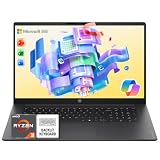
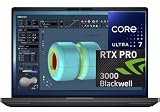
Copilot+ PC is Microsoft’s certification for laptops with a fast enough NPU (neural processing unit) to run on-device AI features – live captions/translation, Windows Studio Effects, Recall, and local Copilot features that don’t need a cloud round-trip. The requirement is a specific minimum NPU performance (40+ TOPS), currently met by either Qualcomm Snapdragon X chips or the newest Intel/AMD chips with a built-in AI accelerator. We checked real Copilot+ certified laptops currently sold on Amazon across both chip families.
Quick List
- Samsung Galaxy Book4 Edge ($740.00) – Best Budget Pick – Snapdragon X Plus, 15.6″.
- Microsoft Surface Laptop (2024) ($989.00) – Best Reference Design – Snapdragon X Plus, 13.8″ touchscreen.
- Dell 16 Pro Plus ($999.98) – Best Intel Entry Point – Core Ultra 7, 16GB DDR5, touchscreen.
- Dell 16 Plus 2-in-1 ($1,129.99) – Best 2-in-1 – Core Ultra 7-256V, Intel Arc graphics.
- Dell 16 Plus Premium ($1,399.99–$1,499.99) – Best Display – Core Ultra 7-258V, anti-glare panel.
- Dell 16 Plus ($1,438.00) – Best Intel Performance – Core Ultra 9-288V, 32GB RAM, Arc 140V.
- Microsoft Surface Pro (2026) ($1,459.99) – Best Detachable – Snapdragon X2 Plus, 13″ 2-in-1.
See All Picks


Which One Is Right for You?
If you mainly use modern, actively-updated apps and web-based tools and battery life is a top priority, the Snapdragon-powered picks (Samsung Galaxy Book4 Edge, both Surface models) are worth strong consideration – the Galaxy Book4 Edge is the cheapest Copilot+ PC in this list, and the Surface Pro adds a detachable 2-in-1 form factor. If you depend on any older or specialized Windows software that may not run natively on ARM, the Intel-powered Dell lineup is the safer, zero-compatibility-risk choice; among those, the entry Dell 16 Pro Plus covers most needs, while the Dell 16 Plus with Core Ultra 9 is the pick if you want the most raw performance in an Intel Copilot+ PC, and the Premium display variant is worth the step up if screen quality matters most to you.
All Picks in Detail
1. Microsoft Surface Pro (2026) – Best Detachable
At $1,459.99, this is Microsoft’s newest ARM silicon (Snapdragon X2 Plus) in a 13″ detachable 2-in-1 form factor – the only genuinely tablet-first device in this lineup, worth it specifically if you want a true detachable keyboard rather than a traditional clamshell hinge.
2. Dell 16 Plus (Core Ultra 9) – Best Intel Performance
At $1,438.00, this is the most powerful Intel Copilot+ PC here – a Core Ultra 9-288V paired with 32GB RAM and Intel Arc 140V graphics. The pick if you want the strongest Intel configuration available while staying on the Copilot+ certified tier.
3. Dell 16 Plus Premium – Best Display
At $1,399.99 to $1,499.99 depending on configuration, this steps up specifically on display quality with an anti-glare FHD+ panel, paired with a Core Ultra 7-258V. Worth the premium if you spend long hours looking at the screen and glare bothers you.
4. Dell 16 Plus 2-in-1 – Best 2-in-1
At $1,129.99, this adds touchscreen and 2-in-1 flexibility to the Intel Copilot+ lineup, with a Core Ultra 7-256V and Intel Arc graphics – the pick if you want convertible flexibility without going fully ARM/Snapdragon.
5. Microsoft Surface Laptop (2024) – Best Reference Design
At $989.00, this is Microsoft’s own reference Snapdragon design – a 13.8″ touchscreen with Snapdragon X Plus, a solid middle ground between the cheaper Galaxy Book4 Edge and the pricier Surface Pro detachable.
6. Dell 16 Pro Plus – Best Intel Entry Point
At $999.98, this is the cheapest way onto the Intel Copilot+ tier, with a Core Ultra 7, 16GB DDR5, and a touchscreen – the pick if Intel compatibility matters to you but you want to spend as little as possible to get there.
7. Samsung Galaxy Book4 Edge – Best Budget Pick
At $740.00, this is the cheapest Copilot+ PC in this entire list – a Snapdragon X Plus-powered 15.6″ laptop that gets you into the Copilot+ ecosystem and its battery-life benefits for under $750.
Specs Compared
| Laptop | Price | Chip | Architecture | Form Factor |
|---|---|---|---|---|
| Samsung Galaxy Book4 Edge | $740.00 | Snapdragon X Plus | ARM | 15.6″ clamshell |
| Microsoft Surface Laptop | $989.00 | Snapdragon X Plus | ARM | 13.8″ touchscreen |
| Dell 16 Pro Plus | $999.98 | Intel Core Ultra 7 | x86 | 16″ touchscreen |
| Dell 16 Plus 2-in-1 | $1,129.99 | Intel Core Ultra 7-256V | x86 | 16″ 2-in-1 touch |
| Dell 16 Plus Premium | $1,399.99–$1,499.99 | Intel Core Ultra 7-258V | x86 | 16″ anti-glare touch |
| Dell 16 Plus | $1,438.00 | Intel Core Ultra 9-288V | x86 | 16″ touchscreen |
| Microsoft Surface Pro (2026) | $1,459.99 | Snapdragon X2 Plus | ARM | 13″ detachable 2-in-1 |
How We Chose These
We filtered specifically for laptops explicitly marketed and certified as “Copilot+ PC,” confirming each meets Microsoft’s NPU performance bar rather than just having AI branding in the listing title. We deliberately included both chip families (Snapdragon ARM and Intel/AMD x86) since the practical tradeoffs between them – software compatibility vs. battery life – are a real decision point buyers need to understand before choosing.
What to Look For
- Snapdragon (ARM) = best battery life, some compatibility risk. Native Windows-on-ARM apps run very efficiently; some older x86 software still needs emulation.
- Intel/AMD Copilot+ = zero compatibility risk, shorter battery life. Runs every piece of x86 Windows software natively.
- Do you actually need on-device AI? Cloud-based Copilot already works on non-certified laptops with an internet connection; Copilot+ mainly adds offline/local processing and privacy benefits.
- 2-in-1/detachable flexibility. Only worth the extra cost and weight if you’ll actually use tablet/touch mode regularly.
Questions
What’s the minimum requirement for Copilot+ PC certification?
A qualifying NPU capable of at least 40 TOPS (trillion operations per second), plus minimum RAM and storage requirements set by Microsoft. All laptops explicitly marketed as “Copilot+ PC,” like the picks here, meet this bar.
Can I play games on a Snapdragon Copilot+ PC?
Limited support – many Windows games now run via emulation on Snapdragon chips, but compatibility isn’t universal and performance varies. If gaming is a priority, an Intel/AMD Copilot+ PC or a dedicated gaming laptop is the safer choice.
Is a 2-in-1 Copilot+ PC worth it over a traditional laptop?
Only if you’ll actually use the tablet/touch mode regularly – for note-taking, sketching, or presentations. If you always use it as a traditional laptop, the 2-in-1 hinge is extra cost and weight without practical benefit.
Do I need a Copilot+ PC at all?
Only if on-device/offline AI processing or the best-in-class battery life of the Snapdragon models matters to you. If you don’t care about either, a non-Copilot+ laptop at the same price will often get you more raw CPU/GPU performance for traditional tasks.
Update History
Published October 2026 with current live Amazon listings and pricing.
Sources
Product specifications, pricing and availability sourced directly from live Amazon product listings as of October 2026.