

- Top Pick: Dell XPS 16 Premium 4K Touchscreen Laptop, RTX 5060, Ultra 9 285H, 32GB/1TB | Business AI PC, 16.3" OLED 120Hz, NVIDIA GPU, 3x Thunderbolt 4, 1080P IR Webcam, Backlit KB, FP, Wi-Fi 7, Win 11 Pro, DA16250
- Best Value: Dell Premium 16 (Previously XPS 16) High Performance Laptop, 16.3" 4K OLED Touchscreen 15th Gen (Intel Ultra 7-255H, 32GB LPDDR5X, 1TB M.2 SSD, GeForce RTX 5050, Fingerprint, Backlit KB, Win 11 Pro)
- Premium Choice: Lenovo ThinkPad P16s Gen 4 16" 4K OLED Touch Laptop, Ryzen AI 7, 64GB/2TB | Copilot+ PC Mobile Workstation, AMD Radeon 860M, Backlit KB, Fingerprint, 2 X Thunderbolt 4, WiFi 7+BT, Win 11 Pro
A 4K panel and a touch layer pull a laptop in two directions at once. Ultra-high resolution wants a strong graphics chip, plenty of memory, and a bright panel that stays sharp when you pinch, zoom, or draw on it. Touch wants a sturdy hinge, decent palm rejection, and software that scales cleanly. Few machines do both well, which is why the shortlist below is built around large 16-inch class screens, dedicated or workstation-class graphics, and generous RAM rather than thin everyday notebooks.
This guide is for people who actually use those pixels: illustrators sketching directly on the display, photographers and colorists who want OLED contrast, engineers annotating drawings, and anyone who simply wants the sharpest touch screen on a laptop in 2026. Every pick here lists a 4K touchscreen in its title, and every comparison below sticks to what the spec sheet shows. A portable 4K touch monitor also appeared in the research pool, but it is a screen rather than a laptop, so it is left out.
Quick Picks
As an Amazon Associate we earn from qualifying purchases at no extra cost to you.


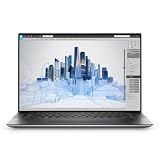

| Product | Best for | Key spec from the title |
|---|---|---|
| Dell XPS 16 Premium (RTX 5060) | All-round creative work | 16.3″ OLED 120Hz, Ultra 9 285H, 32GB/1TB |
| Dell Premium 16 (RTX 5050) | Entry into 4K OLED touch | Core Ultra 7 255H, 32GB LPDDR5X, 1TB |
| ThinkPad P16s Gen 4 (64GB) | Heavy multitasking | Ryzen AI 7, 64GB/2TB, 4K OLED touch |
| ThinkPad P16s Gen 4 (32GB) | Workstation use, lower memory tier | Ryzen AI 7, 32GB/2TB, Radeon 860M |
| Dell Precision 5560 (Renewed) | CAD and drafting on a tight budget | 3840×2400, Nvidia T1200 4GB, 32GB RAM |
| Dell 16 Premium (RTX 5070) | Maximum graphics headroom | Ultra 9 285H, 64GB LPDDR5X, 2TB, RTX 5070 |
How to Choose
Match the graphics chip to the job
Driving a 4K canvas while a timeline, brush engine, or 3D viewport is open taxes the GPU far more than a 1080p screen would. The listings here span three tiers: integrated Radeon 860M, workstation-class Nvidia T1200, and GeForce RTX 5050, 5060, and 5070. For layered photo work and light video, an RTX 5050 or 5060 is a sensible floor. For 3D rendering or GPU-accelerated effects, the RTX 5070 listing leaves the most headroom. Built-in graphics are fine for drafting, documents, and sketching, and they usually run cooler and quieter, which matters if you work in a library or a client meeting.
Memory and storage thresholds
Plan on 32GB as the practical minimum for 4K creative software, since the display itself and large project files consume memory quickly. Sixty-four gigabytes makes sense if you keep many apps open, work with high-resolution RAW batches, or run virtual machines. For storage, 1TB fills fast with 4K footage, so the 2TB configurations are easier to live with. Because 4K project folders grow fast, plan on an external SSD for archives whichever size you pick. The renewed workstation listed here carries only a 512GB drive, which means an external drive is almost mandatory.
Panel type, refresh, and scaling
OLED gives deep blacks and punchy contrast, which helps for photo and video grading, but it can show image retention if a static layout sits on screen for hours. A 120Hz refresh rate, listed on the first Dell, makes stylus ink and scrolling feel smoother. At 4K on a 16-inch screen, you will run Windows scaling at roughly 150 to 200 percent, so check that your core apps handle high-DPI correctly. Ignore the marketing phrase “AI laptop” and focus on panel, GPU, and RAM. Also check brightness and glare: a glossy touch layer reflects office lighting, which hurts color judgment near a window.
Ports, wireless, and where corners get cut
Look for Thunderbolt 4 so you can attach fast external storage and a second display, and for Wi-Fi 7 if your router supports it. Windows Pro adds business features like device encryption management, while Home is fine for personal use. Where do compromises hide? Renewed units carry older processors and no warranty guarantee equal to new stock, third-party resellers may configure memory differently than the manufacturer, and webcams, fingerprint readers, or backlit keyboards vary by listing, so confirm each in the title before buying. Batteries are another place where 4K machines give ground, since a bright high-resolution panel and a hungry GPU shorten unplugged hours, so keep the charger in your bag.
The 6 Best Options
Dell XPS 16 Premium (RTX 5060)
This is the balanced option for someone who wants a 16.3-inch OLED touchscreen with a 120Hz refresh rate and a dedicated RTX 5060 in one chassis. The configuration pairs an Ultra 9 285H with 32GB of memory and a 1TB drive.
- Three Thunderbolt 4 ports and Wi-Fi 7 cover fast storage and docking.
- A 1080P infrared webcam and a fingerprint reader are both named in the title, which covers biometric sign-in options.
- Trade-off: only 1TB of storage, which 4K footage will fill quickly.
Skip it if you need more than 32GB of RAM, since this configuration tops out there, or if you would rather have a ThinkPad-style keyboard and workstation branding.
Dell Premium 16 (RTX 5050)
Sold as the successor branding to the XPS 16, this model keeps the 16.3-inch 4K OLED touchscreen but steps down to a Core Ultra 7 255H and a GeForce RTX 5050. It suits photographers, illustrators, and students who want the display more than raw rendering muscle.
- 32GB of LPDDR5X memory and a 1TB M.2 drive match the larger models on baseline capacity.
- Fingerprint reader and backlit keyboard are both named in the listing.
- Trade-off: the RTX 5050 is the lowest of the three GeForce options here, so heavy 3D scenes will bog down sooner than on the RTX 5060 or 5070 builds.
Skip it if GPU rendering is your daily workload.
Lenovo ThinkPad P16s Gen 4 (64GB/2TB)
This ThinkPad is billed as a mobile workstation with a 16-inch 4K OLED touch display, Ryzen AI 7 processor, and Radeon 860M graphics. The 64GB of memory and 2TB of storage make it the roomiest build in the roundup for multitasking.
- Two Thunderbolt 4 ports, Wi-Fi 7, and Bluetooth are all listed.
- It qualifies as a Copilot+ PC, a plus for AI-assisted editing tools.
- Trade-off: graphics are integrated, so it will not match the GeForce models on 3D scenes, video effects, or anything that leans on a dedicated graphics card.
Skip it if you need a dedicated GPU for rendering, because this model leans on the Ryzen AI 7 and Radeon 860M alone.
Lenovo ThinkPad P16s Gen 4 (32GB/2TB)
The same 16-inch 4K OLED touch ThinkPad, but configured with 32GB of memory instead of 64GB. It fits professionals who work in large spreadsheets, CAD viewers, or photo libraries and want a ThinkPad keyboard with a backlit layout.
- 2TB of storage leaves room for projects before an external drive becomes necessary.
- Fingerprint reader and backlit keyboard come listed with the unit.
- Trade-off: you give up the 64GB headroom of its twin, and memory is the hardest spec to change after purchase on a thin 16-inch machine.
Skip it if you plan to keep this machine for many years of growing project sizes, or if you already know your files need more than 32GB.
Dell Precision 5560 (Renewed)
The only older machine in the group, this renewed workstation pairs a 15.6-inch 3840×2400 touch display with a Core i7-11800H, 32GB of RAM, and an Nvidia T1200 with 4GB of GDDR6. It is for drafters and engineers who need a professional GPU and a sharp touch panel without buying a current generation.
- Workstation-class graphics with 8 cores suit CAD and technical visualization.
- Windows 11 Pro is preinstalled, and the 4GB of dedicated video memory is stated outright in the title.
- Trade-off: a 512GB drive and an older processor generation.
Skip it if you want OLED contrast, a thin modern chassis, or current wireless standards, since the title lists none of them.
Dell 16 Premium (RTX 5070)
This is the top configuration in the group: a 16.3-inch 4K OLED touchscreen, a 16-core Ultra 9 285H, 64GB of LPDDR5X at 8400MT/s, a 2TB SSD, and a GeForce RTX 5070 with GDDR7. It is for creators who render, color-grade, and edit on the same machine.
- The RTX 5070 and 64GB of fast memory give the most graphics headroom here.
- An RGB-IR camera and Thunderbolt 4 round out the connectivity, and the 16-core processor suits long exports.
- Trade-off: it ships with Windows 11 Home rather than Pro.
Skip it if business-oriented management features matter more than graphics, or if you only need the display for light drawing and documents.
Which One Fits Your Situation
You sketch and paint on the screen all day
Choose the Dell XPS 16 Premium with RTX 5060. The 120Hz OLED panel and the dedicated GPU give brush strokes and canvas zoom the smoothest foundation in the lineup. Pair it with a stylus and a matte screen protector if you want more grip on the glass.
You live in CAD and need a professional GPU
The Dell Precision 5560 is the straightforward answer, with its Nvidia T1200 and 3840×2400 touch display. If you would rather have a newer platform with more memory, step up to the ThinkPad P16s with 64GB.
You render video and 3D scenes
Go straight to the Dell 16 Premium with RTX 5070. Its 64GB of memory and 2TB drive keep large projects on one machine, so you avoid shuttling files to a separate desktop.
You want a 4K OLED touch screen with the least fuss
The Dell Premium 16 with RTX 5050 delivers the same class of display in a simpler, lower-tier configuration with 32GB and 1TB. It suits students, photographers, and general professionals who care about sharpness first.
Common Mistakes
- Buying 4K without enough RAM: 16GB leaves a high-resolution canvas short on memory.
- Assuming every “touch” laptop supports a pen; check for active stylus support before you plan to draw.
- Ignoring storage: a 512GB drive fills rapidly with 4K footage and layered files.
- Treating integrated graphics as equal to a GeForce chip for rendering or video effects.
- Overlooking that renewed laptops lack current-generation processors and wireless standards.
Frequently Asked Questions
Is 4K worth it on a 16-inch laptop?
It matters most for photo editing, illustration, and any task where fine detail counts. For documents and web browsing, you will mainly notice sharper text. It also drains more battery than lower resolutions, and apps without proper scaling can look tiny until you adjust the Windows display settings.
Does OLED burn in on laptops?
Image retention can occur if static elements stay on screen for long stretches. Use a dark theme, set the display to sleep promptly, and let the taskbar auto-hide.
Do I need a dedicated GPU for a 4K display?
Not for basic use, since integrated graphics can drive a 4K panel for documents and video playback. You do want a dedicated GPU for rendering, 3D, and GPU-accelerated editing effects.
Can I add memory later?
Many thin 16-inch laptops use soldered LPDDR5X, so upgrades are not possible. Buy the amount you need now, and confirm upgrade options with the manufacturer.









