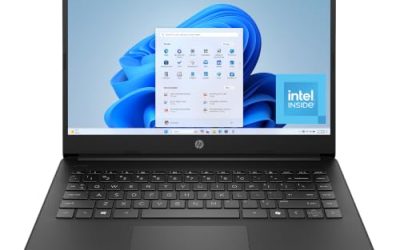
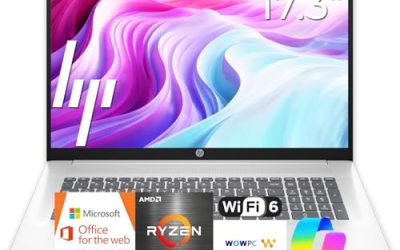
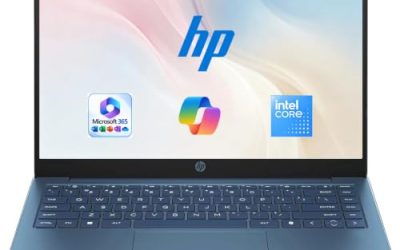
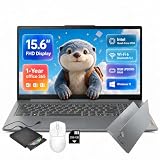
- Top Pick: Lenovo 15.6" FHD Business Laptop, Intel Processor, 8GB DDR5, 128GB Storage | 1TB Cloud Storage, 2026 Edition, Copilot AI+Office 365, Slim PC for Student & Home Office, Win 11, Arctic Grey
- Best Value: Lenovo IdeaPad Slim-3i 15.6-in Laptop – 1-Y Office 365, FHD, Wi-Fi 6, USB-C | Intel Quad-Core N150, 8GB LPDDR5, 128GB UFS, 256GB SD Card, Windows 11, Privacy Shutter, for Home Office & Student
- Premium Choice: Lenovo IdeaPad Slim 3 • 15.6" FHD Business Laptop • AMD Ryzen 5 • 8GB RAM DDR5 • 256GB SSD • 2026 Edition • Windows 11
Working from home asks different things of a laptop than a classroom or a coffee shop does. Your machine sits on the same desk for eight hours, juggles a video call, a browser with a dozen tabs, a spreadsheet and a chat window, and then gets closed at night. If you have settled on Lenovo, the real question is which 15.6-inch configuration gives you enough memory, storage and connectivity to keep that routine smooth without paying for hardware you will never use.
This guide is for remote employees, freelancers and side-hustlers who want a dependable Windows laptop from a brand with a wide IdeaPad and Essential lineup. Most of the models below are budget to mid-range, so the trade-offs matter more than the logos. We compare them strictly on the specs printed in each listing, and we flag where a configuration is thin for a home office in 2026, such as small storage drives or an unclear processor.
Quick Picks
As an Amazon Associate we earn from qualifying purchases at no extra cost to you.



| Product | Best for | Key spec from the title |
|---|---|---|
| Lenovo 15.6-inch Business Laptop (Copilot AI) | Cloud-first document work | 8GB DDR5, 128GB storage, 1TB cloud storage |
| Lenovo IdeaPad Slim 3i with SD card | Extra file space on a budget | Intel N150, 8GB LPDDR5, 128GB UFS plus 256GB SD card |
| Lenovo IdeaPad Slim 3 Ryzen 5 | Heavier multitasking | AMD Ryzen 5, 8GB DDR5, 256GB SSD |
| Lenovo IdeaPad Slim 3i Arctic Grey | Simple everyday desk setup | Intel N150, 8GB RAM, 128GB SSD |
| Lenovo Essential with external HDD | Local backups and archives | 8GB DDR5, 128GB storage, 500GB external HDD |
| Lenovo V15 256GB | More internal storage | 8GB DDR5, 256GB SSD, WiFi 6 |
| Lenovo Essential with Bluetooth 5.2 | Wireless headset users | 8GB DDR5, WiFi 6, Bluetooth 5.2, anti-glare screen |
How to Choose
Memory and processor for a call-heavy day
Every laptop in this roundup lists 8GB of memory, which is the practical floor for a browser, a conferencing app and an office suite running together. Treat 8GB as the minimum, not a bonus. For the processor, a Ryzen 5 sits a step above the Intel N150 class aimed at light tasks, so if your day includes large spreadsheets or several screen shares, lean toward the Ryzen model. Where a listing says only “Intel Processor,” open the full listing before you commit.
Storage you will actually live with
Windows plus Office plus a few months of downloads fills a 128GB drive faster than most buyers expect. A 256GB SSD gives you real breathing room, while 128GB models lean on cloud storage, an SD card or an external drive. Cloud space only helps if your home internet is steady, and an SD card or external HDD is slower than the internal drive, so do not install your main applications there.
Screen, ports and wireless
A 15.6-inch FHD screen is the standard for a home desk, and an anti-glare finish helps if your window sits behind the monitor. Look for Wi-Fi 6 for steadier video calls on a busy home network, and Bluetooth 5.2 if you rely on wireless headphones. USB-C is a useful extra when you want one cable for a dock or monitor, but confirm the details in the listing.
What to ignore and where budget models cut corners
Ignore phrases like “Copilot AI,” “slim PC for students” and “long battery life” as buying signals, because they are not measurable. Budget models cut corners on drive size, processor class and sometimes the keyboard. Since you will type for hours, read the keyboard description, and remember that a bundled cloud subscription is a trial, not a permanent upgrade.
The 7 Best Options
Lenovo 15.6-inch Business Laptop (Copilot AI)
This configuration pairs 8GB of DDR5 memory with a 128GB drive and a bundled 1TB of cloud storage, and the title highlights Copilot AI and Office 365. It suits remote workers who keep nearly everything in online folders and need a light local footprint for documents, email and calls. The title does not name the exact processor beyond Intel, so open the full listing to confirm it before you buy.
- Strength: DDR5 memory in an 8GB configuration.
- Strength: cloud storage included to offset the small drive.
- Trade-off: only 128GB of local storage fills quickly.
Skip it if you handle large local files, video or big project folders, or if your home connection is unreliable.
Lenovo IdeaPad Slim 3i with SD Card
The listing combines an Intel quad-core N150, 8GB of LPDDR5 memory, 128GB of UFS storage and a 256GB SD card, plus a one-year Office 365 term, Wi-Fi 6 and USB-C. It fits a budget home office where extra space for documents matters more than raw speed. UFS is a different storage type from a typical SSD, so treat the internal drive and the card as two separate pools of space rather than one big drive.
- Strength: Wi-Fi 6 and USB-C in one budget package.
- Strength: an SD card adds file space immediately.
- Trade-off: SD storage is slower and easy to misplace.
Skip it if you want one fast internal drive for everything and no loose media to keep track of.
Lenovo IdeaPad Slim 3 Ryzen 5
This IdeaPad Slim 3 uses an AMD Ryzen 5, 8GB of DDR5 and a 256GB SSD in a 15.6-inch FHD business configuration running Windows 11. It is the strongest fit here for someone who keeps many tabs open and switches between heavy documents all day. The Ryzen 5 and the larger drive are the clearest advantages on the list, and the SSD means Windows and your apps live on one dependable disk.
- Strength: Ryzen 5 processor above the N150 class.
- Strength: 256GB SSD gives room for local files.
- Trade-off: the title lists no wireless or port details, so verify them.
Skip it if you only need a basic machine for email and a browser and would rather save the difference.
Lenovo IdeaPad Slim 3i Arctic Grey
A straightforward IdeaPad Slim 3i with a 15.6-inch FHD screen, Microsoft 365, 8GB of RAM, a 128GB SSD and an Intel N150 on Windows 11. It works for someone setting up a tidy desk for email, documents and calls without extra bundles or accessories to manage. The Arctic Grey finish is a cosmetic detail only and says nothing about performance.
- Strength: a plain SSD rather than a mixed storage setup.
- Strength: Microsoft 365 is named in the title.
- Trade-off: 128GB leaves little space for growth.
Skip it if you plan to store large libraries, install many programs or keep years of client files on the laptop.
Lenovo Essential with External HDD
The Essential model is listed with 8GB of DDR5, 128GB of storage, a 500GB external hard drive, an anti-glare FHD display and Office 365. It is a good match for freelancers who need a place for client archives and backups. The external drive means your offline file library starts larger on day one, which solves the biggest weakness of a 128GB laptop without raising the processor tier.
- Strength: a 500GB external drive for backups.
- Strength: anti-glare FHD screen for bright rooms.
- Trade-off: the external drive is one more item on your desk.
Skip it if you prefer a clean, cable-free setup or move often between rooms with the laptop.
Lenovo V15 256GB
This V15 lists 8GB of DDR5, a 256GB SSD, Wi-Fi 6, Office 365 and Copilot AI on a 15.6-inch FHD screen. It is the pick for someone who wants more internal storage without moving into premium pricing. A 256GB SSD is the most comfortable internal drive among the Intel models here, and it lets you keep working files local instead of syncing everything through the cloud.
- Strength: 256GB SSD with 8GB of DDR5.
- Strength: Wi-Fi 6 for steadier calls.
- Trade-off: the processor is described only as Intel.
Skip it if the exact processor model matters to your workload and the full listing does not clarify it.
Lenovo Essential with Bluetooth 5.2
This Essential variant lists 8GB of DDR5, 128GB of storage, 1TB of cloud storage, Office 365, WiFi 6, Bluetooth 5.2 and an anti-glare screen. It suits anyone on wireless headphones who joins calls daily and wants a stable link to them. The newer Bluetooth standard is the standout detail, and the anti-glare finish is a quiet help during long afternoon sessions near a window.
- Strength: Bluetooth 5.2 and Wi-Fi 6 together.
- Strength: anti-glare screen and cloud storage.
- Trade-off: only 128GB of local space.
Skip it if you need a large local drive, since cloud space depends on your connection.
Which One Fits Your Situation
You live in spreadsheets and video calls
Go with the Lenovo IdeaPad Slim 3 Ryzen 5. The stronger processor and 256GB SSD handle the long, crowded workday better than the N150 models, and you are less likely to feel the squeeze when a call, a shared screen and a large workbook are all open at once.
You keep client files and backups
Choose the Lenovo Essential with External HDD. The 500GB extra drive gives you a dedicated home for archives without touching the internal drive.
You wear a wireless headset all day
The Lenovo Essential with Bluetooth 5.2 is the cleanest fit, with the newer wireless standard and Wi-Fi 6 for calls.
You want the simplest low-cost setup
The Lenovo IdeaPad Slim 3i Arctic Grey keeps things plain: one SSD, Microsoft 365 and an N150 processor, with no extras to manage. If you want a bit more internal room for the same kind of simple setup, the Lenovo V15 with its 256GB SSD is the natural step up for a home office that keeps growing.
Common Mistakes
- Buying 128GB of storage without a plan for cloud or external space.
- Assuming “Copilot AI” in a title means a faster processor.
- Counting an SD card as equal to internal SSD speed.
- Ignoring the keyboard and display finish when you will use them for eight hours.
- Skipping the full listing when the title names only “Intel Processor,” which leaves the real performance tier unknown.
Related guides
- Aio Liquid Coolers For High Performance Gaming
- Wireless Gaming Headsets Under 100 For Pc
- What Is A Dac And Do You Need One For Gaming
Frequently Asked Questions
Is 8GB of RAM enough for working from home?
For email, browser work, documents and video calls, 8GB is workable. If you add large spreadsheets or many browser tabs, memory becomes the first limit you notice.
Does the bundled cloud storage replace a bigger drive?
Not fully. It helps with sync and backup, but it needs a steady connection and may be a limited-term offer, so confirm the terms in the listing.
Ryzen 5 or Intel N150?
The Ryzen 5 is the stronger class for multitasking, while the N150 suits lighter daily use. Pick based on how many apps you run at once.
Do I need Wi-Fi 6?
It is not required, but it helps on busy home networks where phones, TVs and other laptops share the same router. Pair it with a router that supports it to see any benefit, and keep the laptop in a room with a solid signal.