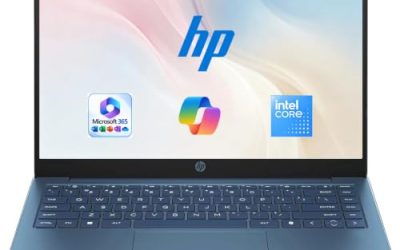
- Top Pick: HP 14 inch Laptop, HD Display, Intel N150, 4 GB RAM, 128 GB UFS, Intel Graphics, Windows 11 Home, Includes a 1-Year Microsoft 365 Personal Subscription. Jet Black, 14-dq6199nr
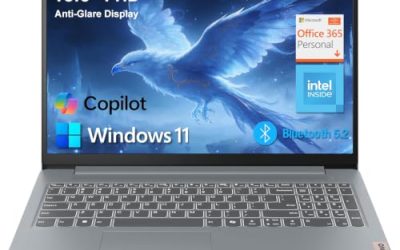
- Best Value: 15.6 inch Laptop, Core i5-7Y57, 4GB So-Dimm RAM, 128GB SSD, Windows 11 | Upgradeable RAM+SSD, 15.6" FHD IPS Display, 2MP Webcam, Cooling Fan, Type-C&HDMI, For Study, Daily Office Work
- Premium Choice: Dell 15.6 Laptop, FHD, Intel Core 3 100U, 8 GB RAM, Windows 11 Home | Anti-Glare IPS WVA, 250 nits, Intel UHD Graphics, DDR4, 512GB SSD, Wi‑Fi 6 & Bluetooth, DC15250
Shopping for a Windows laptop is less about finding the single fastest machine and more about matching a price tier to the work you actually do. The same operating system runs on a budget 14-inch notebook with a small flash drive and on a premium touchscreen model with 1TB of storage, and the experience between them is very different. Before you compare brands, decide how much memory, storage and screen you need day to day.
This guide is for students, families, remote workers and anyone replacing an aging PC who wants a clear view of the Windows range in 2026, from simple budget notebooks to one premium pick. Seven laptops are compared strictly on what each listing states, so we point out where a title leaves out a key spec such as the processor or the memory type, and we suggest what to verify before you buy.
Quick Picks
As an Amazon Associate we earn from qualifying purchases at no extra cost to you.





| Product | Best for | Key spec from the title |
|---|---|---|
| HP 14-inch Laptop (N150) | Light browsing and school | Intel N150, 4GB RAM, 128GB UFS, Microsoft 365 for one year |
| 15.6-inch Core i5-7Y57 Laptop | Upgradeable budget machine | 4GB SO-DIMM RAM, 128GB SSD, FHD IPS, Type-C |
| Dell 15.6-inch Laptop | Best all-round mid-range balance | Core 3 100U, 8GB RAM, 512GB SSD, Wi-Fi 6 |
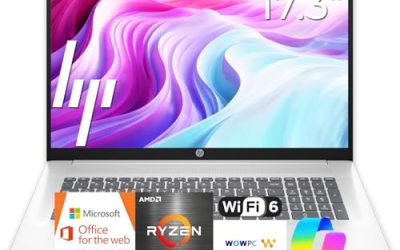
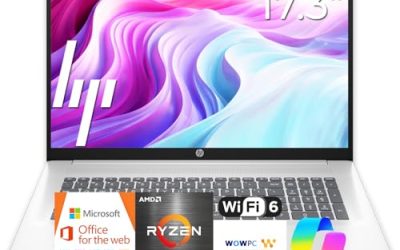
| HP Everyday Laptop | Cloud-based daily tasks | 128GB storage, Office 365, Wi-Fi 6, fast charge |
| Microsoft Surface Laptop | Premium portable work | Snapdragon X2 Elite, 16GB RAM, 1TB SSD, touchscreen |
| OTVOC 15.6-inch Laptop | Cheap upgradeable option | Core 8100Y, 4GB SO-DIMM RAM, 128GB SSD |
| 15.6-inch N4020 Laptop | Bed and couch use | N4020, 4GB RAM, 128GB eMMC, 180-degree lay-flat hinge |
How to Choose
Memory and storage come first
For Windows 11, 8GB of RAM is the comfortable minimum and 16GB suits heavier multitasking. Four-gigabyte machines run, but they slow once a browser has several tabs open. On storage, an SSD at 256GB or more is a good baseline. The 128GB UFS and eMMC drives on some budget models are slower and fill up quickly, so they work best for cloud-based use.
Processor class
Entry chips such as the Intel N150 and N4020 handle email, video and documents. A Core 3 class chip adds headroom for spreadsheets and many tabs, and the Snapdragon X2 Elite targets premium efficiency. Windows on Arm runs most mainstream software well, but check that any specialized program or older driver you rely on has support before buying a Snapdragon model.
Screen, ports and expansion
A 15.6-inch FHD screen is the value standard, while 13.8-inch touch models trade size for portability. IPS panels offer better viewing angles than basic displays, and brightness figures such as 250 nits are fine indoors but weak near windows. Look for USB-C, HDMI and Wi-Fi 6, and note which models state upgradeable RAM and SSD, since that extends their life.
What to ignore and where budget models cut corners
Spend your budget on RAM and the drive before you spend it on extras like a cooling fan or a webcam. Ignore Copilot AI labels, cloud storage bundles and vague phrases such as long battery life, because none are measurable. Budget laptops cut corners on memory, drive speed, screen brightness and build quality. A bundled Microsoft 365 subscription is usually a one-year term, so factor in what you will pay after it ends.
The 7 Best Options
HP 14-inch Laptop (N150)
This HP lists a 14-inch HD display, an Intel N150, 4GB of RAM, 128GB of UFS storage, Windows 11 Home and a one-year Microsoft 365 Personal subscription. It fits students and casual users who browse, stream and write documents, and the compact size makes it easy to carry. The included subscription saves setting up an office suite on day one.
- Strength: a compact 14-inch body with Microsoft 365 included.
- Strength: a recognizable brand with a simple, clean configuration.
- Trade-off: 4GB of RAM and an HD screen limit multitasking.
For a first laptop, it keeps the setup simple: sign in, install a few apps and go. Skip it if you keep many tabs open, want a sharper Full HD display for reading all day, or expect to store a large photo and video library on the internal drive.
15.6-inch Core i5-7Y57 Laptop
This unbranded listing shows a Core i5-7Y57, 4GB of SO-DIMM RAM, a 128GB SSD, a 15.6-inch FHD IPS display, a 2MP webcam, a cooling fan and Type-C and HDMI ports. The standout claim is upgradeable RAM and SSD, which means a low starting spec does not have to be permanent. Buyers who like to tinker can add memory later.
- Strength: upgradeable RAM and SSD.
- Strength: an IPS Full HD screen and a cooling fan.
- Trade-off: only 4GB of RAM out of the box, and the title does not state the brand.
If you are comfortable opening a bottom panel, adding a second memory stick is the single best improvement you can make. Skip it if you want a name-brand warranty path, a ready-to-go configuration, or a seller you can easily contact for support later.
Dell 15.6-inch Laptop
The Dell lists a Core 3 100U, 8GB of DDR4 memory, a 512GB SSD, Windows 11 Home and a 15.6-inch FHD anti-glare IPS display with Wi-Fi 6. It is the best-balanced mid-range pick of the seven, because the memory and storage match what Windows actually needs. The anti-glare panel is easier on the eyes in a bright room, though 250 nits is moderate brightness.
- Strength: 8GB of RAM with a spacious 512GB SSD.
- Strength: an anti-glare IPS Full HD screen and Wi-Fi 6.
- Trade-off: no touch screen or premium chassis details in the title.
It also leaves room to grow, since 512GB is enough for years of documents, photos and a good number of installed programs. Skip it if you need a thin travel laptop with a touch display, or if you want a premium aluminum-style build that the title does not claim.
HP Everyday Laptop
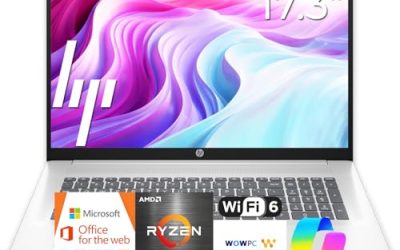
This HP Everyday model lists an unspecified Intel CPU, 128GB of storage, Copilot AI, Office 365, 1TB of cloud storage, Windows 11, fast charge, Wi-Fi 6 and a light design. It suits a household that works mostly in the browser and cloud documents. The title omits memory, so check the full listing.
- Strength: Wi-Fi 6 and fast charging.
- Strength: Office and cloud storage bundled in.
- Trade-off: the processor and memory are not named in the title.
Treat it as a light, cloud-first laptop for homework, shopping, streaming and family paperwork. Skip it if you need local storage space or confirmed performance numbers, because the title leaves those details open and a 128GB drive will not hold much beyond Windows and a few apps.
Microsoft Surface Laptop
The Surface Laptop is the premium pick, listing a 13.8-inch touchscreen, a Snapdragon X2 Elite processor, 16GB of RAM and a 1TB SSD. It suits professionals who want a portable machine with a large drive and plenty of memory. As a Snapdragon model, it runs Windows on Arm, so confirm your key programs are supported.
- Strength: 16GB of RAM and a 1TB SSD.
- Strength: a touchscreen in a compact 13.8-inch size.
- Trade-off: a premium tier, and Arm compatibility needs checking.
It is also the clearest step up in this list for people who value a touch screen, a big SSD and a compact footprint over the lowest price. Skip it if you rely on older software or need a large 15.6-inch screen, or if a mid-range tier already covers everything you do.
OTVOC 15.6-inch Laptop
The OTVOC lists a Core 8100Y, 4GB of SO-DIMM RAM, a 128GB SSD, Windows 11, an FHD IPS display, a 2MP webcam and a cooling fan, with upgradeable RAM and SSD. It is a close sibling of the other i5-class listing and fits the same tinkerer. The upgrade path is its main value.
- Strength: an upgradeable memory and storage design.
- Strength: an IPS Full HD display.
- Trade-off: the stock 4GB of RAM is low.
Compared with its near twin, the processor name differs, so read both listings side by side and pick the one with the clearer seller details. Skip it if you do not plan to upgrade the memory, or if you would rather buy a laptop that is already fast enough on day one.
15.6-inch N4020 Laptop
This listing shows an N4020, 4GB of LPDDR4 RAM, 128GB of eMMC, a Full HD screen, Office 365, a 180-degree lay-flat hinge, a 38Wh battery and 45W fast charging. The hinge suits sharing a screen across a table, and the fast charging helps short top-ups. The eMMC drive is the slowest storage type in this group.
- Strength: a lay-flat hinge and 45W fast charging.
- Strength: Office 365 and a Full HD display.
- Trade-off: eMMC storage and a small 38Wh battery.
It is a fair pick for a spare laptop that lives on the couch, since the screen can fold flat for sharing a recipe or a presentation. Skip it if you want faster storage or all-day unplugged use, or if you plan to keep a large set of files stored on the device.
Which One Fits Your Situation
You want one laptop for everything on a mid-range budget
Pick the Dell 15.6-inch Laptop. Its 8GB of RAM and 512GB SSD cover school, work and streaming without feeling cramped.
You want a premium, portable machine
The Microsoft Surface Laptop has the largest memory and storage here, with a touchscreen. Check software support for Windows on Arm first.
You are on a tight budget and like to upgrade
Go for the 15.6-inch Core i5-7Y57 Laptop or the OTVOC, then add memory when possible. Since both list SO-DIMM memory and an upgradeable SSD, a small upgrade later can turn a modest starting spec into a more comfortable daily machine.
You need something light for a student
The HP 14-inch Laptop (N150) keeps weight down and includes Microsoft 365 for the first year. If your student prefers a bigger screen and does homework on a couch, the 15.6-inch N4020 model with its lay-flat hinge is the alternative to consider.
Common Mistakes
- Buying 4GB of RAM and expecting it to feel smooth in five years.
- Treating eMMC or UFS storage as equal to an SSD.
- Ignoring Windows on Arm compatibility on a Snapdragon model.
- Counting a one-year Office subscription as a permanent feature.
- Choosing by screen size alone without checking brightness and panel type, then finding the display washed out near a window.
Related guides
- Aio Liquid Coolers For High Performance Gaming
- Wireless Gaming Headsets Under 100 For Pc
- What Is A Dac And Do You Need One For Gaming
Frequently Asked Questions
How much RAM does a Windows laptop need?
Eight gigabytes is a comfortable minimum for Windows 11. Sixteen gigabytes helps with heavy multitasking, photo editing and creative work, and it keeps the laptop usable for more years as apps grow.
Is a Snapdragon Windows laptop a good idea?
It can be, with strong efficiency, but it runs Windows on Arm. Verify that your essential programs work before you buy.
Are eMMC and UFS drives okay?
They work for light, cloud-based use but are slower and smaller than an SSD, and they fill up fast.
Should I choose 14 or 15.6 inches?
Fourteen inches is easier to carry, while 15.6 gives more working space and often a roomier keyboard with a number pad. Choose based on how often you move it between rooms, classes or offices.