

- Top Pick: HP Essential 15.6” 2026 Laptop for Students & Professionals, Intel 4-Core N100, 8GB RAM, 256GB SSD, FHD Display, All-Day Battery Life, Office 365, Portable Lightweight Design, Windows 11, Type-C RJ45
- Best Value: HP Professional Laptop, 64GB DDR5 RAM, 2TB PCIe SSD, Intel Core 7 150U 10-Core, 15.6" FHD Touchscreen, Copilot AI, 1080p FHD Camera, Wi-Fi 6, Windows 11, Remote Work
- Premium Choice: HP Laptop for Accounting & Finance, 16GB DDR5 RAM, 1TB PCIe SSD, Numeric Keypad, Intel Core 7 150U 10-Core, 15.6" FHD Touchscreen, Copilot AI, Windows 11, Data Productivity
Finance work stresses a laptop in a very particular way. A 40-tab Excel model with pivot tables, a browser full of dashboards, a PDF of the audit file, and a video call can all be open at once, and none of it needs a graphics card. What it needs is memory, a quick SSD, a screen with room for columns, and a keyboard that includes a numeric keypad. The decision for 2026 is therefore less about brand and more about how much RAM and storage you can get, and whether the screen and keyboard suit all-day number entry.
This guide is for analysts, accountants, controllers, and small-firm bookkeepers who want a Windows 11 laptop that handles spreadsheets and remote meetings. Nearly every listing below is an HP machine that differs mainly in memory, storage, and processor, so the comparison is a matter of reading configurations carefully. One entry is a lighter Intel N100 machine for basic tasks, and one is a 16-inch OmniBook with a higher-resolution panel.
Quick Picks
As an Amazon Associate we earn from qualifying purchases at no extra cost to you.
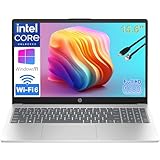


| Product | Best for | Key spec from the title |
|---|---|---|
| HP Essential 15.6 | Light bookkeeping, students | Intel N100, 8GB RAM, 256GB SSD |
| HP Professional 64GB/2TB | Heavy models and archives | Core 7 150U, 64GB DDR5, 2TB SSD |
| HP Finance Core 7 16GB/1TB | Everyday accounting | Numeric keypad, 16GB DDR5, 1TB SSD |
| HP Finance Core 7 16GB/512GB | Entry-level spreadsheet work | Numeric keypad, 16GB DDR5, 512GB SSD |
| HP Finance Core 7 24GB/1TB | Larger workbooks | Numeric keypad, 24GB DDR5, 1TB SSD |
| HP OmniBook 16 | Wider view, Wi-Fi 7 | Core Ultra 7 255U, 16-inch 2K IPS |
| HP Professional 24GB/1TB | Remote work, mid-range memory | Core 7 150U, 24GB DDR5, 1TB SSD |
| HP Professional 32GB/512GB | Memory over storage | Core 7 150U, 32GB DDR5, 512GB SSD |
| HP Finance Ryzen 32GB/1TB | AMD fans, big files | Ryzen 7 7730U 8-core, 32GB, 1TB |
| HP Finance Ryzen 24GB/1TB | AMD, balanced setup | Ryzen 7 7730U 8-core, 24GB, 1TB |
How to Choose
Memory first, then storage
Treat 16GB as the floor for finance work and 24GB to 32GB as comfortable for large workbooks, Power Query, or several open applications. Go to 64GB only if you handle very large data sets. For storage, 512GB is enough if files live in the cloud, while 1TB suits local archives, scans, and client folders.
The keyboard and screen you live with
A numeric keypad is the single most useful finance feature, since it speeds up entry of figures. A 15.6-inch Full HD panel shows plenty of columns, while a 16-inch 2K panel gives more room still. Touchscreens are optional and add little for spreadsheet work.
Processor class and connectivity
A 10-core Core 7 or an 8-core Ryzen 7 handles recalculation comfortably, while the 4-core N100 suits light office work only. Wi-Fi 6 is fine for most offices, and Wi-Fi 7 is helpful if your router already supports it. Look for an HDMI or USB-C route for a second monitor.
What to ignore, and where budget models cut corners
Copilot AI branding appears on several listings, and it should not drive the decision. Budget configurations cut corners on memory and SSD size, and those are the hardest parts to upgrade later. Choose the memory you need now rather than counting on an upgrade.
The 10 Best Options
HP Essential 15.6
The entry point, with an Intel N100 four-core processor, 8GB RAM, a 256GB SSD, and a Full HD display. The title also lists Office 365, Windows 11, Type-C, and RJ45, and it is aimed at students and professionals with light needs, such as invoicing, simple ledgers, or reading statements. It is the sort of machine a part-time bookkeeper or a student in an accounting program might keep on a desk for forms and email.
- Strength: an RJ45 port allows a wired connection in offices.
- Strength: it is light and compact, per the lightweight listing.
- Trade-off: 8GB RAM struggles with large workbooks.
Skip it if you handle heavy Excel models.
HP Professional 64GB/2TB
The memory and storage heavyweight. The title lists a 10-core Core 7 150U, 64GB DDR5, a 2TB PCIe SSD, a 15.6-inch Full HD touchscreen, a 1080p camera, Wi-Fi 6, and Windows 11, which is more than most spreadsheets will use but gives plenty of headroom for data-heavy roles such as audit analytics, financial modeling with multiple scenarios, or running a virtual machine beside the main workbook.
- Strength: 64GB DDR5 suits very large models and multitasking.
- Strength: 2TB storage holds years of client files.
- Trade-off: the title does not list a numeric keypad.
Skip it if you want a keypad or only run ordinary workbooks.
HP Finance Core 7 16GB/1TB
The accounting-labeled model most buyers will consider first. The title lists 16GB DDR5, a 1TB PCIe SSD, a numeric keypad, a 10-core Core 7 150U, and a 15.6-inch Full HD touchscreen, a sound balance for daily bookkeeping. The Data Productivity wording in the title points at the target buyer: someone reconciling accounts for hours, not editing video.
- Strength: numeric keypad and 1TB storage suit daily work.
- Strength: Core 7 with 10 cores handles recalculation.
- Trade-off: 16GB can feel tight with very large files.
Skip it if you routinely open several heavy workbooks.
HP Finance Core 7 16GB/512GB
The same platform with half the storage. The title lists a numeric keypad, 16GB DDR5, a 512GB PCIe SSD, and the same 10-core Core 7 150U with a 15.6-inch touchscreen. It is a fit for cloud-first teams who store little locally and keep their ledgers in browser-based software, where the extra terabyte of a larger drive would sit empty.
- Strength: keeps the keypad and the same processor as the 1TB version.
- Strength: suits cloud-based accounting software.
- Trade-off: 512GB fills up with local archives.
Skip it if you store years of scans on the device.
HP Finance Core 7 24GB/1TB
A step up in memory without a jump to the largest tiers. The title lists 24GB DDR5, a 1TB PCIe SSD, a numeric keypad, and the 10-core Core 7 150U with a 15.6-inch touchscreen. It suits analysts who keep many applications open, such as a modeling workbook, a reporting portal, a PDF reader, and a chat window, without stepping up to the 32GB tier.
- Strength: 24GB gives breathing room beyond 16GB.
- Strength: keypad and 1TB storage remain.
- Trade-off: no Wi-Fi 7 or higher-resolution panel.
Skip it if you want a larger display.
HP OmniBook 16
The only 16-inch pick. The title lists a Core Ultra 7 255U, a 2K WUXGA IPS display, 16GB DDR5, 512GB SSD, Wi-Fi 7, and an FHD IR camera, framed as a professional laptop for work and home office use. The taller screen makes sense for anyone who keeps a ledger on one side and a statement on the other.
- Strength: the 16-inch 2K panel shows more rows and columns.
- Strength: Wi-Fi 7 and an IR camera suit modern offices.
- Trade-off: only 16GB RAM and 512GB storage in this configuration.
Skip it if you want a numeric keypad, since the title does not list one.
HP Professional 24GB/1TB
A remote-work configuration. The title lists 24GB DDR5, a 1TB PCIe SSD, a 10-core Core 7 150U, a 15.6-inch Full HD touchscreen, a 1080p camera, Wi-Fi 6, and Windows 11. It is the Professional line’s middle configuration, suited to a finance manager who spends the day in video meetings and shared workbooks.
- Strength: 24GB and 1TB form a balanced spec.
- Strength: a 1080p camera helps on client calls.
- Trade-off: no keypad is mentioned in the title.
Skip it if numeric entry is your main task.
HP Professional 32GB/512GB
This one prioritizes memory over storage. The title lists 32GB DDR5, a 512GB PCIe SSD, the same Core 7 150U, a 15.6-inch Full HD touchscreen, a 1080p camera, and Wi-Fi 6. Pick it when your files live on a shared drive and the SSD mostly holds the operating system, applications, and working copies.
- Strength: 32GB handles heavy workbooks and many tabs.
- Strength: the camera and Wi-Fi 6 suit remote work.
- Trade-off: only 512GB for local files.
Skip it if you keep large archives locally.
HP Finance Ryzen 32GB/1TB
The AMD option with the most memory. The title lists an AMD Ryzen 7 7730U eight-core processor, 32GB RAM, a 1TB PCIe SSD, a numeric keypad, and a 15.6-inch Full HD touchscreen. For buyers who like AMD, it pairs the top memory tier of the finance range with a keypad, which the Intel Professional models lack.
- Strength: 32GB with a 1TB drive and a keypad covers most finance needs.
- Strength: the 8-core Ryzen 7 suits heavy spreadsheets.
- Trade-off: the title does not state the memory generation.
Skip it if you prefer the Intel configurations.
HP Finance Ryzen 24GB/1TB
The middle AMD configuration. It lists the Ryzen 7 7730U eight-core processor, 24GB RAM, a 1TB PCIe SSD, a numeric keypad, and a 15.6-inch Full HD touchscreen. It mirrors the Intel 24GB model in layout, so the choice comes down to processor brand and what you already trust in the office.
- Strength: 24GB suits most analysis work.
- Strength: keypad and 1TB drive match the other finance models.
- Trade-off: memory generation is not stated.
Skip it if you need 32GB or more.
Which One Fits Your Situation
A bookkeeper with cloud software
The HP Finance Core 7 16GB/512GB covers browser-based accounting with a keypad, and the HP Essential 15.6 handles lighter tasks.
An analyst with large models
The HP Finance Ryzen 32GB/1TB or the HP Professional 32GB/512GB give the memory for big workbooks, depending on whether you want a keypad or more storage.
A controller who travels and screen-shares
The HP OmniBook 16 offers a larger 2K screen and Wi-Fi 7 for hotel and office networks.
A data-heavy role with years of local files
The HP Professional 64GB/2TB leads the group on both memory and storage.
Common Mistakes
- Buying 8GB of memory for spreadsheet-heavy work.
- Assuming every listing includes a numeric keypad when only some do.
- Putting money into a touchscreen you never use while skimping on RAM.
- Choosing a small SSD when you store local archives.
- Ignoring ports needed for a second monitor or wired network.
Related guides
- Battery Operated Smoke And Carbon Monoxide Detectors
- Combination Smoke And Carbon Monoxide Detectors
- Aio Liquid Coolers For High Performance Gaming
Frequently Asked Questions
How much RAM does a finance laptop need?
Sixteen gigabytes is a sensible minimum, and 24GB to 32GB is better for large workbooks. Choose 64GB only for very large data sets.
Is a numeric keypad worth having?
For heavy figure entry, yes. It speeds up work and reduces errors, though not every listing includes one.
Intel or AMD?
Both Core 7 and Ryzen 7 listings suit finance tasks. Compare memory, storage, and keypad rather than the logo, and remember that the Ryzen listings in this group do not state the memory generation.
Do I need a gaming-class graphics card?
No. Spreadsheet and accounting software rely on processor and memory, so integrated graphics are enough. Put your attention on RAM, SSD size, and the keyboard layout, because those are the parts you will feel every hour of the workday and cannot easily change later.









