

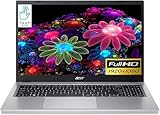
- Top Pick: Laptop 16-inch 8GB DDR 256GB SSD portable laptop computer, expandable to 1TB, AMD A9-9400 Radeon R5 CPU up to 3.2 GHz, 9000mAh battery, Numeric Keypad, USB 3.0, dual-band WiFi, webcam, slim laptops
- Best Value: VIGSENUP15.6 FHD Laptop 8GB RAM 256GB SSD,CPU up to3.4GHz,Office Suite | Numeric Keypad, 5000mAh battery,178°Viewing,WiFi, webcam, work/productivity,Studying /general use,Lightweight travel laptop
- Premium Choice: DRKAKO 15.6" FHD IPS Student Laptop, AI Assistant Included, Office 365 | 12GB RAM 256GB SSD, J4105 Quad-Core Processor, 180° Lay-Flat, WiFi 5, Bluetooth, USB 3.2, 53.2Wh Battery, Thin & Lightweight
An SSD is the single biggest reason an entry-level laptop feels responsive. It cuts boot time, opens apps quickly, and takes the sluggish edge off a machine that would otherwise crawl on a spinning drive. The catch with budget laptops is that the SSD is rarely the only thing that matters. A 256GB drive paired with 4GB of memory and an old dual-core chip can still feel slow, while the same drive with 16GB and a modern quad-core processor can handle a full week of homework, spreadsheets, and streaming.
This guide is for students, home-office users, and anyone buying a first or backup laptop who wants fast storage without moving into premium territory. Eight models are covered for 2026, from no-name 15.6-inch machines to renewed business laptops from familiar brands. Everything below is based on the listed specs only, so use it to build a shortlist and then check the exact processor, ports, and condition on the product page.
Quick Picks
As an Amazon Associate we earn from qualifying purchases at no extra cost to you.



| Product | Best for | Key spec from the title |
|---|---|---|
| Morostron 16-inch | Large screen, simple tasks | 256GB SSD, 9000mAh battery |
| VIGSENUP 15.6 | Basic study and office use | 8GB RAM, 256GB SSD, Office suite |
| DRKAKO 15.6 IPS | Students who want a bit more memory | 12GB RAM, J4105 quad-core, IPS |
| Auusda 15.6 | Maximum memory and storage on paper | 32GB RAM, 1TB NVMe SSD |
| ECOHERO 15.6 | Privacy-minded home office | 16GB RAM, 512GB SSD, shutter webcam |
| Dell Latitude 5420 | Business-class build, compact size | Core i5-1145G7, 16GB DDR4 |
| HP OmniBook 3 17.3 | Big-screen family computer | Ryzen 3, 8GB RAM, 512GB SSD |
| Acer Aspire 3 Touch | Touchscreen with roomy storage | Ryzen 5, 16GB RAM, 1TB SSD |
How to Choose
Memory first, then drive size
Treat 8GB of RAM as the floor for Windows 11 and 16GB as the comfortable target if you keep many browser tabs open. A 256GB SSD fills quickly once Windows updates and a few programs land, so 512GB gives real breathing room. An NVMe drive, where the title says so, is typically faster than a basic SATA unit, though everyday tasks hide the difference.
Processor class matters more than clock speed
Titles quoting “up to 3.4GHz” tell you very little, because the same number can describe chips from very different generations. A named part such as the Core i5-1145G7 or a Ryzen 5 tells you much more than a bare clock figure. Entry parts like the J4105 or N95 handle web browsing and documents, while heavier multitasking favors the higher-tier chips.
Screen, battery, and ports
A Full HD (1920 x 1080) panel is the sensible minimum; IPS adds wider viewing angles. For battery, a stated capacity in Wh or mAh is only a clue, because processor efficiency decides actual runtime. Look for HDMI, USB 3.x, and WiFi 5 or newer, and check that the webcam and microphone are actually listed if you attend online classes.
Renewed versus new, and what to ignore
A renewed business laptop often carries stronger components than a new machine of similar size, along with a sturdier chassis. Ignore claims like “gaming PC” on a thin 15.6-inch machine with integrated graphics, and ignore inflated labels about AI assistants unless the title names the hardware behind them. Also check what warranty the seller offers, since budget makers vary widely, and see whether Windows is licensed and activated. A two-year promise from an unfamiliar brand is worth less than a shorter one from a maker with a support page you can actually find.
The 8 Best Options
Morostron 16-inch Laptop
A 16-inch machine with an AMD A9-9400 processor, 8GB DDR memory, a 256GB SSD that the listing says is expandable to 1TB, and a 9000mAh battery. It also lists a numeric keypad, USB 3.0, dual-band WiFi, and a webcam.
- Strength: The larger screen and keypad suit spreadsheet and data-entry work.
- Strength: Dual-band WiFi and expandable storage extend its usefulness.
- Trade-off: The A9-9400 is an older entry-level chip, so expect light workloads only.
Skip it if you plan video editing, heavy multitasking, or long gaming sessions. It makes the most sense as a roomy, low-demand screen for a parent, a retiree, or a household machine used for email, bills, and video calls, where the larger display and keypad count for more than speed.
VIGSENUP 15.6 FHD Laptop
A basic 15.6-inch Full HD machine with 8GB of RAM, a 256GB SSD, an Office suite, a numeric keypad, a 5000mAh battery, WiFi, and a webcam. The title says “up to 3.4GHz” without naming the processor.
- Strength: Eight gigabytes of RAM and an SSD cover everyday study and browsing.
- Strength: The Office suite is included for documents from day one.
- Trade-off: No processor name is given, so confirm the chip before buying.
Skip it if you want certainty about performance class from the headline specs. A listing that names the chip lets you look up published performance data and compare fairly, whereas a vague clock number leaves you guessing about how the machine will behave under load.
DRKAKO 15.6 IPS Student Laptop
This one lists a 15.6-inch FHD IPS display, 12GB of RAM, a 256GB SSD, a J4105 quad-core processor, Office 365, WiFi 5, Bluetooth, USB 3.2, a 53.2Wh battery, and a 180-degree lay-flat hinge.
- Strength: Twelve gigabytes of RAM is above the usual entry point.
- Strength: The IPS panel and a stated battery capacity are helpful details.
- Trade-off: The J4105 is a modest processor, so keep expectations modest.
Skip it if you need serious computing power beyond office and streaming work. It is a sensible pick for a high schooler who lives in a browser and a word processor, but it is not a machine to grow into for programming labs or media projects.
Auusda 15.6 Laptop
The headline specs are the most generous on paper: 32GB of RAM, a 1TB NVMe SSD, an N95 processor, Microsoft 365, and Windows 11 Pro. The title also stuffs in marketing phrases like “gaming PC” and “clearance.”
- Strength: Memory and NVMe storage are far above the group norm.
- Strength: Windows 11 Pro adds business-oriented features.
- Trade-off: The N95 is an entry chip, so the large RAM figure will not make it a gaming machine.
Skip it if you plan to play modern 3D games. The memory and storage figures look impressive, but the processor class sets the ceiling, and a title packed with marketing keywords deserves an extra look at the seller details before checkout.
ECOHERO 15.6 FHD Laptop
A Pentium 6500Y system with 16GB of RAM, a 512GB SSD, an anti-glare screen, a privacy shutter on the webcam, HDMI, USB 3.2, WiFi 5, Bluetooth 5.0, and microSD expansion.
- Strength: The webcam shutter and anti-glare screen suit shared or bright spaces.
- Strength: Sixteen gigabytes and 512GB hit a balanced middle.
- Trade-off: The Pentium 6500Y is a low-power part aimed at light tasks.
Skip it if you want strong processing for photo or video editing. Think of it as a tidy, privacy-aware machine for remote work, reports, and calls, where the extra memory keeps many tabs open and the shutter keeps the camera covered.
Dell Latitude 5420 (Renewed)
A 14-inch Full HD business laptop with an Intel quad-core Core i5-1145G7, 16GB of DDR4 RAM, a 256GB SSD, a camera, HDMI, and Windows 11 Pro. It is sold in renewed condition.
- Strength: The named Core i5 chip is a clear step up from the entry parts here.
- Strength: A 14-inch body is easier to carry than the 15.6-inch options.
- Trade-off: Renewed condition means wear varies, so read the seller notes.
Skip it if you want a factory-new unit with a full manufacturer warranty. Buyers comfortable with refurbished gear get the strongest processor in the group in a compact, business-style body that is built for years of daily work.
HP OmniBook 3 17.3-inch
A 17.3-inch Full HD laptop with an AMD Ryzen 3 processor, 8GB of RAM, a 512GB SSD, Radeon 610M graphics, and Windows 11 Home in Mica Silver.
- Strength: A big display and 512GB of storage suit a shared family computer.
- Strength: It is a current-generation name-brand model with a clear spec list.
- Trade-off: A 17.3-inch body is bulkier to carry than the smaller picks.
Skip it if you commute daily and need something light. It works best as a desk or couch computer for shared tasks, streaming, and homework, where a big panel keeps text readable for everyone in the family.
Acer Aspire 3 Touch (Renewed)
A 15.6-inch touchscreen laptop with a Ryzen 5 processor, 16GB of RAM, a 1TB SSD, and Windows 11. It is listed as renewed.
- Strength: A Ryzen 5, 16GB of RAM, and a 1TB drive is a strong combination for this group.
- Strength: The touchscreen adds flexibility for note-taking and browsing.
- Trade-off: Renewed stock varies, and the title names no battery capacity.
Skip it if you only want new-in-box hardware. For anyone who accepts refurbished stock, it offers the roomiest drive in the group alongside a capable processor, which suits students who store lecture videos and project files locally.
Which One Fits Your Situation
You need the strongest spec sheet for coursework
The Acer Aspire 3 Touch pairs Ryzen 5, 16GB, and 1TB of SSD space in one listing, which is the broadest balance of the group. It is the pick for a student who wants one machine to last through several years of classes.
You carry the laptop every day
The Dell Latitude 5420 is the 14-inch option with a named Core i5, and it is easier to slip into a bag than the 17.3-inch HP. Its business-style design also suits meeting rooms and shared desks.
You want a big screen at home
The HP OmniBook 3 17.3 gives you the largest display with 512GB of storage and a Ryzen 3 chip.
You work in shared or public spaces
The ECOHERO has a shutter webcam and an anti-glare finish, two small features that fit open offices and libraries.
Common Mistakes
- Choosing by storage size alone while ignoring RAM and processor generation.
- Trusting a “gaming” label on a laptop with integrated graphics.
- Skipping the condition note on renewed laptops and the warranty terms behind them.
- Reading “up to 3.4GHz” as a performance guarantee instead of a ceiling.
- Forgetting that a larger screen adds weight, which matters for daily commuters.
Related guides
- Combination Smoke And Carbon Monoxide Detectors
- Aio Liquid Coolers For High Performance Gaming
- Graphics Cards For Low Wattage Power Supplies
Frequently Asked Questions
Is 256GB enough for a laptop SSD?
For web browsing, documents, and streaming, yes. If you keep photos, games, or video projects locally, 512GB or more avoids constant cleanup.
Does more RAM help on a weak processor?
It helps with many open tabs and apps, but it cannot make a slow chip fast. Aim for a balanced pairing rather than one big number.
Are renewed laptops a good idea?
They can be, especially business models with sturdy builds. Read the grade description and warranty length before ordering.
Can these laptops play games?
Light and older titles, perhaps. The listed processors and integrated graphics are meant for office, school, and streaming rather than modern 3D games.









