

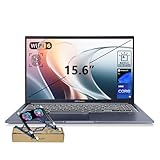
- Top Pick: ASUS Vivobook 16” Laptop 2026 PC, 10-Core Intel i7, 24GB RAM, 1TB Storage | AI Computer, 512GB SSD+500GB Ext, Iris Xe Graphics, Backlit Keyboard, Fingerprint, HubxcelAcces, Win 11 Pro, Office Suite
- Best Value: ASUS Vivobook 15 Laptop, 15.6" FHD, Intel Core i9-13900H, 32GB RAM, 1TB SSD, Next Gen AI Ready, Physical Webcam Shield, Backlit Keyboard, Fingerprint Reader, Wi-Fi 6, Win11 Pro, Blue, PCO Bundle
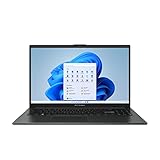
- Premium Choice: ASUS 15.6” Vivobook Go Slim Laptop, Thin & Portable for Student Study, Intel Dual Core N4500, 4GB RAM, 128GB SSD, Windows 11, Star Black, L510KA-ES04
Choosing among ASUS laptops for college is less about brand loyalty and more about a four-year time horizon. A freshman buying in 2026 will carry the same machine from orientation week through senior capstone projects, so the real question is whether a configuration still feels responsive when coursework gets heavier, or whether it only handles a syllabus and a few browser tabs today. ASUS lists everything from a 4GB entry model to a 32GB Core i9 configuration, and the spread inside the Vivobook family alone is wide enough to cause regret if the wrong rung is picked.
This guide is for incoming and returning students, parents shopping on a student’s behalf, and anyone who needs a dependable Windows or ChromeOS machine for lectures, group projects, and late-night writing. Eight ASUS laptops are compared using only the details printed in their listing titles: processor, memory, storage, screen size, operating system, and bundled extras. Gaming-class ROG Strix models also appeared in the candidate pool, but they are built around discrete graphics rather than backpack weight, so they are left out in favor of machines designed for campus carrying.
Quick Picks
As an Amazon Associate we earn from qualifying purchases at no extra cost to you.





| Product | Best for | Key spec from the title |
|---|---|---|
| Vivobook 16 (Core i7) | Students who want a big screen and lots of storage | 10-core Intel i7, 24GB RAM, 1TB storage |
| Vivobook 15 (Core i9) | Heavy multitasking and technical majors | Core i9-13900H, 32GB RAM, 1TB SSD |
| Vivobook Go Slim 15.6 (L510KA) | Note-taking and writing on a tight budget | Dual Core N4500, 4GB RAM, 128GB SSD |
| Vivobook 14 (Core i7-1355U) | Commuters who want a smaller screen | Core i7-1355U, 12GB RAM, 512GB SSD |
| Vivobook Go 15 (E1504FA-AS52) | Balanced all-around coursework | Ryzen 5 7520U, 8GB RAM, 512GB SSD |
| Vivobook Go 15 (E1504FA-AS33) | Durable, light-duty daily use | Ryzen 3 7320U, 8GB DDR5, 128GB SSD |
| Chromebook Flip CX1 | Cloud-based coursework and tablet-style reading | 14-inch FHD touchscreen, 8GB RAM, ChromeOS |
| Vivobook Go 15 (N150) | Basic web and document tasks | Intel N150, 4GB RAM, 128GB SSD |
How to Choose
Memory sets the ceiling for multitasking
Four gigabytes is the floor and the first spec to feel strained once a browser, a video call, and a document are open together. Eight gigabytes is a sensible minimum for most majors. Programming, design, data analysis, and engineering software are more comfortable at 12GB to 16GB or more. Remember that soldered memory usually cannot be upgraded later, so buy for year four, not year one.
Storage type and size matter more than they look
A 128GB drive fills quickly after Windows updates, course software, and a semester of downloads. Look for 512GB when possible, and treat 1TB as comfortable for photo, video, or CAD work. An SSD is the expected format for Windows laptops, while the eMMC storage listed on the Chromebook is a lower-capacity, slower type that suits cloud-first workflows. Bundled external drives help with backups but do not replace internal space.
Match the processor tier to the workload
Dual-core Celeron-class and N-series chips, plus the Ryzen 3, fit web browsing, streaming lectures, and word processing. Ryzen 5 and Core i7 U-series parts suit students who juggle spreadsheets, presentations, and light coding. An H-series chip like the Core i9-13900H belongs to a higher performance class and makes sense for compiling code, large datasets, or media editing. Ignore marketing phrases such as “AI Ready” unless your software actually uses them.
Screen, operating system, and security extras
A 14-inch screen eases carrying between classes, while 15.6 inches gives more room for split windows. Confirm that your program does not require Windows-only software before choosing ChromeOS. Windows 11 Pro adds management features that most students never use, so skip it unless a campus network requires it. Webcam shields and fingerprint readers are useful privacy extras for shared dorm spaces. Budget models usually cut corners on storage, memory, and panel quality first.
The 8 Best Options
ASUS Vivobook 16 (Core i7, 24GB)
This is the roomiest-screen pick for a student who wants one machine for everything. The title lists a 10-core Intel i7, 24GB of RAM, 1TB of storage, a backlit keyboard, a fingerprint reader, and Windows 11 Pro with an office suite.
- Generous memory and storage mean few upgrade worries over four years.
- Included office software saves a separate purchase for papers and slides.
- Trade-off: a 16-inch frame is bulkier in a backpack, and the graphics are integrated Iris Xe.
Skip it if you want the lightest possible carry or plan to run demanding 3D software. Shoppers who mainly write essays and stream lectures will also be getting capacity they may never touch.
ASUS Vivobook 15 (Core i9-13900H)
The most powerful non-gaming configuration here, aimed at majors that stress a laptop. It pairs a Core i9-13900H with 32GB of RAM, a 1TB SSD, Wi-Fi 6, Windows 11 Pro, a webcam shield, and a fingerprint reader.
- The 32GB memory leaves plenty of headroom for many open applications.
- Privacy features and a backlit keyboard suit shared study spaces.
- Trade-off: the bundle-style listing and the H-series chip point to a premium tier, which is more than a humanities schedule needs.
Skip it if your coursework is mostly writing and research. A student in that situation gains far more from a lighter, simpler laptop with a smaller carrying footprint.
ASUS Vivobook Go Slim 15.6 (L510KA)
A thin, portable entry model marketed for student study. The title shows an Intel Dual Core N4500, 4GB of RAM, a 128GB SSD, and Windows 11 on a 15.6-inch screen.
- The slim build and large display favor note-taking and reading.
- The SSD keeps boot times better than a hard drive would.
- Trade-off: 4GB of memory and 128GB of storage will feel tight within a year or two.
Skip it if you want to run many apps together or keep large files locally. It is best treated as a writing-and-reading companion rather than a main workstation.
ASUS Vivobook 14 (Core i7-1355U)
The compact choice for students who walk between buildings all day. Its listing shows a Core i7-1355U, 12GB of RAM, a 512GB SSD, Windows 11, and a one-year Office 365 subscription on a 14-inch display.
- The smaller screen makes it easier to carry and use on lecture-hall desks.
- Twelve gigabytes of memory and 512GB of storage are a healthy middle ground.
- Trade-off: the Office subscription is limited to one year, after which renewal falls to you.
Skip it if you need a big canvas for side-by-side windows. Students who split the screen between a textbook PDF and a notes document may prefer 15.6 inches or larger.
ASUS Vivobook Go 15 (Ryzen 5 7520U)
A balanced everyday laptop from the 2023 Vivobook Go line. The title shows a 15.6-inch FHD display, Ryzen 5 7520U, 8GB of RAM, a 512GB SSD, and Windows 11 Home.
- Eight gigabytes of RAM pairs with roomy 512GB storage for typical coursework.
- Windows 11 Home is all most undergraduates need.
- Trade-off: memory at this level is a ceiling for heavier design or coding projects.
Skip it if your major relies on resource-hungry software. Students in design, engineering, or data-heavy programs should look one step up in memory.
ASUS Vivobook Go 15 (Ryzen 3 7320U)
This variant leans on durability and convenience. The listing mentions a Ryzen 3 7320U quad-core processor, 8GB of DDR5 RAM, a 128GB SSD, fast charging, a webcam shield, and military-grade durability.
- DDR5 memory and fast charging suit students who are always between outlets.
- The military-grade durability claim in the title appeals to anyone who tosses a laptop into a bag every morning, though it is a manufacturer statement rather than a guarantee.
- Trade-off: only 128GB of storage fills quickly without cloud backup.
Skip it if you store large media or project files locally. Without cloud storage or an external drive, the internal space can run out during a single busy semester.
ASUS Chromebook Flip CX1 (CX1400FKA)
The only ChromeOS pick, built for cloud-based study. It offers a 14-inch FHD NanoEdge touchscreen that folds 360 degrees, a Celeron N4500, 8GB of RAM, and 128GB of eMMC storage.
- The convertible touchscreen works for reading and annotating in tablet mode.
- Eight gigabytes of memory is generous for a Chromebook.
- Trade-off: ChromeOS cannot run many Windows-only programs required by some majors.
Skip it if your department requires specialized desktop software. Lab programs, certain statistics packages, and engineering tools often expect Windows.
ASUS Vivobook Go 15 (Intel N150)
The most basic configuration here, with a 15.6-inch FHD 60Hz screen, Intel N150 processor, Intel UHD Graphics, 4GB of RAM, and a 128GB SSD.
- A large screen suits reading, email, and online coursework.
- The Intel N150 processor is listed alongside integrated UHD Graphics, a straightforward pairing for basic tasks.
- Trade-off: 4GB of memory and 128GB of storage leave little room to grow.
Skip it if you multitask heavily or keep many programs installed. Anyone planning to use the laptop through graduation should consider a higher-memory model instead.
Which One Fits Your Situation
If you are in engineering or computer science
The Vivobook 15 with the Core i9-13900H and 32GB of memory has the most headroom for compilers, simulations, and virtual machines running side by side during a project crunch. The Vivobook 16 with 24GB and 1TB is the roomier-screen alternative for students who care more about a large display and storage than about the top processor.
If you mostly write papers and read online
The Vivobook Go 15 with the Ryzen 5 7520U and 512GB SSD covers documents, research, and streaming comfortably without stepping into premium territory. If the budget is even tighter, the Vivobook Go Slim L510KA handles the same basic tasks with less room to grow.
If you rely on cloud tools and a touchscreen
The Chromebook Flip CX1 fits students whose work lives in web apps and shared documents, and the folding screen helps with annotation and tablet-style reading on the bus or in the library.
If you walk across a large campus
The 14-inch Vivobook 14 with the Core i7-1355U gives strong everyday performance in a more manageable footprint than the 15-inch and 16-inch models, which matters when the laptop travels between buildings several times a day.
Common Mistakes
- Buying a 4GB model for a four-year degree and being forced to replace it by sophomore year.
- Choosing 128GB of storage without a plan for cloud sync or an external drive.
- Picking ChromeOS before confirming the department does not require Windows-only software.
- Choosing Windows 11 Pro features or an H-series processor when coursework never needs them.
- Ignoring the screen size and ending up with a laptop too large for lecture-hall desks or too small for split windows.
Related guides
- Combination Smoke And Carbon Monoxide Detectors
- Aio Liquid Coolers For High Performance Gaming
- Graphics Cards For Low Wattage Power Supplies
Frequently Asked Questions
How much RAM does a college student need?
Eight gigabytes is a practical minimum for most majors, and 12GB to 16GB or more is safer for programming, design, or analytics. Four gigabytes works only for light browsing and writing.
Is a Chromebook enough for college?
It can be, if your coursework runs in a browser and your program does not demand Windows-only applications. Confirm software requirements with your department before buying.
Do I need an Intel Core i9 for school?
Most students do not. A Ryzen 5 or Core i7 U-series chip handles typical coursework, while an i9 H-series part is mainly for compiling, large datasets, or media editing.
Are the ROG gaming laptops a good college option?
They suit students who also want to play demanding games or run graphics-heavy applications, but they are larger and built around discrete graphics. For pure campus carrying, the Vivobook lineup is the more natural fit.









