

- Top Pick: HP 17.3" Laptop Computer for Business Students – with Office Lifetime License & External CD/DVD Drive, 17.3 inch FHD 250 Nits Display, Win 11 Pro, AMD Ryzen 5 7430U, Webcam (16GB RAM | 1TB SSD)
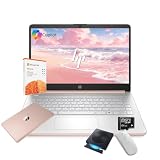
- Best Value: HP Student Business Laptop Computer – Free CD/DVD Drive • 16GB Memory • 128GB eMMC • Intel 4-Core Processor • 14" Anti-Glare HD Display • Intel UHD Graphics • HD Display • Win11 Pro(Rose Gold)
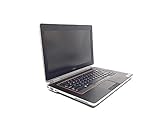
- Premium Choice: Dell Latitude E6420 Laptop – HDMI – i5 2.5ghz – 4GB DDR3 – 320GB – DVD – Windows 10 64bit – (Renewed)
Most laptops dropped the disc tray years ago, yet plenty of people still need one: a shoebox of family DVDs, a software install disc for a piece of lab equipment, a client who sends files on CD, a car stereo that only reads burned discs. Shopping for a laptop with a DVD drive means choosing between two very different things, an older machine with a built-in tray, or a current laptop that ships with a bundled external USB drive.
This guide is for students, small-office users, caregivers and anyone who has to read or burn discs without hunting for an adapter. The seven listings below span a 14-inch student model, 15.6 and 17.3-inch screens, and two older Dell business machines. Everything here comes from the wording of each listing as of 2026, so where a title is vague, the review says so and suggests what to confirm. A 14-inch HP that mentions no disc drive and a stand-alone external drive were left out, since neither is a laptop with a drive.
Quick Picks
As an Amazon Associate we earn from qualifying purchases at no extra cost to you.





| Product | Best for | Key spec from the title |
|---|---|---|
| HP 17.3″ Ryzen 5 (250 nits) | Big-screen office work | Ryzen 5 7430U, 16GB RAM, 1TB SSD, external CD/DVD drive |
| HP 14″ Student Business | Lightweight classwork | 14″ HD anti-glare, 16GB, 128GB eMMC, CD/DVD drive |
| Dell Latitude E6420 (Renewed) | Legacy disc and HDMI needs | Core i5 2.5GHz, 4GB DDR3, 320GB, DVD |
| HP 17.3″ HD+ Touchscreen | Built-in burner and touch | 10th Gen Core i5, 8GB, 256GB SSD, DVD-Writer |
| Lenovo IdeaPad 15.6″ | Basic home tasks | Athlon 7120U, 4GB DDR5, external DVD player |
| HP 17.3″ 6-core Ryzen 5 | Multitasking with a disc drive | 6-core Ryzen 5 7430U, 16GB, 1TB SSD, Wi-Fi 6 |
| Dell Latitude D531 | Old software and vintage media | 1.8GHz dual core, 2GB RAM, DVD/CDRW, Vista |
How to Choose
Internal tray or bundled external drive
A built-in drive stays attached and draws no extra port or cable. It is only found on older business machines and a few large-screen models, such as the Latitude listings and the HP 17.3-inch touchscreen with a DVD-Writer here. A bundled external drive plugs into USB, can be left at home, and lets the laptop itself stay thinner. If you burn discs rarely, the external route is fine; if you use discs daily, lean toward the internal tray, because an external drive and its cable are easy to misplace. Also check which disc formats you need. A drive listed as CD/DVD reads both, a DVD-Writer or DVD/CDRW unit can also burn, and none of the laptops here mention Blu-ray, so a Blu-ray collection needs a different drive.
Memory and storage that Windows can live with
Windows 11 runs best with at least 8GB of RAM, and 16GB gives room for browser tabs plus Office files. For storage, a 256GB or larger SSD is a comfortable baseline. A 128GB eMMC chip, like the one in the 14-inch HP, fills up quickly and is slower than an SSD. An 80GB or 320GB spinning hard drive will boot slowly even with a clean install, and a title that lists only 2GB or 4GB of memory tells you the machine is meant for light tasks such as email and reading discs.
Operating system and support
Windows 11 listings receive current security updates. Windows 10 has passed its mainstream support window, and Vista has been unsupported for years, so keep older machines offline or limited to disc-reading tasks. Check whether a listing says Pro or Home, as Pro adds disk encryption and domain features that office users sometimes need. For renewed units, ask whether the seller reinstalled the operating system and whether a license key is included.
Screen size and portability
A 17.3-inch screen with a numeric keypad is comfortable for spreadsheets but heavy in a backpack. A 14-inch display is easier to carry. A resolution of full HD (1920 by 1080) is clearly sharper than HD or HD+, and a listed brightness figure like 250 nits is a hint at indoor-only use. If the laptop will mostly live on a desk next to the drive, size matters less than memory and storage. A numeric keypad, listed on the HP touchscreen, is worth having if you enter figures all day, and an anti-glare finish, listed on the 14-inch HP, helps in bright classrooms.
The 7 Best Options
HP 17.3″ Ryzen 5 with 250 nits display
A large-screen office laptop with a bundled external CD/DVD drive. The title lists a Ryzen 5 7430U, 16GB of RAM, a 1TB SSD, a webcam, Windows 11 Pro and an Office lifetime license, which makes it the roomiest option for people who also work with documents all day.
- Strength: 16GB and 1TB are generous for office work and file storage.
- Strength: the full HD screen gives plenty of room for spreadsheets.
- Trade-off: the disc drive is external, so it has to travel with you.
Skip it if you need a built-in disc tray or a light carry-around machine.
HP 14″ Student Business
A small, rose gold student laptop with a free CD/DVD drive, 16GB memory, a 128GB eMMC drive, an Intel 4-core processor, a 14-inch anti-glare HD display and Windows 11 Pro. It fits the person who wants a compact machine for classes and an occasional disc.
- Strength: 14 inches is easy to carry between classes.
- Strength: 16GB of memory is generous for a laptop this small.
- Trade-off: 128GB of eMMC storage runs out fast once you add files.
Skip it if you plan to store large media libraries locally or rip many discs.
Dell Latitude E6420 (Renewed)
A renewed business laptop with a Core i5 at 2.5GHz, 4GB DDR3, a 320GB drive, HDMI and a DVD drive, running Windows 10 64-bit. It is a pick for buyers who want a built-in tray and a real video port without a bundled accessory.
- Strength: built-in DVD and HDMI cover the legacy needs many buyers have.
- Strength: a business-class Latitude lineage.
- Trade-off: 4GB of memory and a spinning drive limit multitasking.
Skip it if you want a machine for heavy modern web apps.
HP 17.3″ HD+ Touchscreen
This 17.3-inch HD+ touchscreen laptop has a 10th Gen Core i5, 8GB of memory, a 256GB SSD, a numeric keypad, a DVD-Writer and Windows 10 Home. It is the most direct answer to the keyword here: a big screen and a burner in the same chassis.
- Strength: a built-in DVD-Writer means no separate drive.
- Strength: 8GB and an SSD are a sensible base.
- Trade-off: it ships with Windows 10, so confirm the upgrade path to Windows 11.
Skip it if you want a slim, light laptop.
Lenovo IdeaPad 15.6″
The IdeaPad pairs an AMD Athlon 7120U with 4GB of DDR5 memory and a 128GB SSD, plus 500GB of portable storage and an external DVD player. Wi-Fi 6, an SD card reader and Windows 11 Home are listed, so it reads as a basic home machine with backup space.
- Strength: the SD card slot and Wi-Fi 6 are handy extras.
- Strength: the 628GB total across drives helps for backups.
- Trade-off: 4GB of memory is tight for Windows 11 with a browser open.
Skip it if you multitask heavily or keep many tabs open.
HP 17.3″ 6-core Ryzen 5
Close cousin to the first HP: a 17.3-inch business laptop with the 6-core Ryzen 5 7430U, 16GB RAM, a 1TB SSD, a webcam, Wi-Fi 6, an Office lifetime license and an external CD/DVD drive. The title stresses six cores and wireless speed.
- Strength: six cores and 16GB handle several apps at once.
- Strength: Wi-Fi 6 and a webcam suit hybrid work and video calls.
- Trade-off: the drive is external, and the title omits a brightness figure.
Skip it if you already own the other HP 17.3-inch listing, since the two are nearly identical on paper.
Dell Latitude D531
A vintage Latitude with a 1.8GHz dual-core CPU, 2GB RAM, an 80GB hard drive, a DVD/CDRW optical drive, built-in Wi-Fi and Windows Vista Business. It is a specialist tool for old software and legacy media, not a general laptop.
- Strength: a built-in DVD/CDRW drive for old media.
- Strength: it can run period software that newer systems cannot.
- Trade-off: Vista is unsupported, so this is not a machine for the open web.
Skip it for everyday browsing, banking or streaming.
Which One Fits Your Situation
You need a daily driver for office work
Pick the HP 17.3″ 6-core Ryzen 5 or its 250 nits sibling. Both give 16GB and a 1TB SSD, and the disc drive is a bonus rather than the whole point. Keep the external drive in a desk drawer so it is there when a client hands you a disc. If your files are mostly cloud-based, the Lenovo IdeaPad with its SD card reader and extra portable storage is a lighter-duty alternative for home paperwork and photo backups.
You burn discs regularly
The HP 17.3″ HD+ Touchscreen has the DVD-Writer built in, and the Dell E6420 has an internal DVD drive too. Either avoids the extra cable and the risk of leaving the drive behind.
You are a student on the move
The HP 14″ Student Business is light and ships with a drive, though its small eMMC storage means keeping files in the cloud or on a flash drive.
You maintain old equipment or software
The Dell Latitude D531 and E6420 are the nearest fit, because they run older operating systems and read discs natively. Keep them off the open internet where you can, and copy anything important to a flash drive so you are not depending on an aging hard drive for your only copy.
Common Mistakes
- Assuming every “with DVD” listing has a built-in tray when many bundle a USB drive.
- Buying 4GB of RAM and expecting Windows 11 to feel quick.
- Ignoring storage type, so eMMC or a spinning drive disappoints.
- Putting a machine running an unsupported operating system on the open internet.
- Overlooking the weight of a 17.3-inch screen for travel, or forgetting that a bundled drive adds one more item to the bag.
Related guides
- Combination Smoke And Carbon Monoxide Detectors
- Aio Liquid Coolers For High Performance Gaming
- How To Lower Input Delay In Competitive Shooters
Frequently Asked Questions
Why do so few laptops include a DVD drive?
Makers dropped optical drives to make bodies thinner and lighter as downloads and streaming took over. Listings that include a drive are usually bundles or older business models.
Is an external drive as good as an internal one?
For reading and writing discs, yes. The only difference is that you carry and plug in a separate drive, which uses one USB port while it is in use.
Can I upgrade RAM or storage later?
Often on older Latitudes, rarely on thin modern models, where memory can be soldered to the board. Check the manufacturer’s service documentation for the exact model before you count on an upgrade.
Does a Renewed laptop come with a warranty?
Terms vary by seller, so read the listing’s warranty and return details before you order, and confirm what condition the battery and keyboard are in.









