

- Top Pick: ASUS Vivobook Go 15.6” FHD Slim Laptop, AMD Ryzen 3 7320U Quad Core Processor, 8GB DDR5 RAM, 256GB SSD, Windows 11 Home, Fast Charging, Webcam Shield, Military Grade Durability, Black, E1504FA-AB34
- Best Value: ASUS 15.6” Vivobook Go Slim Laptop, Thin & Portable for Student Study, Intel Dual Core N4500, 4GB RAM, 128GB SSD, Windows 11, Star Black, L510KA-ES04
- Premium Choice: ASUS Chromebook CM15 Laptop, 15.6" FHD Display, MediaTek Kompanio 540, 64GB Storage, 4GB RAM, ChromeOS, Pure Grey, CM1505CM4A-AS44
Shopping for an ASUS laptop under 500 dollars means accepting a trade before you even open a listing: this ceiling delivers a machine built for documents, video calls, streaming and browsing, not for heavy editing or modern 3D games. The real decision is which compromise hurts least. One shopper needs memory and storage headroom so the machine does not choke after a year of tabs. Another needs a simple, light screen for a teenager’s homework. A third just wants a spare computer for the kitchen counter. ASUS covers all three, from Ryzen-powered Vivobook Go models to ChromeOS machines and refurbished units.
This guide is for students, parents, remote workers with light workloads, and anyone replacing an aging laptop in 2026 without overreaching on the family wallet. Every pick below is judged only on what the listing titles state: processor family, memory, storage, operating system, screen size and the extras ASUS calls out. Where a title is silent, the guide says to check the spec sheet instead of guessing.
Quick Picks
As an Amazon Associate we earn from qualifying purchases at no extra cost to you.


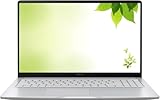

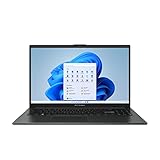
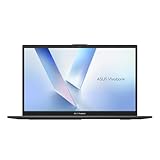


| Product | Best for | Key spec from the title |
|---|---|---|
| Vivobook Go 15 E1504FA-AB34 | Balanced all-rounder | Ryzen 3 7320U, 8GB DDR5, 256GB SSD |
| Vivobook Go L510KA-ES04 | Basic homework machine | Intel N4500, 4GB RAM, 128GB SSD |
| Chromebook CM15 | Browser-first households | MediaTek Kompanio 540, 64GB, ChromeOS |
| Vivobook 16 X1607QA-DS54 | Big screen and big memory | 16 inch WUXGA, Snapdragon X, 16GB, 512GB |
| 15 inch IPS Chromebook (Renewed) | HDMI and IPS on ChromeOS | 4GB DDR4, 128GB storage, HDMI |
| Lightweight 15.5 inch Laptop (Renewed) | Windows with a backlit keyboard | Celeron, 4GB LPDDR4, 128GB SSD |
| Vivobook Go 15 E1504FA-AS52 | Storage and speed on Windows | Ryzen 5 7520U, 8GB, 512GB SSD |
| Vivobook Go 15 (Intel N150) | Newer entry-level Intel chip | Intel N150, 4GB RAM, 128GB SSD |
| Vivobook Go 14 L410MA-AH02 | Compact carry-around | 14 inch FHD, 64GB eMMC, Microsoft 365 year |
| Vivobook Go 15 E1504FA-AS54 | Durability-minded buyers | Ryzen 5 7520U, 8GB, 512GB, military-grade durability |
How to Choose
Memory and storage matter more than the chip name
At this tier the processor names look alike, so lean on memory and storage. Eight gigabytes of RAM is the practical floor for Windows 11 with a browser, a chat app and a document open at the same time. Four gigabytes works but leaves little room, and several listings below stop there. For storage, a 256GB or 512GB SSD gives breathing space for updates and files. A 64GB eMMC drive, found on the smallest model here, fills quickly once Windows updates stack up.
Windows versus ChromeOS
Windows 11 laptops run desktop software such as full Office installs, local printers and school-assigned programs. ChromeOS machines like the Chromebook CM15 and the renewed 15 inch Chromebook run web apps and Android-style apps, update quietly and ask less of hardware, which is why 4GB and 64GB can be acceptable there. Before buying a Chromebook, confirm your school or workplace does not require a Windows-only program. Also note that one Vivobook ships in S Mode, which limits installs to the Microsoft Store until you switch it off.
Screen size, panel and everyday comfort
Look for a full HD panel (1920 by 1080) on a 14 or 15 inch screen. The 16 inch WUXGA model adds vertical space with its 1920 by 1200 layout, handy for spreadsheets and long documents. Several titles mention 60Hz, which is standard here; high refresh rates are not part of this tier. Where a title says IPS, you can expect wider viewing angles than the plain panels common in the lowest tier of laptops. A backlit keyboard, mentioned on one renewed model, helps for evening work.
Where budget laptops cut corners and what to ignore
Typical corners cut at this tier include plastic bodies, modest speakers, a basic webcam and a short port list, so read the spec sheet for what each model actually offers; the renewed Chromebook title names HDMI. Check that the charging method suits you; two Vivobook Go listings mention fast charging. Ignore marketing phrases like “student study” or “slim and portable” as proof of anything, and treat gaming hopes carefully: the integrated graphics listed here handle video and light casual games only. For renewed units, read the seller’s condition and warranty terms before ordering, since the title alone cannot tell you what the return window is.
The 10 Best Options
ASUS Vivobook Go 15 E1504FA-AB34
This Vivobook pairs a Ryzen 3 7320U quad-core processor with 8GB of DDR5 memory and a 256GB SSD, a combination that suits mixed office and school duties. The title also lists fast charging, a webcam shield and military-grade durability, extras that matter on a household laptop.
- Strength: DDR5 memory and 8GB total give it more headroom than the many 4GB listings in this group.
- Strength: the physical webcam shield is a handy privacy feature on a laptop shared between family members.
- Trade-off: 256GB of storage is half what the 512GB siblings offer.
Skip it if you store large photo or video libraries locally.
ASUS Vivobook Go L510KA-ES04
The L510KA is the entry-level Windows option here: Intel dual-core N4500, 4GB of RAM, a 128GB SSD and a 15.6 inch screen. The listing leans on the student angle and calls it thin and portable.
- Strength: it runs full Windows 11, so desktop apps and printers behave as expected.
- Strength: a 15.6 inch display gives more reading space than 14 inch alternatives.
- Trade-off: 4GB of RAM and a dual-core chip leave little margin once many tabs open.
Skip it if you want the machine to stay comfortable for several years of heavier multitasking.
ASUS Chromebook CM15
The CM15 runs ChromeOS on a MediaTek Kompanio 540 with 4GB of RAM and 64GB of storage, driving a 15.6 inch full HD display. The platform is designed for web apps, so the modest numbers make more sense here than they would on Windows.
- Strength: full HD at 15.6 inches suits streaming and online classes.
- Strength: ChromeOS keeps maintenance light for kids and less technical relatives.
- Trade-off: 64GB is small, so plan on cloud storage for files.
Skip it if your coursework needs Windows or Mac desktop software.
ASUS Vivobook 16 X1607QA-DS54
This is the outlier: a 16 inch WUXGA 60Hz screen, Qualcomm Snapdragon X with Adreno graphics, 16GB of RAM and a 512GB SSD running Windows 11. On paper it carries the most memory in the group.
- Strength: 16GB of RAM is double the Ryzen models and four times several others.
- Strength: the 16 inch panel gives extra vertical room for documents and side-by-side windows.
- Trade-off: Snapdragon X is an Arm-based chip, so confirm that your must-have Windows programs support it.
Skip it if you rely on older specialized software or want a compact bag-friendly size.
ASUS 15 inch FHD IPS Chromebook (Renewed)
A refurbished ChromeOS laptop with a 15 inch full HD IPS display, an Intel processor listed at up to 2.80GHz, 4GB of DDR4, 128GB of storage and an HDMI port. The listing also mentions fast WiFi.
- Strength: 128GB of storage is double the CM15, and the HDMI port connects easily to a TV or monitor.
- Strength: an IPS panel keeps colors consistent from side angles.
- Trade-off: renewed status means the unit’s condition and warranty depend on the seller.
Skip it if you want a factory-sealed product with a fresh manufacturer warranty.
ASUS Lightweight 15.5 inch Laptop (Renewed)
This renewed Windows 11 Home laptop pairs an Intel Celeron listed at up to 2.76GHz with 4GB of LPDDR4 and a 128GB SSD behind a 15.5 inch full HD display. A backlit keyboard is the standout extra.
- Strength: backlit keys make late-night typing easier.
- Strength: it runs full Windows 11 Home with SSD speeds for quick boot and app launches.
- Trade-off: Celeron performance and 4GB of RAM fit simple tasks only.
Skip it if you plan on video editing, large spreadsheets or many open browser windows.
ASUS Vivobook Go 15 E1504FA-AS52
The AS52 couples a Ryzen 5 7520U with 8GB of RAM and a 512GB SSD on a 15.6 inch full HD screen, running Windows 11 Home. It shares its core hardware with the AS54 sibling covered below.
- Strength: Ryzen 5 with 8GB and 512GB covers the sweet spot for daily Windows use.
- Strength: the 512GB SSD leaves room for apps, downloads and a modest media library.
- Trade-off: the title lists no extras like fast charging or a webcam shield, unlike its AS54 sibling.
Skip it if you want rugged-build claims in the listing.
ASUS Vivobook Go 15 (Intel N150)
This Vivobook uses Intel’s N150 processor with Intel UHD Graphics, 4GB of RAM and a 128GB SSD behind a 15.6 inch full HD 60Hz panel. The title does not name an operating system, which is worth noting.
- Strength: N150 is a newer entry-level Intel design than the older Celeron chips in this group.
- Strength: full HD at 15.6 inches is a comfortable canvas for browsing and video.
- Trade-off: only 4GB of RAM, and the missing operating system detail means you must verify what is preinstalled.
Skip it if you cannot confirm the software setup before buying.
ASUS Vivobook Go 14 L410MA-AH02
A 14 inch ultra-thin laptop with an Intel Celeron N4020, 4GB of RAM, 64GB of eMMC storage, a NumberPad and Windows 11 Home in S Mode. A one-year Microsoft 365 subscription is bundled per the title.
- Strength: the 14 inch body is easier to carry than the 15.6 inch crowd.
- Strength: the included Microsoft 365 year covers Word, Excel and PowerPoint needs.
- Trade-off: 64GB of eMMC storage runs out fast, and S Mode limits you to Store apps.
Skip it if you need to install software from outside the Microsoft Store.
ASUS Vivobook Go 15 E1504FA-AS54
The AS54 mirrors the AS52’s core (Ryzen 5 7520U, 8GB, 512GB SSD, Windows 11 Home) but the title adds fast charging, a webcam shield and military-grade durability, plus a Cool Silver finish.
- Strength: it bundles the same performance tier as the AS52 with extra convenience features.
- Strength: the durability claim and webcam shield suit a laptop that travels in a backpack.
- Trade-off: memory is still 8GB, so heavy multitaskers should look elsewhere.
Skip it if the 16GB configuration on the Snapdragon model fits your workload better.
Which One Fits Your Situation
A high school student with a backpack commute
The Vivobook Go 15 E1504FA-AS54 is the sensible pick. It combines Ryzen 5, 8GB, a 512GB SSD and the listed military-grade durability and webcam shield, which fits a laptop that is carried daily and used for video classes.
A family that mostly lives in the browser
The Chromebook CM15 is built around that pattern. ChromeOS is simple to maintain, the 15.6 inch full HD screen is comfortable for streaming, and cloud storage fills the gap left by 64GB. If you want HDMI and more local storage, the renewed 15 inch IPS Chromebook is the alternative.
A remote worker juggling many tabs and calls
The Vivobook 16 X1607QA-DS54 offers 16GB of RAM and a larger 16 inch screen, which suits many windows at once. Check that your work apps run on Arm-based Windows first. If compatibility is a concern, the Ryzen 5 Vivobook Go AS52 is the safer x86 choice.
A first-time laptop for a younger child
The Vivobook Go L510KA-ES04 offers a full Windows 11 experience in a basic, school-oriented configuration. Pair it with a sturdy sleeve and keep expectations modest on multitasking.
Common Mistakes
- Ignoring memory: choosing a 4GB model for a multi-year plan when 8GB options sit in the same group.
- Overlooking S Mode: Windows 11 Home in S Mode restricts installs to the Microsoft Store.
- Assuming a Chromebook runs everything: confirm school or work software works on ChromeOS first.
- Treating renewed as new: read the seller’s warranty and return terms because they vary.
- Expecting gaming performance: integrated graphics in this tier suit video and light games only.
Related guides
- Battery Operated Smoke And Carbon Monoxide Detectors
- Combination Smoke And Carbon Monoxide Detectors
- Aio Liquid Coolers For High Performance Gaming
Frequently Asked Questions
Can any of these ASUS laptops run modern games?
Not demanding ones. The listings show integrated graphics such as Intel UHD or Qualcomm Adreno, which handle video, browser games and older or light titles. For serious gaming you would need a laptop with a dedicated graphics chip, which sits above this tier.
Is 8GB of RAM enough for a laptop today?
For web browsing, office documents, video calls and streaming, yes. It becomes tight with dozens of tabs plus other apps. The Snapdragon Vivobook 16 with 16GB gives more room if you multitask heavily.
Should I buy a renewed ASUS laptop?
It can work if you read the condition grade, warranty and return policy first. Two renewed models appear here, both with reasonable specs for basic tasks. Buyers who want a manufacturer warranty from day one should favor new units.
What is the difference between the AS52 and AS54 Vivobook Go 15?
Both list the Ryzen 5 7520U, 8GB of RAM and a 512GB SSD. The AS54 title adds fast charging, a webcam shield and military-grade durability, and uses a Cool Silver finish. Check the spec sheet for any port or battery differences before deciding.









