

- Top Pick: Customized Dell 15.6" FHD Touchscreen Laptop, i7 CPU, 16GB, 1TB, Windows 11 | | RAM Upgradable to 64GB | Storage Upgradable to 2TB | 220nit Anti-Glare FHD | Wi-Fi 6 | Retains Dell Warranty
- Best Value: Customized Elite HP 17.3" HD+ Business Laptop Computer|Intel 8-Cores i3 CPU | 8GB RAM Upgradable to 32GB|512GB SSD Upgradable to 2TB, WIN 11|Big Screen, Ideal Notebook for Work& Students, AI Copilot
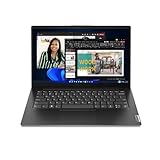
- Premium Choice: Lenovo 14 G4 – Laptop for Business – Intel Core i7-13620H – 14" FHD Display – 8GB RAM (upgradable to 16GB) – 256GB Storage (upgradable to 1TB) – Windows 11 Home – Thin & Portable – Business Black
An upgradable laptop is a bet on the future. Instead of buying the biggest memory and storage configuration today, you buy a machine whose RAM and SSD can be swapped later, so a modest starting spec can grow as software gets heavier. The catch is that “upgradable” is a loose word. Some laptops have a free memory slot and a standard M.2 drive bay, while others solder the memory to the board and leave only the SSD to replace. The right pick depends on which part you expect to outgrow first, and whether the listing states an actual ceiling.
This guide is for students, home-office users, and small-business buyers who want a laptop that can stretch across several years instead of being replaced when it feels slow. For the 2026 shopping season, nine listings stood out because their titles state an upgrade path in plain numbers, such as RAM expandable to 32GB or storage to 2TB. A tenth laptop was left out because its title lists only fixed memory and storage. Everything below comes from the listed specs, so confirm slot layout and warranty terms on the full page.
Quick Picks
As an Amazon Associate we earn from qualifying purchases at no extra cost to you.





| Product | Best for | Key spec from the title |
|---|---|---|
| Dell 15.6″ Touchscreen (i7) | The highest upgrade ceiling | 16GB RAM to 64GB, 1TB storage to 2TB |
| HP 17.3″ Business (8GB) | Big-screen work on a starter spec | 8GB RAM to 32GB, 512GB SSD to 2TB |
| Lenovo 14 G4 | A thin, portable business machine | Core i7-13620H, 8GB RAM to 16GB, 256GB to 1TB |
| HP 14″ (Rose Gold) | Light everyday use with a bundled suite | 4GB RAM to 16GB, 1-year Microsoft 365 |
| HP 17.3″ Pro (16GB) | Large-screen multitasking | 16GB RAM to 32GB, storage to 2TB, Windows 11 Pro |
| OTVOC 15.6″ | A starter laptop with open RAM and SSD | 4GB SO-DIMM RAM, 128GB SSD, upgradeable RAM and SSD |
| HP OmniBook X Flip 16″ | A 2-in-1 with a roomy SSD path | 512GB SSD to 2TB, 2K touch, Wi-Fi 6E |
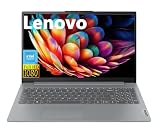
| Lenovo IdeaPad Slim 3i | Light tasks with an SD card reader | 128GB UFS to 192GB, 8GB LPDDR5 |
| HP 14″ (Green) | A school-friendly portable build | 4GB RAM to 16GB, 1TB cloud storage |
How to Choose
Look for a stated ceiling, not just the word upgradable
A trustworthy listing names the maximum: RAM to 16GB, 32GB, or 64GB, and storage to 1TB or 2TB. Without that, you are guessing. Also look for the memory type. SO-DIMM modules can be replaced, while LPDDR5 is typically soldered. When a title mentions LPDDR5 and only lists a storage upgrade, assume the memory is fixed and buy the RAM you need now.
Decide which component you will outgrow first
For most people, memory runs out before the processor does. Eight gigabytes is workable for browsing and documents, 16GB is a comfortable floor for heavy tabs and office suites, and 32GB suits spreadsheets, photo editing, or virtual machines. Storage is easier: 512GB is a sensible start, and a 1TB or 2TB drive swap later is routine. A laptop that starts with 4GB should be treated as a project, because you will almost certainly want to add memory right away.
Check the screen and the ports you cannot change
You can swap RAM and storage, but not the display. Look for Full HD (1920 x 1080) or better, since an HD+ panel at 1600 x 900 is noticeably softer on a 17-inch screen. Confirm Wi-Fi 6 or 6E, a Type-C port, and HDMI if you connect a monitor. A touchscreen or 2-in-1 hinge is a permanent choice, so make sure you actually want it.
Mind the warranty and the seller wording
Several listings here are “customized” configurations, meaning a third party has changed the memory or storage from the factory setup. Some state that the original brand warranty is retained, which is worth confirming in writing. Opening the case yourself can complicate a warranty claim on certain models, so keep receipts and ask how the seller handles a failed component.
The 9 Best Options
Dell 15.6″ FHD Touchscreen (Core i7)
This configuration has the strongest upgrade headroom in the group. The title lists an i7 CPU, 16GB of RAM upgradable to 64GB, 1TB of storage upgradable to 2TB, a 220 nit anti-glare FHD touchscreen, Wi-Fi 6, and a retained Dell warranty. It suits heavy multitaskers who want to grow over time.
- Strength: a 64GB memory ceiling on top of a 16GB start is rare at this level.
- Strength: the listing says the Dell warranty is retained.
- Trade-off: 220 nits is dim for sunny rooms, so plan to work indoors.
Skip it if you work outdoors often or want an ultra-light machine.
HP 17.3″ HD+ Business (8GB, 512GB)
Listed with an 8-core Intel i3, 8GB RAM expandable to 32GB, and a 512GB SSD expandable to 2TB, this large-screen HP targets work and study. The big display makes it a desk-friendly alternative to a monitor setup.
- Strength: the title promises a 32GB memory ceiling and a 2TB drive path.
- Strength: a 17.3 inch screen gives more room for spreadsheets and split windows.
- Trade-off: the HD+ resolution is softer than Full HD.
Skip it if you carry your laptop daily or prefer sharp text.
Lenovo 14 G4 Business
The Lenovo pairs a Core i7-13620H with a 14 inch Full HD display and a thin, portable build. Memory starts at 8GB with an upgrade to 16GB, and storage starts at 256GB with a path to 1TB, in a Windows 11 Home setup.
- Strength: the i7-13620H listed in the title gives strong processing for the screen size.
- Strength: a Full HD panel in a portable body suits commuting.
- Trade-off: the 16GB ceiling is the lowest among the larger-spec models here.
Skip it if you need more than 16GB of RAM.
HP 14″ HD (Rose Gold, Microsoft 365)
This compact HP lists 4GB of RAM upgradable to 16GB, 128GB of storage, an Intel 4-core processor, and a year of Microsoft 365 with 1TB of cloud storage, in rose gold. It suits light daily use where software is bundled.
- Strength: the included Microsoft 365 year covers documents without extra setup.
- Strength: a 16GB memory ceiling leaves room to grow from a small start.
- Trade-off: 4GB of starting memory is tight, so budget for an immediate upgrade.
Skip it if you want strong performance out of the box.
HP 17.3″ HD+ Pro (16GB, 512GB)
This HP raises the starting memory to 16GB, still upgradable to 32GB, with storage expandable to 2TB. It adds Windows 11 Pro, a number pad, Wi-Fi 6, and a long-battery-life claim. It suits multitaskers who want a large screen and a business-ready operating system.
- Strength: 16GB at the start means no rush to open the case.
- Strength: Windows 11 Pro and a number pad suit office and finance work.
- Trade-off: the 1600 x 900 panel is not as sharp as Full HD.
Skip it if display sharpness is your top priority.
OTVOC 15.6″ Laptop
The OTVOC lists a Core 8100Y processor, 4GB of SO-DIMM RAM, a 128GB SSD, and an explicit upgradeable RAM and SSD claim. It has a 15.6 inch Full HD IPS display, a 2MP webcam, a cooling fan, Type-C, and HDMI. The SO-DIMM wording matters, because it points to a replaceable memory module.
- Strength: a Full HD IPS display and HDMI make it a flexible study machine.
- Strength: the SO-DIMM detail signals a replaceable memory stick.
- Trade-off: the title does not state a maximum capacity for either RAM or SSD.
Skip it if you need a confirmed upgrade ceiling.
HP OmniBook X Flip 16″ 2-in-1
The OmniBook is the premium convertible, with a 16 inch 2K touch display at 1920 x 1200, a Ryzen 5 processor up to 4.9 GHz, 8GB LPDDR5 RAM, a 512GB SSD upgradable to 2TB, Wi-Fi 6E, a backlit keyboard, and Copilot AI. It suits creative users who want a flip-style laptop.
- Strength: a 2TB storage path and Wi-Fi 6E are strong future-proofing.
- Strength: a large 16 inch touch panel works in tablet or tent modes.
- Trade-off: the title states no RAM upgrade, and LPDDR5 is usually fixed.
Skip it if you want to add memory later.
Lenovo IdeaPad Slim 3i 15.6″
The IdeaPad lists an Intel 8-core CPU, 8GB LPDDR5 RAM, and 128GB of UFS storage upgradable to 192GB, plus Wi-Fi 6, an SD card reader, and a long-battery-life claim. It suits light tasks and photographers who like the card slot.
- Strength: the SD card reader is convenient for camera users and note takers.
- Strength: the Full HD display and Wi-Fi 6 cover daily needs.
- Trade-off: the upgrade ceiling of 192GB is small and the memory appears fixed.
Skip it if you want real expansion room.
HP 14″ HD (Green, 1TB Cloud)
The green HP shares the 4GB RAM, 128GB storage, and Intel 4-core configuration of the rose gold version, with RAM upgradable to 16GB, a year of Office, 1TB of cloud storage, and Wi-Fi 6. It is billed as a portable design for students and business users.
- Strength: the color option and portable build suit school bags.
- Strength: Wi-Fi 6 and bundled cloud storage ease file syncing.
- Trade-off: the title lists no storage upgrade, only the RAM path.
Skip it if you plan to expand the drive.
Which One Fits Your Situation
You want the biggest memory ceiling
The Dell 15.6″ Touchscreen is the clear choice, with RAM to 64GB and storage to 2TB, followed by the two 17.3 inch HPs with a 32GB ceiling.
You want a thin laptop you can carry
Choose the Lenovo 14 G4 for its i7 processor and 14 inch Full HD display, accepting its 16GB memory ceiling.
You want a big screen for spreadsheets
The HP 17.3″ Pro starts at 16GB with a path to 32GB and includes a number pad. The 8GB HP 17.3″ Business is the lighter-spec alternative.
You want to learn by upgrading yourself
The OTVOC is the do-it-yourself starter, with its SO-DIMM RAM and SSD both described as upgradeable, though you will need to verify the maximum sizes before buying parts.
Common Mistakes
- Assuming every “upgradable” laptop can take new memory when LPDDR5 is often soldered.
- Buying a 4GB model and forgetting that added memory has to be part of the plan.
- Ignoring the display, which cannot be upgraded later.
- Skipping the warranty wording before opening the case.
- Buying parts before confirming the exact module type and maximum capacity.
Related guides
- Combination Smoke And Carbon Monoxide Detectors
- Aio Liquid Coolers For High Performance Gaming
- Graphics Cards For Low Wattage Power Supplies
Frequently Asked Questions
Is SO-DIMM RAM upgradable?
Yes. SO-DIMM modules are removable sticks, so they can be swapped for higher capacities. LPDDR5 is usually soldered and cannot be replaced.
How much RAM should I aim for?
16GB is a comfortable base for most users, and 32GB suits heavier work. Treat 4GB and 8GB starts as temporary.
Does upgrading void the warranty?
It depends on the brand and model. Some listings say the original warranty is retained, but you should confirm the terms before opening the case.
Can I add a second drive?
Only if the laptop has a spare M.2 slot or bay, which the titles here do not state. Most of these listings describe swapping a single drive for a larger one.









