

- Top Pick: HP 17 inch Business Laptop Computer • 2026 Edition • Latest AMD Ryzen 5 CPU • 16GB RAM • 512GB SSD • 17.3" FHD Display • Numeric Keypad • Long Battery Life • Windows 11 with Office 365 for The Web
- Best Value: HP 15.6 inch Laptop, 2027 Edition, 4GB RAM, 128GB SSD, Intel 4 Cores N150, Long Battery Life, Portable Laptop for Business, Windows 11 Home with Microsoft 365
- Premium Choice: HP Laptop 2026 Business Students, Copilot AI+MS 365, 128GB UFS, Intel CPU | 500GB Ext HDD, WiFi 6, 14” LED Display, Ultra Light & Portable Size, Fast Charge & Long Battery Life, Windows 11 Home S
A home business laptop sits at the center of a very ordinary but demanding workday: invoicing in a spreadsheet, packing slips in a PDF reader, customer chats in a browser, and a video call at three o’clock. You do not need workstation power, but you do need enough memory to keep those windows open together, a keyboard that survives long sessions, and a screen large enough that you are not squinting at columns of numbers.
This guide is written for online sellers, consultants, tutors, and freelancers who run a company from a spare room or kitchen table. Ten laptops are compared using only what each listing states, such as memory, storage, processor family, screen size, and the bundled office software. Some units rely on external drives or web-only Office access, so read the details closely in 2026 before you pick.
Quick Picks
As an Amazon Associate we earn from qualifying purchases at no extra cost to you.







| Product | Best for | Key spec from the title |
|---|---|---|
| HP 17-inch Ryzen 5 | Big-screen spreadsheets | 17.3 in FHD, 16GB RAM, 512GB SSD |
| HP 15.6-inch N150 | Light admin tasks | 4GB RAM, 128GB SSD, Microsoft 365 |
| HP 14-inch Student Business | Portable errands | 14 in, Copilot AI, 128GB UFS plus 500GB external |
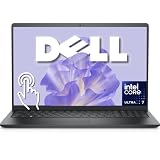
| Dell 15.6-inch Core Ultra 7 | Power users | Ultra 7 255U, 16GB DDR5, 1TB SSD |
| HP Ultrabook 14 (Home) | Slim, web-based Office | Quad-core Intel, Windows 11 Home |
| 15.6-inch Pentium Laptop (16GB) | Memory on a tight cap | 16GB RAM, 512GB SSD, Mini HDMI |
| HP Ultrabook 14 (Pro, 16GB) | Pro edition on the move | 16GB RAM, 628GB storage, Windows 11 Pro |
| Lenovo Business 15.6-inch (Arctic Grey) | Bright workrooms | 8GB DDR5, anti-glare FHD, USB-C |
| HP 17-inch Ryzen 5 7430U | Dual-monitor feel on one screen | Ryzen 5 7430U, 16GB RAM, 512GB PCIe |
| Lenovo 15.6-inch Frost Blue | Shared family and office use | 8GB DDR5, 128GB, 1TB cloud storage |
How to Choose
Memory and storage for a working day
Sixteen gigabytes of RAM keeps a browser, spreadsheet, messaging app, and video call comfortable together. Eight gigabytes is acceptable for light roles, and 4GB is best saved for a backup machine. For storage, 512GB internal is a healthy mark for client files, product photos, and receipts, while 128GB leans on cloud services.
Screen size and keyboard layout
If most of your day is spreadsheets, a 15.6-inch or 17.3-inch display with a numeric keypad is easier on the eyes and fingers than a 14-inch ultrabook. Choose 14 inches only if you move around a lot, and expect to add an external monitor at home if the work involves wide tables. Full HD resolution is the practical minimum for fitting two windows side by side. Anti-glare coatings, where listed, make a real difference in a room with a window behind the desk.
Processor tiers and software bundles
Ryzen 5, Ryzen 7, and Core Ultra processors sit above entry chips such as Pentium and Intel N150 for multitasking. As for software, Office for the web runs in a browser and needs an internet connection, while a full desktop install does not. Titles with Microsoft 365 or Copilot refer to subscription features, not permanent licenses.
Operating system edition and where budget models cut corners
Windows 11 Pro supports encryption controls and remote desktop hosting that Home does not, which matters when client data is involved. Budget models often rely on external drives, small internal storage, and thin memory, a pattern visible in several HP listings with a 628GB total, so confirm what is inside the chassis rather than what is bundled alongside it.
The 10 Best Options
HP 17-inch Ryzen 5
A 17.3-inch FHD display, a Ryzen 5 processor, 16GB of RAM, a 512GB SSD, and a numeric keypad make this a desk-based workhorse. Windows 11 comes with Office 365 for the web.
- Strength: 16GB and 512GB cover a full workday of mixed apps.
- Strength: the large screen and keypad suit accounting.
- Trade-off: a 17-inch body is bulky to carry.
Skip it if you carry your laptop between locations. It makes the most sense as a fixed workstation that stays on the same desk, where its size becomes an asset rather than a burden.
HP 15.6-inch N150
This model pairs a 4-core Intel N150 with 4GB of RAM and a 128GB SSD, along with Windows 11 Home and Microsoft 365. It is a lean pick for basic email, invoicing, and web forms.
- Strength: straightforward Windows 11 setup with Microsoft 365 included.
- Strength: long battery life is part of the listing.
- Trade-off: 4GB of RAM struggles with multitasking.
Skip it if you handle large spreadsheets or video calls with many tabs. It fits an owner whose computing is mostly email, a booking page, and the occasional document.
HP 14-inch Student Business
A 14-inch laptop with Copilot AI, Microsoft 365, 128GB of UFS storage, a 500GB external HDD, Wi-Fi 6, and fast charging. It suits a home-business owner who needs something light for the car or a client visit.
- Strength: ultra-light and portable by design.
- Strength: Wi-Fi 6 and fast charge help on the road.
- Trade-off: Windows 11 Home in S mode limits app installation.
Skip it if you need software outside the Microsoft Store. Check whether your accounting or shipping program installs from the store before settling on this configuration.
Dell 15.6-inch Core Ultra 7
The highest-tier processor in the group: Intel Core Ultra 7 255U up to 5.2GHz with 16GB of DDR5, a 1TB SSD, a backlit keyboard, a touchscreen, and Windows 11 Pro.
- Strength: Core Ultra 7 with 16GB DDR5 gives strong headroom.
- Strength: 1TB of SSD space holds large catalogs and client folders.
- Trade-off: it targets the premium end of this list.
Skip it if your tasks are limited to email and basic documents. Owners who edit product photos or keep large databases will make better use of its extra capacity.
HP Ultrabook 14 (Home)
A slim 14-inch HP with a quad-core Intel CPU, Windows 11 Home, and lifetime Office for the web. The title leaves RAM and storage unstated.
- Strength: Office for the web is included without renewal wording.
- Strength: quad-core Intel suits everyday office use.
- Trade-off: missing memory and storage figures need confirming.
Skip it if you need specs verified at a glance. Open the full product page and compare memory and storage against the 16GB models before deciding.
15.6-inch Pentium Laptop (16GB)
This generic-brand listing offers 16GB of RAM, a 512GB SSD, Windows 11 Pro, Office 365, Mini HDMI, and a camera and microphone. It stretches memory and storage further than other entry-level Pentium models.
- Strength: 16GB and 512GB at an entry-level processor tier.
- Strength: Windows 11 Pro is included.
- Trade-off: the brand is unnamed, so support is harder to research.
Skip it if you want a known manufacturer’s warranty. Home-business owners who rely on quick replacement parts and driver downloads may feel safer with an established brand.
HP Ultrabook 14 (Pro, 16GB)
Another HP Ultrabook 14, this one with 16GB of RAM, a quad-core Intel CPU, Windows 11 Pro, Wi-Fi 6, and 628GB storage, split between 128GB UFS and a 500GB external unit.
- Strength: 16GB with Windows 11 Pro suits mobile professionals.
- Strength: Wi-Fi 6 helps with video calls.
- Trade-off: most storage is external.
Skip it if you want a single large internal drive. Sellers who keep a growing archive of invoices will need to plan for the external unit staying attached or backed up.
Lenovo Business 15.6-inch (Arctic Grey)
A 15.6-inch FHD laptop with 8GB of DDR5, 128GB of storage, Office 365, Copilot AI, Wi-Fi 6, USB-C, and an anti-glare screen. It suits sunny home offices.
- Strength: anti-glare finish and USB-C are practical.
- Strength: DDR5 memory is current-generation.
- Trade-off: 128GB is small for large archives.
Skip it if you store many client files locally. Those who work mainly in cloud tools and shared folders will be less affected by the small drive.
HP 17-inch Ryzen 5 7430U
This listing features a Ryzen 5 7430U, a 17.3-inch FHD display, 16GB of RAM, a 512GB PCIe SSD, Wi-Fi 6, and Microsoft 365 for the web. It targets work-from-home users wanting a large display.
- Strength: a 512GB PCIe drive and 16GB of RAM.
- Strength: the large display shows more rows.
- Trade-off: it is a larger machine to move around.
Skip it if you travel frequently. Its Ryzen 5 and 16GB combination matches the other 17-inch HP, so pick between them by comparing the remaining details on each product page.
Lenovo 15.6-inch Frost Blue
A 15.6-inch FHD Lenovo with 8GB of DDR5, 128GB of storage, 1TB of cloud storage, Copilot AI, and Office 365. It suits a student-and-parent household that doubles as a home office.
- Strength: Office and cloud storage included.
- Strength: 8GB of DDR5 for mixed use.
- Trade-off: 128GB is limited.
Skip it if you need large local storage. Think of the 1TB cloud allowance as a backup space that depends on an active plan rather than extra capacity inside the laptop.
Which One Fits Your Situation
An accountant or bookkeeper at a fixed desk
The HP 17-inch Ryzen 5 or the Ryzen 5 7430U version gives a roomy screen and numeric keypad for long columns, and both list 16GB of RAM so reconciling several workbooks at once stays smooth.
A consultant who visits clients
The HP Ultrabook 14 (Pro, 16GB) is the lighter choice with Windows 11 Pro and Wi-Fi 6, a combination that suits proposals written in cafes and shared client networks.
A seller handling photos and catalogs
The Dell 15.6-inch Core Ultra 7 provides 1TB of SSD space and a stronger processor for image-heavy work.
Someone watching their budget
The 15.6-inch Pentium Laptop (16GB) puts memory first, while the HP 15.6-inch N150 is for those who only need basic tasks. Anyone who prefers a named brand on a lean setup can look at the Lenovo 15.6-inch Frost Blue, which pairs 8GB of DDR5 with bundled Office and cloud storage for mixed family and work use.
Common Mistakes
- Counting external drive capacity as built-in storage.
- Treating Office for the web as a full desktop install.
- Buying 4GB of RAM for a laptop that will run daily business software.
- Overlooking Windows 11 Home in S mode, which restricts app installs.
- Choosing a 17-inch laptop and then regretting its weight during travel.
Related guides
- Battery Operated Smoke And Carbon Monoxide Detectors
- Combination Smoke And Carbon Monoxide Detectors
- Aio Liquid Coolers For High Performance Gaming
Frequently Asked Questions
How much RAM does a home business need?
Sixteen gigabytes is comfortable for most roles, including bookkeeping software alongside a browser and a call. Eight gigabytes works for lighter tasks, and anything lower should be a spare machine.
Is Windows 11 Pro necessary?
Not for every business, but Pro offers encryption and remote desktop controls useful when you handle client data.
Does a touchscreen help?
It helps with signing documents, scrolling long PDFs, and quick navigation, but it is not a substitute for a good keyboard. Among the listings here, only the Dell lists touch in its title, so check the product page for the others.
Should I rely on cloud storage?
Use it as a backup, not your only copy. Keep working files on an internal SSD for speed, and reserve the cloud allowance bundled with some listings for scheduled copies of invoices, contracts, and tax records.









