

- Top Pick: Apple 2026 MacBook Neo 13-inch Laptop with A18 Pro chip: Built for AI and Apple Intelligence, Liquid Retina Display, 8GB Unified Memory, 256GB SSD Storage, 1080p FaceTime HD Camera; Blush
- Best Value: Apple 2026 MacBook Air 13-inch Laptop with M5 chip: Built for AI, 13.6-inch Liquid Retina Display, 16GB Unified Memory, 512GB SSD, 12MP Center Stage Camera, Touch ID, Wi-Fi 7; Sky Blue
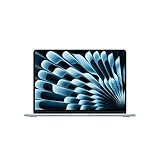
- Premium Choice: Apple 2026 MacBook Air 15-inch Laptop with M5 chip: Built for AI, 15.3-inch Liquid Retina Display, 16GB Unified Memory, 512GB SSD, 12MP Center Stage Camera, Touch ID, Wi-Fi 7; Midnight
A student Mac has to survive four years of lecture halls, library tables, group projects and a backpack that gets thrown around daily. The shelf is split into two very different camps: current Apple silicon machines sold new, and older Intel models sold renewed. Both can write an essay, but they differ in operating system support, memory, storage and how long the software will keep receiving updates. Picking the right camp matters more than picking the right color.
This guide is for incoming freshmen, transfer students and parents who want an Apple laptop for coursework in 2026 without wading through confusing model numbers. Each pick below is judged only on the specifications printed in its listing title, so you can compare memory, storage, screen size and chip generation side by side and match them to your major.
Quick Picks
As an Amazon Associate we earn from qualifying purchases at no extra cost to you.





| Product | Best for | Key spec from the title |
|---|---|---|
| MacBook Neo 13-inch | Light coursework, entry tier | A18 Pro chip, 8GB memory, 256GB SSD |
| MacBook Air 13-inch M5 | Most majors, all-round pick | M5 chip, 16GB memory, 512GB SSD, Wi-Fi 7 |
| MacBook Air 15-inch M5 | Split-screen study sessions | 15.3-inch display, 16GB memory, 512GB SSD |
| MacBook Pro 14-inch M5 | Video, design, engineering | 10-core CPU and GPU, 16GB memory, 1TB SSD |
| MacBook Air M2 13.6-inch (renewed) | Apple silicon on a tighter plan | M2 chip, 8GB memory, 256GB SSD |
| MacBook Air 13.3-inch 2020 (renewed) | Notes, browsing, documents | Core i5 1.1GHz, 8GB RAM, 256GB SSD |
| MacBook Pro 13-inch MPXQ2LL/A (renewed) | Basic writing and email | Core i5 2.3GHz dual core, 8GB RAM, 128GB SSD |
| MacBook Pro 13.3-inch Mid 2019 (renewed) | Intel Mac with more storage | Core i5 1.4GHz, 8GB RAM, 256GB SSD |
| MacBook Pro 15-inch Core i7 (renewed) | Bigger screen, more memory | Core i7 2.6GHz, 16GB RAM, 256GB SSD |
| MacBook Air MJVE2LL/A (renewed) | Bare-minimum secondary laptop | Core i5 1.6GHz, 8GB RAM, 128GB SSD |
How to Choose
Chip generation and software support
Apple silicon models (A18 Pro, M2, M5) run current macOS releases and the newest apps. The Intel listings here are renewed units, and one title even names macOS Mojave 10.14, an old release. Before buying an Intel Mac, confirm that your campus software, lockdown browser and course apps still support the operating system it can run. For a four-year degree, Apple silicon is the safer baseline.
Memory and storage thresholds
8GB is the floor for browsing, documents and video calls; 16GB is the comfortable level for anyone running many browser tabs, a reference manager and a spreadsheet at once. For storage, 128GB fills up quickly once lecture recordings and apps pile up, 256GB suits cloud-first students, and 512GB or 1TB suits anyone keeping large project files locally. Unified memory on Apple silicon cannot be upgraded later, so choose the capacity you need now.
Screen size and portability
A 13-inch display fits most backpacks and fold-down lecture desks. A 15-inch screen helps with side-by-side documents and spreadsheets but is heavier to carry across campus. The 14.2-inch Pro and 13.6-inch Air sit between those poles. Look for the camera line in the title too: the 12MP Center Stage camera and 1080p FaceTime HD camera matter for remote classes and interviews.
New versus renewed
Renewed laptops come refurbished, so ask about the seller warranty and battery condition before committing. Skip anything where the title does not state both RAM and SSD capacity. Ignore marketing phrases such as Built for AI when comparing, since the memory, storage and chip generation tell you far more about daily performance than a tagline does.
The 10 Best Options
MacBook Neo 13-inch
This is the newest and lightest-spec entry in the lineup, built around an A18 Pro chip with a Liquid Retina display and a 1080p FaceTime HD camera. It suits students whose work lives in a browser, a word processor and a video call, and it is the one to look at first if you want a brand-new Apple laptop in the entry tier rather than a refurbished one.
- Strength: current-generation chip with Apple Intelligence support named in the title.
- Strength: 13-inch footprint that fits any lecture desk.
- Trade-off: 8GB of unified memory and 256GB of storage leave little headroom for heavy majors.
Skip it if you plan to edit video or run engineering software.
MacBook Air 13-inch M5
The listing pairs an M5 chip with 16GB of unified memory, a 512GB SSD, Touch ID and Wi-Fi 7, which is the most balanced set of numbers for a four-year degree. It is the natural choice when you want one laptop and no regrets, because nothing in the listing forces a compromise between memory and storage the way the lower tiers do.
- Strength: 16GB memory and 512GB storage at the same time.
- Strength: 12MP Center Stage camera and Touch ID for quick sign-ins.
- Trade-off: it sits above the entry tier, so it is a stretch for light users.
Skip it if your coursework never leaves a web browser.
MacBook Air 15-inch M5
Same M5 chip, 16GB memory and 512GB SSD as the 13-inch sibling, but with a 15.3-inch Liquid Retina display. Business, humanities and data students who keep two windows open all day will appreciate the room, and the Midnight finish in the title suits anyone who prefers a darker, more formal look in a seminar room.
- Strength: larger canvas for split-screen reading and note-taking.
- Strength: Wi-Fi 7 and Touch ID carried over.
- Trade-off: the bigger body is less comfortable on a cramped fold-out desk.
Skip it if you walk long distances between buildings every day.
MacBook Pro 14-inch M5
The 14.2-inch Liquid Retina XDR display, a 10-core CPU, a 10-core GPU, 16GB of unified memory and a 1TB SSD make this the strongest machine on the list. Film, architecture, music and computer-science majors can justify it, particularly if the coursework involves large timelines, renders or datasets that need both memory and local disk space.
- Strength: 1TB of storage for large project libraries.
- Strength: XDR display and 10-core graphics for creative work.
- Trade-off: the premium tier is more machine than a literature major needs.
Skip it if you mostly write papers and read PDFs.
MacBook Air M2 13.6-inch (Renewed)
A renewed Air with an M2 chip and a 13.6-inch display, listed with 8GB RAM and a 256GB SSD. It gives students the Apple silicon experience with a smaller commitment than a new unit, which suits households that want modern architecture but are comfortable buying refurbished hardware.
- Strength: Apple silicon architecture, so newer macOS releases remain in reach.
- Strength: 13.6-inch screen in a slim body.
- Trade-off: 8GB cannot be expanded, which may feel tight by senior year.
Skip it if you want a full manufacturer-sealed box.
MacBook Air 13.3-inch 2020 (Renewed)
This renewed Air runs a Core i5 at 1.1GHz with 8GB RAM and a 256GB SSD. It is a plain note-taker for students whose courses live in documents, email and browser tabs. The Space Gray finish is neutral, and the model year in the title makes it easy to look up exact support information.
- Strength: 256GB of storage is roomier than the other Intel entries.
- Strength: familiar 13.3-inch format that is easy to carry.
- Trade-off: Intel hardware means a shorter software runway than Apple silicon.
Skip it if your department requires recent macOS releases.
MacBook Pro 13-inch MPXQ2LL/A (Renewed)
A dual-core 2.3GHz Core i5 Pro with 8GB RAM and a 128GB SSD, with macOS Mojave 10.14 named in the title. It is a basic typing machine for a student who already owns a primary device and wants a spare for the library or a shared dorm desk, where losing a laptop would hurt less.
- Strength: Retina display for comfortable reading.
- Strength: straightforward hardware for simple tasks.
- Trade-off: 128GB of storage and an old operating system narrow its usefulness.
Skip it if you need current apps or lockdown exam software.
MacBook Pro 13.3-inch Mid 2019 (Renewed)
This renewed Pro lists a 1.4GHz Core i5, 13.3-inch screen, 8GB RAM and 256GB SSD. It fits students who want a Pro-branded body and a bit more storage than the oldest Intel entries. Because the title lists the build as Mid 2019, buyers can match it against the official support pages for that exact model.
- Strength: 256GB of storage for documents and downloads.
- Strength: 13.3-inch size balances screen space and weight.
- Trade-off: it is a 2019 design, so the chip is several generations behind.
Skip it if you expect to keep it through graduate school.
MacBook Pro 15-inch Core i7 (Renewed)
The only Intel pick with 16GB RAM, paired with a 2.6GHz Core i7 and a 256GB SSD in a 15-inch frame. It suits a student who wants multitasking room without moving to a new Apple silicon machine, such as someone writing a thesis with many reference files open at once.
- Strength: 16GB of RAM handles many tabs and documents together.
- Strength: big 15-inch display for side-by-side work.
- Trade-off: a large Intel body is heavier to haul around than the Air models.
Skip it if portability matters more than screen size.
MacBook Air MJVE2LL/A (Renewed)
The oldest, most basic entry: a 1.6GHz Core i5, 8GB RAM and a 128GB SSD in a 13-inch Air. Think of it as a backup laptop for emails, library searches and printing, or a hand-me-down for a younger sibling who only needs a keyboard and a browser for homework.
- Strength: lightweight Air form factor.
- Strength: enough memory for simple browsing.
- Trade-off: 128GB of storage fills quickly with files and apps.
Skip it if this will be your only computer for several years.
Which One Fits Your Situation
You want one laptop for the whole degree
Choose the MacBook Air 13-inch M5. Its 16GB memory and 512GB SSD mean you will not hit limits during junior-year projects, and the chip generation keeps software support long.
You study design, film or engineering
The MacBook Pro 14-inch M5 is the one with the 1TB SSD and 10-core graphics. Large media files and compile-heavy tools justify the extra tier.
You live in spreadsheets and split windows
Pick the MacBook Air 15-inch M5. The 15.3-inch display gives you room for a textbook PDF and a notes window side by side.
You need something for basic writing only
The MacBook Neo 13-inch covers documents, browsing and video calls on current silicon. If you would rather go renewed, the MacBook Air M2 13.6-inch keeps you on Apple silicon.
Common Mistakes
- Buying 128GB of storage and assuming cloud sync will cover everything.
- Ignoring the operating system version printed in a renewed listing.
- Choosing a 15-inch machine and then regretting its weight on daily commutes.
- Choosing Pro-level graphics when the major is writing-focused.
- Skipping the seller warranty and battery details on a renewed unit.
Related guides
- Battery Operated Smoke And Carbon Monoxide Detectors
- Combination Smoke And Carbon Monoxide Detectors
- Aio Liquid Coolers For High Performance Gaming
Frequently Asked Questions
Is 8GB of memory enough for college?
For browsing, documents and video calls it works. Heavy multitasking, coding or media editing is more comfortable at 16GB, and Apple silicon memory cannot be upgraded later.
Are renewed Intel MacBooks still worth considering?
They can serve as a secondary or light-duty laptop. Check which macOS version they can run, since some course software requires newer releases.
Which size is best for students?
A 13-inch screen suits most backpacks and desks. Go to 15 inches only if side-by-side windows are central to your work.
Do I need Touch ID and Wi-Fi 7?
Touch ID speeds up sign-ins and Wi-Fi 7 helps on newer campus networks, but neither is essential. Memory, storage and chip generation should drive the decision first.









