

- Top Pick: Dell Plus 16" 1920 x 1200 Touchscreen Laptop, Intel Core Ultra 9 288V, 32GB DDR5 RAM, 1TB SSD, Fingerprint Reader, Backlit KB, Wi-Fi 6, Windows 11 Pro, Blue
- Best Value: 2 in 1 Laptop, 2026 15.6” Laptop Computer with Ryzen 3-3200U Processor 16GB RAM DDR4 512GB SSD, Radeon Graphics, Notebook 360° Yoga Touchscreen FHD 1920*1080, Backlit Keyboard, BT 5.1, Win 11 Pro
- Premium Choice: Acer Aspire Laptop 2026, Touchscreen, Intel Ultra 7 258V, 32GB RAM+1TB SSD | Backlit KB, USB-C HUB, Lifetime Office 365, Long Battery Life, Windows 11 Home, Copilot AI for Business & Creators, Gray
Touch input and video editing are an unusual pairing, and it pays to be honest about what each side demands. Trimming clips, scrubbing a timeline, and pinching to zoom a waveform are pleasant on a touch panel, especially on a convertible or a laptop with a responsive display. But rendering and playback depend on processor cores, memory, fast storage, and graphics, none of which a touch layer improves. So the useful question is which touch laptops give an editor enough of those basics to cut real projects, and where the limits sit.
This guide is aimed at editors who work on the move or at a kitchen table: YouTube creators, wedding and event videographers cutting 1080p footage, students on a media course, and marketers assembling short social clips. Every pick lists a touchscreen and runs integrated graphics, which means they suit 1080p timelines and light 4K proxy work rather than long effects-heavy projects. As of 2026, titles show a clear divide between 32GB and 1TB machines and entry-level configurations, so memory and storage drive most of the ranking below. Titles also mix real specifications with marketing words, so the analysis sticks to named chips, RAM, storage, and panel details.
Quick Picks
As an Amazon Associate we earn from qualifying purchases at no extra cost to you.


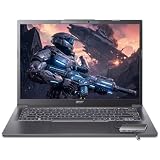



| Product | Best for | Key spec from the title |
|---|---|---|
| Dell Plus 16″ Touchscreen | Balanced all-round editing | Core Ultra 9 288V, 32GB DDR5, 1TB SSD |
| 2-in-1 360 Laptop (Ryzen 3-3200U) | Tablet-style trimming on a tight setup | 15.6″ FHD touch, 16GB DDR4, 512GB SSD |
| Acer Aspire Touchscreen | Travel editing with a USB-C hub | Intel Ultra 7 258V, 32GB RAM + 1TB SSD |
| HP OmniBook 3 16 | Light clip assembly | 2K touch, Ryzen 3 30, 8GB, 512GB SSD |
| HP 16″ Touchscreen AI Laptop | Newest wireless and 2K viewing | Ultra 7 255U, 32GB, 1TB, 2K IPS, Wi-Fi 7 |
| HP 17″ Touchscreen (10-core i7) | Big timeline on a large body | 17.3″ touch, 10-core i7, 32GB, 1TB |
How to Choose
Memory and storage come before everything else
Editing software caches frames and previews in memory, and a short project with a few layers can fill 8GB quickly. For smooth work with 1080p footage, 16GB is the floor; 32GB is the comfortable target, and four of the six picks have it. Storage matters as much: 4K source files are large, so a 1TB internal SSD is the practical minimum for an active project plus caches. Keep an external drive for archives, and where possible put the cache folder on a different location from your source clips so the system drive does not fill mid-project.
Processor class and integrated graphics
None of these listings names a dedicated graphics card, so rendering relies on the processor and its built-in graphics. Intel Core Ultra chips (the 9 288V, 7 258V, and 7 255U) are the newer platform in this group, while the 10-core i7 offers many threads for exports. The Ryzen 3-3200U is an older entry-level part, so it fits only simple 1080p cuts. Treat “AI” branding and NPU figures as secondary to cores, memory, and storage, because most editing software leans on the processor and graphics rather than a neural engine.
Screen quality and touch behavior
Resolution and color coverage shape your edit decisions. A 2K panel, as listed on the two HP 16-inch laptops, gives more room for timeline and preview windows than a 1920×1200 or standard Full HD display. No title here states color accuracy such as sRGB or DCI-P3 coverage, so these are not color-grading machines; plan to check color on an external monitor if accuracy matters. Touch is a convenience, not a requirement, so do not let it outrank memory and storage in your decision.
Ports, wireless, and where budget models cut corners
Look for USB-C or Thunderbolt for fast external drives, an SD card reader if you shoot on a camera, and current Wi-Fi for cloud uploads. Entry-level machines usually cut memory, resolution, and processor tier; the 8GB OmniBook and the 3200U convertible are examples. Also check the cooling story: thin laptops reduce speed under a long export, so expect longer render times on sustained work than a short spec comparison suggests. A cooling pad, sold separately, helps on a desk but cannot change the chip.
The 6 Best Options
Dell Plus 16″ Touchscreen
This 16-inch 1920 x 1200 touchscreen laptop pairs a Core Ultra 9 288V with 32GB of DDR5 and a 1TB SSD, running Windows 11 Pro with a fingerprint reader and backlit keyboard. It is for editors who want a versatile all-round machine, such as a freelancer who cuts a wedding highlight reel one day and a corporate explainer the next.
- A top-tier Core Ultra 9 with 32GB and 1TB covers memory and storage needs.
- The 16:10 style panel gives vertical room for timelines.
- Trade-off: Wi-Fi 6 rather than Wi-Fi 7, and the title lists no dedicated GPU.
Skip it if you want a 2K panel, discrete graphics, or a newer wireless standard for moving large files around a studio network.
2-in-1 360 Laptop (Ryzen 3-3200U)
A 15.6-inch Full HD convertible with a 360-degree hinge, a Ryzen 3-3200U, 16GB of DDR4, a 512GB SSD, Radeon graphics, a backlit keyboard, and Windows 11 Pro. It suits beginners who want to trim clips in tablet mode, practice on a media course, or edit simple family videos on the sofa.
- 16GB of memory is more than many entry-level touch laptops offer.
- The folding hinge supports stylus-style and tablet use.
- Trade-off: the 3200U is an older, entry-level processor, so exports will be slow.
Skip it if you cut 4K footage, layer many tracks, or add heavy effects, since the processor is the weak link here.
Acer Aspire Touchscreen
The Acer pairs an Intel Ultra 7 258V with 32GB of RAM and a 1TB SSD, a backlit keyboard, a USB-C hub, and long battery life. It is marketed for business users and creators who work away from a desk, like a travelling marketer who edits on trains and in hotel rooms.
- 32GB and 1TB meet the editing floor, and the bundled USB-C hub adds ports.
- Lifetime Office 365 is listed, handy for scripts and notes.
- Trade-off: Windows 11 Home and no stated screen resolution.
Skip it if you need to know the exact display resolution before buying, or if you want Windows 11 Pro for business management features.
HP OmniBook 3 16
This 16-inch model has a 2K touchscreen, Ryzen 3 30, Radeon 610M graphics, 8GB of RAM, and a 512GB SSD with Windows 11 Home. It is for casual creators assembling short clips and exporting to social platforms, where the project stays small and the timeline has only a couple of tracks.
- A 2K screen gives a bigger workspace than basic HD panels.
- The listing names a full model number for support lookups.
- Trade-off: 8GB of RAM is a tight fit for editing software.
Skip it if you handle multiple video tracks, larger projects, or any footage beyond 1080p, since the 8GB of memory will cap what you can do.
HP 16″ Touchscreen AI Laptop
The most future-minded build here: a 16-inch 2K IPS touchscreen, Intel Ultra 7 255U, 32GB of RAM, a 1TB SSD, Wi-Fi 7 and Bluetooth 6.0, a 1080P HDR camera, and an NPU listed at 12 TOPS. It suits editors who also stream or record camera takes, since the listing names a 1080P HDR camera and a current wireless setup.
- It combines a 2K display with 32GB and 1TB.
- Wi-Fi 7 helps move large files over a modern network.
- Trade-off: the 255U is a power-efficient part, so sustained exports may run slower than on higher-wattage chips.
Skip it if you want the highest processor tier or a machine aimed at the longest effects-heavy exports.
HP 17″ Touchscreen (10-core i7)
This 17.3-inch HD+ touchscreen laptop has a 10-core Intel i7, 32GB of RAM, a 1TB SSD, a backlit keyboard with a 10-key pad, a fingerprint reader, and Wi-Fi 6. It is for editors who prefer a large body and plenty of threads for exports, typically working at a desk and plugged in rather than carrying the machine daily.
- 10 cores and 32GB suit multitasking between editor, browser, and media folders.
- A number pad and big body make it a desk-friendly workstation.
- Trade-off: an HD+ panel is lower in resolution than the 2K HP screens.
Skip it if you want a sharp display, easy portability, or a more current wireless standard than Wi-Fi 6.
Which One Fits Your Situation
You cut 1080p videos for clients
Pick the Dell Plus 16″ Touchscreen. Its Core Ultra 9, 32GB of memory, and 1TB drive cover the basics, and the 16:10 screen gives room for a timeline.
You want the largest workspace on screen
The HP 16″ Touchscreen AI Laptop offers a 2K panel with 32GB and 1TB, which suits editors who like a spacious preview window. Wi-Fi 7 also makes it easier to pull large files from a network drive.
You edit on trains and in cafes
The Acer Aspire pairs 32GB and 1TB with a USB-C hub, which helps when you plug in a card reader and a drive. The Windows 11 Home edition is fine for creative work.
You are a beginner or only trim short clips
The 2-in-1 360 Laptop with 16GB suits tablet-style trimming, while the HP OmniBook 3 16 handles basic clip assembly if you accept its 8GB limit. Neither should be the first choice for client projects.
Common Mistakes
- Assuming a touch screen improves editing speed; it only changes how you navigate.
- Buying 8GB of RAM for editing and then blaming the software for slowdowns.
- Expecting accurate color for grading from a laptop panel with no stated color coverage.
- Filling a 512GB drive with source footage and caches on the same disk.
- Overlooking sustained cooling and the Windows edition, which decide how long exports stay fast and whether an employer or client can manage the laptop.
Related guides
- Battery Operated Smoke And Carbon Monoxide Detectors
- Combination Smoke And Carbon Monoxide Detectors
- Aio Liquid Coolers For High Performance Gaming
Frequently Asked Questions
How much RAM do I need to edit video on a laptop?
Sixteen gigabytes handles 1080p projects, and 32GB gives comfortable room for multi-track timelines and 4K proxies. Eight gigabytes is likely to bottleneck, and you may see dropped frames or crashes when previews and effects stack up.
Do I need a dedicated graphics card?
Not for simple cuts, since modern integrated graphics can decode common formats. A dedicated GPU speeds up effects, color work, and exports in many editors.
Is a touch screen useful for editing?
It helps with scrubbing, zooming, and quick adjustments, particularly on convertibles. It does not replace a mouse for precise trimming, and many editors keep a mouse and keyboard shortcuts nearby for frame-accurate cuts.
Can these laptops edit 4K footage?
Light 4K work is possible using lower-resolution proxy files, which let the timeline play smoothly while the full-quality clips are used only for the final export. Long 4K timelines with effects are better suited to machines with dedicated graphics.









