

- Top Pick: Tylvx 15.6" 2-in-1 Laptop/Tablet, 360° Flip FHD Touchscreen, Intel Core m3-8100Y up to 3.4GHz, 16GB RAM 512GB SSD, Win11, Deep Purple for Student Note-Taking, Design, Entertainment
- Best Value: Lenovo Flagship Chromebook, 14'' FHD Touchscreen Slim Thin Light Laptop Computer, 8-Core MediaTek Kompanio 520 Processor, 4GB RAM, 64GB eMMC, WiFi 6,Chrome OS, Abyss Blue
- Premium Choice: HP 15.6 inch Laptop, HD Touchscreen Display, AMD Ryzen 3 7320U, 8 GB RAM, 128 GB SSD, AMD Radeon Graphics, Windows 11 Home in S Mode, Natural Silver, 15- fc0099nr
Putting a touchscreen on a laptop with a hard ceiling of 400 dollars forces a trade-off that the shopping cart rarely explains. Touch hardware adds layers to the display, so manufacturers often balance it by trimming something else: resolution, memory, storage, or processor tier. The goal is to find the model where the compromise lands somewhere you can live with, whether that is a roomy 15.6-inch screen, a folding 2-in-1, or a Chromebook that favors simplicity.
This guide serves students who annotate PDFs, parents who want a laptop the kids can tap, and anyone who wants a casual browsing-and-streaming machine with a touch display. Nine laptops are compared below using only the details in their listings, from memory and storage to processor family and screen description. Confirm that the model you choose sits under your cap at checkout in 2026, because listing figures change, and favor the memory and storage details over decorative marketing words.
Quick Picks
As an Amazon Associate we earn from qualifying purchases at no extra cost to you.


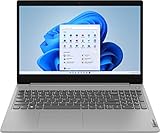




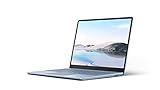
| Product | Best for | Key spec from the title |
|---|---|---|
| Tylvx 15.6-inch 2-in-1 | Big flip screen for notes | FHD touch, 16GB RAM, 512GB SSD |
| Lenovo Flagship Chromebook 14 | Simple, light daily use | FHD touch, MediaTek 8-core, 64GB eMMC |
| HP 15.6-inch HD Touch (Ryzen 3 7320U) | Windows basics | 8GB RAM, 128GB SSD, Windows 11 Home in S mode |
| Lenovo IdeaPad 3 15.6-inch | Fast storage and HDMI | Core i3-1115G4, 256GB NVMe |
| Dell 11-inch Convertible (Renewed) | Compact tablet mode | Pentium, 8GB RAM, 128GB SSD |
| Lenovo 11-inch Convertible (Renewed) | Portable HDMI use | 8GB DDR5, 128GB SSD |
| HP OmniBook 3 16-inch | Sharper large screen | 2K touch, 512GB SSD |
| 15.6-inch Ryzen 3 Yoga-style 2-in-1 | Memory-rich flip laptop | 16GB DDR4, 512GB, backlit keyboard |
| Microsoft Surface Laptop Go (Renewed) | Compact, premium-feel body | 12.4-inch touch, Core i5, 128GB |
How to Choose
Resolution and panel type matter more than touch alone
Touch is a convenience layer, while the panel underneath decides how the laptop looks all day. A touchscreen at 1366 x 768 can look coarse, and fingerprints show more on low-resolution panels. Look for FHD or higher on screens 14 inches and up, and for IPS in the description to keep viewing angles steady in tablet mode. The HP OmniBook lists 2K, which means the sharpest text in this group on a large panel.
Memory and storage thresholds
Windows laptops should offer 8GB of RAM at a minimum in 2026; 16GB gives breathing room for many tabs. Chromebooks can live on 4GB. For storage, 128GB is workable with cloud saves, while 256GB or 512GB is better if you keep photos or school files locally. NVMe and PCIe are faster than basic eMMC flash.
Convertible hinge versus a standard laptop
A 360-degree hinge turns the laptop into a tablet or tent for reading and note-taking. A standard touchscreen laptop only tilts back, which is fine for tapping menus but awkward for sketching. Read the listing for words such as convertible, 2-in-1, flip, or Yoga. If none appear, assume the screen only tilts, as with the IdeaPad and OmniBook listings.
Operating system and where budget models cut corners
Chrome OS suits browser work, and Windows suits desktop software. Windows 11 Home in S mode only installs apps from the Microsoft Store, which can be switched off but surprises some buyers. Budget touch models often use older processors, plastic bodies, and dim displays, so look at the processor name carefully.
The 9 Best Options
Tylvx 15.6-inch 2-in-1
A big-screen convertible with a 360-degree flip, FHD touch display, Intel Core m3-8100Y up to 3.4GHz, 16GB of RAM, and a 512GB SSD. It is aimed at students who take notes or draw.
- Strength: 16GB of RAM and 512GB of storage lead this group.
- Strength: a 15.6-inch FHD screen with a flip hinge.
- Trade-off: the Core m3 is a low-power processor.
Skip it if you plan to run demanding software. It reads as a note-taking and media machine, where the generous memory and storage matter more than raw processor speed, and where the large flip screen lets you set it flat on a desk for annotation.
Lenovo Flagship Chromebook 14
A 14-inch FHD touchscreen Chromebook with an 8-core MediaTek Kompanio 520, 4GB of RAM, 64GB of eMMC storage, and Wi-Fi 6.
- Strength: FHD touch at 14 inches in a slim, light body.
- Strength: Wi-Fi 6 and Chrome OS keep everyday use simple.
- Trade-off: 64GB of eMMC and 4GB of RAM limit local storage and multitasking.
Skip it if you need Windows programs. It fits households that already live in Google’s apps, where the touch screen makes scrolling and tapping natural and the 14-inch size sits between phone and full desktop comfort.
HP 15.6-inch HD Touch (Ryzen 3 7320U)
A 15.6-inch HD touchscreen with an AMD Ryzen 3 7320U, 8GB of RAM, a 128GB SSD, Radeon graphics, and Windows 11 Home in S mode.
- Strength: 8GB of RAM with a Ryzen 3 processor.
- Strength: an SSD rather than eMMC flash.
- Trade-off: HD resolution and S mode restrict sharpness and app choice.
Skip it if you need apps outside the Microsoft Store. The configuration suits a first laptop for browsing, streaming, and school documents, provided the store carries the programs you rely on every week.
Lenovo IdeaPad 3 15.6-inch
A 15.6-inch HD touchscreen with an 11th-gen Core i3-1115G4, 8GB of DDR4, a 256GB PCIe NVMe SSD, HDMI, a webcam, Wi-Fi 5, Bluetooth, and Windows 11 Home.
- Strength: a 256GB NVMe SSD and an HDMI port.
- Strength: Windows 11 Home without S mode wording.
- Trade-off: Wi-Fi 5 and HD resolution are older standards.
Skip it if you want a sharper screen. Its strengths are a faster drive and an HDMI output for a second display, so it suits someone who plugs into a monitor at a desk and taps the screen only occasionally.
Dell 11-inch Convertible (Renewed)
A renewed 11-inch convertible with an IPS touchscreen, an Intel Pentium processor up to 3.3GHz, 8GB of RAM, a 128GB SSD, and Windows 11.
- Strength: compact and tablet-friendly.
- Strength: 8GB of RAM in a small body.
- Trade-off: the small screen limits spreadsheets.
Skip it if you want a large display. As a renewed unit, it also depends on the seller’s condition notes and warranty, so read both before ordering and treat the listing as a compact companion rather than a main workstation.
Lenovo 11-inch Convertible (Renewed)
A renewed Lenovo convertible with an HD IPS touchscreen, an Intel N processor up to 3.60GHz, 8GB of DDR5, a 128GB SSD, HDMI, a webcam, and Windows 11 Pro.
- Strength: DDR5 memory and HDMI output.
- Strength: Windows 11 Pro is included.
- Trade-off: HD resolution on a small panel.
Skip it if you want full HD. Households that want a small convertible to pass between children or carry to the kitchen will find the compact size convenient, but should check the seller’s grading for the renewed condition.
HP OmniBook 3 16-inch
A 16-inch laptop with a 2K touchscreen, AMD Ryzen 3 processor, 8GB of RAM, a 512GB SSD, Radeon 610M graphics, and Windows 11 Home.
- Strength: a 2K display is the sharpest listed here.
- Strength: 512GB of storage on a large screen.
- Trade-off: it is not a convertible according to the title.
Skip it if you want a folding tablet mode. Because the listing never mentions a flip hinge, treat it as a traditional laptop with touch input, ideal for movies and documents on a large panel rather than for sketching.
15.6-inch Ryzen 3 Yoga-style 2-in-1
A generic-brand 15.6-inch laptop with a Ryzen 3-3200U, 16GB of DDR4, a 512GB SSD, Radeon graphics, a 360-degree FHD touchscreen, a backlit keyboard, Bluetooth 5.1, and Windows 11 Pro.
- Strength: 16GB and 512GB with a flip hinge.
- Strength: a backlit keyboard and Windows 11 Pro.
- Trade-off: the Ryzen 3 3200U is an older processor.
Skip it if you want a recognized brand. Buyers who value long-term driver support may prefer the Lenovo or HP listings, though this one packs more memory and a flip hinge into a tight budget tier.
Microsoft Surface Laptop Go (Renewed)
A renewed 12.4-inch touchscreen Surface Laptop Go with an Intel Core i5, 8GB of RAM, and a 128GB SSD, in Ice Blue.
- Strength: compact 12.4-inch design from the Windows maker.
- Strength: Core i5 with 8GB of RAM.
- Trade-off: only 128GB of storage.
Skip it if you need lots of local storage. It appeals to those who value a tidy, compact chassis and a familiar Windows brand, and who store most files online rather than on the device.
Which One Fits Your Situation
A student taking handwritten-style notes
The Tylvx 15.6-inch 2-in-1 or the 15.6-inch Ryzen 3 2-in-1 gives a large flip screen with 16GB of RAM.
A parent buying a shared family laptop
The Lenovo Flagship Chromebook 14 is simple to manage and suits younger users who mostly browse and watch videos, while the Lenovo IdeaPad 3 offers Windows, a 256GB drive, and an HDMI port for homework that needs desktop programs or a second display.
A commuter who wants something compact
The Microsoft Surface Laptop Go or the Dell 11-inch Convertible fits a small bag. The Surface adds a Core i5, while the Dell folds into tablet mode for reading on a train.
Someone who watches video on a big screen
The HP OmniBook 3 16-inch brings a 2K touch display and 512GB of storage, giving plenty of room for downloaded shows and a large picture without pairing the laptop to a separate monitor.
Common Mistakes
- Assuming every touchscreen laptop folds into a tablet.
- Overlooking Windows 11 Home in S mode restrictions.
- Accepting 4GB of RAM on a Windows laptop.
- Ignoring the word Renewed and condition notes, which describe wear, battery health, and the length of the seller’s warranty.
- Choosing HD resolution on a 15.6-inch or larger screen without realizing it looks soft, especially when two windows share the display.
Related guides
- Battery Operated Smoke And Carbon Monoxide Detectors
- Combination Smoke And Carbon Monoxide Detectors
- Aio Liquid Coolers For High Performance Gaming
Frequently Asked Questions
Are touchscreen laptops worth it?
They help with note-taking, tablet-style reading, and quick taps on menus and forms. If you mostly type, a regular screen is enough, and you can put the saved attention toward memory and storage, which affect speed every day.
Does touch drain the battery faster?
Touch layers can add some drain, though the effect depends on the model and screen brightness. The titles here give no battery hours, so compare the claims on the full product page and favor a laptop with an efficient processor if you move around.
Chromebook or Windows for a touchscreen?
Chromebooks suit browser tasks and simple upkeep, and the Lenovo Flagship Chromebook 14 here adds an FHD panel. Windows is better for desktop software, printer utilities, and older school programs. Whichever you pick, sign in with a family account first and see whether the apps you use daily respond well to touch.
What is Windows S mode?
It restricts installs to the Microsoft Store for security and speed. You can usually switch out of it through the system settings, but the change cannot be undone, so decide before you do it.









