

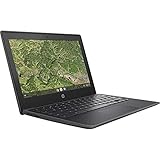
- Top Pick: Dell Chromebook 11 3100 11.6" Chromebook – 1366 x 768 – Celeron N4020-4 GB RAM – 16 GB Flash Memory – Chrome OS – Intel HD Graphics – English (US) Keyboard – Bluetooth (Renewed)
- Best Value: Lenovo 11.6" 300e Chromebook Touchscreen LCD 2 in 1- MediaTek M8173C Quad-core 2.1GHz 4GB LPDDR3 32GB Flash Memory Chrome OS Model 81H00000US (Renewed)
- Premium Choice: HP Chromebook 14 Laptop, Intel Celeron N4120, 4 GB RAM, 64 GB eMMC, 14" HD Display, Chrome OS, Thin Design, 4K Graphics, Long Battery Life, Ash Gray Keyboard (14a-na0226nr, 2022, Mineral Silver)
Most student work is a browser, a word processor, a video call, and a stack of PDFs. That is why a budget laptop can serve a middle schooler, a college freshman, or a parent buying a second machine for homework, as long as it clears a few basic specs. The real decision here is between a Chromebook, which trades flexibility for simplicity and fast boot, and a low-end Windows-style notebook, which gives you larger screens and desktop software but more upkeep.
This guide compares ten listings aimed at students, most of them Chromebooks and several of them renewed units. Judgments come only from the specs in each title: screen size, processor, memory, storage, ports, and operating system. Nothing here is measured data. Going into 2026, 4GB of RAM is the shared baseline across the whole list, so the useful differences are storage type, screen size, and whether the machine runs Chrome OS or Windows 11.
Quick Picks
As an Amazon Associate we earn from qualifying purchases at no extra cost to you.




| Product | Best for | Key spec from the title |
|---|---|---|
| Dell Chromebook 11 3100 (Renewed) | Younger students and backpack use | 11.6-inch, Celeron N4020, 16GB flash |
| Lenovo 300e Chromebook 2-in-1 (Renewed) | Note-taking with touch | Touchscreen 2-in-1, MediaTek M8173C, 32GB |
| HP Chromebook 14 (14a-na0226nr) | Everyday coursework | 14-inch HD, Celeron N4120, 64GB eMMC |
| HP Chromebook 11A G8 Education (Renewed) | Classroom-style carry | AMD A4-9120C, DDR4 memory, 32GB eMMC |
| Phatom 15.6-inch FHD Laptop | Larger screen, local files | 1080P IPS, 128GB SSD, 3.46 lb |
| PADIX 15.6-inch Laptop (N4020) | Windows 11 and card-based storage | 128GB eMMC, 1TB TF card support |
| Lenovo 100e Chromebook 2nd Gen (Renewed) | Lightest-duty homework | MT8173C, 16GB eMMC, 11.6-inch HD |
| HP 14-inch HD Chromebook for Students | Port variety and battery life | N4120, USB-A and USB-C, 14 hours listed |
| HP Chromebook 11MK G9 Education (Renewed) | Small, speaker-equipped classroom unit | MediaTek MT8183, LPDDR4X, 32GB eMMC |
| Lenovo Flagship Chromebook 14-inch | Touch use and fast Wi-Fi | FHD touchscreen, Kompanio 520, WiFi 6 |
How to Choose
Operating system first
Chrome OS suits anyone whose school runs on Google Docs, Classroom, or browser-based tools; it boots fast and needs little maintenance. Pick a Windows listing only if the student needs a desktop program such as a specific math package or a local file workflow. Ask the school or instructor about any required software before deciding, since that one answer settles the whole question. Whatever the choice, check the automatic update expiration for the exact Chromebook model, because older and renewed units stop getting updates at a fixed date.
Screen size and resolution
An 11.6-inch panel is easy to carry but cramped for two windows. A 14-inch screen is the sweet spot for most students, and 15.6 inches is better at a desk than in a backpack. Look for Full HD (1920 x 1080) over the older 1366 x 768 when eyes will stay on documents for hours, and note that an IPS panel keeps colors steady from side angles.
Memory and storage
Treat 4GB of RAM as the minimum, since a browser with many tabs will use most of it. For storage, 64GB or more is comfortable on a Chromebook that mostly saves to the cloud, while a Windows machine benefits from 128GB because the operating system takes a big share. A solid-state drive responds faster than eMMC flash, though both are common in this class.
Ports, battery, and corners that get cut
Count the ports: USB-C and HDMI make it easier to charge and plug in a monitor for presentations. Battery claims, such as the 14 hours in one title, are manufacturer figures and shrink on renewed units. Budget models cut corners on webcam quality, keyboard feel, and screen brightness, so ignore processor model names you do not recognize and focus on memory and storage. A weight near 3 pounds, like the one listed for the 15.6-inch Phatom, is fine for a desk but starts to feel heavy on long walks between buildings.
The 10 Best Options
Dell Chromebook 11 3100 (Renewed)
A compact, familiar machine for younger students who carry a laptop between classes and rooms.
- The 11.6-inch body with a Celeron N4020 and 4GB of RAM handles browser-based schoolwork.
- Bluetooth is listed, so wireless mice and headphones connect without a dongle.
- Trade-off: 16GB of flash storage is tight, and the 1366 x 768 display is the lowest resolution in the list.
Skip it if the student keeps many offline files or needs a larger screen for spreadsheets, because both limits show up quickly once the school year gets busy.
Lenovo 300e Chromebook 2-in-1 (Renewed)
A touchscreen convertible for students who like to sketch, annotate PDFs, or fold the screen back like a tablet.
- The 2-in-1 touch design adds flexibility that clamshell Chromebooks lack.
- It lists 32GB of storage and a MediaTek M8173C quad-core at 2.1GHz, with 4GB of LPDDR3 memory.
- Trade-off: the MediaTek chip is an older design, and the renewed status means battery wear is possible.
Skip it if you want a recent processor or a model with long guaranteed software support; confirm the update date for this exact model before ordering a renewed unit.
HP Chromebook 14 (14a-na0226nr)
The balanced choice for high-school and college coursework, with a bigger display than the 11-inch group.
- A 14-inch HD display pairs with a Celeron N4120, 4GB of RAM, and 64GB of eMMC.
- The title calls out a thin design and long battery life, both useful for all-day carry.
- Trade-off: HD resolution is lower than the Full HD screens in the Windows-style listings.
Skip it if you want a Full HD panel or a touchscreen, since the 14-inch HD display here is aimed at plain document work rather than media.
HP Chromebook 11A G8 Education Edition (Renewed)
Built along classroom lines for students who need a small, simple machine with a webcam for lessons.
- It lists an AMD A4-9120C and 4GB of DDR4-1866 memory, a faster memory type than the LPDDR3 options.
- The 11.6-inch WLED HD display and webcam cover remote classes.
- Trade-off: 32GB of eMMC and an 11.6-inch screen make it better for light tasks than for multitasking.
Skip it if you need a bigger screen or plenty of local storage, since both the display and the 32GB drive are sized for the lightest school tasks.
Phatom 15.6-Inch FHD Laptop
For students who want a large display and a solid-state drive, with room for a desk setup and a few local files.
- A 15.6-inch 1080P IPS panel and 128GB SSD stand out in a budget list.
- The title lists a 3.46 lb weight, HDMI, a 2MP webcam, and a cooling fan.
- Trade-off: it says Windows 11 compatible, not preinstalled, and only 4GB of RAM limits heavy multitasking.
Skip it if you want certainty about the included operating system or a very small backpack machine; a 15.6-inch body takes up more room than any of the 11-inch units.
PADIX 15.6-Inch Laptop (N4020)
A Windows 11 option with an expandable storage slot, for students who keep documents and media on cards.
- It lists an N4020 processor, 4GB of DDR4, and 128GB of eMMC storage.
- TF card support up to 1TB gives storage room without a bigger internal drive.
- Trade-off: the N4020 is an entry processor, so heavy multitasking will feel slow.
Skip it if you prefer the simplicity of Chrome OS or need a faster processor; the maintenance that comes with Windows is a real consideration for younger students.
Lenovo 100e Chromebook 2nd Gen (Renewed)
The simplest machine here, suited to light homework, reading, and email for younger children.
- It pairs a MediaTek MT8173C with 4GB of RAM and an 11.6-inch HD display.
- The Chrome OS software keeps setup short and upkeep light.
- Trade-off: 16GB of eMMC and an older chip leave little room for growth.
Skip it if the student will use many tabs, offline apps, or video lessons all day; the combination of an older chip and a small drive tends to feel slow over time.
HP 14-Inch HD Chromebook for Students
A student-focused 14-inch model with the widest port selection and the longest battery claim in the list.
- It lists USB-A and USB-C along with HDMI, which suits flash drives and projectors.
- The Intel quad-core N4120 and 64GB of eMMC match the other 14-inch HP.
- Trade-off: the 14-hour battery figure is a listing claim, and the display is HD rather than Full HD.
Skip it if you want a touchscreen or a Full HD panel, or a battery figure that does not depend on a listing claim.
HP Chromebook 11MK G9 Education Edition (Renewed)
A small education-line unit with a newer memory type, for students who need basic school tools in a light package.
- MediaTek MT8183 and 4GB of LPDDR4X come in an 11.6-inch HD body.
- A built-in speaker, camera, Wi-Fi, and Bluetooth cover everyday classroom needs.
- Trade-off: 32GB of eMMC is modest, and the renewed condition adds some uncertainty.
Skip it if you want a larger display or maximum performance, and think twice if you are unsure how much battery life the renewed unit has left.
Lenovo Flagship Chromebook 14-Inch FHD Touchscreen
The most modern spec sheet in the group, for students who want touch, Full HD, and the newest wireless standard.
- It lists a 14-inch FHD touchscreen, an 8-core MediaTek Kompanio 520, and WiFi 6.
- 64GB of eMMC and a slim, thin-and-light body suit daily carry.
- Trade-off: only 4GB of RAM limits tab-heavy work, despite the 8-core label.
Skip it if you plan to keep dozens of tabs open or need a Windows program, since neither the 4GB of RAM nor Chrome OS is built for that kind of work.
Which One Fits Your Situation
A middle-school backpack
The HP Chromebook 11MK G9 Education Edition is a light, school-oriented pick, and the Dell Chromebook 11 3100 is the closest alternative.
College lectures and long essays
The HP Chromebook 14 balances a 14-inch screen, 64GB of storage, and the thin design in its title for a day on campus.
Desk work with local files
The Phatom 15.6-inch laptop offers a 1080P IPS panel and an SSD, which suits a student who works mostly at one table.
Touch, notes, and fast Wi-Fi
The Lenovo Flagship Chromebook 14-inch brings a touchscreen and WiFi 6, while the 300e 2-in-1 gives a fold-back design for a lower-spec alternative.
Common Mistakes
- Ignoring the update expiration date on Chromebooks, especially renewed ones.
- Choosing 16GB of storage and then running out after a few offline files.
- Assuming “Windows 11 compatible” means the operating system is already installed.
- Picking an 11.6-inch screen for a student who writes long documents.
- Trusting battery-hour claims without allowing for aging on renewed units.
Related guides
- Combination Smoke And Carbon Monoxide Detectors
- Aio Liquid Coolers For High Performance Gaming
- Graphics Cards For Low Wattage Power Supplies
Frequently Asked Questions
Is a Chromebook enough for school?
For browser-based tools like Google Docs and video calls, yes. If a class needs a desktop program, choose a Windows listing instead.
Is 4GB of RAM enough?
It works for basic coursework with a handful of tabs. Heavy multitasking will feel slow, so keep tab counts under control.
Are renewed laptops a safe choice?
They can work well, but battery wear is common and software support may end sooner. Check the listed condition and the update date.
Do I need a touchscreen?
Not for most students. It helps for sketching and annotating, but it adds weight and uses more battery.









