

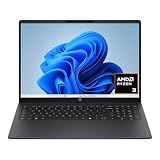
- Top Pick: HP 17.3" Touchscreen Laptop w/Microsoft 365, 8GB RAM, 128GB SSD, Webcam w/Shutter, Fingerprint Reader, Backlit Keyboard, Microsoft Copilot Key, Intel Quad-Core CPU, Win11, Lavender
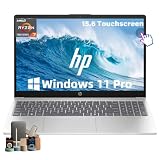
- Best Value: HP 15.6 FHD Touchscreen Laptop for Work AMD Ryzen 5 7530U 16GB RAM 1TB SSD | Windows 11 Pro, Backlit Keyboard, Copilot AI Key, Wi-Fi 6,Fast Charge, Portable Laptop for Business & Study
- Premium Choice: HP OmniBook 3 16 inch Laptop PC, 2K Touchscreen, AMD Ryzen 3 30, 8 GB RAM, 256 GB SSD, AMD Radeon 610M GPU, Windows 11 Home, Mica Silver, 16-by0199nr
Touch on a work laptop earns its place in specific moments: signing a PDF with a fingertip, flicking through a slide deck on a shared table, marking up a diagram during a call, or scrolling a long spreadsheet without reaching for the trackpad. If none of that sounds like your day, a touchscreen is only a more fragile panel. If it does, the decision shifts to what the machine needs beyond the glass: memory for a heavy inbox and browser, a keyboard for hours of typing, and a security setup your IT team accepts.
This guide targets office workers, consultants, and remote professionals who want touch in a laptop that also behaves as a serious work tool. Nine models are compared strictly from their listed specs, covering Intel and AMD processors, screen sizes from 14 to 17.3 inches, and one Chromebook. Entering 2026, the useful questions are how much RAM the machine has, whether Windows 11 Pro is included for work features, and whether the keyboard has a numeric pad and backlighting.
Quick Picks
As an Amazon Associate we earn from qualifying purchases at no extra cost to you.






| Product | Best for | Key spec from the title |
|---|---|---|
| HP 17.3 Touchscreen | Large-screen document work | 17.3 inch, 8GB RAM, fingerprint reader, camera shutter |
| HP 15.6 Ryzen 5 16GB | Balanced daily workhorse | Ryzen 5 7530U, 16GB RAM, 1TB SSD, Win 11 Pro |
| HP OmniBook 3 16 | Taller 2K display | 16 inch 2K touchscreen, Ryzen 3, 256GB SSD |
| HP 15.6 Ryzen 3 HD | Light office tasks | HD touchscreen, Ryzen 3 7320U, S mode |
| Lenovo Flagship Chromebook 14 | Cloud-based work | 14 inch FHD touch, Chrome OS, Wi-Fi 6 |
| Tylvx 15.6 2-in-1 | Note-taking and sketching | 360 degree flip, 16GB RAM, 512GB SSD |
| HP 15.6 Ryzen 7 32GB | Heavy multitasking | Ryzen 7 7730U, 32GB RAM, 1TB SSD |
| HP OmniBook 16 Core Ultra 5 | Newest platform | Core Ultra 5 225U, 16:10 WUXGA, Wi-Fi 7 |
| Dell 15.6 Core i5 | Familiar business brand | 13th Gen i5-1334U, 512GB PCIe SSD, HDMI |
How to Choose
Memory and storage for real workloads
Plan on 16GB of RAM if you live in a browser with dozens of tabs, a mail client, and video calls. Eight gigabytes works for lighter roles but leaves little headroom, and 32GB is overkill unless you run virtual machines or large files. For storage, 512GB of SSD is comfortable; 128GB fills quickly once updates and cached email accumulate.
Operating system and security
Windows 11 Pro adds device management and encryption features that many employers require. Windows 11 Home in S mode only runs Microsoft Store apps, which can block line-of-business software. Look for a fingerprint reader or a physical camera shutter if your role touches sensitive data. A Chromebook suits web-based tools but cannot run most desktop applications.
Display, size, and keyboard
A 15.6-inch FHD panel is the common middle ground; 16-inch 16:10 and 2K screens give more vertical space for documents. A 17.3-inch screen is great at a desk but heavy in a bag. A numeric keypad helps if you handle spreadsheets, and a backlit keyboard matters for evening work. Ignore a touchscreen’s resolution claims until you know the panel type.
Processors and what to ignore
Ryzen 5 and 7 U-series chips and Intel Core i5 or Core Ultra parts handle office work comfortably. Ryzen 3 and the MediaTek Chromebook chip suit lighter tasks. Ignore the AI branding on Copilot keys, which is a shortcut button and not a performance feature. Budget models cut corners on brightness and build rigidity, so check the hinge and bezel in photos.
The 9 Best Options
HP 17.3 Touchscreen
This lavender HP has a 17.3-inch touchscreen, Microsoft 365, 8GB of RAM, a 128GB SSD, a webcam with a shutter, a fingerprint reader, a backlit keyboard, a Copilot key, and an Intel quad-core CPU. The large panel makes spreadsheets and side-by-side windows comfortable at a desk, and the Microsoft 365 listing means the office apps are ready for the first meeting. It reads as a fixed-station machine for people who sign and annotate documents all day.
- Strength: The camera shutter and fingerprint reader address privacy and login.
- Strength: A 17.3-inch screen offers a large workspace.
- Trade-off: 8GB of RAM and 128GB of storage are modest for heavy work.
Skip it if you carry the laptop between sites daily, or if you want more than 128GB of local storage for project files.
HP 15.6 Ryzen 5 16GB
The HP 15.6-inch FHD touchscreen lists a Ryzen 5 7530U, 16GB of RAM, a 1TB SSD, Windows 11 Pro, a backlit keyboard, a Copilot key, Wi-Fi 6, and fast charge. It matches what many office roles need without stepping into extremes. The 1TB drive holds years of attachments and presentations, and the touch panel is a bonus for signing and marking up pages during calls.
- Strength: 16GB of RAM and a 1TB SSD suit daily multitasking.
- Strength: Windows 11 Pro and a backlit keyboard suit business use.
- Trade-off: The title lists no fingerprint reader.
Skip it if biometric login is required by your company, or if you want a larger display than 15.6 inches.
HP OmniBook 3 16
The OmniBook 3 16 lists a 16-inch 2K touchscreen, a Ryzen 3 processor, 8GB of RAM, a 256GB SSD, Radeon 610M graphics, and Windows 11 Home in Mica Silver. The taller panel gives more working area than a standard 15.6-inch, which helps when reading long reports or keeping a chat window beside a document. The 16-by0199nr part number in the title helps you confirm the exact variant.
- Strength: A 2K touchscreen is sharper than basic HD panels.
- Strength: 256GB of SSD is a sensible midpoint.
- Trade-off: Windows 11 Home lacks some Pro business features.
Skip it if your employer needs Pro for encryption or device management, or if 8GB of RAM will be tight for your tabs.
HP 15.6 Ryzen 3 HD
This HP lists an HD touchscreen, a Ryzen 3 7320U, 8GB of RAM, a 128GB SSD, Radeon graphics, and Windows 11 Home in S mode. It is aimed at basic office tasks and web apps: email, calendars, shared documents, and video calls. Touch is there for convenience, and the specs suggest a machine for steady, unambitious daily use.
- Strength: A simple configuration is easy to manage.
- Strength: Touch support comes with a familiar brand.
- Trade-off: S mode limits software to the Microsoft Store.
Skip it if you need desktop applications outside the Microsoft Store, or if you keep many large files on the drive, since 128GB fills up.
Lenovo Flagship Chromebook 14
This Lenovo Chromebook lists a 14-inch FHD touchscreen, an 8-core MediaTek Kompanio 520, 4GB of RAM, 64GB eMMC storage, Wi-Fi 6, and Chrome OS in blue. It fits web-based work in cloud suites, where documents, mail, and chat all live in the browser. Eight cores sound strong, but the 4GB of memory and small flash drive define the experience.
- Strength: A slim 14-inch body is easy to carry.
- Strength: Chrome OS is simple to manage.
- Trade-off: It cannot run most Windows desktop software.
Skip it if your tools are Windows only, or if you keep many tabs open, since 4GB of RAM is the smallest figure in this comparison.
Tylvx 15.6 2-in-1
The Tylvx is a 15.6-inch laptop and tablet with a 360-degree flip FHD touchscreen, an Intel Core m3-8100Y up to 3.4GHz, 16GB of RAM, a 512GB SSD, and Windows 11. It targets note-taking and design, so it suits people who annotate PDFs with a pen or draw diagrams in meetings. The title mentions student use, but the memory and storage figures also fit a mobile professional.
- Strength: The flip design supports tablet and tent modes.
- Strength: 16GB of RAM and 512GB of SSD are generous.
- Trade-off: The Core m3 is an older low-power chip.
Skip it if you need strong processing for large spreadsheets or data tools, or if you want a recent processor generation.
HP 15.6 Ryzen 7 32GB
This HP lists a Ryzen 7 7730U, 32GB of RAM, a 1TB SSD, a numeric keypad, a Copilot key, Wi-Fi 6, Bluetooth, fast charge, and Windows 11 Pro. It is the memory leader of the group, and the Ryzen 7 is the strongest processor tier in the nine. Windows 11 Pro and Wi-Fi 6 round out a configuration meant for people who never want to close a tab.
- Strength: 32GB of RAM and a Ryzen 7 handle heavy multitasking.
- Strength: A numeric keypad helps with spreadsheets.
- Trade-off: It likely carries more weight than 14-inch options.
Skip it if your work is light, because the extra memory then goes unused, or if you want a compact 14-inch body.
HP OmniBook 16 Core Ultra 5
The OmniBook 16 lists an Intel Core Ultra 5 225U, a 16-inch 16:10 WUXGA touchscreen, 8GB of DDR5 RAM, a 512GB SSD, Windows 11 Pro, Wi-Fi 7, and Copilot AI. It is the newest platform here, and the Wi-Fi 7 listing is useful in offices that have upgraded their access points. The Pro operating system covers managed-device needs that Home editions do not.
- Strength: Wi-Fi 7 and DDR5 memory are forward-looking.
- Strength: The 16:10 display gives more vertical room.
- Trade-off: 8GB of RAM is modest for the platform.
Skip it if you want 16GB without an upgrade, or if your office network is not yet ready for Wi-Fi 7.
Dell 15.6 Core i5
The Dell lists a 15.6-inch FHD touchscreen, a 13th Gen Core i5-1334U, 8GB of RAM, a 512GB PCIe SSD, Wi-Fi 6, a 1080p webcam, HDMI, and Windows 11. It aims at business and study, and the well-known brand is easy for an IT department to support. The 1080p webcam is a quiet strength for people who sit in video meetings all day.
- Strength: A 1080p webcam suits video calls.
- Strength: A 512GB PCIe SSD is fast and roomy.
- Trade-off: 8GB of RAM limits headroom.
Skip it if you want more memory or a numeric keypad, neither of which the title lists.
Which One Fits Your Situation
You sit at a desk all day
The HP 17.3 Touchscreen offers a large workspace, plus a fingerprint reader and camera shutter, which suits a home office or a fixed desk.
You multitask heavily
The HP 15.6 Ryzen 7 32GB offers the most memory and the strongest processor tier, ideal for analysts, developers, and anyone who runs many apps at once.
You sketch and annotate
The Tylvx 15.6 2-in-1 flips into tablet mode, which is handy for whiteboard-style sketches and signing documents on a shared table.
Your work lives in the browser
The Lenovo Flagship Chromebook 14 keeps things light and simple, as long as every tool you use runs in a browser.
Common Mistakes
- Buying S mode and discovering company software will not install.
- Choosing 8GB of RAM for a heavy multitasking role.
- Ignoring security features like fingerprint readers.
- Assuming a Copilot key adds performance.
- Skipping the hinge and bezel when checking build quality.
Related guides
- Battery Operated Smoke And Carbon Monoxide Detectors
- Combination Smoke And Carbon Monoxide Detectors
- Aio Liquid Coolers For High Performance Gaming
Frequently Asked Questions
Does touch drain the battery faster?
A touchscreen draws a little extra power, but screen brightness has a bigger effect. Lowering brightness and closing background apps stretch the battery more than turning touch off.
Is a Chromebook good for work?
It suits browser-based tools and cloud suites. It cannot run most Windows desktop software, so check the list of programs your employer requires first.
Is 8GB of RAM enough?
For light office work, yes. For heavy multitasking, choose 16GB.
Do I need Windows 11 Pro?
Many employers require it for encryption and management features. If your IT team does not need those, Windows 11 Home is still fine for personal and freelance work.








