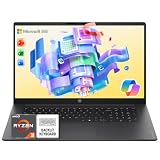
Music production software – Ableton Live, Pro Tools, Studio One – leans almost entirely on CPU and RAM, not GPU, to keep plugin-heavy sessions running without crackling, dropouts, or latency spikes mid-take. The real requirements are a stable multi-core CPU that won’t throttle under sustained load, enough RAM for your plugin count, and fast storage for sample libraries. We checked real laptops currently sold on Amazon against that workload specifically.
Quick List
- HP 15.6″ FHD Touchscreen ($937.49) – Best Budget Pick – 32GB RAM, 1TB SSD.
- NIMO 15.6″ AI-Creator-Laptop ($949.98) – Best Value – 8-core AMD R7, 32GB DDR5.
- Acer Nitro V 16S ($1,399.99) – Best for Virtual Instrument Libraries – strong multi-core CPU headroom.
- ASUS ROG Strix G16 ($1,623.83) – Best Overall – most thermal/CPU headroom for long sessions without throttling.
See All Picks



Which One Is Right for You?
If you’re just starting out or working primarily with lighter sample libraries and a modest plugin chain, either the HP or NIMO pick gives you 32GB of RAM – the spec that matters most for avoiding dropouts – at the lowest realistic price. If you lean on heavy virtual instrument libraries (full orchestral or cinematic sample sets) stacked with multiple effects sends, step up to the Acer Nitro V or ASUS ROG Strix G16 for stronger sustained CPU performance and better cooling under a long mixing session. Between those two, the ASUS has the edge in thermal headroom for the longest sessions, though both share the same practical DAW performance in day-to-day use.
All Picks in Detail
1. ASUS ROG Strix G16 – Best Overall
At $1,623.83, this has the strongest cooling and sustained CPU performance in the lineup – the trait that matters most for a long mixing or mastering session where a thermally-throttling CPU means audio dropouts at exactly the wrong moment. Its RTX 5060 GPU is along for the ride here rather than doing useful work for your DAW, since music production software is essentially GPU-idle, but the laptop it’s attached to happens to have the best thermal design on this list.
2. Acer Nitro V 16S – Best for Virtual Instrument Libraries
At $1,399.99, this gives you similar multi-core CPU headroom to the ASUS for less money – a real benefit specifically when you’re running sample-heavy virtual instruments alongside effects chains, since each additional instrument track adds real-time CPU load that a weaker chip will eventually choke on.
3. NIMO 15.6″ AI-Creator-Laptop – Best Value
At $949.98, this 8-core AMD R7 8745HS with 32GB DDR5 is the best RAM-to-price ratio on this list. For session work without an extremely heavy sample library load, this handles a genuinely busy Ableton or Studio One project comfortably at a price well under $1,000.
4. HP 15.6″ FHD Touchscreen – Best Budget Pick
At $937.49, this matches the NIMO’s 32GB RAM and 1TB SSD with a touchscreen – a small extra for some production software with touch-friendly mixer controls, though not a deciding factor for most producers.
Specs Compared
| Laptop | Price | CPU | RAM | Storage |
|---|---|---|---|---|
| ASUS ROG Strix G16 | $1,623.83 | Intel Core (12th/13th-gen class) | — | — |
| Acer Nitro V 16S | $1,399.99 | AMD Ryzen 7 260 | — | — |
| NIMO 15.6″ AI-Creator | $949.98 | AMD R7 8745HS (8-core) | 32GB DDR5 | 1TB SSD |
| HP 15.6″ Touchscreen | $937.49 | AMD Ryzen 7 7730U | 32GB | 1TB SSD |
How We Chose These
We filtered real currently-listed laptops specifically for CPU strength and RAM (32GB where available), since those are the specs that actually determine DAW performance. We explicitly deprioritized GPU tier in our selection criteria for this guide, since music production software doesn’t meaningfully use it – it’s listed in the comparison table only because it happens to come bundled on two of the higher-CPU-performance picks.
What to Look For
- CPU and RAM, not GPU. DAWs are CPU-core and audio-thread bound; a discrete GPU does essentially nothing for your session performance.
- Port selection for your audio interface. Most interfaces connect over USB – confirm your laptop has a free port matching your interface (USB-A vs. USB-C) before buying.
- Sustained performance over peak benchmarks. A CPU that throttles under a 30-minute mixing session is worse in practice than a slightly slower chip that holds steady.
- Storage for sample libraries. 1TB is a reasonable baseline; budget for external SSD storage if you use large orchestral or cinematic libraries.
Questions
How much RAM do I need for music production?
16GB is a reasonable minimum for light sessions. 32GB, which these picks all have, gives real headroom for sample-library-heavy virtual instruments and larger plugin chains without hitting memory limits mid-session.
Does a dedicated GPU help with DJing software?
Not meaningfully – DJ software, like most DAWs, is CPU/RAM-bound rather than GPU-bound. What matters more for DJ use specifically is a rugged build and reliable USB connectivity for controllers, which isn’t tied to GPU tier.
Should I get an SSD upgrade for sample libraries?
All the picks here already ship with at least a 1TB SSD, which comfortably holds a substantial sample library collection. If you use very large orchestral or cinematic libraries, consider an external SSD rather than relying solely on internal storage.
Is a gaming laptop a bad choice for music production?
Not at all – gaming laptops often have strong CPUs and good cooling, which is exactly what sustained DAW performance needs. You’re simply not using (or paying extra attention to) the GPU side of the spec sheet for this particular workload.
Update History
Published October 2026 with current live Amazon listings and pricing.
Sources
Product specifications, pricing and availability sourced directly from live Amazon product listings as of October 2026.