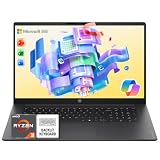
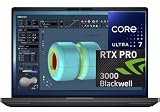
Microsoft’s Surface line spans a surprisingly wide range – from an older-generation Intel-powered Surface Laptop 5 under $500 up to a flagship Surface Laptop Ultra with a 20-core Nvidia-codeveloped processor north of $4,000. We checked real Surface configurations currently sold on Amazon across that full range, including the latest Snapdragon X2-powered models.
Quick List
- Surface Laptop 5 ($496.80) – Best Budget Pick – Intel Core i7-1265U, touchscreen.
- Surface Laptop 7 ($1,299.99) – Best Value Snapdragon – Snapdragon X Plus, 2K+ 120Hz, Copilot+ PC.
- Surface Laptop (2026, 13.8″) ($1,545.00) – Best Everyday Pick – Snapdragon X2 Elite, premium performance tier.
- Surface Pro (2026) ($1,592.99) – Best Detachable – Snapdragon X2 Plus, 13″ 2-in-1.
- Surface Laptop (2026, 15″) ($2,005.17) – Best Bigger Screen – same Snapdragon X2 Elite tier, larger display.
- Surface Laptop Ultra (18-core) ($2,599.99) – Best Performance – Nvidia N1X processor, 24GB/512GB.
- Surface Laptop Ultra (20-core) ($3,999.99) – Best Overall / Flagship – Nvidia N1X, 48GB/1TB.
See All Picks


Which One Is Right for You?
If budget is the priority and you don’t need the latest chip, the older Intel-based Surface Laptop 5 is genuinely cheap for a Surface at under $500, though it won’t have Copilot+ features. If you want current-generation efficiency and Copilot+ certification at a reasonable price, the Surface Laptop 7 is the best value Snapdragon entry point. If you want a true detachable 2-in-1 rather than a clamshell, the Surface Pro is the only option in this lineup built that way. For most buyers wanting Microsoft’s current flagship clamshell experience, the 13.8″ or 15″ Surface Laptop (2026) models with Snapdragon X2 Elite are the sweet spot – choose based on screen size preference. If you need genuinely high-end performance beyond what ARM Snapdragon chips deliver, the Surface Laptop Ultra models with Nvidia’s co-developed N1X processor are in a different performance tier entirely, at a correspondingly higher price.
All Picks in Detail
1. Surface Laptop Ultra (20-core) – Best Overall / Flagship
At $3,999.99, this is Microsoft’s most powerful Surface – a 20-core Nvidia N1X processor with 48GB of RAM and 1TB of storage. This is a different class of chip than the Snapdragon X-series used across the rest of the Surface lineup, built for genuinely demanding workloads rather than everyday productivity.
2. Surface Laptop Ultra (18-core) – Best Performance
At $2,599.99, this is the same Nvidia N1X Surface Laptop Ultra line with a smaller 18-core configuration and 24GB/512GB – a meaningfully lower price than the flagship above while staying in the same high-performance chip family.
3. Surface Laptop (2026, 15″) – Best Bigger Screen
At $2,005.17, this is the larger-screen sibling of the 13.8″ Surface Laptop below, with the same Snapdragon X2 Elite processor – the pick if you want more working space without stepping up to the Nvidia-powered Ultra tier.
4. Surface Pro (2026) – Best Detachable
At $1,592.99, this is the only true detachable 2-in-1 in this lineup – a Snapdragon X2 Plus-powered 13″ tablet with a keyboard that fully detaches, rather than a 2-in-1 hinge. Worth it specifically if you want genuine tablet mode, not just a laptop that folds flat.
5. Surface Laptop (2026, 13.8″) – Best Everyday Pick
At $1,545.00, this is Microsoft’s current premium clamshell Surface, with a Snapdragon X2 Elite processor – the straightforward recommendation for most buyers who want Microsoft’s latest and don’t need the extra screen size or Nvidia chip tier.
6. Surface Laptop 7 – Best Value Snapdragon
At $1,299.99, this is the most affordable way into Copilot+ certification and current Snapdragon performance on a Surface, with a 2K+ 120Hz display – genuinely good value against the pricier 2026 models above it.
7. Surface Laptop 5 – Best Budget Pick
At $496.80, this older-generation Intel Core i7-1265U model is by far the cheapest Surface in this lineup. No Copilot+ certification since it predates that program, but it’s a genuine Surface with a touchscreen at well under half the price of anything else here.
Specs Compared
| Model | Price | Chip | RAM/Storage | Screen |
|---|---|---|---|---|
| Surface Laptop 5 | $496.80 | Intel Core i7-1265U | — | 13.5″ touch |
| Surface Laptop 7 | $1,299.99 | Snapdragon X Plus | 16GB/1TB | 13.8″ 2K+ 120Hz |
| Surface Laptop (2026) | $1,545.00 | Snapdragon X2 Elite | — | 13.8″ touch |
| Surface Pro (2026) | $1,592.99 | Snapdragon X2 Plus | — | 13″ 2-in-1 touch |
| Surface Laptop (2026, 15″) | $2,005.17 | Snapdragon X2 Elite | — | 15″ touch |
| Surface Laptop Ultra (18-core) | $2,599.99 | Nvidia N1X (18-core) | 24GB/512GB | 15″ |
| Surface Laptop Ultra (20-core) | $3,999.99 | Nvidia N1X (20-core) | 48GB/1TB | 15″ |
How We Chose These
We filtered for genuine Microsoft-branded Surface products across generations, from the older Intel-based Surface Laptop 5 through the newest Snapdragon X2 and Nvidia N1X-powered models, to give an honest full-range view of the current Surface catalog rather than only the newest releases.
What to Look For
- Intel vs. Snapdragon vs. Nvidia N1X. Older Surfaces use Intel x86 chips (full software compatibility); current mainstream Surfaces use Snapdragon ARM (best battery life, some app emulation); the Laptop Ultra line uses a new Nvidia-codeveloped chip (highest performance tier).
- Detachable vs. clamshell. Only the Surface Pro here is a true detachable tablet; the rest are traditional laptop hinges, some with touch input.
- Copilot+ certification requires a qualifying NPU – the older Surface Laptop 5 predates this and doesn’t have it.
- Screen size tradeoff between the 13.8″ and 15″ Surface Laptop (2026) models is purely about working space vs. portability, not performance.
Questions
What is the Nvidia N1X chip in the Surface Laptop Ultra?
It’s a high-performance processor co-developed with Nvidia for Microsoft’s top Surface tier, offering significantly more compute than the Snapdragon chips used elsewhere in the Surface lineup, at a correspondingly higher price.
Can Surface laptops with Snapdragon chips run all Windows software?
Most modern software runs natively or emulates well, but some older or specialized x86-only Windows applications may run slower via emulation or not be supported. If full compatibility is critical, check your specific software’s ARM support before buying.
Is the older Surface Laptop 5 still worth buying?
At under $500, it’s a genuine budget entry into the Surface lineup with full Intel x86 compatibility, though it lacks Copilot+ features and the longer battery life of the newer Snapdragon models. A reasonable buy if price matters most.
Update History
Published October 2026 with current live Amazon listings and pricing.
Sources
Product specifications, pricing and availability sourced directly from live Amazon product listings as of October 2026.