

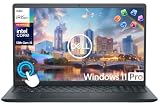
- Top Pick: Dell 15.6 Laptop, FHD, Intel Core 3 100U, 8GB RAM, Windows 11 Home | 300 nits Anti-Glare WVA, Intel UHD Graphics, DDR5, 512GB SSD, Wi‑Fi 6, Bluetooth, Carbon Black, 3‑Cell 41WHr Battery, DC15250
- Best Value: Dell 15.6 Laptop, FHD, Intel Core 3 100U, 8 GB RAM, Windows 11 Home | Anti-Glare IPS WVA, 250 nits, Intel UHD Graphics, DDR4, 512GB SSD, Wi‑Fi 6 & Bluetooth, DC15250
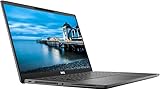
- Premium Choice: Dell Latitude 5420 14" FHD Business Laptop Computer, Intel Quad-Core i5-1145G7, 16GB DDR4 RAM, 256GB SSD, Camera, HDMI, Windows 11 Pro (Renewed)
A Dell laptop under 500 dollars is almost never one machine type. The pool splits into two camps: brand-new Inspiron-style 15.6-inch models with modern entry processors, and renewed Latitude business laptops that began as corporate fleet machines and have since been refurbished for resale. The first camp offers current ports, fresh warranties, and bigger screens. The second offers sturdier chassis, better keyboards, and more memory for the same budget, with the catch that the processors are a few generations old.
This guide is for students, home-office workers, and parents who want a dependable Dell for documents, video calls, browsing, and light multitasking, not for gaming or video editing. The ten picks below mix both camps, and every claim is drawn from the specs listed in the product titles. In 2026, the right choice depends on whether you value a new warranty and bright screen or a roomier memory and storage configuration.
Quick Picks
As an Amazon Associate we earn from qualifying purchases at no extra cost to you.






| Product | Best for | Key spec from the title |
|---|---|---|
| Dell 15 DC15250 (DDR5) | New-model everyday laptop | Core 3 100U, 8GB DDR5, 512GB SSD |
| Dell 15 DC15250 (DDR4) | Same platform, older memory type | Core 3 100U, 8GB DDR4, 512GB SSD |
| Dell Latitude 5420 | Renewed business multitasking | Core i5-1145G7, 16GB, 256GB SSD |
| Dell 15 DC15255 | Smooth scrolling and video | Ryzen 5 7520U, 120Hz IPS, 512GB SSD |
| Dell Latitude 7480 | Light office work on a tight budget | Core i5-6300U, 8GB, 256GB SSD |
| Dell 11-inch Convertible | Compact touch and tablet use | 11-inch IPS touchscreen, 128GB SSD |
| Dell Latitude 7300 | Portable power with large storage | Core i7 8th Gen, 16GB, 500GB NVMe |
| Dell Inspiron 15 3505 | Basic home and school use | Ryzen 3 3250U, 8GB, 256GB SSD |
| Dell Latitude 5400 | Renewed Pro-edition value | Core i5, 16GB, 512GB SSD |
| Dell Inspiron 15 Touchscreen | Storage and software bundle | 10-core Intel i5, 16GB, 1TB total storage |
How to Choose
Memory Matters More Than Processor Name
Eight gigabytes is the working minimum for Windows with a browser and a few tabs open. Sixteen gigabytes gives breathing room for video calls plus documents. Several renewed Latitude models in this group list 16GB, while the new 15.6-inch models list 8GB. If you keep many tabs open or run office software alongside a call, favor the 16GB machines.
Check Storage Type and Size
An SSD matters more than raw capacity because it controls boot time and app launches. Look for 256GB at minimum and 512GB if you store photos or class files locally. An NVMe label, as on the Latitude 7300, indicates a faster drive type than a basic SSD. Treat bundled external storage as a bonus, not a replacement for internal space.
Understand Renewed Versus New
Renewed means a previously used machine that has been refurbished. It can deliver more processor and memory for the money, but the processor generation is older, the battery is aged, and the warranty terms depend on the seller. A new Inspiron-style model comes with newer silicon and a fresh battery. Read the listing carefully for the warranty length and whether the operating system is Windows 11 Pro or Home.
Screen, Ports, and Where Budget Models Cut Corners
Look for a full HD panel, anti-glare coating, and a brightness figure when listed, since 250 to 300 nits is a workable indoor range. Budget laptops often skimp on backlit keyboards, port selection, and battery size. Ignore sticker-style marketing words and focus on the screen type, RAM, and SSD. Business-class Latitudes include HDMI and a webcam in the listing, which are handy for presentations and calls.
The 10 Best Options
Dell 15 DC15250 (DDR5)
This new 15.6-inch Dell pairs an Intel Core 3 100U with 8GB of DDR5 memory and a 512GB SSD. The title adds a 300-nit anti-glare WVA display, Wi-Fi 6, Bluetooth, and a 3-cell 41WHr battery in carbon black. It suits students and home users who prefer a new machine with a brighter screen.
- Strength: DDR5 memory and a 512GB SSD give a solid base for everyday work.
- Strength: 300-nit anti-glare panel is the brighter of the two DC15250 listings.
- Trade-off: 8GB is the memory ceiling listed, so heavy multitasking may feel tight.
Skip it if you need 16GB of memory or a business-grade chassis.
Dell 15 DC15250 (DDR4)
This is the sibling model with the same Core 3 100U and 512GB SSD, but with DDR4 memory and a 250-nit anti-glare IPS WVA display. It is meant for buyers who want the same platform and may find it at a different listing.
- Strength: 512GB SSD and Wi-Fi 6 match the DDR5 sibling, so storage and wireless speed are not where it gives ground.
- Strength: IPS WVA panel offers wide viewing angles for shared screens.
- Trade-off: DDR4 and a dimmer 250-nit panel are a small step down.
Skip it if you plan to use the laptop near a bright window.
Dell Latitude 5420
This renewed 14-inch business laptop lists a quad-core Core i5-1145G7, 16GB of DDR4 RAM, a 256GB SSD, a camera, HDMI, and Windows 11 Pro. It is for professionals and students who want more memory than the new models provide.
- Strength: 16GB of RAM supports heavier multitasking than most listings here.
- Strength: Windows 11 Pro and HDMI suit office and presentation work.
- Trade-off: 256GB of storage fills quickly with media.
Skip it if you want a larger 15.6-inch screen or a brand-new unit.
Dell 15 DC15255
The DC15255 swaps Intel for an AMD Ryzen 5 7520U with Radeon 610M graphics, and the title highlights a 120Hz FHD IPS display, LPDDR5 memory, and a 512GB SSD. It is the pick for people who spend long hours scrolling, reading, and watching video.
- Strength: 120Hz IPS display is rare in this group and looks smoother in motion.
- Strength: LPDDR5 memory and 512GB SSD give a balanced configuration.
- Trade-off: Wi-Fi 5 trails the Wi-Fi 6 on the other new models.
Skip it if wireless speed matters more than display smoothness.
Dell Latitude 7480
This renewed 14-inch Latitude lists an Intel Core i5-6300U running 2.4GHz to 3.0GHz, 8GB of RAM, a 256GB SSD, and Windows 11 Pro. It is a no-frills pick for email, web forms, and word processing.
- Strength: business-class Latitude body in a 14-inch size.
- Strength: Windows 11 Pro is listed on a renewed unit.
- Trade-off: a 6th-generation-style processor is the oldest in this group.
Skip it if you want video editing, many browser tabs, or long-term performance headroom.
Dell 11-inch Convertible
The smallest machine here is an 11-inch IPS touchscreen convertible with an Intel Pentium processor up to 3.3GHz, 8GB of RAM, a 128GB SSD, and sixth-generation Wi-Fi. The title marks it as renewed, in Dale Gray. It targets light reading, note-taking, and media use.
- Strength: touchscreen convertible supports tablet-style use.
- Strength: small body is easy to carry.
- Trade-off: 128GB of storage and a Pentium-class processor limit heavier work.
Skip it if you need a full-size screen for spreadsheets.
Dell Latitude 7300
A 13.3-inch renewed business laptop with an 8th Gen quad-core Core i7, 16GB of RAM, a 500GB NVMe drive, a backlit keyboard, a webcam, and Windows 11 Pro. It suits travelers and commuters who want a smaller, compact body with capable specs.
- Strength: Core i7 with 16GB RAM leads this list on processor tier.
- Strength: backlit keyboard and 500GB NVMe storage add comfort and space.
- Trade-off: the processor is an older 8th Gen part, and the screen is small.
Skip it if you prefer a 15.6-inch display.
Dell Inspiron 15 3505
This 15.6-inch FHD non-touch Inspiron lists an AMD Ryzen 3 3250U, 8GB of DDR4 RAM, a 256GB SSD, and integrated AMD graphics. It runs Windows 10 Home, which makes it a basic option for schoolwork and simple home use.
- Strength: 15.6-inch FHD screen is comfortable for reading and documents.
- Strength: 8GB RAM and an SSD cover the basics.
- Trade-off: it lists Windows 10 Home, an older operating system than the Windows 11 models here.
Skip it if you want Windows 11 or a business edition.
Dell Latitude 5400
The renewed Latitude 5400 is a 14-inch laptop with a Core i5, 16GB of RAM, a 512GB SSD, and Windows 11 Pro. The title does not give the exact processor model, so generation is unclear. It is for buyers who want both memory and storage in a business body.
- Strength: 16GB RAM and 512GB SSD is a roomy pairing.
- Strength: Windows 11 Pro is listed.
- Trade-off: the processor generation is not stated in the title.
Skip it if you want a confirmed processor model before buying.
Dell Inspiron 15 Touchscreen
This 15.6-inch Inspiron lists a touchscreen FHD display, a 10-core Intel i5, 16GB of RAM, and 1TB of total storage split between a 512GB SSD and a 500GB external drive. Windows 11 Pro and an Office suite are listed. It is a bundle for students who want software included.
- Strength: 16GB RAM and a touchscreen on a 15.6-inch FHD panel.
- Strength: Office suite and external storage are part of the listing.
- Trade-off: the 500GB drive is external, so internal space is 512GB.
Skip it if you would rather have a plain configuration without bundled extras.
Which One Fits Your Situation
You Are a Student on a Tight Budget
The Dell 15 DC15250 with DDR5 offers a new body, 512GB of storage, and Wi-Fi 6. If you want an included Office suite, the Inspiron 15 Touchscreen bundle is the alternative.
You Multitask All Day
The Latitude 5420 and Latitude 5400 both list 16GB of RAM and Windows 11 Pro. Choose the 5400 for the larger SSD, or the 5420 when the Core i5-1145G7 model number matters.
You Travel With Your Laptop
The Latitude 7300 has a 13.3-inch screen, backlit keyboard, and Core i7 listed. For something even smaller and touch-friendly, the 11-inch convertible is lighter on the spec sheet.
You Watch Lots of Video
The Dell 15 DC15255 lists a 120Hz FHD IPS display, which gives the smoothest motion of the group. Pair it with headphones for long viewing sessions.
Common Mistakes
- Buying a renewed laptop without checking the seller warranty length and battery condition.
- Choosing 8GB of RAM when your workflow involves many tabs and video calls.
- Assuming every Core i5 is equal when the generation can be several years apart.
- Counting external storage as part of the internal drive.
- Overlooking the operating system edition, especially older Windows 10 Home listings.
Related guides
- Battery Operated Smoke And Carbon Monoxide Detectors
- Combination Smoke And Carbon Monoxide Detectors
- Aio Liquid Coolers For High Performance Gaming
Frequently Asked Questions
Is a renewed Dell Latitude a good idea?
It can be, since Latitudes are business-class laptops with solid keyboards and ports. Check the warranty, battery condition, and seller terms, and accept that the processor will be older than a new model.
How much RAM do I need?
Eight gigabytes handles light browsing and documents. Sixteen gigabytes is the safer pick for video calls, many tabs, and office apps at the same time.
Are touchscreen models worth it?
They help for note-taking and tablet-style use, but they are not required for office work. A non-touch panel is simpler if you prefer a matte look.
Can these laptops handle gaming?
The listings show integrated graphics only, which suit casual and older titles. For modern games you would need a laptop with a dedicated graphics card.









