

- Top Pick: HP 17 Laptop Essential Computer, 17.3 IPS FHD Business PC, 6-Core AMD Ryzen 5, 32GB RAM, 1.5TB Storage (1TB SSD + 500GB Ext), Windows 11 Pro Copilot AI + Office, HubxcelAddons, Number Pad
- Best Value: Phatom 15.6" FHD Laptop Computer 4GB RAM 128GB SSD Windows 11 Compatible | Upgradeable RAM+SSD,Pentium (Beats Celeron), Support UP to 2TB, 1080P HDMI, for Business, Student laptops for school
- Premium Choice: HP Ultrabook 14 Laptop Computer Business Study & Home 2025, Lifetime MS Office for The Web + Windows 11 Home, Quad-Core Intel CPU
A business laptop under 800 dollars sits in an awkward spot. The ceiling is high enough to buy a genuinely capable machine, yet low enough that sellers fill the gap with bundles, extra storage drives, and heavy marketing about AI keys. The real decision is where to spend your limited budget: processor and memory for spreadsheets and video calls, a larger screen for long documents, or a sturdy build with the ports a desk setup needs.
This guide covers ten laptops sold as business or work machines and judges them only by what the listings state. It is written for freelancers, small-office staff, and students with a job on the side who need Windows 11, a reliable keyboard, and enough memory to keep a dozen browser tabs open. Because the bracket is crowded, a few models trade basics like RAM for headline numbers, and the tables below help separate real capability from clutter in 2026 listings.
Quick Picks
As an Amazon Associate we earn from qualifying purchases at no extra cost to you.




| Product | Best for | Key spec from the title |
|---|---|---|
| HP 17 Essential | Big-screen spreadsheet work | 17.3″ IPS FHD, Ryzen 5, 32GB RAM |
| Phatom 15.6 | Lightest workloads, upgradeable | 4GB RAM, 128GB SSD, Pentium |
| HP Ultrabook 14 | Portable everyday tasks | 14″ quad-core Intel, Windows 11 Home |
| HP 14 Ultra-Portable | Commuters needing Windows 11 Pro | Intel 4-core, 628GB storage total |
| HP 15.6 N150 (128GB SSD) | Basic office use | Intel N150, 4GB RAM, 128GB SSD |
| Dell 16 Touchscreen | Memory-rich work machine | Core 7 150U, 32GB DDR5, 1TB SSD |
| HP 15.6 N150 (UFS) | Cloud-first light work | 128GB UFS plus cloud storage, keypad |
| Lenovo Business 15.6 | Anti-glare office screen | 8GB DDR5, Wi-Fi 6, USB-C |
| 15.6″ Windows 11 Pro | Entry-level student work | Pentium, 8GB RAM, 256GB SSD |
| Lenovo V15 G4 | Desk-based office with wired network | Ryzen 3 7320U, 16GB DDR5, 1TB SSD |
How to Choose
Memory and storage decide how long it feels fast
Eight gigabytes of RAM is the practical minimum for modern Windows with a browser and office apps, and 16GB is the comfortable level for video calls plus spreadsheets. Models with only 4GB of RAM will struggle once a few tabs and a meeting app are open. For storage, 256GB is workable, 512GB is better, and a 128GB drive fills quickly. Watch listings that add “external” gigabytes to the total; those are not internal storage.
Pick the processor family with a purpose
A Ryzen 5 or a Core 7 chip handles multitasking comfortably. A Ryzen 3 7320U is a step down but adequate for office use. Intel N150 and Pentium processors are entry-level parts designed for light browsing and documents, so treat them as basic machines. Be wary of marketing phrases like “beats Celeron” in a title; they say little about real workloads, and you should compare the chip names directly.
Screen size, brightness, and keyboard layout
A 15.6 inch panel is the standard compromise, 14 inches suits travel, and 16 to 17 inches suit long spreadsheets. Full HD at 1920×1080 is the floor for comfortable text. A matte or anti-glare finish helps in bright offices, and 300 nits is a respectable brightness level. If you enter numbers all day, a numeric keypad matters. Backlit keys help in dim rooms, and a 16:10 shape adds vertical working space.
Ports, Windows edition, and security
Windows 11 Pro adds device encryption management and remote desktop hosting that Home lacks, which matters for work laptops handling client data. Look for USB-C, HDMI, and an RJ-45 Ethernet jack if you use a dock or wired network. Wi-Fi 6 is a sensible minimum. Be cautious of bundled accessories and “lifetime” office claims; read exactly which subscription or web edition is included.
The 10 Best Options
HP 17 Essential
This HP stands out for its 17.3 inch IPS FHD screen, a six-core Ryzen 5, and 32GB of RAM. Storage totals 1.5TB through a 1TB SSD and a 500GB external drive, and it runs Windows 11 Pro with a number pad. It suits spreadsheet-heavy users, accountants, and anyone who keeps several windows side by side and wants the extra storage drive for archives and backups.
- Strength: 32GB of RAM handles heavy multitasking.
- Strength: a large screen with a number pad speeds up data entry.
- Trade-off: a 17 inch body is bulky for commuting.
Skip it if you carry your laptop daily.
Phatom 15.6
The Phatom lists a 15.6 inch FHD screen, a Pentium processor, 4GB of RAM, and a 128GB SSD, with upgradeable memory and storage up to 2TB. HDMI output is included. It fits users who want a basic machine they can improve later, such as a household that needs a simple second laptop and is comfortable adding memory when needed.
- Strength: upgradeable RAM and SSD extend its life.
- Strength: 1080P HDMI output suits a second monitor.
- Trade-off: 4GB of RAM is tight for current Windows.
Skip it if you need smooth multitasking out of the box.
HP Ultrabook 14
A 14 inch HP with a quad-core Intel CPU, Windows 11 Home, and Microsoft Office for the web. The listing targets business, study, and home use. It is a compact choice for people who move between rooms and meetings, and its web-based Office access works for documents, slides, and shared files without extra software.
- Strength: 14 inch size travels easily.
- Strength: web Office access included with the listing.
- Trade-off: the title gives no RAM or storage figures, so you must verify them.
Skip it if you want clear specs before purchase.
HP 14 Ultra-Portable
This 14 inch HP lists an Intel 4-core CPU, 4GB of RAM, Windows 11 Pro, and 628GB of total storage (128GB UFS plus a 500GB external drive). Battery life is described as long. It suits light work on the move, such as email, documents, and web apps on a commuter train, with the external drive handling file archives and the Pro edition adding business features.
- Strength: Windows 11 Pro is included.
- Strength: portable size with an external drive for files.
- Trade-off: 4GB of RAM limits heavy tabs and meetings.
Skip it if you juggle many applications at once.
HP 15.6 N150 (128GB SSD)
A 15.6 inch HP with an Intel N150 four-core chip, 4GB of RAM, and a 128GB SSD, running Windows 11 Home with Microsoft 365. The listing highlights battery life and portability. It is aimed at simple document and web tasks, like email, shared spreadsheets, and video calls, where the work lives in the browser rather than in heavy desktop programs.
- Strength: Microsoft 365 is included with the system.
- Strength: an SSD helps with boot speed.
- Trade-off: only 4GB of RAM and 128GB storage.
Skip it if you plan to keep it for several years of growing workloads.
Dell 16 Touchscreen
The standout for memory, storage, and display. It lists a Core 7 150U, 32GB of DDR5, a 1TB SSD, and a 16 inch 16:10 FHD+ IPS touchscreen at 300 nits. A backlit keyboard with number pad, Wi-Fi 6, Windows 11 Pro, and a Copilot key complete it. It suits professionals who want one machine for the desk and the meeting room.
- Strength: 32GB DDR5 and 1TB SSD are generous for daily work.
- Strength: 16:10 touchscreen with a backlit keyboard.
- Trade-off: it is larger and heavier than the 14 inch models.
Skip it if you prefer a lightweight 14 inch machine.
HP 15.6 N150 (UFS)
Similar processor to the other N150 HP, but with 128GB of UFS storage, 1TB of cloud storage, a numeric keypad, and Microsoft 365. It runs Windows 11 Home and is described as portable with long battery life. It suits people who keep most files online and want a straightforward machine for office tasks and meetings.
- Strength: cloud storage helps with file backup.
- Strength: numeric keypad on a 15.6 inch body.
- Trade-off: UFS storage and cloud reliance limit local space.
Skip it if you need large offline files.
Lenovo Business 15.6
A Lenovo with a 15.6 inch FHD anti-glare screen, 8GB of DDR5, 128GB of storage, Wi-Fi 6, USB-C, Office 365, and Copilot AI. The processor is listed only as Intel. It suits brighter offices and shared workspaces where reflections on a glossy panel get in the way, and it gives you a USB-C port for modern chargers and docks.
- Strength: anti-glare screen and DDR5 memory.
- Strength: USB-C and Wi-Fi 6 for modern connectivity.
- Trade-off: only 128GB storage and an unnamed Intel chip.
Skip it if you want a named processor.
15.6″ Windows 11 Pro Laptop
This 15.6 inch model has an Intel Pentium, 8GB of RAM, and a 256GB SSD with Windows 11 Pro and Office 365. The listing mentions a six-hour battery, mini HDMI, and a camera with microphone. It targets students and basic work, such as papers, web research, and light office tasks, while the mini HDMI port allows connection to a monitor or projector.
- Strength: 8GB RAM and a 256GB SSD form a sensible baseline.
- Strength: Windows 11 Pro with Office included.
- Trade-off: Pentium performance is modest and the brand is unclear.
Skip it if you want established support.
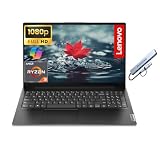
Lenovo V15 G4
Designed for business, the V15 G4 lists a 15.6 inch FHD display, a Ryzen 3 7320U, 16GB of DDR5, a 1TB SSD, Windows 11 Pro, an Ethernet RJ-45 port, a numeric keypad, and a docking hub. That mix suits a fixed office desk, where the wired network and extra ports save you from buying adapters.
- Strength: 16GB DDR5 with 1TB storage balances well.
- Strength: Ethernet port and numeric keypad suit office desks.
- Trade-off: Ryzen 3 is entry-level for heavy tasks.
Skip it if you need a top processor.
Which One Fits Your Situation
You work mostly in spreadsheets
The HP 17 Essential offers a large screen, 32GB of RAM, and a number pad, which makes long data sessions comfortable.
You want a premium feel and large memory
The Dell 16 Touchscreen leads on memory, storage, and display quality, and the Lenovo V15 G4 is a quieter alternative with Ethernet.
You travel with your laptop
Choose the HP Ultrabook 14 or the HP 14 Ultra-Portable, and confirm the RAM before ordering.
You need a basic setup for light tasks
The Phatom 15.6 can be upgraded later, while the 15.6 inch Windows 11 Pro model starts with 8GB and 256GB.
Common Mistakes
- Counting external drives as internal storage when comparing capacity.
- Buying 4GB of RAM for a work laptop that will run video meetings and many tabs.
- Trusting buzzwords like “AI laptop” or “beats Celeron” instead of reading the chip name.
- Choosing Windows 11 Home when you need Pro features for security or remote access.
- Forgetting ports, then needing a dongle for HDMI, Ethernet, or USB-C.
Frequently Asked Questions
How much RAM does a business laptop need?
Eight gigabytes is the minimum for a smooth experience, and 16GB is better for video calls and large spreadsheets. Four gigabytes is only suitable for very light tasks.
Is Windows 11 Pro necessary for work?
Pro adds management and security features such as managed disk encryption and remote desktop hosting. For personal projects Home is usually enough, but client data justifies Pro.
Should I count external drives in the storage total?
No. External drives add file space but do not speed up Windows or hold installed programs as an internal SSD would. Judge the internal SSD size separately.
Should I choose a touchscreen business laptop?
Only if you use pen or touch input. A touchscreen adds weight and drains battery, though the Dell 16 listing offers one alongside a backlit keyboard.









