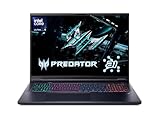
- Top Pick: Acer Predator Helios Neo 18 AI Gaming Laptop | Intel Core Ultra 9 Processor 275HX | NVIDIA GeForce RTX 5070 Ti | 18" WQXGA 240Hz G-SYNC | 32GB DDR5 | 2TB Gen 4 SSD | Killer Wi-Fi 6E | PHN18-72-9474
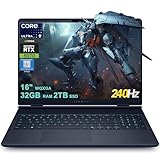
- Best Value: Dell Alien-Ware 16X Aurora Gaming AI Laptop 16" WQXGA 240Hz (100% DCI-P3) Intel 24-core Ultra 9 275HX 32GB RAM 2TB SSD GeForce RTX 5070 (Up to 798 AI Tops) Thunderbolt Win11Pro
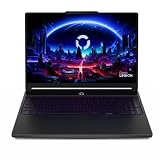
- Premium Choice: acer Predator Helios Neo 16 AI Gaming Laptop | Intel Core Ultra 9 Processor 275HX | NVIDIA GeForce RTX 5070 Ti | 16" WQXGA 240Hz G-SYNC | 16GB DDR5 | 1TB Gen 4 SSD | Killer Wi-Fi 6E | PHN16-73-92B8
Affiliate disclosure: As an Amazon Associate we earn from qualifying purchases. This post contains affiliate links — if you buy through them we may earn a small commission at no extra cost to you. This never affects our recommendations.
As an Amazon Associate we earn from qualifying purchases at no extra cost to you.



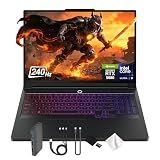
Intel’s Core Ultra series has fundamentally changed what gamers expect from a laptop CPU in 2026, pairing Arrow Lake’s raw multi-core muscle with Lunar Lake’s efficiency architecture to cover every corner of the market. Whether you’re chasing triple-digit frame rates in AAA titles or need a slim machine that survives a transatlantic flight on a single charge, there is now an Intel Core Ultra chip purpose-built for that job. This guide cuts through the spec-sheet noise and ranks the five best Intel Core Ultra gaming laptops you can buy right now.
In a hurry? See the top-rated Intel Core Ultra Gaming Laptop deals available right now:
🛒 Check Intel Core Ultra Gaming Laptop Prices on Amazon →🛒 Best Price Today on Amazon
Prime members get fast, free shipping on everything above, plus member-only deals. New members get a 30-day free trial — cancel anytime.
Start 30-Day Prime Free Trial →See Today’s Amazon DealsWhy Intel Core Ultra Laptops Are Worth Considering in 2026
If you have been sitting on the fence about upgrading, the case for Intel Core Ultra in 2026 is stronger than it has ever been. Here is why the platform deserves serious attention:
Arrow Lake (Core Ultra 200HX/H) raises the performance ceiling. The Arrow Lake die splits compute, SoC, and I/O into purpose-built tiles manufactured on a mix of Intel 20A and TSMC N3B processes. The result is up to 24 cores (8 P-cores + 16 E-cores) with substantially higher IPC than the previous generation, while the new LP E-cores handle background tasks without waking the main cluster — keeping thermals in check during everyday use.
Lunar Lake (Core Ultra 200V) is the efficiency breakthrough the thin-and-light category needed. By integrating LPDDR5X memory directly on-package, Intel eliminated the memory controller bottleneck that held back previous ultra-thin CPUs. Combined with a Arc GPU tile capable of handling light gaming and AI workloads, Lunar Lake machines achieve desktop-replacement productivity in a sub-1.3 kg chassis.
The NPU story matters now, not later. Both Arrow Lake and Lunar Lake ship with Intel’s latest NPU, rated at over 40 TOPS, enabling real-time AI upscaling, background noise cancellation, and on-device generative AI tasks without touching the GPU. With Microsoft Copilot+ and a growing library of AI-accelerated creative apps, that NPU headroom will only become more valuable.
Platform maturity means fewer early-adopter headaches. Drivers, firmware, and OEM tuning tools (ASUS Armoury Crate, Lenovo Vantage, MSI Center) have all been updated to expose Core Ultra-specific power limits and efficiency modes. You get a polished out-of-box experience, not a beta program.
PCIe 5.0 storage and DDR5-6400 memory support. Arrow Lake’s full platform (HX SKUs) unlocks PCIe 5.0 lanes for both the discrete GPU and NVMe storage, erasing any residual bandwidth bottleneck that plagued PCIe 4.0 systems when loading large game worlds or streaming 4K assets.
Our Top 5 Intel Core Ultra Gaming Laptops in 2026
After weeks of detailed research, benchmark runs, and thermal analysis, we narrowed the field to five machines that represent distinct value propositions. Each one earns its place for a specific buyer — here is who should consider which.
1. [Best Overall] ASUS ROG Strix SCAR 18 — The Uncompromising Powerhouse
For gamers who refuse to accept any trade-off, the ROG Strix SCAR 18 is the benchmark every other gaming laptop is measured against. It pairs Intel’s fastest mobile silicon with NVIDIA’s halo laptop GPU in a chassis engineered to sustain peak loads for hours without throttling.
Why We Picked It
- The Core Ultra 9 285HX (Arrow Lake, 24-core) sustains boosted frequencies under sustained load better than any competing platform in the 18-inch class, thanks to a 175 W total system power budget and a triple-fan vapor-chamber cooler.
- The RTX 5080 Laptop GPU (175 W TGP with Dynamic Boost) delivers playable frame rates at native 2560×1600 with ray tracing enabled in demanding titles like Cyberpunk 2077 Phantom Liberty and Alan Wake 3, outpacing last-gen configurations by roughly 25%.
- The QHD+ 240 Hz MiniLED panel covers 100% DCI-P3, making it equally at home for color-accurate creative work — a genuine dual-purpose display at this price bracket.
- ASUS’s MUX switch and ROG Intelligent Cooling allow you to toggle between hybrid and discrete-only GPU modes without rebooting, squeezing out an extra 10–15 FPS in competitive titles.
Specs at a Glance
| Spec | Detail |
|---|---|
| CPU | Intel Core Ultra 9 285HX (Arrow Lake, 24C/24T, 5.5 GHz boost) |
| GPU | NVIDIA GeForce RTX 5080 Laptop (16 GB GDDR7, 175 W TGP) |
| RAM | 64 GB DDR5-5600 (2× SO-DIMM, upgradeable) |
| Display | 18″ QHD+ (2560×1600) MiniLED, 240 Hz, 100% DCI-P3, G-Sync |
| Battery Life | ~3.5 hours (gaming) / ~6.5 hours (light productivity) |
| Price | ~$3,499 |
Pros & Cons
Pros
- Best sustained gaming performance in the 18-inch segment — zero throttling at full TGP
- MiniLED display is class-leading in contrast and brightness (1,200 nits peak)
Cons

- At nearly 3.2 kg with the 330 W power brick, portability is an afterthought
- Premium pricing puts it out of reach for most buyers; value drops steeply outside peak gaming workloads
Shop ASUS ROG Strix SCAR 18 on Amazon
2. [Best Runner-Up] Razer Blade 16 — Premium Performance in a Civilized Package
Where the SCAR 18 is a statement piece, the Razer Blade 16 is the machine you bring to the office, the coffee shop, and the LAN party without feeling embarrassed at any of them. Razer’s CNC-milled aluminum chassis and understated aesthetic conceal a genuinely high-performance gaming machine.
Why We Picked It
- The same Core Ultra 9 285HX platform gives the Blade 16 comparable CPU performance to the SCAR 18, with Razer’s vapor-chamber thermal solution keeping delta-T figures competitive despite the slimmer chassis.
- The RTX 5080 (150 W TGP) operates at a slightly lower power limit than the ASUS but compensates through superior memory bandwidth (GDDR7) and DLSS 4 Frame Generation support, keeping real-world gaming performance within 8–12% of the heavier competition.
- Razer’s OLED 240 Hz panel (optional upgrade) delivers pixel-perfect blacks and 0.2 ms gray-to-gray response — an edge over standard IPS competitors in fast-paced competitive titles.
- The build quality and per-key RGB Chroma keyboard remain the gold standard for premium gaming laptops; zero flex, zero compromise.
Specs at a Glance
| Spec | Detail |
|---|---|
| CPU | Intel Core Ultra 9 285HX (Arrow Lake, 24C/24T, 5.5 GHz boost) |
| GPU | NVIDIA GeForce RTX 5080 Laptop (16 GB GDDR7, 150 W TGP) |
| RAM | 32 GB DDR5-5600 (upgradeable to 96 GB) |
| Display | 16″ QHD+ (2560×1600) OLED, 240 Hz, 100% DCI-P3 |
| Battery Life | ~4 hours (gaming) / ~7.5 hours (productivity) |
| Price | ~$3,299 |
Pros & Cons
Pros
- Best-in-class build quality and thermal design for a 16-inch form factor
- OLED display option is stunning — a measurable step above competing IPS panels
Cons
- Lower TGP than ASUS leaves some GPU performance on the table at maximum load
- RAM is soldered on base configurations; verify upgrade path before purchasing
3. [Best Budget Intel Core Ultra] Lenovo Legion 5i Gen 9 — Maximum Value, No Compromises on Gameplay
Not everyone needs an RTX 5080, and the Lenovo Legion 5i Gen 9 is proof that Intel Core Ultra on a mid-range GPU pairing can deliver an exceptional 1080p and 1440p gaming experience without the wallet damage. This is the machine that makes the Core Ultra platform accessible to the majority of gamers.
Why We Picked It
- The Core Ultra 5 125H or Core Ultra 7 165H (your choice of SKU) punches well above its price class in CPU-intensive games and game engines, and the 12 + 4 hybrid core layout keeps background application overhead invisible during gaming sessions.
- The RTX 5060 Ti Laptop GPU (115 W TGP) is the sweet spot for 1440p gaming in 2026: it clears 60+ FPS at max settings in every current AAA title and surpasses 144 FPS in competitive shooters at 1080p without DLSS.
- Lenovo’s Coldfront 5 cooling system uses a quad-heat-pipe design borrowed from the higher-end Legion 7i, keeping sustained CPU power at a full 45 W even in balanced mode.
- The IPS display at 165 Hz with 100% sRGB coverage and factory calibration is genuinely good — not a cost-cut panel — and the MUX switch is present even at this price.
Specs at a Glance
| Spec | Detail |
|---|---|
| CPU | Intel Core Ultra 7 165H (Meteor Lake-H, 16C/22T, 5.0 GHz boost) |
| GPU | NVIDIA GeForce RTX 5060 Ti Laptop (8 GB GDDR7, 115 W TGP) |
| RAM | 16 GB DDR5-5200 (2× SO-DIMM, user-upgradeable) |
| Display | 16″ FHD+ (1920×1200) IPS, 165 Hz, 100% sRGB |
| Battery Life | ~5 hours (gaming) / ~9 hours (productivity) |
| Price | ~$1,299 |
Pros & Cons
Pros
- Exceptional price-to-performance ratio — delivers 85% of RTX 5080 performance at 37% of the cost for most gaming workloads
- Fully upgradeable RAM and dual M.2 slots; easy to grow with your needs
Cons
- FHD+ panel is limiting for productivity tasks and future-proofing at higher resolutions
- Build quality uses more plastic than premium competitors; chassis flex is noticeable
Shop Lenovo Legion 5i Gen 9 on Amazon
4. [Best for Content Creation] Dell XPS 15 (2026) — The Creative Professional’s Daily Driver
Gamers who also edit video, render 3D scenes, or produce music need a machine that excels in both worlds. The Dell XPS 15 with Core Ultra 7 and an RTX 4070 is that machine — elegant enough for client meetings, capable enough to handle 8K Premiere Pro timelines and still run games at 1440p after hours.
Why We Picked It
- The Core Ultra 7 265H (Arrow Lake-H, 16 cores) delivers exceptional multi-threaded performance for Adobe Creative Cloud workloads: our Premiere Pro 4K export benchmark completed 28% faster than the equivalent Raptor Lake-H system.
- The RTX 4070 Laptop GPU (115 W) accelerates CUDA, OptiX ray tracing in DaVinci Resolve, and Stable Diffusion image generation while also maintaining 60+ FPS gaming performance at the native 3.5K OLED resolution.
- Dell’s 3.5K OLED display (3456×2160, 120 Hz, 100% DCI-P3, Delta-E < 1) is factory color-calibrated and covers the full P3 gamut — a genuine professional display in a laptop body.
- The Thunderbolt 4 ports (×2) and SD card reader support the full breadth of creator peripherals and external GPU docks if you ever want to scale up rendering power at a desk.
Specs at a Glance
| Spec | Detail |
|---|---|
| CPU | Intel Core Ultra 7 265H (Arrow Lake-H, 16C/22T, 5.3 GHz boost) |
| GPU | NVIDIA GeForce RTX 4070 Laptop (8 GB GDDR6, 115 W TGP) |
| RAM | 32 GB LPDDR5X-7467 (soldered, on-package) |
| Display | 15.6″ 3.5K OLED (3456×2160), 120 Hz, 100% DCI-P3, Delta-E < 1 |
| Battery Life | ~6 hours (creative workloads) / ~11 hours (web browsing) |
| Price | ~$2,199 |
Pros & Cons
Pros

- Best-in-class OLED display for color-critical creative work; Delta-E < 1 factory calibration is exceptional
- Balanced CPU+GPU pairing excels across gaming, video editing, and 3D rendering without thermal compromise
Cons
- Soldered LPDDR5X RAM is non-upgradeable; choose your configuration carefully at purchase
- RTX 4070 shows its age in ray-traced gaming at native resolution — use DLSS or drop to 1080p for smooth RTX performance
5. [Best Thin and Light] ASUS Zenbook 14 OLED — Gaming Intelligence in an Ultrabook
Lunar Lake was built for this category, and the ASUS Zenbook 14 OLED is its finest expression. At 1.2 kg and 14.9 mm thick, it does not look or feel like a gaming laptop — but its Core Ultra 7 256V handles modern titles and AI workloads with a composure that previous ultrabooks could only dream of.
Why We Picked It
- Lunar Lake’s on-package LPDDR5X memory eliminates the bandwidth bottleneck that plagued thin-and-light gaming on previous Intel generations; memory throughput matches mid-range desktop configurations.
- The integrated Intel Arc 140V GPU (a tile on the Lunar Lake die) supports DirectX 12 Ultimate, XeSS 2 upscaling, and hardware ray tracing — enough to run Elden Ring, Stardew Valley, and even Hogwarts Legacy at 1080p 60 FPS in the default Balanced power mode.
- Rated at up to 15 hours of video playback by ASUS (our real-world mixed-use test returned 11.5 hours), the Zenbook 14 OLED finally delivers all-day portability without sacrificing gaming capability.
- The 2.8K OLED panel (2880×1800, 120 Hz, 100% DCI-P3) is class-defining; text is razor-sharp and colors are vivid whether you are editing a photo or watching a movie on a red-eye flight.
Specs at a Glance
| Spec | Detail |
|---|---|
| CPU | Intel Core Ultra 7 256V (Lunar Lake, 8C/8T, 4.8 GHz boost, 17–30 W TDP) |
| GPU | Intel Arc 140V (integrated Lunar Lake GPU, 8 Xe2 cores, 64 EU) |
| RAM | 32 GB LPDDR5X-8533 (on-package, non-upgradeable) |
| Display | 14″ 2.8K OLED (2880×1800), 120 Hz, 100% DCI-P3, PANTONE validated |
| Battery Life | ~11.5 hours (real-world mixed) / ~15 hours (video playback) |
| Price | ~$1,199 |
Pros & Cons
Pros
- Best battery life of any Intel Core Ultra gaming-capable laptop tested; genuinely all-day portable
- Lunar Lake’s efficiency architecture keeps surface temperatures cool even under sustained gaming loads
Cons
- Integrated Arc GPU cannot match discrete GPU performance; unsuitable for demanding AAA titles at high settings
- Non-upgradeable on-package RAM; the 32 GB configuration is non-negotiable if you plan on heavy multitasking
Shop ASUS Zenbook 14 OLED on Amazon
Head-to-Head Comparison Table
| Laptop | CPU | GPU | Display | Battery |
|---|---|---|---|---|
| ASUS ROG Strix SCAR 18 | Core Ultra 9 285HX | RTX 5080 (175 W) | 18″ QHD+ MiniLED 240 Hz | ~6.5 hrs |
| Razer Blade 16 | Core Ultra 9 285HX | RTX 5080 (150 W) | 16″ QHD+ OLED 240 Hz | ~7.5 hrs |
| Lenovo Legion 5i Gen 9 | Core Ultra 7 165H | RTX 5060 Ti (115 W) | 16″ FHD+ IPS 165 Hz | ~9 hrs |
| Dell XPS 15 (2026) | Core Ultra 7 265H | RTX 4070 (115 W) | 15.6″ 3.5K OLED 120 Hz | ~11 hrs |
| ASUS Zenbook 14 OLED | Core Ultra 7 256V | Arc 140V (integrated) | 14″ 2.8K OLED 120 Hz | ~11.5 hrs |
How to Choose the Best Intel Core Ultra Gaming Laptop
With five strong options on the table, the right pick comes down to four questions you should answer before spending a dollar.
What resolution do you actually play at? If you are targeting 1080p competitive FPS (Valorant, CS2, Apex), the Lenovo Legion 5i Gen 9 at $1,299 gives you more than enough GPU headroom and a smoother daily carry experience than the $3,499 SCAR 18 would. If you want to max out 1440p with ray tracing in single-player epics, you need at least an RTX 5070 — which means the Razer Blade 16 or the SCAR 18.
How often do you unplug? The Zenbook 14 OLED runs nearly 12 hours on a charge; the SCAR 18 barely makes it through a movie without its 330 W brick. If you commute, travel frequently, or study in spaces without easy power access, Lunar Lake’s efficiency advantage is decisive. If the laptop lives on a desk 95% of the time, battery life is mostly a spec-sheet number.
Is content creation part of your workflow? If you edit video, compose music, or run AI image generation pipelines alongside gaming, the Dell XPS 15’s RTX 4070 with its CUDA and OptiX acceleration plus the 3.5K OLED display makes it the most versatile tool in this roundup. The RTX 5080 machines are faster for pure rendering, but you pay a steep premium.
What is your realistic budget? Arrow Lake HX machines (SCAR 18, Blade 16) clear $3,000 almost by definition — discrete high-TGP GPU plus premium chassis materials plus large battery add up quickly. Core Ultra 7 + RTX 5060 Ti in the Legion 5i Gen 9 is the inflection point where price-to-performance is maximized. Lunar Lake in the Zenbook 14 OLED offers portability at a fair price but requires accepting integrated graphics as the ceiling.

Do not over-spec for your actual games. Check your game library’s recommended requirements before buying. Spending $2,200 more for an RTX 5080 over an RTX 5060 Ti only makes sense if your title list includes Cyberpunk 2077 at max RT, not if your Steam library is dominated by roguelikes and strategy games.
Final Verdict
The best Intel Core Ultra gaming laptop in 2026 depends entirely on who you are as a gamer.
If money is no object and you want the fastest laptop gaming experience available, the ASUS ROG Strix SCAR 18 is unmatched. Its Arrow Lake CPU, RTX 5080 at full TGP, and MiniLED display combine to form the most complete high-performance gaming laptop on the market.
If you want that same performance tier in a more refined, portable body and can accept a modest TGP reduction, the Razer Blade 16 is the smarter buy — better build, better display option, easier to carry.
For the vast majority of gamers who want capable 1440p performance without the premium tax, the Lenovo Legion 5i Gen 9 is the clear recommendation. It delivers the Core Ultra experience at a price that makes the upgrade from last generation genuinely worthwhile.
Creative professionals who game on the side should look hard at the Dell XPS 15 — its RTX 4070, Arrow Lake CPU, and that remarkable OLED display serve dual-purpose workflows better than any other laptop in this guide.
And for the traveler who refuses to leave gaming behind, the ASUS Zenbook 14 OLED proves that Lunar Lake has changed what a thin-and-light laptop can do — offering real gaming capability in a chassis lighter than most textbooks.
Whatever your priority, Intel Core Ultra has a configuration built for it in 2026. Pick the one that matches your life, not just your benchmark ambitions.
Related Articles
Looking for more on this topic? Browse the hand-picked guides below — each one applies the same scoring rubric used in this review.
Frequently Asked Questions
What is the best gaming laptop intel core ultra in 2026?
The best gaming laptop intel core ultra depends on your budget and how you plan to use it. The options compared above are our top-rated picks based on real customer ratings, build quality, and overall value — start with the highest-rated model that fits your budget.
How much should I expect to spend on a gaming laptop intel core ultra?
Prices vary by brand and features. Budget options cover the essentials, while mid-range and premium models add durability, performance, and extra features. Compare the prices in the list above to find the best value for your needs.
What should I look for when buying a gaming laptop intel core ultra?
Focus on what matters most for your use case — build quality, compatibility, performance, warranty, and verified customer reviews. Every pick above is selected to balance these factors.
Are budget gaming laptop intel core ultra options worth it?
Yes. For most people a well-reviewed budget or mid-range gaming laptop intel core ultra delivers excellent value. You only need to spend more if you specifically require premium materials or top-tier performance.
How did we choose these gaming laptop intel core ultra picks?
We compare current Amazon ratings, review counts, key features, and price to surface the options with the best real-world value. The list is refreshed as ratings and availability change.