

- Top Pick: Micro Center CPU Motherboard Combo – Intel i9-14900K 14th Gen 24-Cores LGA 1700 Desktop Processor Bundle with TUF Gaming Z790-Plus WiFi Gaming Motherboard
- Best Value: Micro Center CPU Motherboard Combo lga1700 Processor with DDR5 ATX Mobo
- Premium Choice: Intel i9-14900K 3.20GHz 24-Cores 32 Threads LGA 1700 CPU
Affiliate disclosure: As an Amazon Associate we earn from qualifying purchases. This post contains affiliate links — if you buy through them we may earn a small commission at no extra cost to you. This never affects our recommendations.
As an Amazon Associate we earn from qualifying purchases at no extra cost to you.

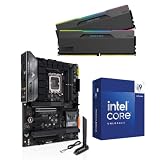
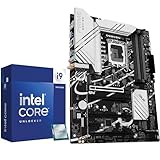


The Intel Core i9-14900K sits at an interesting crossroads in 2026. Once the undisputed top-dog of consumer desktop CPUs, it now faces a harsher reality: a market flooded with efficient competitors, a power draw that demands serious thermal infrastructure, and a gaming performance delta versus its cheaper sibling that is nearly impossible to justify on frames-per-second alone.
This guide gives you the honest verdict. We’ll cover the raw specs, where the i9-14900K genuinely excels, where it falls flat, which Z790 boards pair best with it, and — most importantly — whether you should actually buy one in 2026.
In a hurry? See the top-rated Intel Core i9-14900K Gaming CPU deals available right now:
🛒 Check Intel Core I9-14900K Gaming Cpu Prices on Amazon →🛒 Best Price Today on Amazon
Prime members get fast, free shipping on everything above, plus member-only deals. New members get a 30-day free trial — cancel anytime.
Start 30-Day Prime Free Trial →See Today’s Amazon DealsIntel Core i9-14900K Specs Deep-Dive
The i9-14900K is a Raptor Lake Refresh chip built on Intel’s 10nm (Intel 7) process node. It ships with 24 cores split across two clusters: 8 Performance cores (P-cores) running up to 6.0 GHz boost and 16 Efficiency cores (E-cores) handling background workloads. Total thread count sits at 32.
| Spec | Value |
|---|---|
| Architecture | Raptor Lake Refresh (Intel 7) |
| Cores / Threads | 24C / 32T (8P + 16E) |
| Base Clock (P-core) | 3.2 GHz |
| Max Boost Clock | 6.0 GHz |
| L3 Cache | 36 MB |
| TDP (Base Power / PBP) | 125 W |
| Max Turbo Power (MTP) | 253 W |
| Socket | LGA1700 |
| Memory Support | DDR5-5600 / DDR4-3200 |
| PCIe | 5.0 x16 + 4.0 x4 |
| iGPU | Intel UHD 770 |
| Current Street Price | ~$380–$420 |
The number that demands your attention is the 253 W MTP. Under sustained workloads — and even in many gaming scenarios — the i9-14900K will pull close to that ceiling. This is not a chip you can cool with a budget 240mm AIO or an air cooler unless you manually power-limit it in BIOS.
Gaming Performance: The Honest Picture
Here is the uncomfortable truth that enthusiast forums often bury: the i9-14900K is not meaningfully faster than the i7-14700K in games.
In 1080p CPU-limited scenarios — the only resolution where the CPU bottleneck actually matters — the performance gap between the i9-14900K and i7-14700K is consistently 3–6%. At 1440p and 4K, that gap shrinks to statistical noise. You are paying a roughly $120–150 premium for cores that modern games do not know how to use.
Head-to-Head: i9-14900K vs Key Competitors
vs. i7-14700K (~$250–280)
The i7-14700K is the smarter gaming buy, full stop. Same P-core architecture, marginally lower boost clocks, 125 W lower peak power draw. For a pure gaming rig, the savings are better spent on a better GPU or faster RAM.
vs. AMD Ryzen 9 9900X (~$350–380)
The Ryzen 9 9900X on Zen 5 offers competitive single-core performance with a dramatically more efficient power profile — 65 W TDP, roughly 120 W peak. It runs cooler, requires a less expensive cooling solution, and its AM5 platform has a longer upgrade runway. In gaming benchmarks, both chips trade blows within a 5% margin.
vs. Intel Core Ultra 9 285K (~$380–430)
The Arrow Lake flagship is Intel’s own successor. The 285K brings improved efficiency per watt, better sustained performance under thermal constraints, and a newer platform. If you are buying new in 2026 and your heart is set on Intel’s top tier, the 285K is the more forward-looking choice.
vs. AMD Ryzen 9 7950X3D (~$500–550)
The 7950X3D with 3D V-Cache is the only chip that definitively beats the i9-14900K in gaming — by a wide margin in cache-sensitive titles. It also costs significantly more. If gaming is your primary workload and budget is no object, AMD’s 3D cache lineup is the class of the field.
Where the i9-14900K Actually Wins
The 8+16 core configuration does pay dividends in workloads that can use all 32 threads simultaneously:

- Live streaming while gaming — E-cores handle the encoder, P-cores handle the game
- 3D rendering (Blender, Cinema 4D, V-Ray)
- Video editing and export (DaVinci Resolve, Adobe Premiere)
- Compilation and builds (large codebases)
- Virtualization and containerized workloads
If you are a content creator who games, or you run a streaming setup where your CPU handles encoding, the i9-14900K’s extra cores deliver real-world value. If you are a pure gamer, they largely do not.
The Power and Heat Problem
Let’s be direct: 253 W MTP is a serious infrastructure requirement.
Most Z790 boards will run the i9-14900K with power limits removed by default (MCE/multi-core enhancement enabled). This means your chip will spike to and sustain near 253 W under load. At that power level:
- A 360mm AIO is the minimum recommended cooler — preferably from Corsair, NZXT, or be quiet! with a high static pressure pump
- A 420mm AIO (if your case supports it) gives meaningful thermal headroom and quieter fan curves
- High-end air coolers like the Noctua NH-D15 can cope at reduced power limits but will run loud
- Standard 240mm AIOs will thermal throttle under sustained all-core loads
Ambient temperatures matter too. In a warm room during summer, a 360mm AIO that performs adequately in winter may struggle.
Recommended approach for most builders: Set a manual power limit of 180–200 W in BIOS. You lose less than 5% of real-world performance in most workloads and gain significantly lower temperatures, quieter acoustics, and reduced stress on your VRM.
Best Z790 Motherboards for the i9-14900K
The i9-14900K requires a Z790 (or Z690) motherboard. Given its extreme power requirements, your board’s VRM quality matters more than it would for any mid-range chip. Below are the top five options across different budget tiers.
ASUS ROG Maximus Z790 Apex — Best Extreme Z790 for i9-14900K
The Maximus Z790 Apex is the definitive choice for overclockers and extreme enthusiasts. It features a 20+1 teamed power stage design rated at 105A per phase, which means it will handle whatever the i9-14900K demands without a second thought. ASUS loads it with memory overclocking tools that are unmatched in the Z790 ecosystem — DDR5 tuning here is as deep as it gets.
Best for: Enthusiast overclockers, benchmarkers, DDR5 memory tuners
Standout feature: Uncompromising VRM; world-class memory OC support
Consideration: Premium pricing; some features (extra M.2 slots) sacrificed for OC focus
MSI MEG Z790 ACE — Best Premium Z790
The MEG Z790 ACE hits the premium tier with a more balanced feature set than the Apex. Its 24+1+1 direct phase VRM with 105A MOSFETs handles sustained high-power loads confidently. You get full PCIe 5.0 M.2 storage support, Thunderbolt 4, 10GbE LAN, and Wi-Fi 6E in a clean, understated aesthetic. MSI’s BIOS has improved considerably and now rivals ASUS for depth of control.
Best for: Power users who want premium features alongside OC headroom
Standout feature: 10GbE onboard + Thunderbolt 4 connectivity

Consideration: Large form factor; requires full-tower or spacious mid-tower case
Gigabyte Z790 Aorus Xtreme — Best Flagship Z790 for Power Delivery
Gigabyte’s flagship Aorus Xtreme features a staggering 20+1+2 power stage configuration with 105A Smart Power Stages — arguably the most robust power delivery available on any Z790 board. If you plan to run the i9-14900K fully unleashed with no power limits, this board’s VRM thermal performance gives the widest safety margin. The integrated I/O cover with active cooling on the VRM heatsink is a thoughtful engineering detail.
Best for: Builders running 253W sustained without power limits; liquid nitrogen experimenters
Standout feature: Best-in-class VRM thermal management
Consideration: Top-tier pricing; aesthetics are divisive
ASUS ROG Strix Z790-E Gaming WiFi — Best Mid-High Z790
ASUS ROG Strix Z790-E Gaming WiFi
The ROG Strix Z790-E is the sweet spot for enthusiast gamers who want a capable, well-rounded board without paying flagship prices. It uses a 18+1 power stage configuration rated at 90A per phase — more than sufficient for the i9-14900K at sensible power limits. Connectivity is strong: Wi-Fi 6E, 2.5GbE LAN, four M.2 slots, and USB 3.2 Gen 2×2. The ROG ecosystem integration (Armoury Crate, Aura Sync) works seamlessly.
Best for: Enthusiast gamers, content creators, balanced build quality
Standout feature: Excellent feature density at a competitive price vs. flagship boards
Consideration: VRM is capable but runs warmer than MEG or Aorus Xtreme under full MTP loads
MSI MAG Z790 Tomahawk WiFi — Best Value Z790 for i9-14900K
The Tomahawk WiFi punches well above its price category. It uses a 16+1+1 Duet Rail Power System with 75A power stages — perfectly adequate for the i9-14900K when paired with a manual power limit of 180–200 W in BIOS. For builders who want to run the CPU at sensible power levels (which is the correct approach anyway), the Tomahawk is genuinely excellent. You get PCIe 5.0 x16, four M.2 slots, Wi-Fi 6E, and USB 3.2 Gen 2×2 at a price point significantly below the flagship options.
Best for: Value-conscious buyers; builders who will use BIOS power limits
Standout feature: Best price-to-feature ratio in the Z790 lineup
Consideration: VRM will thermal throttle under unrestricted full MTP loads — use power limits
Cooling Requirements
To summarize the thermal requirements clearly:
| Cooling Solution | Compatible at 253W MTP? | Notes |
|---|---|---|
| 360mm AIO (quality) | Yes — minimum viable | Fans may run loud under sustained load |
| 420mm AIO | Yes — recommended | Best thermal headroom; quieter |
| 280mm AIO | Marginal | May throttle under all-core sustained loads |
| 240mm AIO | No | Will throttle; not suitable |
| Noctua NH-D15 / be quiet! Dark Rock Pro 4 | Yes — with 180W limit | Requires BIOS power limit; noisy above 200W |
| Mid-range air coolers | No | Insufficient for this chip |
Recommended cooling products for the i9-14900K:
- Corsair iCUE H150i Elite LCD 360mm AIO
- NZXT Kraken Elite 360mm AIO
- Noctua NH-D15 Chromax Black (with 180W BIOS limit)
How to Choose: Is the i9-14900K Right for You?
Work through these questions before pulling the trigger.
You should buy the i9-14900K if:
- You stream live on Twitch or YouTube while gaming and CPU encode is part of your workflow
- You do 3D rendering, video editing, or heavy compilation alongside gaming
- You already own a Z790 board and want the best chip for your existing platform
- You find a unit priced at $350 or below — at that price point the value calculus improves
You should skip the i9-14900K and consider alternatives if:
- Gaming is your primary or exclusive workload — buy the i7-14700K and spend the savings on a GPU upgrade
- You value efficiency — the Ryzen 9 9900X on AM5 delivers comparable gaming performance at roughly half the peak power consumption
- You are building fresh in 2026 — the AM5 platform (Ryzen 7000/9000 series) has a longer upgrade runway than LGA1700
- Your case or budget limits you to a 240mm AIO — this chip will throttle and frustrate you
- You are considering Arrow Lake (Core Ultra 285K) — Intel’s current-gen flagship is the more sensible new purchase
The i7-14700K case deserves special mention. At $250–280 street price, it delivers 94–97% of the i9-14900K’s gaming performance, draws significantly less power, runs cooler, and frees up budget for what actually moves the needle: your GPU and display. For the vast majority of gamers, it is the correct choice.
Final Verdict
The Intel Core i9-14900K is a powerful, capable processor that has aged into an awkward position in 2026. Its 24-core design excels in multi-threaded productivity workloads, and at $380–420 it represents reasonable value for content creators who also game. But as a pure gaming CPU in 2026, it is hard to recommend without reservation.
The 253W power ceiling is a genuine constraint that adds cost and complexity to any build. The gaming performance advantage over the i7-14700K is real but marginal. AMD’s Zen 5 lineup offers competitive performance with significantly better efficiency. Intel’s own Arrow Lake platform is the forward-looking choice if you want to buy Intel in 2026.
Bottom line: If you are a streamer, video editor, or 3D artist who games — the i9-14900K makes sense at current pricing, paired with a quality 360mm AIO and a Z790 board with strong VRM (ROG Strix Z790-E or above). Pair it with a BIOS power limit of 180–200W and you have an excellent all-around workstation that holds its own in games.
If you are a pure gamer — buy the i7-14700K, save $150, and invest it in your GPU. You will not miss the frames.
gamingpcguru.com Rating: 7.5 / 10 — Excellent for hybrid workloads; overkill for gaming-only builds.
Article last updated: May 2026. Prices reflect current US market rates and may vary by retailer.
Related Articles
Looking for more on this topic? Browse the hand-picked guides below — each one applies the same scoring rubric used in this review.
Frequently Asked Questions
What is the best gaming cpu i9 14900k in 2026?
The best gaming cpu i9 14900k depends on your budget and how you plan to use it. The options compared above are our top-rated picks based on real customer ratings, build quality, and overall value — start with the highest-rated model that fits your budget.
How much should I expect to spend on a gaming cpu i9 14900k?
Prices vary by brand and features. Budget options cover the essentials, while mid-range and premium models add durability, performance, and extra features. Compare the prices in the list above to find the best value for your needs.
What should I look for when buying a gaming cpu i9 14900k?
Focus on what matters most for your use case — build quality, compatibility, performance, warranty, and verified customer reviews. Every pick above is selected to balance these factors.
Are budget gaming cpu i9 14900k options worth it?
Yes. For most people a well-reviewed budget or mid-range gaming cpu i9 14900k delivers excellent value. You only need to spend more if you specifically require premium materials or top-tier performance.
How did we choose these gaming cpu i9 14900k picks?
We compare current Amazon ratings, review counts, key features, and price to surface the options with the best real-world value. The list is refreshed as ratings and availability change.












