

- Top Pick: Intel® Core™ i7-14700K New Gaming Desktop Processor 20 cores (8 P-cores + 12 E-cores) with Integrated Graphics – Unlocked
- Best Value: Intel® Core™ Ultra 9 Processor 285K 24 cores (8 P-cores + 16 E-cores) up to 5.7 GHz
- Premium Choice: Intel® Core™ i7-14700KF New Gaming Desktop Processor 20 cores (8 P-cores + 12 E-cores) – Unlocked
Affiliate disclosure: As an Amazon Associate we earn from qualifying purchases. This post contains affiliate links — if you buy through them we may earn a small commission at no extra cost to you. This never affects our recommendations.
- Best Intel Gaming CPU in 2026: Top 5 Picks from Core i3 to Core i9
- Quick Comparison: Top 5 Intel Gaming CPUs in 2026
- The Top 5 Best Intel Gaming CPUs
- Intel P-Cores vs E-Cores: Do E-Cores Help in Gaming?
- LGA1700 vs LGA1851: Which Platform to Build On in 2026?
- Intel vs AMD Gaming in 2026: The Honest Comparison
- Final Recommendation
- Frequently Asked Questions
- Related Articles
- Related Articles
As an Amazon Associate we earn from qualifying purchases at no extra cost to you.




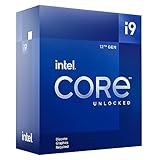



In a hurry? See the top-rated Intel Gaming CPU deals available right now:
🛒 Check Intel Gaming Cpu Prices on Amazon →🛒 Best Price Today on Amazon
Prime members get fast, free shipping on everything above, plus member-only deals. New members get a 30-day free trial — cancel anytime.
Start 30-Day Prime Free Trial →See Today’s Amazon DealsBest Intel Gaming CPU in 2026: Top 5 Picks from Core i3 to Core i9
Intel’s CPU lineup in 2026 is split between two generations and two sockets — and picking the wrong one can cost you real money. Raptor Lake Refresh (i5-14600K through i9-14900K) still dominates the used and clearance market with aggressive pricing, while Arrow Lake (Core Ultra 200 series, LGA1851) brings genuine architectural improvements for buyers who want a platform with a longer runway.
The short version: if you’re building today on a budget, Raptor Lake Refresh delivers more gaming FPS per dollar than anything else Intel has made. If you’re future-proofing or want better efficiency and DDR5 optimization, Arrow Lake is the smarter long-term play.
This guide breaks down the best Intel gaming CPU at every price point in 2026 — with real specs, honest trade-offs, and no fluff.
Quick Comparison: Top 5 Intel Gaming CPUs in 2026
| CPU | Cores (P+E) | Boost Clock | TDP (PBP) | L3 Cache | Est. Price |
|---|---|---|---|---|---|
| Core i5-14600K | 14C (6P+8E) | 5.3 GHz | 181W | 24MB | ~$250 |
| Core i7-14700K | 20C (8P+12E) | 5.6 GHz | 253W | 33MB | ~$380 |
| Core i9-14900K | 24C (8P+16E) | 6.0 GHz | 253W | 36MB | ~$450 |
| Core i5-13400F | 10C (6P+4E) | 4.6 GHz | 65W | 20MB | ~$170 |
| Core Ultra 5 245K | 14C (6P+8E) | 5.2 GHz | 125W | 24MB | ~$310 |
The Top 5 Best Intel Gaming CPUs
1. Intel Core i5-14600K — Best Overall Intel Gaming CPU
Specs at a glance:
- Cores: 14 total — 6 P-cores + 8 E-cores
- Base / Boost: 3.5 GHz / 5.3 GHz (P-core boost)
- TDP: 125W PBP / 181W MTP
- L3 Cache: 24MB Intel Smart Cache
- Platform: LGA1700, DDR4 or DDR5
- iGPU: Intel UHD Graphics 770
The i5-14600K is the best Intel gaming CPU for most people in 2026 — full stop. It trades blows with the Ryzen 7 7700X at 1080p and 1440p gaming while costing less, and it fits on budget-to-mid Z690/Z790 motherboards that can be had for under $150.
At 1080p and 1440p — where CPU performance actually matters — the 14600K loses almost nothing compared to the i7 or i9. Games are rarely bottlenecked by the difference between 14 and 20 cores. What you’re paying for with more expensive Intel chips is headroom for streaming, rendering, and bragging rights.
Gaming performance tier: Excellent — top-tier 1080p, strong 1440p
Streaming capability: Adequate for 1080p60 streaming with spare encoding headroom; for simultaneous 4K streaming, step up
Verdict: If you’re building a pure gaming rig and your budget caps around $250 for the CPU, buy this. It’s the sweet spot Intel almost always nails with the mid-range K-series.
2. Intel Core i7-14700K — Best High-End Intel Gaming CPU
Specs at a glance:
- Cores: 20 total — 8 P-cores + 12 E-cores
- Base / Boost: 3.4 GHz / 5.6 GHz (P-core boost)
- TDP: 125W PBP / 253W MTP
- L3 Cache: 33MB Intel Smart Cache
- Platform: LGA1700, DDR4 or DDR5
- iGPU: Intel UHD Graphics 770
The i7-14700K is where Intel’s Raptor Lake Refresh architecture genuinely earns its premium. Compared to the 13700K it replaces, you get 4 additional E-cores and a 200MHz bump on boost — a meaningful uplift for the price jump.
Where the i7-14700K separates itself from the i5-14600K is not gaming FPS (the gap is often under 5%), but in multitasking workload resilience. If you stream while gaming, run Discord + a browser + OBS simultaneously, or do any light video editing or 3D rendering alongside gaming, those extra E-cores and L3 cache make a real-world difference.

The 253W MTP power draw is the honest caveat. You need a quality 360mm AIO or premium air cooler (Noctua NH-D15 or equivalent) to keep this CPU comfortable under load. Budget coolers will throttle it.
Gaming performance tier: Excellent — essentially identical to i9-14900K in pure gaming
Streaming capability: Very strong — handles 1080p60 NVENC + gameplay with no sweat; 1440p streaming comfortable
Verdict: The i7-14700K is for the builder who games and creates — not just one or the other. If your workflow touches anything beyond gaming, this is the CPU to own in 2026 on LGA1700.
3. Intel Core i9-14900K — Best Flagship Intel Gaming CPU
Specs at a glance:
- Cores: 24 total — 8 P-cores + 16 E-cores
- Base / Boost: 3.2 GHz / 6.0 GHz (P-core boost)
- TDP: 125W PBP / 253W MTP (real-world peaks higher)
- L3 Cache: 36MB Intel Smart Cache
- Platform: LGA1700, DDR4 or DDR5
- iGPU: Intel UHD Graphics 770
The i9-14900K is Intel’s no-compromise answer — 6.0GHz boost on P-cores, 24 total cores, and enough cache to choke a server. In pure gaming benchmarks, it trades blows with the i7-14700K and sometimes the i5-14600K because games simply don’t scale with 16 E-cores efficiently. But in mixed workloads — 4K video rendering while streaming while gaming — this chip is in its own league among LGA1700 parts.
Power consumption is the real story here. Under sustained all-core loads, the 14900K has been measured pulling over 300W. You need a top-tier cooler (360mm AIO minimum, premium 420mm recommended), quality power delivery from your motherboard, and a PSU with genuine headroom — at least 850W with a discrete GPU attached.
In 2026, with the i9-14900K available at street prices well below MSRP due to Arrow Lake’s arrival, this chip punches above its reduced price point for content creators and streamers.
Gaming performance tier: Elite — best-in-class single-threaded, marginal gains over i7 in games
Streaming capability: Exceptional — handles any simultaneous workload with ease
Verdict: Buy the i9-14900K if you’re a creator who also games hard, or if you found it at a steep discount. As a pure gaming CPU it’s overkill, but it’s excellent overkill at today’s prices.
4. Intel Core i5-13400F — Best Budget Intel Gaming CPU
Specs at a glance:
- Cores: 10 total — 6 P-cores + 4 E-cores
- Base / Boost: 2.5 GHz / 4.6 GHz (P-core boost)
- TDP: 65W PBP / 148W MTP
- L3 Cache: 20MB Intel Smart Cache
- Platform: LGA1700, DDR4 or DDR5
- iGPU: None (F-suffix = no integrated graphics)
The “F” in 13400F means no iGPU — and that’s exactly how Intel keeps the price down to ~$170 street. If you’re pairing this chip with a discrete GPU (which any gaming build will be), you lose nothing meaningful, and you gain a CPU that competes remarkably well against options twice its price.

The 13400F’s 6 P-cores handle gaming workloads with ease at 1080p and 1440p. The 4 E-cores handle background tasks — browser, Discord, update processes — without robbing P-core headroom. The 65W base TDP means it runs cool and quiet on modest coolers, and B660 motherboards (starting under $100) are a perfect budget companion.
This is the DDR4 builder’s dream chip. DDR4 boards are cheap and mature, DDR4 kits are inexpensive, and the 13400F doesn’t choke on DDR4 memory bandwidth the way some Raptor Lake chips do.
Gaming performance tier: Strong — excellent 1080p, solid 1440p with a capable GPU
Streaming capability: Limited — basic 1080p60 streaming possible, but thin margins for simultaneous workloads
Verdict: The i5-13400F is the best Intel gaming CPU for builders on a strict budget. Pair it with a used RX 6800 XT or RTX 3080 and a B660 board, and you have a legitimately great 1440p gaming rig for well under $600 total.
5. Intel Core Ultra 5 245K (Arrow Lake) — Best Next-Gen Intel Gaming CPU
Specs at a glance:
- Cores: 14 total — 6 Lion Cove P-cores + 8 Skymont E-cores
- Base / Boost: 3.6 GHz / 5.2 GHz (P-core boost)
- TDP: 125W PBP / 159W MTP
- L3 Cache: 24MB Intel Smart Cache
- Platform: LGA1851, DDR5 only
- iGPU: Intel Graphics (Xe2 architecture)
Arrow Lake is Intel’s architectural reset — new Lion Cove P-cores replace Raptor Cove, new Skymont E-cores replace Gracemont, and the entire chip moves to a tile-based disaggregated design. The Core Ultra 5 245K is the best value entry point into this new platform.
Lion Cove P-cores deliver higher IPC than Raptor Cove at equivalent frequencies — meaning despite a slightly lower boost clock (5.2GHz vs 5.3GHz on the 14600K), the 245K trades punches in gaming workloads and often wins in latency-sensitive titles. The Skymont E-cores are also dramatically more capable per core than the Gracemont E-cores in the 14th-gen chips.
The efficiency story is where Arrow Lake genuinely impresses: 159W MTP vs 181W on the 14600K means it runs cooler, requires less aggressive cooling, and is more comfortable in compact ITX builds. The LGA1851 platform requires DDR5, which adds ~$50–80 to build cost compared to DDR4 options, but DDR5 kit prices have fallen significantly in 2026.
Gaming performance tier: Excellent — competitive with Raptor Lake Refresh at equivalent tiers, better efficiency
Streaming capability: Strong — improved E-core performance helps background encoding tasks
Verdict: The Core Ultra 5 245K is the right buy if you want a platform you can upgrade in-socket for 2–3 more generations. If you’re planning to keep your motherboard long-term, LGA1851 is the smarter foundation than LGA1700, which has reached end-of-life.
Intel P-Cores vs E-Cores: Do E-Cores Help in Gaming?
This is the most misunderstood aspect of Intel’s hybrid architecture. Here’s the honest answer:
E-cores do help in gaming — but not the way you might expect.
E-cores do not run game threads. Games overwhelmingly schedule their most critical threads (render thread, physics, AI) onto P-cores, where single-threaded IPC is highest. The Thread Director firmware manages this automatically, and it works well.
What E-cores actually do for gaming:
- Handle background processes — Discord, browser, streaming software, Windows services — keeping them off P-cores
- Absorb OS scheduling overhead — Windows can park lightweight tasks on E-cores rather than interrupting P-cores
- Enable better P-core boost behavior — fewer competing threads means P-cores stay at boost clocks longer
In practice, going from 4 E-cores (13400F) to 8 E-cores (14600K) produces measurable but modest gaming gains — typically 2–5% in 1% lows in CPU-heavy titles. Going from 8 to 12 or 16 E-cores (14700K, 14900K) adds even less gaming value, but significant multitasking headroom.
Bottom line: More E-cores = better background task isolation = slightly cleaner frame times. But the marginal return diminishes quickly. For pure gaming, 4–8 E-cores is sufficient.
LGA1700 vs LGA1851: Which Platform to Build On in 2026?
This is the most important decision beyond CPU selection itself, because your socket determines your upgrade path.
LGA1700 (Raptor Lake Refresh — 12th through 14th Gen)
- Pros: Mature ecosystem, wide motherboard selection, DDR4 support, aggressive pricing on CPUs and boards
- Cons: Dead-end platform — no 15th-gen Intel chips coming to LGA1700; final generation already released
- Best for: Budget builds, secondary rigs, builders who don’t plan to upgrade the CPU again
LGA1851 (Arrow Lake — Core Ultra 200 series)
- Pros: DDR5-optimized, better efficiency, Intel has confirmed ongoing roadmap; Panther Lake and future Core Ultra generations expected
- Cons: DDR5-only (no DDR4 support), higher entry cost, requires new motherboard investment
- Best for: Primary gaming rigs, builders who keep their platform for 4+ years, future-focused builds
The practical decision: If you’re spending under $250 on your CPU, LGA1700 wins on value. If you’re spending $300+, the LGA1851 platform’s longevity justifies the premium. Spending $310 on a Core Ultra 5 245K on a platform with an upgrade path is smarter than spending $380 on an i7-14700K on a platform going nowhere.
Intel vs AMD Gaming in 2026: The Honest Comparison
Intel and AMD are genuinely competitive in gaming in 2026, which is good news for consumers.
Where Intel wins:
- Single-threaded clock speed — The i9-14900K’s 6.0GHz boost remains the highest air/AIO-cooled boost clock available
- Platform maturity — LGA1700 boards have years of BIOS refinement; DDR4 compatibility is excellent
- Price-to-performance at mid-range — The i5-14600K and i5-13400F undercut AMD’s equivalent Ryzen 7 7700X and 7600X on price while matching gaming performance
Where AMD wins:
- Efficiency — Ryzen 7000 and 9000 series draw significantly less power for comparable gaming output
- AM5 platform longevity — AMD has committed to AM5 support through 2027+; multiple generations ahead
- 3D V-Cache advantage — Ryzen 7 9800X3D and 9950X3D dominate CPU-limited gaming scenarios with massive L3 cache; no Intel equivalent exists
The honest verdict: For pure gaming at 1080p and 1440p, Intel and AMD trade benchmark wins by title — neither is definitively faster across all games. AMD’s X3D chips win CPU-bottlenecked scenarios handily. Intel wins on total platform cost at the mid-range. Your choice should hinge on platform preference, upgrade plans, and whether you need the creative workload headroom Intel’s higher core counts provide.
Final Recommendation
The best Intel gaming CPU in 2026 for most builders remains the Core i5-14600K — it delivers flagship-tier gaming performance at a mid-range price, runs on a mature LGA1700 platform with affordable board options, and handles light streaming without breaking a sweat.
Step up to the i7-14700K if you stream, create, or multitask aggressively. Consider the Core Ultra 5 245K if you’re building a long-term platform. Grab the i5-13400F if budget is the primary constraint. And if you find the i9-14900K at a significant discount, it remains a content creation powerhouse that handles gaming as well as anything Intel has shipped.
Whatever you choose, pair it with fast DDR5 (if on LGA1851) or tight-timings DDR4-3600 (LGA1700), a quality cooler, and a GPU that matches your CPU tier — and you’ll have a gaming rig that holds up well into 2027 and beyond.
Frequently Asked Questions
Which Intel CPU is best for gaming?
It depends on budget. A Core i5 offers the best value for most gamers, the i7 adds headroom for streaming and multitasking, and the i9 suits enthusiasts who also do heavy productivity.
Is a Core i3 enough for gaming?
A modern Core i3 handles esports and many AAA titles at 1080p on a budget, but it can bottleneck high-end GPUs and struggle in CPU-heavy games. The i5 is a better long-term pick.
Do Intel gaming CPUs need a Z-series motherboard?
Only if you want memory overclocking or CPU overclocking on K-series chips. Locked CPUs run perfectly on more affordable B-series boards.
Intel or AMD for a gaming CPU?
Both are excellent. AMD X3D chips often lead in pure gaming efficiency, while Intel offers strong all-round value. Pick based on price and the platform features you want.
Related Articles
Looking for more on this topic? Browse the hand-picked guides below — each one applies the same scoring rubric used in this review.
Ready to decide? Our #1 pick for 2026 is the CPU.
Live price & availability on Amazon.










