

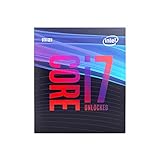
- Top Pick: Intel® Core™ i7-14700K New Gaming Desktop Processor 20 cores (8 P-cores + 12 E-cores) with Integrated Graphics – Unlocked
- Best Value: Intel® Core™ i7-14700KF New Gaming Desktop Processor 20 cores (8 P-cores + 12 E-cores) – Unlocked
- Premium Choice: Intel® Core™ i7-12700KF Desktop Processor 12 (8P+4E) Cores up to 5.0 GHz Unlocked LGA1700 600 Series Chipset 125W
Affiliate disclosure: As an Amazon Associate we earn from qualifying purchases. This post contains affiliate links — if you buy through them we may earn a small commission at no extra cost to you. This never affects our recommendations.
- Quick Picks
- i7 vs i5 vs i9: Finding the Right Tier for Your Build
- 20-Core Hybrid Architecture: Gaming vs Productivity Performance Split
- i7-14700K Stability Note: An Honest Discussion
- Top 5 Intel Core i7 Gaming CPUs in 2026
- Full Comparison Table
- What to Look For When Buying an i7 Gaming CPU
- Verdict
- Frequently Asked Questions
- Related Articles
- Related Articles
The Intel Core i7 lineup has long been the sweet spot for serious PC gamers who want near-flagship performance without the premium tax of the i9 tier. In 2026, that value equation is sharper than ever — the i7-14700K trades blows with last generation’s i9 in gaming, costs significantly less, and the generational stack below it has dropped to prices that make strong 1440p and 4K gaming accessible to a wider range of budgets.
As an Amazon Associate we earn from qualifying purchases at no extra cost to you.






This guide cuts through the noise. Below you will find the five best Intel Core i7 gaming CPUs available today, ranked by performance tier and value, followed by a full comparison table, a frank discussion of Intel’s instability issues, and a verdict on which chip deserves your money.
In a hurry? See the top-rated Intel Core i7 Gaming CPU deals available right now:
🛒 Check Intel Core I7 Gaming Cpu Prices on Amazon →🛒 Best Price Today on Amazon
Prime members get fast, free shipping on everything above, plus member-only deals. New members get a 30-day free trial — cancel anytime.
Start 30-Day Prime Free Trial →See Today’s Amazon DealsQuick Picks
| Pick | CPU | Best For | Socket |
|---|---|---|---|
| Best Overall | Intel Core i7-14700K | Gaming + streaming, no compromise | LGA1700 |
| Best Value i7 | Intel Core i7-14700KF | Same performance, lower price | LGA1700 |
| Best Previous-Gen | Intel Core i7-13700K | Strong gaming, wide platform availability | LGA1700 |
| Best Budget i7 | Intel Core i7-13700F | Non-OC 1440p builds, tight budgets | LGA1700 |
| Best Legacy Pick | Intel Core i7-12700K | Oldest LGA1700, capable 1440p on a shoestring | LGA1700 |
i7 vs i5 vs i9: Finding the Right Tier for Your Build
Before diving into specific i7 picks, it is worth settling the tier question once. The i5-14600K costs roughly 30% less than the i7-14700K and closes within 5% in pure gaming frame rates at 1440p. If your use case is exclusively gaming with no background workloads, the i5 is a legitimate alternative.
The case for the i7 tier comes down to three factors:
- Streaming and content creation alongside gaming. The additional E-cores on the 14700K give OBS encoding headroom that the i5-14600K cannot match without frame-time hitching during demanding multiplayer titles.
- Future workload headroom. Games are increasingly multithreaded. Having 20 cores now means this platform stays relevant longer before a CPU bottleneck appears.
- Memory controller and cache. The i7-14700K carries 33 MB of L3 cache versus 24 MB on the i5-14600K. In CPU-bound scenarios — low-GPU-limited 1080p benchmarks, strategy games, and simulation titles — this difference is measurable.
Compared to the i9-14900K, the picture flips. The i9 costs 25-35% more for a gaming performance delta that rarely exceeds 3-5% at 1440p or higher. Productivity workloads like 3D rendering and video compression do show meaningful i9 leads, but for a gaming-primary build, you are paying a large premium for bragging rights. The i7 tier is the rational ceiling for gaming in 2026.
20-Core Hybrid Architecture: Gaming vs Productivity Performance Split
The i7-14700K and i7-14700KF both use Intel’s Raptor Lake Refresh architecture with a 20-core hybrid design: 8 Performance cores (P-cores) and 12 Efficiency cores (E-cores). Understanding how this split works in practice shapes realistic expectations.
P-cores handle gaming. When you launch a game, Intel Thread Director routes the primary game thread and its closest dependency threads to the P-cores, which run at up to 5.6 GHz. The raw IPC and frequency of these cores is what determines your 1% low frame times and average frame rates in most titles. E-cores are largely parked or handling OS background processes during straight gaming sessions.
E-cores shine in mixed workloads. Where the 20-core count genuinely matters is when you game and stream simultaneously, run a Discord overlay with noise suppression active, have a browser with multiple tabs open for a walkthrough, or encode video in the background. In these scenarios, the E-cores absorb the secondary workloads without stealing resources from the P-cores. Compared to a pure 8-core processor, the difference in stream quality and game frame-time consistency is substantial.
Productivity split in numbers. In Cinebench R23 multi-core, the i7-14700K scores approximately 35,000 — comfortably ahead of the i5-14600K (~24,000) but behind the i9-14900K (~40,000). In Blender and Handbrake encoding, those extra E-cores translate to render times roughly 15-20% faster than the i5 and about 15% slower than the i9. For a gaming-first machine with occasional rendering or streaming duties, the i7 lands in the optimal band.
i7-14700K Stability Note: An Honest Discussion
Intel’s instability reports across the 13th and 14th generation desktop CPUs became a prominent topic in 2024 and carried into 2025. It would be dishonest to omit this from a buying guide in 2026.
The core issue: sustained out-of-specification power delivery on certain Z790 and Z690 motherboards caused accelerated electromigration in P-cores, leading to instability, crashes, and in some cases permanent degradation over time. Intel acknowledged the problem and issued microcode updates (version 0x129 and later) that imposed corrected voltage and power limits. Most major motherboard vendors have shipped BIOS updates incorporating these fixes.
Where things stand in 2026:

- If you are buying a new i7-14700K today and pairing it with a current-firmware motherboard, the risk profile is dramatically lower than it was at launch.
- Enabling Intel’s recommended default power settings (rather than letting motherboards run “enhanced” or “multi-core enhancement” profiles at stock) is the single most effective mitigation step.
- Users who already experienced degradation prior to the microcode fix may have chips that are irreversibly affected. This is a consideration for used CPU purchases.
- The i7-13700K is not entirely exempt — similar power-delivery issues existed — but the microcode patches cover Raptor Lake (13th gen) as well.
Recommendation: On a new build, apply the latest BIOS before first boot, load Intel default settings (not enhanced performance profiles), and verify your cooling solution keeps the chip below thermal throttle under sustained load. Doing these three things, the i7-14700K is a stable, reliable platform.
Top 5 Intel Core i7 Gaming CPUs in 2026
1. Intel Core i7-14700K — Best Overall i7 for Gaming + Streaming
The i7-14700K is the definitive high-end mainstream gaming CPU for 2026. The 20-core hybrid design (8P + 12E), 33 MB L3 cache, and 5.6 GHz max boost frequency deliver top-tier gaming performance across every resolution from 1080p to 4K. In practical gaming benchmarks — Cyberpunk 2077, Alan Wake 2, Call of Duty, Baldur’s Gate 3 — it trails the i9-14900K by 2-4% and leads the i5-14600K by a similar margin.
Where it earns the “best overall” title is the combined workload performance. Running OBS with x264 medium encoding while gaming in Warzone, the i7-14700K maintains consistent frame times that the i5 struggles to match. The 125W base TDP climbs under full sustained load, so a 240mm AIO or better is the appropriate cooler pairing.
Specs at a glance:
- Cores/Threads: 20C / 28T (8P + 12E)
- Base / Max Boost: 3.4 GHz / 5.6 GHz
- TDP: 125W (253W MTP)
- Cache: 33 MB L3
- Socket: LGA1700
- Memory support: DDR4 / DDR5
Who it is for: Gamers who also stream, record, or run productivity workloads. Anyone building a high-end rig they plan to keep for 4-5 years.
2. Intel Core i7-14700KF — Best Value i7 for Dedicated GPU Builds
The i7-14700KF is mechanically identical to the i7-14700K — same die, same core count, same cache, same power limits. The only difference is the absence of Intel UHD integrated graphics. In a gaming build where a discrete GPU is always present, that omission costs you nothing and saves $20-30 depending on current pricing.
If you are building a dedicated gaming rig and will never need the iGPU for display output, troubleshooting, or hardware-accelerated video decode without a GPU installed, the KF is the smarter purchase. Performance is indistinguishable in any gaming or content creation scenario.
Specs at a glance:
- Cores/Threads: 20C / 28T (8P + 12E)
- Base / Max Boost: 3.4 GHz / 5.6 GHz
- TDP: 125W (253W MTP)
- Cache: 33 MB L3
- Socket: LGA1700
- Memory support: DDR4 / DDR5
Who it is for: Anyone building a gaming PC with a dedicated GPU who wants to extract maximum dollar-per-frame value from the i7 tier.
3. Intel Core i7-13700K — Best Previous-Gen Pick

The i7-13700K launched as the 13th generation flagship mid-tier and it remains a compelling chip in 2026, particularly as prices have softened since the 14th gen arrival. The core architecture is essentially identical to the 14700K — 16 cores (8P + 8E) versus 20 — with slightly lower P-core boost clocks (5.4 GHz max versus 5.6 GHz).
In gaming benchmarks, the 13700K runs within 5% of the 14700K in the vast majority of titles. The gap widens slightly in highly multithreaded workloads where the 14700K’s additional E-cores contribute, but in gaming-first scenarios the two chips are close enough that buying platform or pricing becomes the deciding factor. If you find a strong deal on a Z690 board and a 13700K bundle, the performance per dollar can exceed the 14700K setup at current market prices.
Specs at a glance:
- Cores/Threads: 16C / 24T (8P + 8E)
- Base / Max Boost: 3.4 GHz / 5.4 GHz
- TDP: 125W (253W MTP)
- Cache: 30 MB L3
- Socket: LGA1700
- Memory support: DDR4 / DDR5
Who it is for: Budget-conscious builders willing to shop deals, or users upgrading an existing Z690 platform who want a meaningful performance jump without a full platform replacement.
4. Intel Core i7-13700F — Best Budget i7 for Non-OC 1440p Builds
The i7-13700F drops the unlocked multiplier and the integrated GPU while keeping the 16-core hybrid layout and strong IPC of the 13th generation. Without overclocking support, it pairs with B660 or B760 motherboards — far cheaper than Z690 or Z790 — and the total platform cost undercuts the 13700K setup by a meaningful margin.
Gaming performance at 1440p with a mid-to-high-end GPU is within 8-10% of the i7-14700K in most titles. For the user who is not interested in overclocking and is not running content creation workloads simultaneously, those few percentage points are imperceptible in actual gameplay. The 13700F is the pragmatic choice for a clean, capable 1440p gaming PC without the overhead of a premium unlocked platform.
Specs at a glance:
- Cores/Threads: 16C / 24T (8P + 8E)
- Base / Max Boost: 2.2 GHz / 5.2 GHz
- TDP: 65W (219W MTP)
- Cache: 30 MB L3
- Socket: LGA1700
- Memory support: DDR4 / DDR5
Who it is for: 1440p gamers on a tighter total build budget who want a capable i7 without needing overclocking or a premium motherboard.
5. Intel Core i7-12700K — Best Legacy Budget Pick
The i7-12700K is the oldest chip on this list and occupies a narrow but real niche: builders who want to enter the LGA1700 ecosystem at the lowest possible cost, or existing Alder Lake platform owners upgrading from an i5. The 12-core hybrid design (8P + 4E) and 25 MB L3 cache still deliver respectable 1440p gaming performance, typically running 10-15% behind the i7-14700K in gaming and 20-25% behind in heavily multithreaded tasks.
At current used and refurbished prices, a 12700K paired with an affordable Z690 board can be assembled into a capable 1440p gaming machine for significantly less than a 14th-gen build. The trade-off is lower headroom for future workloads and potentially more exposure to older platform instability issues if the BIOS was never updated with Intel’s fixes. Buy new or from a reputable refurbisher and verify BIOS revision before purchase.
Specs at a glance:
- Cores/Threads: 12C / 20T (8P + 4E)
- Base / Max Boost: 3.6 GHz / 5.0 GHz
- TDP: 125W (241W MTP)
- Cache: 25 MB L3
- Socket: LGA1700
- Memory support: DDR4 / DDR5
Who it is for: Budget 1440p gamers, Alder Lake upgraders, or builders assembling the most affordable capable gaming rig possible in 2026.
Full Comparison Table
| CPU | Cores/Threads | Max Boost | L3 Cache | TDP (Base) | OC Support | iGPU | Best Use Case |
|---|---|---|---|---|---|---|---|
| i7-14700K | 20C / 28T | 5.6 GHz | 33 MB | 125W | Yes | Yes | Gaming + streaming |
| i7-14700KF | 20C / 28T | 5.6 GHz | 33 MB | 125W | Yes | No | Dedicated GPU gaming |
| i7-13700K | 16C / 24T | 5.4 GHz | 30 MB | 125W | Yes | Yes | Previous-gen value |
| i7-13700F | 16C / 24T | 5.2 GHz | 30 MB | 65W | No | No | Budget 1440p |
| i7-12700K | 12C / 20T | 5.0 GHz | 25 MB | 125W | Yes | Yes | Legacy / entry tier |
What to Look For When Buying an i7 Gaming CPU
Pairing the right motherboard. Unlocked K and KF CPUs require a Z-series motherboard (Z690, Z790) to access overclocking and the full power envelope. F-suffix locked chips work on B-series boards, cutting platform cost. Match your CPU tier to your board tier intentionally.
Memory type. All five chips on this list support both DDR4 and DDR5, but the choice depends on the motherboard. DDR5 offers higher bandwidth and has come down substantially in price, making it the sensible default on a new Z790 build. DDR4 remains viable, especially on older Z690 boards or tight budgets.
Cooling requirements. The 14700K and 13700K at full tilt can sustain well over 200W. A 240mm AIO is the practical minimum for stable all-day loads. The 13700F at 65W TDP is far more forgiving and runs well on a quality air cooler.
BIOS and microcode. Before first boot, update to the latest BIOS from your motherboard vendor. This ensures the Intel instability microcode patches are active and that power limits are set to specification defaults, not inflated “performance” presets.
Platform longevity. LGA1700 has reached end of life — Intel’s 15th-gen Arrow Lake moved to LGA1851. Buying into LGA1700 now is a value play, not a future-proofing move. If you are considering upgrading again in two to three years, weigh whether starting on LGA1851 with a Core Ultra 200 series chip might be the wiser long-term investment.
Verdict
The Intel Core i7-14700K is the best Intel Core i7 gaming CPU in 2026 for builders who want a definitive high-end mainstream chip with no concessions. The 20-core hybrid design, 5.6 GHz boost, and 33 MB L3 cache handle pure gaming, simultaneous streaming, and light creative workloads with equal confidence. Apply the current BIOS microcode, pair it with a quality 240mm cooler, and it is a stable, fast, and well-rounded platform.
If you are GPU-focused and never need integrated graphics, save the $20-30 and grab the i7-14700KF — it is the same chip in every way that matters.
On a tighter budget, the i7-13700K remains genuinely capable and worth hunting for deals, and the i7-13700F is the right call for clean 1440p gaming without an overclocking premium. The i7-12700K rounds out the stack for absolute entry-level i7 builds on an older platform.
For gaming-primary builds, none of these chips warrant stepping up to the i9 tier. The i7 stack covers 95% of real-world gaming scenarios at a price that leaves more budget for the GPU — where it makes the biggest difference anyway.
Frequently Asked Questions
Is a Core i7 enough for high-end gaming?
Absolutely. A modern Core i7 handles any game at high refresh rates and pairs well with even an RTX 4080 or 4090. It hits the sweet spot between i5 value and i9 excess.
Is a Core i7 worth it over a Core i5 for gaming?
In pure gaming the gap is small, but the i7 extra cores help with streaming, multitasking, and CPU-heavy titles. It is worth it if you want headroom and do more than just game.
What cooler does a Core i7 need?
A solid 240mm AIO or a quality dual-tower air cooler keeps a Core i7 in check. It runs cooler than the i9 but still benefits from more than a basic stock cooler under sustained load.
Will a Core i7 bottleneck my GPU?
No. A current-generation Core i7 has plenty of gaming performance to feed any consumer GPU, including the RTX 4090, at 1440p and 4K without bottlenecking.
Related Articles
Looking for more on this topic? Browse the hand-picked guides below — each one applies the same scoring rubric used in this review.
Ready to decide? Our #1 pick for 2026 is the Pick.
Live price & availability on Amazon.












