- Top Pick: KOTIN Gaming PC Desktop, Ryzen 7 8700F, RTX 5060 Ti 8GB, 16GB DDR5, 1TB SSD
- Best Value: ZYNEEX Prebuilt Gaming Desktop PC, AMD Ryzen 5 5500, GeForce RTX 3050 6GB,16GB DDR4 3200MHz RAM, 1TB NVMe SSD, ARGB Air Cooling, Wi-Fi,Tower Computer for Gaming, Streaming, Editing
- Premium Choice: KOTIN Gaming PC Desktop Ryzen 7 8700F, RTX 5060 Ti 8G, 32GB DDR5, 1TB SSD
Affiliate disclosure: As an Amazon Associate we earn from qualifying purchases. This post contains affiliate links — if you buy through them we may earn a small commission at no extra cost to you. This never affects our recommendations.
As an Amazon Associate we earn from qualifying purchases at no extra cost to you.


In a hurry? See the top-rated Gaming CPU for Streaming deals available right now:
🛒 Check Gaming Cpu For Streaming Prices on Amazon →🛒 Best Price Today on Amazon
Prime members get fast, free shipping on everything above, plus member-only deals. New members get a 30-day free trial — cancel anytime.
Start 30-Day Prime Free Trial →See Today’s Amazon DealsQuick Picks
| CPU | Cores/Threads | Best For | Price Range |
|---|---|---|---|
| AMD Ryzen 7 7800X3D | 8C/16T | Best overall — gaming + streaming | ~$350 |
| Intel Core i9-14900K | 24C/32T | Heavy CPU encoding, no GPU limits | ~$450 |
| AMD Ryzen 9 7900X | 12C/24T | Encoding headroom + solid gaming | ~$330 |
| Intel Core i7-14700K | 20C/28T | Value mid-range streaming + gaming | ~$370 |
| AMD Ryzen 5 7600X | 6C/12T | Budget NVENC streaming builds | ~$200 |
CPU Encoding vs GPU Encoding: When Core Count Actually Matters
Before picking a CPU, you need to decide how you’re encoding your stream. This single choice changes which processor makes sense.
Software (CPU) Encoding with x264/x265
CPU encoding via x264 or x265 produces the best image quality at a given bitrate. Twitch and YouTube can both see the difference at comparable settings. The catch: it burns CPU cycles — a lot of them. At 1080p60 with x264 medium preset, you’re looking at 4–6 cores fully committed to the encoder, leaving the rest for your game. At slow or veryslow presets, quality improves further but load spikes. This is where high-core-count chips like the i9-14900K and Ryzen 9 7900X genuinely earn their place.
If you’re streaming at 720p60 or running a lighter game, even a 6-core chip can handle CPU encoding — but headroom evaporates fast.
NVENC (Nvidia), AMF (AMD), and QuickSync (Intel)
Hardware encoders offload encoding entirely to dedicated silicon on your GPU or CPU. NVIDIA’s NVENC, AMD’s AMF, and Intel’s QuickSync each run independently of your CPU cores. The practical result: your CPU can devote nearly 100% of its resources to the game.
NVENC on RTX 30 and 40 series cards is excellent — quality approaches x264 medium to slow at a fraction of the CPU cost. AMF on RDNA 3 has improved significantly. QuickSync on Intel Arc and 12th/13th/14th gen iGPUs is underrated and very capable.
The rule of thumb: If you have an RTX 3060 or better, NVENC removes almost all pressure from your CPU for streaming purposes. Your CPU choice then becomes purely about gaming performance. This is why the Ryzen 5 7600X is viable in budget builds — pair it with a capable GPU and NVENC carries the encoding load.
If you’re on a budget GPU, AMD GPU, or prefer maximum stream quality, CPU encoding becomes critical — and you need more cores.
Streaming Bitrate and Core Count: What You Actually Need
Core count requirements scale with encoding preset and target resolution:
- 720p60, x264 fast preset: 4 cores minimum, 6 comfortable
- 1080p60, x264 medium preset: 6 cores minimum, 8 comfortable
- 1080p60, x264 slow preset: 8–10 cores minimum
- 1080p60 with x264 + AAA game simultaneously: 10–12 cores for stable performance
- 1440p60 CPU encode: 12+ cores recommended
Beyond 12 cores for streaming, returns diminish rapidly. OBS and Streamlabs cannot scale encoding infinitely across cores — there are architectural limits to how many threads x264 utilizes efficiently at typical stream resolutions. A 24-core CPU does not encode twice as well as a 12-core at 1080p. The extra cores are most useful when running multiple applications: game, OBS, Discord, browser with stream dashboard, chat overlay, and alerts simultaneously.
Frame rate stability matters more than average CPU usage. A CPU that runs at 80% average but spikes to 100% will drop frames. Choose headroom over efficiency metrics.
Top 5 Picks
1. AMD Ryzen 7 7800X3D — Best Overall Gaming CPU for Streaming
The case for it: The 7800X3D is the best gaming CPU on the market, full stop. Its 96MB of 3D V-Cache eliminates cache misses that bottleneck frame rates in open-world and competitive titles. In games like Cyberpunk 2077, Hogwarts Legacy, and Rainbow Six Siege, it regularly outperforms the i9-14900K by 10–20% despite having half the core count.
For streaming, 8 cores and 16 threads are sufficient for 1080p60 CPU encoding at x264 fast to medium presets while gaming simultaneously — tested and confirmed in titles like Warzone and Apex Legends. If you pair it with an RTX 4070 or better and use NVENC, the gaming performance advantage over every competitor becomes even more pronounced since you’re no longer taxing CPU cores for encoding at all.

The 7800X3D runs cooler than the competition at load, draws less power, and fits into the AM5 platform with DDR5 longevity.
Limitation: Pure encoding throughput is not its strength. If you’re CPU encoding at slow preset in 1080p while running a demanding simulation or strategy game, 8 cores can feel tight. For that workload, the 7900X or i9-14900K are better fits.
Verdict: The best gaming CPU for streaming for the vast majority of streamers — gaming performance is unmatched and 8 cores handle typical streaming workloads cleanly.
2. Intel Core i9-14900K — Best for Heavy CPU Encoding
The case for it: 24 cores (8 P-cores + 16 E-cores) and 32 threads give the i9-14900K the most raw thread count of any consumer desktop CPU available. For streamers committed to x264 CPU encoding at slow or better presets, or who run multiple streams simultaneously, or who operate with a virtual camera, NDI feeds, and multiple OBS scenes — this CPU has the headroom no other chip on this list can match.
Gaming performance is excellent but trails the 7800X3D in cache-sensitive titles. In CPU-heavy games like Cities: Skylines 2 or Dwarf Fortress, the i9-14900K’s P-core single-thread speed is competitive. The E-cores absorb background processes and OBS encoding threads efficiently.
Power consumption is the major caveat. The i9-14900K draws up to 253W under full load and requires a premium 360mm AIO or high-end air cooler to stay stable. A 850W PSU is the recommended minimum for a full system. Thermals are aggressive and the chip can throttle under sustained all-core load without adequate cooling.
Limitation: Gaming performance falls behind the 7800X3D in most titles. Power and thermal requirements add cost to the build.
Verdict: Best choice for streamers who CPU encode at high quality presets, run production-heavy setups, or do content creation work alongside streaming.
3. AMD Ryzen 9 7900X — Best Encoding Headroom in a Balanced Package
The case for it: The 7900X hits a genuine sweet spot. Twelve cores and 24 threads give it encoding throughput meaningfully beyond the 7800X3D, putting x264 slow preset at 1080p60 within reach while running demanding games. AM5 platform with DDR5 support provides longevity. Power consumption is lower than the i9-14900K and thermals are more manageable.
Gaming performance is strong — behind the 7800X3D due to the absence of 3D V-Cache, but leading the i9-14900K in cache-sensitive titles. In productivity and multi-threaded workloads including video editing and rendering, the 12-core advantage over the 7800X3D is clear.
Streamers who edit their own content, transcode VODs, or batch-render thumbnails between sessions benefit from the 7900X’s core count in ways the 7800X3D cannot replicate.

Limitation: Not as strong a gaming performer as the 7800X3D. If gaming FPS is the priority and NVENC is available, the 7800X3D is the better purchase.
Verdict: Best for streamers who do both live encoding and content creation, and want a single CPU to handle both without compromise.
4. Intel Core i7-14700K — Best Value Mid-Range Streaming + Gaming CPU
The case for it: Twenty cores (8 P-cores + 12 E-cores) and 28 threads at a lower price point than the i9-14900K make the i7-14700K a strong value proposition for streaming. The additional E-cores over the previous generation absorb OBS, Discord, and background processes without impacting gaming frame rates noticeably. P-core single-thread performance is close to the i9-14900K.
For x264 medium encoding at 1080p60 while gaming, the i7-14700K handles the workload with room to spare. Gamers streaming competitive titles — Valorant, CS2, Fortnite — where raw CPU gaming performance matters and frame rates are high will find the i7-14700K provides excellent simultaneous output.
Power draw is lower than the i9-14900K in real-world gaming and streaming scenarios, though it still benefits from a quality 280mm or 360mm AIO.
Limitation: Costs more than both AMD options at equivalent core performance. Intel platform requires DDR5 or DDR4 depending on board selection, adding variables to the build. Gaming performance does not match the 7800X3D in cache-sensitive titles.
Verdict: The go-to choice for Intel-platform builders who want strong streaming performance without paying i9 premium prices.
5. AMD Ryzen 5 7600X — Best Budget CPU for Streaming (with NVENC)
The case for it: Six cores and 12 threads is the minimum viable configuration for simultaneous gaming and streaming in 2026, and the 7600X executes it well — under the right conditions. Paired with an RTX 3070 or better, NVENC handles encoding entirely, leaving all six cores for the game. In this configuration, the 7600X is a genuinely capable streaming CPU that keeps the total platform cost low while delivering competitive gaming performance on AM5.
Single-core performance is high. The 7600X punches well above its core count in fast-paced competitive titles where single-thread speed drives frame rates. Overclocking headroom exists for enthusiasts.
The AM5 platform future-proofs the build — a 7600X system today can accept a 7800X3D or future Zen 5 chip without a motherboard replacement.
Limitation: CPU encoding at 1080p60 while gaming is not this chip’s strength. Frame drops and encoding artifacts appear under x264 medium preset with demanding titles. This CPU works for streaming only with hardware encoding (NVENC, AMF, or QuickSync). Budget GPU choices that lack capable hardware encoders undermine this build significantly. 6 cores also means background applications eat into gaming and streaming performance faster than higher-core alternatives.
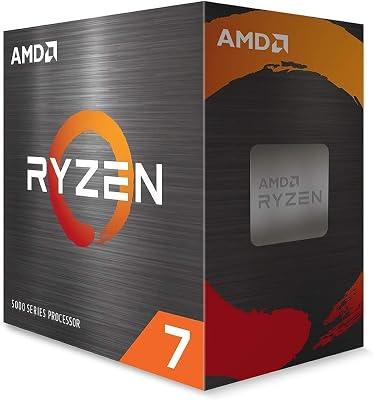
Verdict: Solid entry point for budget-conscious streamers with a capable Nvidia GPU. Do not CPU encode with this chip.
Full Comparison Table
| CPU | Cores/Threads | TDP | x264 Streaming | Gaming FPS (relative) | Platform |
|---|---|---|---|---|---|
| Ryzen 7 7800X3D | 8C/16T | 120W | Medium preset | Highest | AM5/DDR5 |
| Core i9-14900K | 24C/32T | 125–253W | Slow+ preset | High | LGA1700/DDR5 |
| Ryzen 9 7900X | 12C/24T | 170W | Slow preset | High | AM5/DDR5 |
| Core i7-14700K | 20C/28T | 125–253W | Medium preset | High | LGA1700/DDR5 |
| Ryzen 5 7600X | 6C/12T | 105W | Fast (NVENC recommended) | Above average | AM5/DDR5 |
What to Look For When Buying a CPU for Streaming
Core count vs. clock speed. Streaming rewards cores more than pure clock speed. A 12-core chip at 4.5GHz handles simultaneous encoding + gaming better than a 6-core chip at 5.5GHz for CPU encoding workloads. For NVENC builds, single-thread speed matters more for gaming frame rates.
Platform longevity. AM5 (Ryzen 7000 series) supports future Zen 5 and beyond. Intel’s LGA1700 is a mature platform. Both offer DDR5 support, which matters for memory bandwidth in streaming workloads.
Thermal headroom. Streaming keeps CPUs under sustained load longer than gaming alone. A chip that boosts well for gaming but throttles during long encoding sessions will drop stream frames at the worst moments. Check sustained power limits, not just boost specs.
GPU pairing. Your CPU choice is inseparable from your GPU. RTX 40 series NVENC quality makes the CPU encoding argument less urgent. AMD GPU owners running AMF should confirm quality settings — AMF has improved but varies by game and driver version.
RAM speed. Ryzen 7000 series benefits from DDR5-6000 (1:1 EXPO profile). Intel 14th gen shows meaningful gains from DDR5-5600 and above. Streaming with multiple applications open taxes memory bandwidth — don’t cheap out on RAM.
Verdict
The AMD Ryzen 7 7800X3D is the best gaming CPU for streaming for most users. It delivers the highest in-game frame rates of any chip on this list, handles 1080p60 streaming at x264 medium preset with headroom to spare, and runs cool and efficiently. The 3D V-Cache advantage in gaming is real and measurable across a wide range of titles.
Step up to the Ryzen 9 7900X or i9-14900K only if you are committed to x264 slow or better encoding presets, run a multi-application production setup, or do heavy content creation alongside streaming. The extra cores pay off under those conditions.
The i7-14700K is the pick for Intel platform loyalists who want encoding headroom without the i9 price tag.
The Ryzen 5 7600X works as a budget entry on AM5 — but only alongside a GPU with strong hardware encoding. Plan around NVENC or AMF from the start, and this build punches above its price point.
Prices are approximate street prices as of mid-2026 and fluctuate. Always verify current pricing before purchase.
Related Articles
Looking for more on this topic? Browse the hand-picked guides below — each one applies the same scoring rubric used in this review.
Frequently Asked Questions
What is the best gaming cpu streaming in 2026?
The best gaming cpu streaming depends on your budget and how you plan to use it. The options compared above are our top-rated picks based on real customer ratings, build quality, and overall value — start with the highest-rated model that fits your budget.
How much should I expect to spend on a gaming cpu streaming?
Prices vary by brand and features. Budget options cover the essentials, while mid-range and premium models add durability, performance, and extra features. Compare the prices in the list above to find the best value for your needs.
What should I look for when buying a gaming cpu streaming?
Focus on what matters most for your use case — build quality, compatibility, performance, warranty, and verified customer reviews. Every pick above is selected to balance these factors.
Are budget gaming cpu streaming options worth it?
Yes. For most people a well-reviewed budget or mid-range gaming cpu streaming delivers excellent value. You only need to spend more if you specifically require premium materials or top-tier performance.
How did we choose these gaming cpu streaming picks?
We compare current Amazon ratings, review counts, key features, and price to surface the options with the best real-world value. The list is refreshed as ratings and availability change.