

- Top Pick: Logitech Brio 101 Full HD 1080p Webcam for Streaming and Meetings – Black
- Best Value: NBPOWER 1080P 60FPS Streaming Camera Webcam with Microphone and Fill RGB Light,Autofocus,Work with Laptop/Desktop Computer/Winsdows/Mac OS/PC Computer for Camera
- Premium Choice: EMEET C960 1080P Webcam with Microphone, 2 Mics, 90° FOV, Computer Camera
Affiliate disclosure: As an Amazon Associate we earn from qualifying purchases. This post contains affiliate links — if you buy through them we may earn a small commission at no extra cost to you. This never affects our recommendations.
As an Amazon Associate we earn from qualifying purchases at no extra cost to you.




Whether you’re going live on Twitch, recording YouTube videos, or jumping into a Discord call with your squad, your webcam is the one piece of gear that puts your face on the line. A blurry, washed-out feed kills your credibility faster than a dropped frame rate. The best gaming webcam needs to do more than just produce a picture — it needs sharp autofocus, solid low-light performance, a natural color profile, and seamless compatibility with OBS, Streamlabs, and every other tool in your streaming stack.
We compared five of the most popular models in 2026, comparing resolution, frame rate, sensor quality, field of view, and real-world streaming performance. Whether you need the best budget pick or a professional 4K setup, this guide has you covered.
In a hurry? See the top-rated Gaming Webcam deals available right now:
🛒 Check Gaming Webcam Prices on Amazon →🛒 Best Price Today on Amazon
Prime members get fast, free shipping on everything above, plus member-only deals. New members get a 30-day free trial — cancel anytime.
Start 30-Day Prime Free Trial →See Today’s Amazon DealsQuick Comparison Table
| Webcam | Resolution | FPS | FOV | Low-Light | USB |
|---|---|---|---|---|---|
| Logitech C922x Pro Stream | 1080p | 60fps | 78° | Good | USB-A |
| Elgato Facecam | 1080p | 60fps | 90° | Excellent | USB-C |
| Razer Kiyo Pro | 1080p | 60fps | 90° (adj.) | Best-in-class | USB-C |
| Logitech C920x HD Pro | 1080p | 30fps | 78° | Good | USB-A |
| AVerMedia Live Streamer CAM 513 | 4K | 30fps | 94° | Good | USB-C |
What to Look for in a Gaming Webcam
Before diving into individual picks, here’s what actually matters when choosing a webcam for gaming and streaming.
Resolution and Frame Rate: The 1080p/60fps vs 4K/30fps debate is real. For live streaming, 1080p at 60fps almost always wins — smoother motion, lower bitrate demand, and near-universal platform support. 4K/30fps makes more sense for recorded content, virtual meetings, or YouTube production where you want that extra crop headroom in post.
Low-Light Performance: RGB lighting and gaming setups are notoriously inconsistent lighting environments. A webcam with a large sensor aperture (f/1.8–f/2.0) and adaptive light correction will save you from looking like a ghost on camera.
Autofocus Speed: Fast, accurate autofocus keeps your face sharp when you lean forward, reach for a drink, or physically react to gameplay. Some webcams use fixed-focus lenses that look sharp at a set distance but blur the moment you shift.
Field of View (FOV): A 78° FOV is tight and flattering — good for solo setups. A 90°+ FOV captures more of your space, which is great for IRL streaming or showing your battle station, but can introduce distortion at the edges.
Background Blur / Bokeh: Software-based background blur has improved dramatically. Webcams with wider apertures produce more natural bokeh without relying entirely on AI cutouts, which still struggle with hair and complex backgrounds.
OBS and Streaming Software Compatibility: Every webcam here works as a plug-and-play UVC device, meaning OBS, Streamlabs, XSplit, and Discord all recognize them without drivers. Some offer companion software with scene integration — we note where that adds real value.
USB-A vs USB-C: USB-C is increasingly the standard. If your PC or capture card has limited USB-A ports, a USB-C model gives you more flexibility. All USB-C models here are backward compatible via adapters.
Privacy Shutter: A physical privacy shutter — a sliding lens cover — is a must-have for streamers who value security. Not every model includes one.
Top 5 Best Gaming Webcams in 2026
1. Logitech C922x Pro Stream — Best Overall
The Logitech C922x has been a streamer staple for years, and it still earns the “best overall” title in 2026 thanks to its reliable 1080p/60fps output, proven autofocus, and rock-solid OBS compatibility. It’s the webcam that thousands of full-time streamers built their channels on — not because it’s flashy, but because it simply works every time.
The C922x delivers a natural color profile that flatters most skin tones without heavy post-processing. Its dual built-in microphones are decent in a pinch, though any serious streamer will use a dedicated mic. The 78° FOV keeps the frame tight and professional, and the autofocus — while not the fastest on this list — tracks reliably across a standard desk-to-face distance.
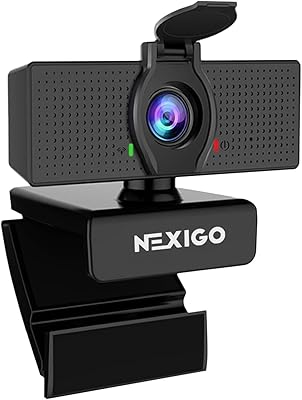
Where it falls short: low-light performance is good but not great, and the USB-A connector feels dated next to newer USB-C competitors. There’s no privacy shutter. That said, at ~$79, it’s one of the most cost-effective paths to 1080p/60fps streaming quality.
Pros:
- Reliable 1080p/60fps with consistent color
- Wide OBS/Streamlabs/XSplit compatibility
- Solid autofocus for standard streaming distances
- Background replacement support via Logitech Capture
Cons:
- No privacy shutter
- USB-A only — feels dated in 2026
- Low-light requires supplemental lighting
- 78° FOV limits room capture
Specs:
| Spec | Detail |
|---|---|
| Resolution | 1080p (720p at 60fps natively; 1080p/60fps via H.264) |
| Frame Rate | Up to 60fps |
| Field of View | 78° |
| Autofocus | Yes |
| Microphone | Dual stereo |
| Connector | USB-A |
| Privacy Shutter | No |
| Tripod Mount | Yes |
Buy on Amazon — Logitech C922x Pro Stream
2. Elgato Facecam — Best for Streamers
Elgato built the Facecam specifically for streamers, and it shows. Unlike most webcams that apply aggressive in-camera processing, the Facecam outputs a clean, uncompressed 1080p/60fps signal that gives you maximum control in OBS or your video editor. The Sony STARVIS sensor at f/2.4 handles mixed and dim lighting better than the C922x, and the 82° FOV strikes a good balance between room capture and flattering framing.
The real differentiator is Elgato’s Camera Hub software. It gives you fine-grained control over exposure, white balance, zoom, and sharpness — with settings that persist across sessions without needing to reconfigure each launch. For streamers who already use Stream Deck and Elgato’s ecosystem, this integration is genuinely seamless.
The Facecam uses USB-C, a fixed-focus lens (optimized for 60–90cm, typical desk distance), and has no built-in microphone — a deliberate choice that reflects its target audience of streamers who already use dedicated audio gear. There is no optical zoom and no autofocus, which some users find limiting, but fixed-focus at the right distance is razor sharp.
Pros:
- Uncompressed 1080p/60fps — best signal quality for post-processing
- Sony STARVIS sensor with excellent low-light output
- Camera Hub software with deep manual controls
- USB-C connectivity
- Clean, minimalist industrial design
Cons:
- Fixed-focus only — no autofocus
- No built-in microphone
- No privacy shutter
- Premium price for a 1080p camera
Specs:
| Spec | Detail |
|---|---|
| Resolution | 1080p uncompressed |
| Frame Rate | Up to 60fps |
| Field of View | 82° |
| Autofocus | No (fixed focus) |
| Sensor | Sony STARVIS |
| Connector | USB-C |
| Privacy Shutter | No |
| Software | Elgato Camera Hub |
Buy on Amazon — Elgato Facecam
3. Razer Kiyo Pro — Best Low-Light
If your streaming setup involves moody RGB lighting, minimal overhead light, or a dark room at odd hours, the Razer Kiyo Pro is the webcam you need. It features a large 1/2.8″ CMOS sensor with an adaptive light sensor — significantly larger than the sensors in most webcams — paired with an f/1.8 aperture that pulls in dramatically more light than the competition.
The result is a 1080p/60fps image that stays clear, detailed, and accurately colored in conditions where other webcams produce noisy, blotchy output. The adjustable FOV (65°, 80°, or 90°) is a genuinely useful feature that lets you tailor the frame to your exact setup. The USB-C connector is a modern touch, and the HDR mode helps balance bright screens behind you against your face in the foreground.
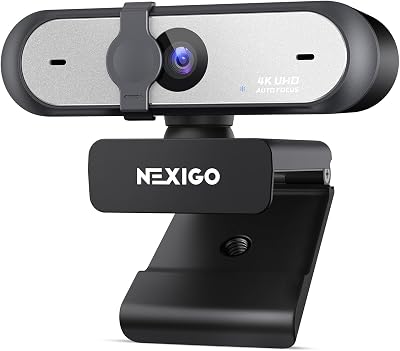
The Synapse software integration — Razer’s ecosystem app — is functional but heavyweight. If you don’t use other Razer peripherals, it adds bloat. The autofocus is fast and accurate. There’s no privacy shutter, which is a recurring miss across this category.
Pros:
- Best-in-class low-light performance with f/1.8 aperture
- Large 1/2.8″ sensor for natural background blur
- Adjustable FOV (65° / 80° / 90°)
- Fast autofocus
- USB-C connectivity
- HDR mode for high-contrast environments
Cons:
- Razer Synapse software is resource-heavy
- No privacy shutter
- Pricier than competitors at similar resolution
- Synapse required for full feature access
Specs:
| Spec | Detail |
|---|---|
| Resolution | 1080p |
| Frame Rate | Up to 60fps |
| Sensor | 1/2.8″ CMOS |
| Aperture | f/1.8 |
| Field of View | 65° / 80° / 90° (adjustable) |
| Autofocus | Yes |
| Connector | USB-C |
| Privacy Shutter | No |
| HDR | Yes |
Buy on Amazon — Razer Kiyo Pro
4. Logitech C920x HD Pro — Best Budget
The Logitech C920x is the best budget gaming webcam available in 2026 — not because it cuts corners, but because Logitech refined this platform over years until it hits a quality ceiling well above its price point. At ~$69, you get 1080p output, a glass lens (not plastic), dual stereo microphones, and autofocus that works reliably at standard streaming distances.
The trade-off versus the C922x is frame rate: the C920x maxes out at 1080p/30fps, which is adequate for video calls, Discord, and even casual streaming, but falls behind 60fps-capable cameras when motion is involved. For Zoom meetings, group calls, and part-time streaming, 30fps is a non-issue. For competitive gaming content where viewer engagement depends on smooth on-camera motion, it’s a real limitation.
The USB-A connector is par for the course at this price. There’s no privacy shutter. OBS compatibility is plug-and-play. If your budget is tight and you want a reliable, professional-looking image without spending $100+, the C920x delivers.
Pros:
- Excellent value — glass lens and solid image at ~$69
- Reliable autofocus
- Dual stereo microphones
- Universal OBS/streaming app compatibility
- Compact, flexible clip mount
Cons:
- 1080p/30fps — no 60fps mode
- USB-A only
- No privacy shutter
- Average low-light compared to Kiyo Pro or Facecam
Specs:
| Spec | Detail |
|---|---|
| Resolution | 1080p |
| Frame Rate | Up to 30fps |
| Field of View | 78° |
| Lens | Glass |
| Autofocus | Yes |
| Microphone | Dual stereo |
| Connector | USB-A |
| Privacy Shutter | No |
Buy on Amazon — Logitech C920x HD Pro
5. AVerMedia Live Streamer CAM 513 — Best 4K
The AVerMedia CAM 513 is for creators who want maximum resolution headroom. It shoots at 4K/30fps with a wide 94° FOV, making it the best webcam on this list for recorded content, professional video calls, and setups where you want to crop in post without sacrificing quality. A 4K feed gives you the flexibility to punch in on your face, zoom to a specific area, or reframe your shot entirely during editing — all while retaining a full-HD output.
The built-in AI-powered autofocus tracks your face reliably, and the wide FOV is great for showing off your setup or streaming with a co-host. The 1/2.8″ sensor handles mixed lighting reasonably well. AVerMedia’s RECentral software adds scene switching, background removal, and live streaming management in one package — useful if you’re not yet invested in OBS.
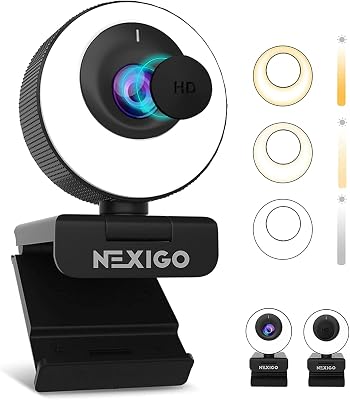
The 4K/30fps output won’t suit gamers who want the silkiest on-camera motion, but for YouTube production, professional Zoom calls, and broadcast-quality streaming at 1080p (downscaled from 4K), it’s a strong choice. USB-C connectivity and a physical privacy lens cover round out a premium package.
Pros:
- 4K/30fps — best resolution on this list
- 94° wide FOV — ideal for co-streaming and room setups
- Physical privacy lens cover included
- USB-C connectivity
- AI face tracking autofocus
- RECentral software for beginners
Cons:
- 4K/30fps — not ideal for motion-heavy streaming
- RECentral software quality varies
- Larger/bulkier physical design
- Higher price for 30fps cap
Specs:
| Spec | Detail |
|---|---|
| Resolution | 4K (3840×2160) |
| Frame Rate | 4K/30fps; 1080p/60fps |
| Sensor | 1/2.8″ |
| Field of View | 94° |
| Autofocus | AI face tracking |
| Connector | USB-C |
| Privacy Shutter | Yes (physical lens cover) |
| Software | RECentral |
Buy on Amazon — AVerMedia Live Streamer CAM 513
FAQ: Best Gaming Webcam
Is 4K worth it for streaming in 2026?
For live streaming, not usually. Most streaming platforms (Twitch, YouTube Live, Kick) cap ingest bitrates that make a 4K stream impractical unless you have a very fast upload connection and a beefy encoder. The real value of 4K webcams is for recorded content — you get more cropping flexibility in post, sharper freeze-frames, and a future-proof setup. For pure live streaming, 1080p/60fps delivers a better viewer experience than 4K/30fps.
What webcam settings should I use in OBS?
Set your resolution to 1920×1080, frame rate to 60fps (if your camera supports it), and disable in-camera compression if your model offers raw/uncompressed output (Elgato Facecam does this natively). Use OBS’s built-in color correction filters rather than the webcam’s companion app — it gives you more consistent results. Set white balance manually if your lighting is consistent to avoid auto-flicker during streams.
Do I need a separate light for streaming?
Yes — for most setups. Even the best low-light webcam (the Razer Kiyo Pro) benefits from a key light or ring light. Good lighting improves your image quality more than upgrading from a $79 to a $149 webcam. A basic ring light ($25–$50) or an Elgato Key Light ($150–$200) will produce a more professional result than any camera upgrade in poor lighting conditions.
How do I reduce webcam background blur latency in OBS?
Software background blur (virtual background removal) in OBS works best with the “Portrait” filter or a plugin like StreamFX. Latency is primarily a CPU issue — close unused applications, lower OBS’s downscale filter to “Bilinear” during background processing, and ensure your GPU encoding (NVENC or AMF) is active to offload CPU load. Webcams with wider apertures (like the Razer Kiyo Pro at f/1.8) produce natural optical bokeh that requires no software processing at all.
Final Comparison: Which Webcam Is Right for You?
| Webcam | Best For | Resolution | FPS |
|---|---|---|---|
| Logitech C922x Pro Stream | Most streamers — reliable all-rounder | 1080p | 60fps |
| Elgato Facecam | Serious streamers wanting uncompressed signal | 1080p | 60fps |
| Razer Kiyo Pro | Dark or RGB-heavy streaming setups | 1080p | 60fps |
| Logitech C920x HD Pro | Budget-conscious / casual users | 1080p | 30fps |
| AVerMedia Live Streamer CAM 513 | YouTube creators / 4K production | 4K | 30fps |
Our Verdict: For the majority of gamers and streamers, the Logitech C922x Pro Stream is still the best gaming webcam in 2026 — proven, affordable, and plug-and-play with every streaming platform. If your setup suffers from poor lighting, upgrade to the Razer Kiyo Pro and get the best low-light sensor on the market at a mid-range price. Serious streamers who want maximum control over their image should look at the Elgato Facecam — the uncompressed output and Camera Hub software give you a professional grade signal that stands up against cameras at twice the price. And if 4K production quality is your goal, the AVerMedia CAM 513 is the only true 4K pick on this list with the FOV and face-tracking to match.
Whatever your budget or setup, any of these five webcams will put you several levels above the built-in camera on your monitor or laptop — and that’s the upgrade your audience will actually notice.
Related Articles
Looking for more on this topic? Browse the hand-picked guides below — each one applies the same scoring rubric used in this review.
Frequently Asked Questions
Is 1080p60 or 4K better for streaming?
For Twitch and most video calls, 1080p at 60fps is the better choice because streaming platforms downscale your camera into a small corner overlay anyway, and 60fps looks far smoother than 4K at 30fps. A 4K sensor is still useful if you crop in heavily or record content that will be edited later at higher resolution.
Why do cheap webcams look bad in my room?
Most of the difference comes from sensor size and lens aperture, not resolution. Small sensors need a lot of light, so in a dim room they raise gain, producing noise and dropping to 15 or 20fps. Adding a key light or a bias light in front of you improves image quality more than upgrading the camera.
Should I choose autofocus or fixed focus?
Fixed focus is more reliable if you sit at a consistent distance from the desk, because it never hunts mid-sentence. Autofocus is worth having if you move around, show objects to the camera or vary your seating position. Look for models that let you lock focus manually in software once you have framed your shot.
What field of view works best for a desk setup?
A 78 to 90 degree field of view frames your head and shoulders without capturing the whole room, which is ideal for a single streamer. Wider 100 to 120 degree lenses fit several people or a full desk but add barrel distortion at the edges. Many webcams let you switch FOV digitally at some resolution cost.
Do I need the webcam microphone?
Built-in webcam microphones sit far from your mouth and pick up room echo, keyboard clicks and fan noise, so use them only as a backup. Any dedicated USB or headset microphone will sound clearly better. Check that your streaming software lets you select a separate audio device so the webcam mic does not become the default.
Ready to decide? Our #1 pick for 2026 is the Webcam.
Live price & availability on Amazon.


