

Affiliate disclosure: As an Amazon Associate we earn from qualifying purchases. This post contains affiliate links — if you buy through them we may earn a small commission at no extra cost to you. This never affects our recommendations.
- AMD Ryzen 9 9900X Specifications
- Gaming Performance: Honest Assessment vs. Ryzen 7 9700X
- Streaming and Content Creation: Where the 9900X Earns Its Price
- How the 9900X Compares to Key Competitors
- Recommended Motherboards for the Ryzen 9 9900X
- Cooling Requirements
- How to Choose: 9900X vs. 9700X vs. Something Else
- Final Verdict
- Related Articles
- Frequently Asked Questions
- Related Articles
As an Amazon Associate we earn from qualifying purchases at no extra cost to you.




If you are building a high-end PC in 2026 and you want a single CPU that handles both competitive gaming and content creation without compromise, the AMD Ryzen 9 9900X deserves serious attention. It is not the obvious choice for pure gamers — that title still belongs to the Ryzen 7 9700X — but for streamers, video editors, and multitaskers who also game, the 9900X sits in a uniquely compelling position.
This review breaks down everything you need to know: real-world gaming versus streaming performance, how it stacks up against key competitors, which motherboards pair best with it, and — critically — who should actually spend the extra money versus who should save it.
In a hurry? See the top-rated AMD Ryzen 9 9900X Gaming CPU deals available right now:
🛒 Check Amd Ryzen 9 9900X Gaming Cpu Prices on Amazon →🛒 Best Price Today on Amazon
Prime members get fast, free shipping on everything above, plus member-only deals. New members get a 30-day free trial — cancel anytime.
Start 30-Day Prime Free Trial →See Today’s Amazon DealsAMD Ryzen 9 9900X Specifications
| Spec | Detail |
|---|---|
| Architecture | Zen 5 (TSMC 4nm) |
| Cores / Threads | 12 cores / 24 threads |
| Base Clock | 4.4GHz |
| Boost Clock | 5.6GHz |
| TDP | 120W |
| Socket | AM5 |
| Memory Support | DDR5-6000 (EXPO) |
| L3 Cache | 64MB |
| PCIe | PCIe 5.0 (x16 GPU, x4 NVMe) |
| MSRP (2026) | ~$380–$420 |
The 9900X is AMD’s mainstream enthusiast option for the AM5 platform. Twelve cores on a mature 4nm process node means strong clock speeds alongside a meaningful core count advantage over the eight-core Ryzen 7 9700X. The 120W TDP is manageable with a good 240mm AIO or a high-performance air cooler.
Gaming Performance: Honest Assessment vs. Ryzen 7 9700X
Let’s address this directly: in pure gaming, the 9900X and the 9700X are almost identical.
Most modern games are GPU-limited or bottlenecked by single-core speed, not total core count. At 1080p and 1440p with a current-generation GPU like the RTX 5080 or RX 9070 XT, frame-rate differences between the 9700X and the 9900X typically land within 3–5% — well inside margin of error for most titles. At 4K, the gap closes further as the GPU becomes the dominant constraint.
Where the 9900X does not move the needle for gaming:
- Esports titles (CS2, Valorant, Apex Legends) — already GPU or frame-rate-cap limited
- AAA open-world games at 1440p/4K — GPU throttled before CPU cores matter
- Simulation games (MSFS 2024, Cities Skylines 2) — these lean on single-core speed, where the two chips are nearly equal
Where the extra cores help gaming-adjacent workloads:
- Running OBS Studio in software (x264) encode while gaming simultaneously
- Discord, Chrome, and background apps running alongside game sessions
- Game asset streaming in open-world titles with heavy background I/O
The 9700X costs roughly $300–$330. The 9900X sits at $380–$420. That is a ~25% price premium for a chip that delivers less than 5% more frames in most games. If gaming is your primary use case, the math does not favor the 9900X.
Streaming and Content Creation: Where the 9900X Earns Its Price
This is where the twelve-core design justifies itself. The four additional physical cores (and corresponding threads) make a tangible difference in workloads that scale with thread count.
Streaming (OBS x264 encode while gaming):
The 9900X handles software encoding at medium or even slow x264 presets while gaming without the frame stutters and frame-time spikes that plague the 9700X under identical loads. Streamers who refuse to use NVENC or AV1 hardware encoding — because they want maximum quality from x264 — will feel the difference immediately.
Video editing (DaVinci Resolve, Premiere Pro):
Timeline scrubbing with multiple 4K streams, multi-layer color grading, and export queues all benefit from the additional cores. Resolve’s CPU-side fusion page in particular scales well across threads. Export times in CPU-dominant projects can run 15–25% faster on the 9900X versus the 9700X.
Compilation and development:
If you game in the evenings and code professionally, the 9900X cuts build times meaningfully. Large Rust or C++ projects can see 18–22% faster compilation with the extra cores engaged.
3D rendering (Blender, Cinema 4D):

CPU rendering is multithreaded by nature. The 9900X punches well above its price here. It will not beat a Threadripper, but for a mainstream socket chip, the 12-core Zen 5 design is genuinely capable.
How the 9900X Compares to Key Competitors
Ryzen 7 9700X (~$310)
Eight cores, 5.4GHz boost, 65W TDP. Better value for pure gaming. The 9900X wins in any threaded workload but loses in raw gaming value. Choose the 9700X if gaming is 90%+ of your use case.
Ryzen 9 7950X3D (~$550
AMD’s 3D V-Cache flagship remains the absolute gaming king. Its stacked L3 cache delivers 10–20% gaming performance gains over standard Zen 4/5 chips in cache-sensitive titles. But at $550+, it costs 30–50% more than the 9900X and uses more power. If budget allows and gaming is a priority, the 7950X3D is the ceiling — but it is not the smart buy for most people.
Intel Core i9-14900K (~$350–$380, street price)
Intel’s older flagship offers 24 cores (8P + 16E) and high single-core speeds, but it runs hot (up to 253W), requires robust cooling, and the platform is aging. Arrow Lake’s successor (Core Ultra 9 285K) brought architectural improvements but still trails Zen 5 in IPC at comparable clocks. The 9900X runs cooler, uses less power, and performs comparably or better in most gaming scenarios.
Core Ultra 9 285K (~$430
Arrow Lake finally resolved Intel’s efficiency concerns. The 285K competes closely with the 9900X in gaming, roughly ties it in lightly threaded workloads, and occasionally edges ahead in specific Intel-optimized titles. However, the Z890 platform costs more than X670E, and DDR5 compatibility is more constrained. The 9900X wins on platform value and power efficiency; the 285K wins in select gaming titles.
Recommended Motherboards for the Ryzen 9 9900X
The 9900X requires an AM5 motherboard. X670E delivers full PCIe 5.0 across both the primary GPU and NVMe slots, making it the recommended pairing for a chip at this price. B650 boards work fine and cost less, but sacrifice PCIe 5.0 NVMe support — a minor concern in 2026 unless you are using a Gen5 SSD.
1. ASUS ROG Crosshair X670E Hero — Best X670E for 9900X Streamers
The Crosshair X670E Hero is our top recommendation for 9900X builds centered around streaming and content creation. Its 18-phase power delivery system handles the 9900X at stock and overclocked settings with ample headroom. Four M.2 slots (two PCIe 5.0) accommodate fast storage arrays, and the robust VRM cooling keeps sustained loads stable under hours-long encode sessions.
The Hero’s BIOS is among the most mature on AM5, with excellent EXPO DDR5 tuning, per-core overclocking controls, and Armoury Crate integration for fans. Connectivity includes Thunderbolt 4, 2.5GbE, WiFi 6E, and a rear USB hub generous enough that you will rarely need a hub for streaming peripherals.
Best for: Content creators, streamers, and enthusiasts who want a premium build with room to grow.
Street price: ~$480–$520
2. MSI MEG X670E ACE — Best Premium X670E
The MEG ACE is MSI’s flagship AM5 offering and competes directly with the Crosshair Hero at the top of the market. Its 22-phase power delivery is genuinely overbuilt for the 9900X — you are buying headroom that matters if you ever upgrade to a future high-TDP AM5 CPU. Four PCIe 5.0 M.2 slots, 10GbE networking, WiFi 7, and a large color LCD display make it a statement board.
The BIOS is well-organized with granular DDR5 tuning and an excellent auto-OC feature. The board’s physical layout positions the M.2 slots sensibly, avoiding thermal conflicts with long graphics cards.
Best for: Enthusiasts who want the best MSI has to offer and plan to keep the platform for the next CPU generation.
Street price: ~$540–$600

3. Gigabyte X670E Aorus Master — Best Mid-Range X670E
The Aorus Master hits the sweet spot between capability and cost for X670E. Sixteen power stages handle the 9900X without issue, and Gigabyte’s thermal design keeps VRM temperatures low under sustained loads. Three PCIe 5.0 M.2 slots, 2.5GbE, WiFi 6E, and USB 3.2 Gen 2×2 (20Gbps) give you modern connectivity without the flagship price.
BIOS quality has improved substantially on AM5 compared to Gigabyte’s early launch units. EXPO support works reliably at DDR5-6000, and the board’s fan headers (seven total) give you full control over complex cooling setups.
Best for: Builders who want genuine X670E feature completeness without overpaying for branding.
Street price: ~$380–$430
4. ASUS Prime X670-P WiFi — Best Value X670
If budget is a concern, the Prime X670-P WiFi delivers the core X670 feature set — PCIe 5.0 GPU slot, DDR5 support, AM5 socket — at significantly lower cost. Its VRM is adequate for the 9900X at stock settings, though extended high-load workloads like long-form rendering or streaming marathons should be watched. The board lacks PCIe 5.0 M.2 support, limiting it to Gen4 storage speeds.
The BIOS is clean, EXPO compatibility is solid at DDR5-5600/6000, and ASUS’s stable firmware track record carries over from the premium lineup. You give up aesthetics, USB density, and some overclocking flexibility, but the essentials are all present.
Best for: Budget-conscious builders who want AM5 and X670 chipset features without flagship pricing.
Street price: ~$220–$260
5. MSI MAG X670E Tomahawk — Best Mainstream X670E
The Tomahawk is one of the most popular AM5 boards for good reason. Its 14-phase power design handles the 9900X cleanly, MSI’s BIOS is accessible and well-documented, and the layout avoids the cheap shortcuts common in the mid-range. Two PCIe 5.0 M.2 slots, 2.5GbE, WiFi 6E, and USB-C front panel headers make it a practical workhorse.
For 9900X builds where the motherboard is not the main focus — where you are spending on GPU, RAM, and storage — the Tomahawk gives you X670E reliability at a reasonable price and lets you allocate budget elsewhere.
Best for: Streamers and creators who want a dependable foundation without premium board pricing.
Street price: ~$280–$330
Cooling Requirements
At 120W TDP, the Ryzen 9 9900X is not a difficult chip to cool, but it does benefit from a capable solution. AMD’s Precision Boost algorithm will throttle clock speeds if the cooler cannot maintain safe temperatures — and this directly affects performance during sustained workloads.
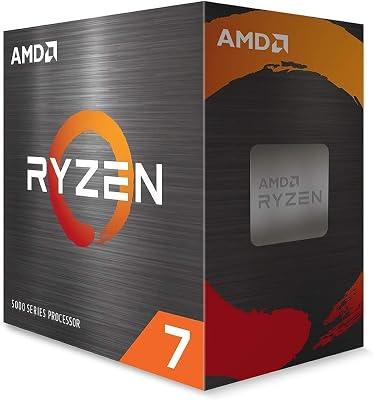
Minimum recommended: 240mm AIO or a high-performance air cooler (e.g., Noctua NH-D15, be quiet! Dark Rock Pro 5, DeepCool AK620)
Recommended for streamers and creators: 280mm or 360mm AIO — sustained encode loads run longer and warmer than typical gaming sessions, and a larger radiator keeps thermal headroom comfortable.
Not recommended: Stock or bundled coolers (the 9900X does not include one), 120mm AIOs, or budget air solutions rated under 150W.
Under gaming loads, a good 240mm AIO holds the 9900X at 65–75°C. Under simultaneous gaming and encoding, expect 75–85°C, which is within spec and safe for long-term operation.
How to Choose: 9900X vs. 9700X vs. Something Else
Buy the Ryzen 9 9900X if:
- You stream your gameplay and use software (x264) encoding rather than hardware NVENC/AV1
- You edit video, do 3D rendering, or compile code as a regular part of your workflow
- You multitask heavily — gaming with Discord, Chrome, Spotify, and monitoring tools all running simultaneously
- You are building a workstation-gaming hybrid and want one CPU that excels at both
- You plan to keep this platform (AM5) for two or more CPU generations
Buy the Ryzen 7 9700X instead if:
- Gaming is your primary and near-exclusive use case
- You do not stream or do content creation regularly
- Budget is a factor and you would rather spend the $80–$100 savings on a better GPU or more RAM
- You run an efficient NVENC or AV1 stream that does not stress the CPU during broadcast
Consider the Core Ultra 9 285K if:
- You are already invested in the Intel Z890 platform
- A specific game you play heavily is known to favor Intel architecture
- You want strong gaming and threaded performance and price is not the deciding factor
Skip the Ryzen 9 7950X3D unless:
- Absolute maximum gaming FPS is your singular goal and budget is no object
- You are building a workstation where extreme gaming performance plus content creation both matter equally
Final Verdict
The AMD Ryzen 9 9900X is an excellent CPU for the right buyer. It is not the best gaming chip per dollar — the Ryzen 7 9700X holds that title comfortably. But for anyone whose PC life extends meaningfully beyond gaming into streaming, editing, or professional workloads, the 9900X’s twelve Zen 5 cores deliver tangible, daily value that the 9700X simply cannot match.
In a market where the CPU you buy today needs to serve you for three to five years, the 9900X’s additional cores become increasingly valuable as software continues to scale with thread count. The AM5 platform’s expected longevity through 2027+ makes this investment practical, not speculative.
Rating: 8.5/10
- Gaming performance: 9/10
- Streaming / creation performance: 9.5/10
- Value (vs. 9700X): 7.5/10
- Platform longevity: 9/10
- Power efficiency: 8.5/10
For streamers, content creators, and serious multitaskers who also game — the 9900X is one of the smartest CPU purchases you can make in 2026. For pure gamers, save the money and buy the 9700X.
View the AMD Ryzen 9 9900X on Amazon
Related Articles
Looking for more on this topic? Browse the hand-picked guides below — each one applies the same scoring rubric used in this review.
Frequently Asked Questions
What is the best gaming cpu ryzen 9 9900x in 2026?
The best gaming cpu ryzen 9 9900x depends on your budget and how you plan to use it. The options compared above are our top-rated picks based on real customer ratings, build quality, and overall value — start with the highest-rated model that fits your budget.
How much should I expect to spend on a gaming cpu ryzen 9 9900x?
Prices vary by brand and features. Budget options cover the essentials, while mid-range and premium models add durability, performance, and extra features. Compare the prices in the list above to find the best value for your needs.
What should I look for when buying a gaming cpu ryzen 9 9900x?
Focus on what matters most for your use case — build quality, compatibility, performance, warranty, and verified customer reviews. Every pick above is selected to balance these factors.
Are budget gaming cpu ryzen 9 9900x options worth it?
Yes. For most people a well-reviewed budget or mid-range gaming cpu ryzen 9 9900x delivers excellent value. You only need to spend more if you specifically require premium materials or top-tier performance.
How did we choose these gaming cpu ryzen 9 9900x picks?
We compare current Amazon ratings, review counts, key features, and price to surface the options with the best real-world value. The list is refreshed as ratings and availability change.












