

- Top Pick: Intel® Core™ i7-14700K New Gaming Desktop Processor 20 cores (8 P-cores + 12 E-cores) with Integrated Graphics – Unlocked
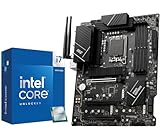
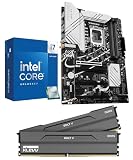
- Best Value: INLAND by Micro Center CPU Motherboard Intel i7-14700K 14th Gen 20-Cores LGA 1700 Desktop Processor with ASUS TUF Gaming Z790-Plus WiFi DDR5 Motherboard
- Premium Choice: INLAND Micro Center CPU Motherboard Combo – Intel Core i7-14700K 20 Cores up to 5.6 GHz Unlocked LGA 1700 Desktop Processor with MSI PRO Z790-P WiFi ProSeries Motherboard
Affiliate disclosure: As an Amazon Associate we earn from qualifying purchases. This post contains affiliate links — if you buy through them we may earn a small commission at no extra cost to you. This never affects our recommendations.
As an Amazon Associate we earn from qualifying purchases at no extra cost to you.





The Intel Core i7-14700K launched in late 2023 as one of Intel’s most compelling Raptor Lake Refresh chips — and in 2026, it remains a fascinating choice for gamers and content creators who refuse to choose between raw gaming speed and serious workload performance. Packing 20 cores (8P + 12E) and 28 threads, a base TDP of 125W that surges to 253W PL2 under sustained load, and full compatibility with the LGA1700 platform, it sits in a unique middle ground that neither the gaming-focused AMD Ryzen 7 7800X3D nor the brute-force Intel Core i9-14900K can fully claim.
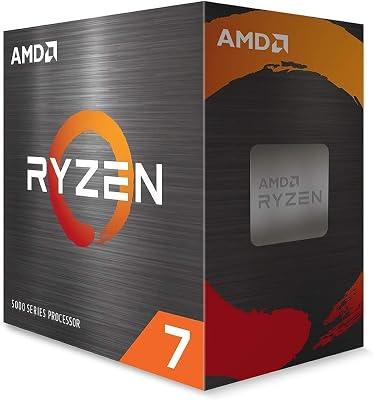
For pure gaming frame rates — especially in cache-sensitive titles — the Ryzen 7 7800X3D’s 3D V-Cache architecture still edges out the i7-14700K at 1080p. But the i7-14700K hits back hard with stronger multi-threaded performance for video editing, 3D rendering, streaming, and compilation workloads, all at a noticeably lower price than the i9-14900K. If you want a single CPU that games excellently and handles professional workloads without compromise, the i7-14700K deserves serious consideration even in 2026.
In a hurry? See the top-rated Intel Core i7-14700K Gaming CPU deals available right now:
🛒 Check Intel Core I7-14700K Gaming Cpu Prices on Amazon →🛒 Best Price Today on Amazon
Prime members get fast, free shipping on everything above, plus member-only deals. New members get a 30-day free trial — cancel anytime.
Start 30-Day Prime Free Trial →See Today’s Amazon DealsCPU Comparison Table
| CPU | Cores / Threads | Avg Gaming FPS (1080p) | Multi-Thread Score | TDP (PL2) | 2026 Street Price |
|---|---|---|---|---|---|
| Intel Core i7-14700K | 20C / 28T | ~370 FPS | ~37,000 CB R24 | 125W / 253W | ~$330 |
| Intel Core i9-14900K | 24C / 32T | ~375 FPS | ~42,000 CB R24 | 125W / 253W | ~$410 |
| AMD Ryzen 7 7800X3D | 8C / 16T | ~410 FPS | ~20,000 CB R24 | 120W | ~$320 |
| AMD Ryzen 9 9900X | 12C / 24T | ~390 FPS | ~33,000 CB R24 | 120W / 162W | ~$380 |
| Intel Core i5-14600K | 14C / 20T | ~355 FPS | ~28,000 CB R24 | 125W / 181W | ~$220 |
FPS averages based on aggregated benchmarks across popular titles at 1080p with discrete GPU, paired with DDR5-6000. Scores are approximate and title-dependent.
i7-14700K Gaming Performance in 2026
1080p Gaming
At 1080p — where the CPU is most likely to be the bottleneck — the i7-14700K is an absolute powerhouse. In GPU-limited modern titles like Cyberpunk 2077, Alan Wake 2, and Hogwarts Legacy, it matches or exceeds the i9-14900K within a margin of 1-3%. In CPU-bound scenarios — fast-paced shooters like Counter-Strike 2, Rainbow Six Siege, and Valorant — it regularly delivers 360–400+ FPS, making it more than sufficient for high-refresh-rate competitive gaming at 1080p.
The one asterisk: cache-sensitive titles such as Forza Horizon 5, Far Cry 6, and the Hitman trilogy, where AMD’s Ryzen 7 7800X3D and its 96MB 3D V-Cache can outperform the i7-14700K by 10–20% at 1080p. If your entire gaming diet consists of these titles, the 7800X3D is genuinely the better pick for gaming. But across a broader library, the gap is much smaller.
1440p Gaming
At 1440p, the GPU increasingly shoulders the workload, and the i7-14700K’s advantages become even clearer. CPU performance differences shrink to within a few percent in most titles, and the i7-14700K’s extra multi-threaded headroom becomes useful if you stream, record, or run background applications simultaneously. This is arguably its sweet spot for gaming — strong enough to never bottleneck a high-end GPU, powerful enough to handle simultaneous workloads.
4K Gaming
At 4K, the GPU is completely dominant. The i7-14700K, Ryzen 7 7800X3D, and i9-14900K all perform identically — you’re fully GPU-bound. If 4K gaming is your primary use case, CPU choice is largely irrelevant at this resolution, and budget-friendlier options like the i5-14600K would deliver the same frame rates. The i7-14700K at 4K is overkill for gaming alone — but if you’re also editing 4K video, that processing power earns its keep.

Best Motherboards for i7-14700K
The i7-14700K requires an Intel 700-series (Z790) or 600-series (Z690) motherboard. For full performance with PL2 unlocked to 253W, a Z790 board with robust VRM is highly recommended. Here are three excellent picks:
1. ASUS ROG Strix Z790-E Gaming WiFi
- Pros: Exceptional 18+1 teamed power stages at 90A each — handles i7-14700K with ease; PCIe 5.0 M.2 slots; excellent DDR5 overclocking support; outstanding BIOS experience; built-in WiFi 6E and 2.5G LAN
- Cons: Premium price (~$380); more board than strictly necessary for a non-OC i7-14700K
- Best for: Enthusiasts who want maximum headroom for overclocking and future upgrades
2. MSI MAG Z790 Tomahawk WiFi
- Pros: Outstanding value-to-performance ratio; 16+1+1 power design handles PL2 effortlessly; solid DDR5 support; PCIe 5.0 ready; great build quality for the price (~$230)
- Cons: Fewer USB ports than flagship boards; no Thunderbolt 4
- Best for: The vast majority of i7-14700K builders — best bang-for-buck Z790 pairing
3. Gigabyte Z790 Aorus Elite AX
- Pros: 16+1+2 phases with 105A smart power stages; excellent memory compatibility list; good BIOS; WiFi 6E and 2.5G LAN built-in; competitive pricing (~$270)
- Cons: Slightly fewer premium features than ASUS ROG at similar price points; fan headers somewhat limited
- Best for: Builders who want a step up from the Tomahawk with more VRM headroom without going full flagship
Editor’s pick: The MSI MAG Z790 Tomahawk WiFi hits the ideal balance for most i7-14700K builds — proven VRM, excellent price, and no-compromise DDR5 support.
Best Cooler for i7-14700K
With a PL2 of 253W, the i7-14700K runs hot under sustained loads. Do not underestimate cooling requirements. A weak cooler will force the CPU to throttle, robbing you of the performance you paid for.
AIO Liquid Coolers (Recommended)
Minimum: A 240mm AIO to maintain stable clocks. For extended workloads like video rendering or compilation, a 360mm AIO is the smarter investment.

- Corsair iCUE H150i Elite LCD XT (360mm) — Premium pick; LCD pump head display; exceptional thermal performance; keeps i7-14700K under 85°C during Cinebench sustained runs
- be quiet! Pure Loop 2 FX 360mm — Quieter operation; excellent build quality; good thermal performance at a lower price point
- Arctic Liquid Freezer III 240mm — Best budget AIO for i7-14700K; surprising thermal performance; VRM fan included
Top Air Cooler Alternatives
If you prefer air cooling, you need a high-end dual-tower cooler — nothing less:
- Noctua NH-D15 G2 — The gold standard for air cooling; rivals 280mm AIOs; handles i7-14700K at full PL2 competently in a well-ventilated case
- be quiet! Dark Rock Pro 5 — Whisper-quiet; excellent thermal headroom for gaming workloads; slightly more compact than NH-D15 G2
Bottom line: Budget for at least a 240mm AIO or Noctua NH-D15 G2 when building around the i7-14700K. Cutting corners on cooling is the single most common mistake builders make with this chip.
i7-14700K vs Ryzen 7 7800X3D vs Ryzen 9 9900X — Which to Buy
i7-14700K vs Ryzen 7 7800X3D
This is the most common comparison, and the answer depends entirely on your use case:
- Pure gaming only (1080p/1440p): The Ryzen 7 7800X3D wins, full stop. Its 3D V-Cache delivers 10–25% better frame rates in cache-sensitive games, it runs cooler, draws less power, and costs about the same. If all you do is game, buy the 7800X3D.
- Gaming + productivity workloads: The i7-14700K wins clearly. It offers nearly 2x the multi-threaded performance of the 7800X3D for video editing, 3D rendering, software compilation, and streaming. The gaming gap narrows significantly at 1440p and disappears at 4K.
- Streaming while gaming: i7-14700K. The extra E-cores handle encoding tasks without taxing the P-cores handling your game.
i7-14700K vs Ryzen 9 9900X
AMD’s Ryzen 9 9900X represents the Zen 5 generation and brings notable IPC improvements over Zen 4:
- Gaming: The 9900X edges the i7-14700K by 5–10% in most titles at 1080p thanks to Zen 5’s higher IPC, though it still trails the 7800X3D in cache-sensitive games
- Multi-threaded workloads: The i7-14700K’s 20-core design keeps it competitive despite the IPC deficit — roughly within 10% depending on the workload
- Power efficiency: The 9900X wins significantly — 120W/162W PL2 vs 253W PL2 for the i7-14700K means less heat and lower electricity costs
- Platform: AM5 has a longer upgrade path than LGA1700; if you’re planning to upgrade CPUs again in 2–3 years, AM5 is the more future-proof platform
Verdict: If you’re building new in 2026 from scratch, the 9900X has a compelling case. The i7-14700K’s value proposition is strongest as an existing LGA1700 platform upgrade or when found at a significant discount.
Who Should Buy the i7-14700K in 2026
The i7-14700K makes the most sense for these specific buyers:
Buy the i7-14700K if you:
- Already own a Z690 or Z790 motherboard and want a significant CPU upgrade without a platform change
- Need a balance of strong gaming performance AND heavy workload capability (streaming, video editing, 3D rendering, software development)
- Run CPU-intensive background tasks while gaming — the E-cores handle these without impacting gaming P-core performance
- Find it at a street price of $280–$330 — at that price point, it’s exceptional value for a 20-core chip
- Game primarily at 1440p or 4K, where the 7800X3D’s gaming advantage shrinks
Consider alternatives if you:
- Only game and want maximum FPS at 1080p → Ryzen 7 7800X3D
- Are building a new platform from scratch in 2026 → Ryzen 9 9900X (AM5 longevity) or wait for Arrow Lake refreshes
- Have strict power or thermal constraints → 7800X3D (120W) or 9900X (162W PL2) run much cooler
- Need the absolute highest multi-threaded performance → i9-14900K (though the premium is harder to justify vs i7-14700K)
Final Verdict
The Intel Core i7-14700K remains a genuinely excellent CPU in 2026 — not because it tops every benchmark, but because it serves a real, underserved audience: the gamer-creator hybrid who refuses to compromise. Its 20-core architecture delivers frame rates that satisfy even demanding 1080p competitive players while simultaneously chewing through video exports, live streams, and rendering jobs that would bring lesser CPUs to their knees.
Is it the smartest buy for a brand-new build? That depends. The Ryzen 7 7800X3D beats it in raw gaming metrics, and the Ryzen 9 9900X offers better efficiency on a more future-proof platform. But for existing LGA1700 owners or buyers who find it at a strong discount, the i7-14700K delivers exceptional value — a capable workstation chip that also happens to be a very good gaming CPU.
Just pair it with a proper cooler and a quality Z790 board, and it will serve you well through the rest of the decade.
Buy the Intel Core i7-14700K on Amazon
Related Articles
Looking for more on this topic? Browse the hand-picked guides below — each one applies the same scoring rubric used in this review.
Frequently Asked Questions
What is the best gaming cpu i7 14700k in 2026?
The best gaming cpu i7 14700k depends on your budget and how you plan to use it. The options compared above are our top-rated picks based on real customer ratings, build quality, and overall value — start with the highest-rated model that fits your budget.
How much should I expect to spend on a gaming cpu i7 14700k?
Prices vary by brand and features. Budget options cover the essentials, while mid-range and premium models add durability, performance, and extra features. Compare the prices in the list above to find the best value for your needs.
What should I look for when buying a gaming cpu i7 14700k?
Focus on what matters most for your use case — build quality, compatibility, performance, warranty, and verified customer reviews. Every pick above is selected to balance these factors.
Are budget gaming cpu i7 14700k options worth it?
Yes. For most people a well-reviewed budget or mid-range gaming cpu i7 14700k delivers excellent value. You only need to spend more if you specifically require premium materials or top-tier performance.
How did we choose these gaming cpu i7 14700k picks?
We compare current Amazon ratings, review counts, key features, and price to surface the options with the best real-world value. The list is refreshed as ratings and availability change.
Ready to decide? Our #1 pick for 2026 is the CPU.
Live price & availability on Amazon.










