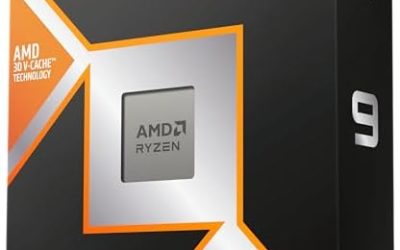
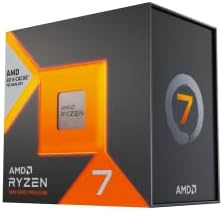
Updated November 2026 – Yes, the Ryzen 7 9700X is good for gaming: it is an efficient 65W Zen 5 chip that handles 1440p and 4K gaming well with a fast graphics card, though the Ryzen 7 9800X3D and 7800X3D are faster in games if you can afford them. It suits builders who want a cool, quiet AM5 system with a clear upgrade path.
Is the Ryzen 7 9700X Good for Gaming?
Yes. The maker lists the Ryzen 7 9700X as an 8-core, 16-thread Zen 5 processor on the AM5 socket with a boost clock of up to 5.5GHz, 32MB of L3 cache and a 65W TDP. That low power rating is the headline. It runs cool, works with modest air coolers, and does not demand an expensive motherboard. For gaming it delivers strong frame rates in most titles, and reviewers at outlets such as Tom’s Hardware, TechPowerUp and Gamers Nexus have described it as a solid mid-range pick, though they note that the X3D range beats it in cache-hungry games.
The key point is that the 9700X is good, not best. If your budget is fixed, ask whether the money is better spent on a stronger graphics card. In most builds at 1440p, it is.
Quick reference: who the 9700X suits
| Use case | Verdict | What to pair it with |
|---|---|---|
| 1080p high refresh | Very good | RTX 5060 Ti, Radeon RX 9060 XT |
| 1440p high settings | Very good | RTX 5070, RTX 5070 Ti, Radeon RX 9070 |
| 4K gaming | Good, GPU is the limit | RTX 5080 class and up |
| CPU-heavy sims and strategy games | Good, X3D is faster | Consider Ryzen 7 7800X3D or 9800X3D |
| Quiet, small-form-factor build | Excellent, low heat | Compact air cooler, B850 or B650 mini-ITX |
| Budget AM5 entry | Great base for upgrades | Later move to an X3D chip |
Ryzen 7 9700X vs 7800X3D and 9800X3D
The 9700X has the same eight cores and sixteen threads as the X3D parts but only a third of the L3 cache: 32MB against 96MB. Many games respond strongly to that extra cache, so reviewers report that the X3D chips lead in most gaming tests, especially at 1080p with a fast graphics card. At 1440p and 4K the difference narrows because the GPU becomes the limit.
| Spec | Ryzen 7 9700X | Ryzen 7 7800X3D | Ryzen 7 9800X3D |
|---|---|---|---|
| Architecture | Zen 5 | Zen 4 | Zen 5 |
| Cores / threads | 8 / 16 | 8 / 16 | 8 / 16 |
| L3 cache | 32MB | 96MB | 96MB |
| TDP | 65W | 120W | 120W |
| Best for | Cool, efficient builds | Value gaming | Top gaming |
Because all three use the AM5 socket, you can start with the 9700X and upgrade later without changing your motherboard or memory, subject to a BIOS update. That makes it a sensible way to enter AM5.
Ryzen 7 9700X and Ryzen 7 8700F: What Is the Difference?
The Ryzen 7 8700F is a Zen 4 processor on AM5 with eight cores, sixteen threads and a 65W TDP, according to the maker. The F suffix means it has no integrated graphics, so you must use a discrete graphics card. It is positioned as a budget way into AM5. Compared with the 9700X, it is based on the older Zen 4 design with lower boost clocks, so reviewers generally place it a little behind. If the price gap is small, the 9700X is the better choice. If you are building on a tight budget and already have a graphics card, the 8700F is acceptable. Check that your board has the right BIOS version and be aware that an F chip cannot display video without a graphics card.
Is AMD Ryzen 7 Good for Gaming? Which Ryzen 7 Is Best for Gaming?
Yes, the Ryzen 7 family is a strong choice for gaming across generations, and the best gaming Ryzen 7 today is the Ryzen 7 9800X3D. Below it, the 7800X3D is a close second, and the 9700X is a strong non-X3D option. The older 5700X3D and 5800X3D are the best choices on AM4. Without 3D V-Cache, performance generally falls into a tier below. The list below is a rough guide to where each chip fits, not a strict benchmark ranking, and the exact order of the lower entries varies by game.
- Ryzen 7 9800X3D – top gaming performance on AM5.
- Ryzen 7 7800X3D – nearly as strong, strong value.
- Ryzen 7 9700X – strong all-rounder, efficient.
- Ryzen 7 8700F – budget AM5 option.
- Ryzen 7 5700X3D – best AM4 upgrade.
- Ryzen 7 5800X and 5700X – older but still playable.
Is AMD Ryzen 7 5700X, 5800X, 5700G and 3700X Good for Gaming?
These are older AM4 chips and they still play modern games, with limits depending on your graphics card.
Ryzen 7 5700X and 5800X
Both are 8-core, 16-thread Zen 3 chips. The maker lists the 5700X at a 65W TDP and the 5800X at 105W with higher boost clocks. They are good for gaming with a graphics card up to roughly the RTX 4060 Ti or RX 7600 XT class. With a much faster card, reviewers report that they begin to limit frame rates at lower resolutions.
Ryzen 7 5700G
The 5700G is an 8-core APU with built-in Vega graphics, and the maker lists it with PCIe 3.0 support and a smaller cache than the 5700X. It is a good choice if you do not yet own a graphics card and want to play lighter games, but with a discrete card it is slower than the 5700X in games.
Ryzen 7 3700X
This is a Zen 2 chip, 8 cores, 16 threads, 65W. It still runs games acceptably with entry-level cards at 1080p, but modern fast GPUs expose its age. If you own one, a drop-in 5700X3D or 5800X3D is a strong upgrade, provided your board’s BIOS supports it.
Best Ryzen 7 Gaming Laptop and Ryzen 7 9800X3D Gaming PC Deal Notes
For laptops, a Ryzen 7 gaming laptop is usually a mid-range choice. The mobile graphics card and its power limit matter more than the processor. Compare GPU wattage, cooling, display refresh rate and the amount of memory in independent reviews, and avoid models with a single memory stick, which hurts performance.
When you see a Ryzen 7 9800X3D gaming PC deal, judge the whole machine. Check that the graphics card matches your resolution, the memory is two DDR5 modules, the power supply is a named certified unit, and the cooler suits a 120W chip. A great processor with a weak card or a poor power supply is not a good deal.
Cooling, Memory and Platform Notes
- Cooling: with a 65W TDP, a mid-range tower air cooler is enough. A 120mm or 240mm unit also works. AMD has said the 9700X can run at a higher power limit in the BIOS, but this raises temperatures and can affect stability, so any change should follow the board manual.
- Memory: DDR5-6000 with an EXPO profile is the usual choice. Two modules are preferred.
- Motherboard: B650 or B850 boards are enough. Higher-end X870 boards add extra connectivity that most gamers do not need.
- Storage: NVMe PCIe 4.0 or 5.0 drives work. The speed difference rarely affects frame rates.
- Power supply: size it for the graphics card, not the processor, since the 9700X draws little.
Upgrade Path From the 9700X
AMD has stated that AM5 will be supported for several processor generations. That means the 9700X can be replaced later with a Ryzen 7 9800X3D or a newer chip after a BIOS update. This is one of the strongest arguments for the platform over a closed-socket alternative. If you start with the 9700X today, the move to a faster processor in two years requires only the chip, not a new board.
Which Games Favor the 9700X, and Which Favor X3D?
Games that scale with raw clock speed and are mostly limited by the graphics card, such as many modern action titles at 1440p, run well on the 9700X. Games that keep large amounts of world state in memory, such as city builders, grand strategy, large multiplayer shooters, MMOs and heavily modded sandbox titles, usually respond to the extra cache on X3D parts. Reviewers who run both processors side by side report the largest gaps in exactly those cache-sensitive titles, and small gaps in graphics-limited ones. If your library is mostly the second kind, the cost of an X3D chip is easier to justify.
Pick the 9700X if
- You want a quiet, cool system and plan to use a modest cooler.
- You play at 1440p or 4K where the graphics card sets the pace.
- You also do some light productivity work, where the higher clock helps.
- You want to upgrade to an X3D chip later without a new board.
Pick an X3D chip instead if
- You play competitive shooters at very high refresh rates.
- Your favorite games are simulation, strategy or large-scale multiplayer titles.
- You own or plan to buy a very fast graphics card and play at 1080p or 1440p.
Frequently Asked Questions
Is the Ryzen 7 9700X good for gaming?
Yes, it handles modern games well, especially at 1440p and 4K. It runs cool at 65W. X3D chips are faster in CPU-heavy games.
Is the 9700X better than the 7800X3D for gaming?
No, reviewers report that the 7800X3D is faster in most games thanks to its larger cache. The 9700X is cooler and more efficient. It makes sense when it is clearly cheaper.
Which Ryzen 7 is best for gaming?
The Ryzen 7 9800X3D is the best Ryzen 7 for gaming. The 7800X3D is a close second and often better value. The 9700X is a good non-X3D option.
Is the Ryzen 7 8700F good for gaming?
Yes, as a budget AM5 chip it plays games well. It has no integrated graphics, so a graphics card is required. The 9700X is faster if the price is close.
Is the Ryzen 7 5700X still good for gaming?
Yes, with mid-range graphics cards at 1080p and 1440p. Very fast cards may be held back. A 5700X3D or 5800X3D is the next step on AM4.
Do I need a big cooler for the 9700X?
No, a standard tower air cooler is enough for the 65W rating. Larger coolers mainly reduce noise. Make sure the cooler supports the AM5 socket.