Updated November 2026 – Yes, the Ryzen 9 9950X3D is very good for gaming, but for games alone it is not meaningfully faster than the Ryzen 7 9800X3D, so it only makes sense if you also stream, edit video, render or compile. This guide explains whether the Ryzen 9 9950X3D is good for gaming, how it compares with the Ryzen 9 9900X, 7900X and older 5900X, and what cooling and GPU pairing it needs.
Is the Ryzen 9 9950X3D Good for Gaming?
It is excellent, with a caveat about value. The maker lists the Ryzen 9 9950X3D as a 16-core, 32-thread Zen 5 processor on AM5 with up to 5.7GHz boost, 144MB of combined cache and a 170W TDP. It has two core chiplets, and only one of them carries the 3D V-Cache layer. Games benefit from that cache, so the processor aims to place game threads on the cache-equipped chiplet while leaving the second chiplet for background work.
Reviewers at outlets such as Tom’s Hardware, TechPowerUp and Gamers Nexus have generally reported that its gaming results land very close to the eight-core Ryzen 7 9800X3D, sometimes slightly ahead and sometimes slightly behind depending on the title. In other words, the sixteen cores do not add frames in most games. What they add is power for tasks that scale with core count, such as video encoding, 3D rendering, code compilation and running games while doing other heavy work in the background.
Quick reference: gaming vs workstation value
| Use case | Verdict | What to pair it with |
|---|---|---|
| Pure gaming at 1080p or 1440p | Great, but 9800X3D gives similar results | RTX 5070 Ti, RTX 5080, Radeon RX 9070 XT |
| High-end 4K gaming | Excellent, never the limit | RTX 5080 or RTX 5090 |
| Gaming plus streaming on one PC | Very good, spare cores help | Any modern GPU with a hardware encoder |
| Video editing, 3D, compiling | Excellent | Fast NVMe storage, 64GB of DDR5 |
| Tight gaming budget | Poor value | Spend on the GPU instead |
Ryzen 9 9950X3D vs Ryzen 7 9800X3D
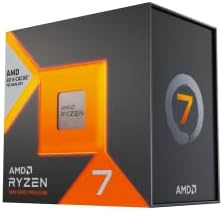
The Ryzen 7 9800X3D has eight cores and 96MB of L3 cache in a single chiplet with the cache attached to every core. Because every game thread sits next to the cache, there is no scheduling question. The Ryzen 9 9950X3D can match it in most games but adds complexity, since the system has to steer a game onto the cache-equipped cores. AMD does this through its chipset driver and Windows Game Bar detection, which is why installing the latest AMD chipset driver is advised for dual-chiplet X3D parts.
| Spec | Ryzen 9 9950X3D | Ryzen 7 9800X3D | Ryzen 9 9900X |
|---|---|---|---|
| Cores / threads | 16 / 32 | 8 / 16 | 12 / 24 |
| Boost clock | Up to 5.7GHz | Up to 5.2GHz | Up to 5.6GHz |
| 3D V-Cache | Yes, one chiplet | Yes | No |
| TDP | 170W | 120W | 120W |
| Best for | Gaming plus creator work | Pure gaming | Mixed use without X3D |
If your PC is mainly for games, the 9800X3D is the more sensible purchase. If your income or hobbies involve rendering, the 9950X3D lets you avoid choosing between a gaming chip and a work chip.
Is AMD Ryzen 9 9950X3D Good for Gaming and Streaming?
Yes. Streaming is one of the better arguments for sixteen cores. If you encode video with the processor rather than the graphics card, or run chat, capture software, a browser and music in the background, spare cores stop those tasks from competing with the game. Many streamers now use the hardware encoder on an NVIDIA or AMD GPU instead, which reduces the processor load, so the advantage depends on how you stream. For a single eight-core X3D chip, hardware encoding is normally enough.
Is AMD Ryzen 9 9900X Good for Gaming?
Yes, the Ryzen 9 9900X is a good gaming processor, with 12 cores, 24 threads and a 120W TDP according to the maker. It has no 3D V-Cache, so reviewers report that it falls behind the X3D parts in games, though it is still smooth for most players at 1440p and 4K. It is a better fit for people who split time between games and heavy applications and who do not want to pay for X3D. If the primary goal is gaming, the Ryzen 7 9700X or any X3D chip offers a better value.
Is AMD Ryzen 9 7900X Good for Gaming?
Yes, the Ryzen 9 7900X remains a good gaming chip. It is a 12-core, 24-thread Zen 4 processor on AM5 with a 170W TDP, and it handles modern games well when paired with a capable graphics card. Compared with the 7800X3D, reviewers report it is slower in games because it lacks the extra cache, but it is stronger for multi-threaded work. It makes sense mainly if you already own one or find it at a clear discount, since the newer 9900X and the X3D range are better choices for a new build.
Is AMD Ryzen 9 5900X Good for Gaming, and Is It Still Worth Using?
Yes, the Ryzen 9 5900X is still a capable gaming chip and also remains good for productivity, but it is an older platform. It has 12 cores, 24 threads, a boost clock of up to 4.8GHz and a 105W TDP, according to the maker, and it sits on the AM4 socket with DDR4 memory and PCIe 4.0. With a graphics card in the RTX 4060 or RX 7600 class it is a balanced pairing. With an RTX 5070 Ti or faster card, reviewers report that older chips begin to limit frame rates at 1080p and 1440p in CPU-heavy games, though at 4K the gap closes.
Upgrade options for AM4 owners are limited. A Ryzen 7 5800X3D or 5700X3D gives a gaming boost without changing the board. For a larger jump, the move is to AM5, which needs a new board and DDR5 memory.
Is AMD Ryzen 9 Good for Gaming in General?
Yes, every Ryzen 9 is capable of playing current games well. The real question is whether you need the cores. Ryzen 9 chips add cores for production, not frame rate. For the same money, many gamers would see better results by choosing a Ryzen 7 X3D and a stronger graphics card. Choose Ryzen 9 when you do more than game.
Best Ryzen 9 Gaming Laptop: What to Look For
Laptop buyers should know that mobile Ryzen 9 chips are different from desktop ones. AMD sells HX-series mobile processors such as the Ryzen 9 7945HX3D and 9955HX3D with V-Cache for gaming laptops, and these are found in higher-end gaming models from brands including Asus, Lenovo and MSI. In a gaming laptop the graphics card and its power limit matter more than the processor, so compare these points before you choose a model.
- GPU wattage: the same laptop GPU can run at different power limits depending on the chassis. Higher limits generally mean higher frame rates.
- Cooling design: thicker machines with vapor chambers sustain performance better than thin ones.
- Display: a 1440p panel with a high refresh rate and a fast response time suits a modern RTX 50-series mobile GPU.
- Memory and storage: 32GB of RAM and a 1TB SSD are sensible for current games.
- Battery use: gaming laptops run at reduced performance on battery, so plan to play plugged in.
If you want a Ryzen 9 gaming laptop, read independent reviews of the specific model for thermals and noise, since two machines with the same chip can behave very differently.
Cooling and Power Notes for the 9950X3D
With a 170W TDP, the 9950X3D needs stronger cooling than the 9800X3D. A 280mm or 360mm liquid cooler, or a premium dual-tower air cooler, is the usual advice from reviewers. The processor also benefits from a case with good airflow and a motherboard with solid power delivery, such as a mid-to-high-end X870, X870E, B850 or X670E board. Use a quality power supply sized for the graphics card as well, since a top-end GPU plus this chip can produce high peak loads. If you use a card with the 12V-2×6 connector, follow the graphics card and power supply maker guidance, seat the cable fully, and stop using the card if you notice heat damage or a melted plastic housing.
Enable the EXPO profile on a DDR5-6000 kit, and keep BIOS adjustments conservative. Overclocking and undervolting can cause instability and may affect the warranty.
Who Should Buy the 9950X3D?
- Creators who also game and want one chip to do both well.
- Streamers who encode on the CPU or run many background applications.
- Developers who compile large projects and play games after work.
- Enthusiasts who simply want the top AM5 processor and accept the premium.
Everyone else is usually better served by the Ryzen 7 9800X3D.
Frequently Asked Questions
Is the Ryzen 9 9950X3D good for gaming?
Yes, it is among the best gaming processors available. Reviewers report it performs close to the Ryzen 7 9800X3D in games. The extra cores matter for creator work rather than frame rates.
Is the 9950X3D better than the 9800X3D for gaming?
Not by a meaningful margin in most games. Results vary by title, and the 9800X3D is cheaper and simpler. Choose the 9950X3D only if you need the extra cores.
Is AMD Ryzen 9 good for gaming?
Yes, all Ryzen 9 chips handle modern games well. They add cores for productivity rather than gaming speed. A Ryzen 7 X3D is usually the better gaming value.
Is the Ryzen 9 5900X still good for gaming?
Yes, it remains capable with mid-range graphics cards. With very fast GPUs it may limit frame rates at lower resolutions. Owners can upgrade to a 5800X3D or move to AM5 later.
Do I need special software for the 9950X3D?
Install the latest AMD chipset driver and keep Windows updated. These help the system place games on the cache-equipped cores. Check the maker’s support page if a game seems to use the wrong cores.
What cooler does the 9950X3D need?
A 280mm or 360mm liquid cooler or a high-end dual-tower air cooler is the common advice. The 170W rating means weak coolers will cause higher temperatures and noise. Make sure the cooler supports the AM5 socket.