Picking an Intel Core i9 for gaming is less about chasing the biggest number and more about the motherboard you already own or plan to buy. Every i9 generation uses a different socket, so a chip that looks like a bargain can force a full platform change, while an older i9 might drop straight into the board you have today. The keyword really asks two things at once, and the answers differ for every buyer: how much CPU does a gaming build need, and which socket and chipset commitment comes with it?
This guide is for builders upgrading in 2026, whether that means a new system around the latest Core Ultra chip or a drop-in upgrade for an older Intel platform. The seven processors below cover five generations, from the Core i9-9900K to the Core Ultra 9 285K. Two prebuilt desktop listings that happen to mention an i9 were left out, since they are complete computers rather than processors. All judgments rely on the product titles, which state core counts, boost clocks, sockets and wattage.
Quick Picks
As an Amazon Associate we earn from qualifying purchases at no extra cost to you.




| Product | Best for | Key spec from the title |
|---|---|---|
| Intel Core i9-14900K | High-end 14th generation builds | Desktop processor, model name only |
| Intel Core Ultra 9 285K | Newest platform build | 24 cores (8P + 16E), up to 5.7 GHz |
| Intel Core i9-14900 | Locked-clock 14th generation | 24 cores (8P + 16E), up to 5.8 GHz |
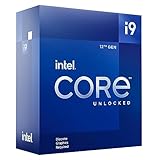
| Intel Core i9-12900K | LGA1700 upgrades | 16 cores (8P+8E), integrated graphics, 125W |
| Intel Core i9-11900KF | LGA1200 refresh | 8 cores up to 5.3 GHz, unlocked |
| Intel Core i9-10900KF | Older LGA1200 builds | 10 cores up to 5.3 GHz, no integrated graphics |
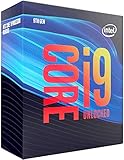
| Intel Core i9-9900K | Legacy LGA1151 systems | 8 cores up to 5.0 GHz, 95W |
How to Choose
Match the socket to your motherboard
The titles show LGA1700 for the 12th generation, LGA1200 for the 10th and 11th, and LGA1151 for the 9900K. The Core Ultra 9 uses a newer platform that requires a compatible board. If you own a board already, buy the chip that fits it, because swapping platforms costs more than the processor. Always check the board maker’s CPU support list and BIOS version, since a board may need a firmware update before an i9 will boot. A matching socket alone is not a guarantee.
Understand cores, boost clocks and the hybrid layout
Newer i9 chips list performance cores and efficiency cores, such as 8P + 16E on the Core Ultra 9 285K and 14900. Games mostly lean on the fastest cores, so boost clock and the quality of the P-cores matter more than total core count. Older chips like the 9900K and 11900KF have eight cores, which is still workable for many games but offers less room for streaming or background tasks. The 12900K and 10900KF sit in between with 16 and 10 cores respectively.
Watch the KF suffix and graphics needs
The F in KF means no integrated graphics. The 10900KF title says it is without processor graphics, and KF chips need a dedicated graphics card to show a picture. That is fine for a gaming build, but it removes your fallback if the card fails. The 12900K title lists integrated graphics, which helps with troubleshooting and can drive a display while a graphics card is out for repair.
Plan cooling and power, and know where budget builds cut corners
The 125W and 95W figures in the titles signal how much heat the chip produces under load, and K-series unlocked chips are made for aftermarket cooling. Do not rely on a basic cooler with a high-end i9; a large air cooler or liquid cooler is the safer pairing. Budget boards sometimes cut corners with weak power delivery that can throttle a hungry chip, so pair an i9 with a board that has solid power stages. Ignore small clock differences; real gaming gains come from the graphics card in most cases. If your budget is limited, a mid-range graphics card with a mid-range CPU usually beats the reverse pairing.
The 7 Best Options
Intel Core i9-14900K
The listing gives only the model name and desktop processor label, so the details come from the product family rather than the title. That is worth knowing: confirm cores, socket and board compatibility on the maker’s page. It is the K-series 14th generation i9 for builders who want strong gaming performance and plan to tune it, and the board maker’s CPU support list will confirm whether your motherboard accepts it. Buyers who already run a 12th or 13th generation board should check that list first.
- Strength: Carries the i9 and K-series naming for the 14th generation lineup.
- Strength: K-series model aimed at enthusiasts who tune their systems.
- Trade-off: The title is sparse, so you must verify specs before relying on it.
Skip it if you prefer the newest platform or want a cooler-running, locked-clock chip.
Intel Core Ultra 9 285K
This newest chip in the group lists 24 cores, split into 8 performance cores and 16 efficiency cores, with a boost up to 5.7 GHz. It requires a compatible newer motherboard, making it the pick for brand-new builds rather than upgrades. Anyone starting from an empty case can plan the board, memory and cooler around it from day one, which avoids the compatibility puzzles older upgrades create.
- Strength: 24-core hybrid layout leaves room for gaming plus streaming.
- Strength: Newest platform gives the longest runway for future updates.
- Trade-off: You will need a matching motherboard and compatible memory.
Skip it if you want to reuse an older board or lower the total build outlay.
Intel Core i9-14900
A 24-core chip with 8 P-cores and 16 E-cores and a boost up to 5.8 GHz, the highest quoted boost on this list. The title does not carry the K suffix, so it is not the unlocked variant, which suits builders who prefer stock settings and cooler operation. The listed boost is the highest on this page, but remember that boost figures describe a ceiling on a few cores, not a constant speed. Gamers who want a simple, set-and-forget i9 often end up here.
- Strength: High 5.8 GHz boost figure suits games that value single-core speed.
- Strength: 24 cores handle multitasking comfortably.
- Trade-off: Without a K suffix, overclocking is not its purpose.
Skip it if you want to tune clock speeds manually.
Intel Core i9-12900K
Listed as a gaming desktop processor with integrated graphics, 16 cores in an 8P + 8E layout, up to 5.2 GHz, unlocked, LGA1700 and 600 series chipset support at 125W. It is the practical choice for upgrading a 12th generation platform. Because the title spells out socket, chipset and wattage, it is also one of the easier listings to verify against a motherboard manual before ordering.
- Strength: Integrated graphics provide a backup display output.
- Strength: 16-core hybrid design still holds up for gaming.
- Trade-off: It is an older generation, with less headroom than 14th generation.
Skip it if you are building new and want the latest platform.
Intel Core i9-11900KF
This one lists 8 cores up to 5.3 GHz, unlocked, LGA1200 and 125W, with 500 Series and select 400 Series chipset support. It is an upgrade for owners of those older boards. With only eight cores, it is aimed at pure gaming rigs where background applications are minimal and a separate graphics card is already installed.
- Strength: High 5.3 GHz boost figure for lightly threaded gaming loads.
- Strength: Works with select 400 series boards in addition to 500 series.
- Trade-off: Only 8 cores and no integrated graphics because of the KF suffix.
Skip it if you need many cores for streaming or lack a dedicated graphics card.
Intel Core i9-10900KF
Ten cores up to 5.3 GHz, unlocked, LGA1200 and 400 series chipset, 125W, without processor graphics. It offers more cores than the 11900KF within the same socket family, which makes it the better pick for gamers who also run recording software, chat apps and browser tabs alongside a game.
- Strength: 10 cores give more room than the 8-core chips of the era.
- Strength: Fits 400 series boards directly.
- Trade-off: No integrated graphics, so a graphics card is required.
Skip it if you want the newest features or a fallback display output, or if you would rather buy into a platform with more upgrade runway.
Intel Core i9-9900K
The oldest chip here lists 8 cores up to 5.0 GHz turbo, unlocked, LGA1151, 300 series chipset and 95W. It is for owners of aging boards who want a final CPU upgrade. Its modest 95W rating also means a mid-range air cooler can handle it, which keeps a legacy rebuild simple and avoids a big cooling purchase.
- Strength: Lower 95W rating is easier to cool.
- Strength: Drops into compatible 300 series boards.
- Trade-off: Oldest platform with the lowest core count.
Skip it if you are building a new system, since a modern platform will offer far more headroom than this older design.
Which One Fits Your Situation
You are building a new gaming PC
The Intel Core Ultra 9 285K is the forward-looking choice, since it pairs with the newest platform. Its 24-core hybrid layout also gives you room to stream or record while you play, which suits creators who game.
You own an LGA1700 board
Choose the Intel Core i9-14900K for the strongest 14th generation option after confirming board support, or the i9-12900K if your board is a 600 series model.
You want a cool, locked chip
The Intel Core i9-14900 offers a high boost without the K-series unlocked design, so it fits builders who want strong gaming speed without chasing tuning gains.
You are stretching an older system
The i9-10900KF suits LGA1200 owners wanting more cores, while the i9-9900K fits LGA1151 boards. For the 11th generation LGA1200 boards, the i9-11900KF is the matching option.
Common Mistakes
- Buying a processor before confirming the motherboard socket and BIOS support, then discovering it will not even boot.
- Ignoring that KF chips have no integrated graphics, which leaves no display output if the graphics card fails.
- Using a weak cooler with an unlocked high-wattage chip and then blaming the processor for heat and throttling.
- Skipping BIOS updates before installing a newer processor, which can leave a perfectly good board unable to start.
- Paying for a top i9 when the graphics card is the actual bottleneck, instead of balancing the build.
Related guides
- Aio Liquid Coolers For High Performance Gaming
- Wireless Gaming Headsets Under 100 For Pc
- Ssds For Large Video And Raw Photo Files
Frequently Asked Questions
Is an i9 necessary for gaming?
No. Most games depend more on the graphics card, and a mid-range processor can run them well. An i9 helps if you also stream, edit or multitask, and it leaves extra headroom for future upgrades.
What does the K suffix mean?
K indicates an unlocked multiplier for overclocking. It also usually means you need a good cooler, since the chip is designed to run at higher power when tuned.
What does KF mean?
KF is unlocked without integrated graphics. You need a dedicated graphics card to use the system, so budget for one before you commit to a KF part.
Can I use an older i9 on a new board?
No. Each generation uses its own socket, so match the chip to the board. A different socket means a different motherboard, and often different memory too.