Intel’s 11th generation desktop processors, codenamed Rocket Lake, are the final and fastest chips built for the LGA1200 socket. They pair Cypress Cove cores with PCIe 4.0 support and DDR4 memory, and they drop into 500-series motherboards as well as select 400-series boards after a BIOS update. That makes this generation the natural end point for anyone upgrading an LGA1200 system: no new socket, no new memory, just a stronger processor in the board you already own. The five chips below run from a locked six-core that suits most graphics cards to the unlocked flagship, and every one of them is still sold as a genuine Intel boxed product through the listings linked here.


Disclosure: As an Amazon Associate we earn from qualifying purchases.
What Rocket Lake asks from the rest of the build
Rocket Lake brought two changes that matter for gaming. Per-core performance moved up a clear step over the 10th generation, which helps most at 1080p and in CPU-heavy scenes where the processor feeds the graphics card. The platform also added PCIe 4.0, so a current graphics card and a Gen4 NVMe drive both run at full link speed on a 500-series board. Memory support tops out at DDR4-3200 in the official specification, and B560 and Z590 boards allow memory speeds beyond that.
Cooling and power separate the range into two camps. The locked 65W chips below ship with a boxed cooler and behave well on modest boards. The unlocked K models carry a 125W TDP, include no cooler, and draw far more than that figure under sustained boost, so they want a capable tower cooler or liquid loop and a motherboard with strong power delivery. Only Z590 unlocks core overclocking; on B560 the K chips still hold their higher stock clocks.
How to choose an 11th gen Intel CPU
- Start with the board you own. Every chip here is LGA1200. Check the board maker’s CPU support list and fit the recommended BIOS before swapping processors.
- Six cores cover gaming, eight add headroom. Six cores and twelve threads handle current titles well; eight cores leave room for streaming, voice chat and capture running alongside the game.
- The suffix tells the story. K means an unlocked multiplier for overclocking, F means no integrated graphics, and KF combines both. A chip with no letter is locked but keeps its graphics.
- Integrated graphics are a useful spare. UHD Graphics 730 or 750 drives a display for troubleshooting or a second screen while your card does the gaming.
- Plan cooling for the K models. No K chip in this list includes a cooler, and their boost behaviour rewards a serious one.
- Compare across generations before you commit. If you are still deciding which Intel processor family fits your build, our guide to the best gaming CPU Intel lines up the current Intel options in one place.
1. Intel Core i5-11400F: the mainstream pick
The Core i5-11400F is the chip most LGA1200 gaming builds should start from. Six cores and twelve threads boost to 4.4 GHz, and the Cypress Cove architecture gives it per-core speed that its 10th gen predecessor could not match, which is exactly what a mid-range graphics card needs at 1080p and 1440p. The F suffix means there is no integrated graphics, so a discrete card is required — a fair trade in a gaming machine. It runs at a 65W TDP, includes a boxed cooler, and works on B560 and H570 boards where raising the power limits lets it hold boost clocks for longer.
Specs
- Processor: Intel Core i5-11400F (6 cores, 12 threads)
- Architecture: Rocket Lake, Cypress Cove cores
- Clocks: 2.6 GHz base, up to 4.4 GHz turbo
- Cache: 12MB Intel Smart Cache
- Socket: LGA1200
- Memory: DDR4-3200
- TDP: 65W
- Graphics: none, discrete card required
- Cooler: included in the box
- Model: BX8070811400F
2. Intel Core i5-11600K: the unlocked six-core
The Core i5-11600K takes the same six-core layout and pushes every dial up. Its base clock starts at 3.9 GHz and turbo reaches 4.9 GHz, the highest boost of any six-core in this generation, and the unlocked multiplier lets a Z590 board push further still. That clock speed is what high-refresh 1080p play feeds on, and the UHD Graphics 750 stays on hand as a backup display output. The trade-offs are heat and extras: this is a 125W chip with no cooler in the box, and it rewards a strong tower cooler and a board with solid power delivery.
Specs
- Processor: Intel Core i5-11600K (6 cores, 12 threads)
- Architecture: Rocket Lake, Cypress Cove cores
- Clocks: 3.9 GHz base, up to 4.9 GHz turbo
- Cache: 12MB Intel Smart Cache
- Socket: LGA1200
- Memory: DDR4-3200
- TDP: 125W
- Graphics: Intel UHD Graphics 750
- Cooler: not included
- Model: BX8070811600K
3. Intel Core i5-11600KF: the same chip, no graphics
The Core i5-11600KF is the 11600K with the integrated graphics removed and nothing else changed: the same six cores, the same 3.9 GHz base and 4.9 GHz turbo clocks, the same unlocked multiplier and 125W TDP. It suits a build where a discrete graphics card is already on hand and the onboard output would never be used, which describes most dedicated gaming rigs. You give up the troubleshooting spare that the K model’s UHD 750 provides, so weigh that convenience before choosing between them. Like its sibling, it ships without a cooler and belongs on a Z590 board if overclocking is part of the plan.
Specs
- Processor: Intel Core i5-11600KF (6 cores, 12 threads)
- Architecture: Rocket Lake, Cypress Cove cores
- Clocks: 3.9 GHz base, up to 4.9 GHz turbo
- Cache: 12MB Intel Smart Cache
- Socket: LGA1200
- Memory: DDR4-3200
- TDP: 125W
- Graphics: none, discrete card required
- Cooler: not included
- Model: BX8070811600KF
4. Intel Core i7-11700K: eight cores for gaming and streaming

The Core i7-11700K steps up to eight cores and sixteen threads, with turbo reaching 5.0 GHz through Turbo Boost Max Technology 3.0. For gaming alone it sits close to the six-core chips above in many titles, but the extra cores earn their place the moment a stream, a recording or a stack of background apps shares the machine with the game. It keeps UHD Graphics 750, supports the same DDR4-3200 and PCIe 4.0 platform, and carries the same 125W TDP as the other K models — so the same advice applies: no cooler is included, and a Z590 board with strong power stages makes the most of it.
Specs
- Processor: Intel Core i7-11700K (8 cores, 16 threads)
- Architecture: Rocket Lake, Cypress Cove cores
- Clocks: 3.6 GHz base, up to 5.0 GHz turbo
- Cache: 16MB Intel Smart Cache
- Socket: LGA1200
- Memory: DDR4-3200
- TDP: 125W
- Graphics: Intel UHD Graphics 750
- Cooler: not included
- Model: BX8070811700K
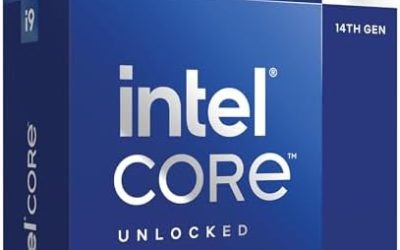
5. Intel Core i9-11900K: the LGA1200 flagship

The Core i9-11900K is the fastest processor the LGA1200 socket ever received. It keeps the eight-core, sixteen-thread layout of the i7 but raises the ceiling: Turbo Boost Max Technology 3.0 reaches 5.2 GHz and Thermal Velocity Boost touches 5.3 GHz on a single core when temperatures allow, with Adaptive Boost Technology lifting all-core speeds on boards that enable it. As an upgrade for a Z590 system already running a strong graphics card, it is the end of the line for the platform. It is also the most demanding chip here to cool and feed, with a 125W TDP that understates its boost power draw, and no cooler is included.
Specs
- Processor: Intel Core i9-11900K (8 cores, 16 threads)
- Architecture: Rocket Lake, Cypress Cove cores
- Clocks: 3.5 GHz base, up to 5.3 GHz turbo with Thermal Velocity Boost
- Cache: 16MB Intel Smart Cache
- Socket: LGA1200
- Memory: DDR4-3200
- TDP: 125W
- Graphics: Intel UHD Graphics 750
- Cooler: not included
- Model: BX8070811900K
FAQ
Will an 11th gen CPU work in my 400-series motherboard?
Many Z490 and other 400-series boards support Rocket Lake after a BIOS update, but support varies by model and some boards limit PCIe 4.0 to certain slots. Check the CPU support list on your board maker’s site before ordering.
Is six cores enough, or should I take an eight-core chip?
For gaming by itself, the six-core models here hold up well, especially at 1440p where the graphics card sets the pace. Choose an eight-core i7 or i9 if you stream, record, or keep heavy background apps running while you play.
Do I need a Z590 board for a K processor?
A K chip runs at its full stock clocks on B560, but core overclocking needs Z590. B560 still allows memory overclocking and power-limit adjustments, which is why the locked 11400F also does well there.
Can I reuse my DDR4 memory and cooler?
Yes on memory: every chip here uses DDR4, and DDR4-3200 is the official specification. Most LGA1200 coolers carry over too, but the K models need a cooler with real headroom, and none of them include one in the box.