Updated November 2026 – Yes, but with conditions: the Intel Core i9-12900K is still a capable gaming chip if you already own it, the Core i9-14900K is fast but hot and needs current microcode, and for a new build most gamers are better served by a Core i5-14600K, a Core i7-14700K or an AMD Ryzen 7 9800X3D.
Is the i9 12900K and i9 14900K good for gaming? Both are LGA1700 flagship processors that can drive a high-end graphics card at 1440p and 4K without trouble. The questions that matter in late 2026 are heat, power draw, the 13th and 14th generation stability issue that Intel addressed with microcode and a longer warranty, and whether a dead-end socket is the right place to start a new build. This guide covers each chip, the other 12th to 14th generation parts people ask about, and how they compare with Ryzen X3D.
Quick Reference: Which Intel LGA1700 Chip for Gaming
| Chip | Cores as listed | Verdict | Pair it with |
|---|---|---|---|
| Core i9-12900K | 16 (8 performance plus 8 efficiency), 24 threads, up to 5.2 GHz | Still capable; best kept if you already own it | Mid-range to upper mid-range graphics at 1440p |
| Core i5-14600K | 14 (6 performance plus 8 efficiency), 20 threads | Easiest 14th generation chip to cool and a good gaming match | Mid-range to upper mid-range graphics |
| Core i7-14700K | 20 (8 performance plus 12 efficiency), 28 threads | Strong gaming and multitasking chip | High-end graphics at 1440p and 4K |
| Core i9-14900K | 24 (8 performance plus 16 efficiency), 32 threads, up to 6.0 GHz | Fast but hot; little gaming gain over the i7 | High-end graphics; needs a strong cooler |
Is the i9 12900K Good for Gaming?
Yes, for the right buyer. Intel lists the Core i9-12900K with 16 cores, 24 threads, a performance core boost up to 5.2 GHz, a 125 W base power and a maximum turbo power of 241 W. It supports both DDR4 and DDR5 on suitable boards, which makes it one of the more flexible LGA1700 options for someone with a DDR4 board already installed.
For games, the performance cores do the main work, and they are fast enough to feed most current graphics cards at 1440p and 4K. At 1080p with a very fast graphics card, newer chips will pull ahead. The 12900K was also a hot chip when new, so budget for a quality tower cooler or a 280 mm or larger liquid cooler.
Is the i9 14900K Good for Gaming?
Yes, it is fast, but it is not efficient. The 14900K lists 24 cores (8 performance and 16 efficiency), 32 threads and a boost up to 6.0 GHz with a 125 W base power. Reviewers have reported that the 14th generation parts run hot: PC Gamer reported peak power around 253 W and temperatures up to 96 degrees Celsius on the Core i7-14700K even with a 360 mm liquid cooler, and similar behavior is widely reported for the i9. Gaming loads are lighter than all-core rendering, so temperatures during play are usually lower, but they still demand good cooling.
The extra efficiency cores in the i9 over the i7 mainly help rendering and compiling. For games alone, the i7-14700K and even the i5-14600K are described by reviewers as close in frame rates, so the i9 is rarely needed for gaming.
13th and 14th Generation Stability: What Intel Says
Intel acknowledged instability on some 13th and 14th generation desktop processors and traced the root cause to a clock tree circuit in the core that could request excessive voltage during idle or light activity. In September 2024 Intel said it would address this with microcode 0x12B, after an earlier 0x129 update that limited voltage requests. In October 2024 Intel described 0x12B as the final mitigation, and later released 0x12F aimed at rare cases of instability after a system had been left on for days at idle or light load.
Intel also extended the warranty on boxed 13th and 14th generation desktop processors by two years, taking it from three years to five, according to coverage from Tom’s Hardware and others. Intel advises installing the latest motherboard BIOS and enabling the Intel Default Settings profile. Intel states that the microcode protects healthy processors but does not repair one that is already degraded, which should be replaced under warranty. Warranty terms can differ if you bought through a system builder or a retailer, so read the terms that came with your purchase.
Practical steps for an existing 13th or 14th generation owner
- Update the motherboard BIOS to the newest version offered by the board maker, following their instructions.
- Enable the Intel Default Settings profile if your board offers it.
- Keep memory at its rated speed and treat aggressive overclocks as optional; they may reduce stability and in some cases can affect warranty terms.
- If crashes, game errors or blue screens continue, contact Intel or the system maker about a replacement.
The 12th generation i9-12900K was not part of this issue as reported, which is one reason it remains a calmer choice for someone who already has an Alder Lake system.
Is the i5 14th Gen Good for Gaming?
Yes. The Core i5-14600K lists 14 cores (6 performance and 8 efficiency) and 20 threads, with a 181 W default limit for both power levels, according to review coverage. XDA reported that it never exceeded that limit and peaked at 84 degrees Celsius in its comparison, making it much easier to cool than the i7 or i9. PC Gamer found its gaming results very similar to the i7. For many gamers this is the sensible 14th generation purchase.
Is Intel i7 14th Gen Good for Gaming?
Yes. The Core i7-14700K lists 8 performance cores plus 12 efficiency cores for 20 cores and 28 threads, a 5.6 GHz performance core boost and a maximum turbo power of 253 W. Reviewers describe it as the only meaningful upgrade in the Raptor Lake Refresh launch lineup because it added four efficiency cores over the 13700K. XDA reported a peak of 279 W in a heavy all-core test, so the cooler needs to match.
Is the i9 12th Gen Good for Gaming?
The wider 12th generation i9 family, including the i9-12900K, is fine for gaming if you already have the platform. For a new purchase, the platform is older, the chips are no longer new, and you would be spending on a dead-end path, so look at the newer alternatives below.
Best Intel i9 14th Gen and Laptop Notes
The best desktop Intel i9 from the 14th generation is the Core i9-14900K, with the 14900KF being the version without integrated graphics and the 14900KS a higher-clocked special edition. Intel includes the i5-13600KF through the i9-14900KS in its extended warranty list. On laptops, searches such as the HP Omen 16 with an RTX 4080 and a 14th generation i9 refer to a premium gaming laptop. Note that HP’s Omen gaming range now sits under the HyperX name, so current listings may use a different brand label, and any particular configuration should be confirmed with the maker.
In a laptop, the processor’s power limit and the cooling design matter more than the model name. A 14th generation i9 in a thin chassis may run well below the speeds the desktop chip reaches.
How Do They Compare With Ryzen X3D?
Reviewers consistently describe AMD’s Ryzen 7 9800X3D as faster in games than Intel’s 14th generation flagships while using much less power under gaming load, and AMD says its newer Ryzen 7 9850X3D adds a small further gain. The Ryzen chips also sit on the AM5 socket, which AMD says it will support through 2029. For a new build, that combination of gaming speed, efficiency and a clear upgrade path makes AM5 hard to ignore.
If you stay with Intel for a new build, the current desktop generation is Core Ultra 200S on LGA1851. Reporting indicates that LGA1851 is unlikely to carry processors beyond the Arrow Lake refresh, and Nova Lake is expected to use a new socket, so do not assume a guaranteed upgrade path on LGA1851 either.
Cooling and Power Supply Notes
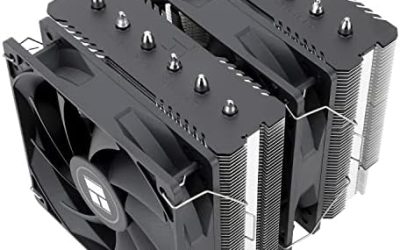
- Cooler: plan for a large dual-tower air cooler or a 280 mm to 360 mm liquid cooler for an i9.
- Power supply: choose a good quality unit with comfortable headroom for the processor and graphics card combined, and follow the graphics card maker’s recommendation.
- Motherboard: use a board with a solid power delivery design and the latest BIOS.
- Power limits: running at Intel’s default limits is the conservative choice.
Frequently Asked Questions
Is the i9 12900K good for gaming in 2026?
Yes, it is still capable at 1440p and 4K with a strong graphics card. It is best for people who already own it, since newer platforms offer faster and more efficient options for a fresh build.
Is the i9 14900K good for gaming?
Yes, but it runs hot and offers little over the i7-14700K in games. Install the latest BIOS and use a strong cooler.
Did Intel fix the 14th gen crashing problem?
Intel released microcode 0x12B as its final mitigation, followed by 0x12F for rare idle cases, and extended boxed warranties by two years. Microcode does not repair an already damaged chip, which should be replaced under warranty.
Is the i5 14th gen good for gaming?
Yes. The Core i5-14600K delivers gaming results close to the i7 according to reviewers and runs much cooler, making it a practical choice.
Should I buy a 14900K or a Ryzen 7 9800X3D for a new build?
Most reviewers favor the Ryzen 7 9800X3D for gaming because it is faster in games and uses less power. It also sits on AM5, which AMD says it will support through 2029.
Does LGA1700 have an upgrade path?
The 14th generation is the end of the road for LGA1700. If you want future upgrades, a platform with a stated roadmap, such as AM5, is the safer base.