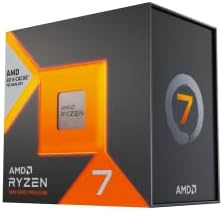
Updated November 2026 – Six fast cores are enough for most games, eight cores are the safer choice if you want headroom, and beyond eight cores gaming gains are small; the Ryzen 5 9600X, Ryzen 7 9700X and Ryzen 7 9800X3D show where each step sits.
How many CPU cores do you need for gaming? For a gaming-only PC, six modern cores is the practical minimum and eight is the comfortable target. More cores only help when something else is using them, such as streaming software, video encoding or a pile of background apps. Clock speed, cache and the strength of each individual core usually decide frame rates long before core count does. This guide explains how a processor affects gaming, what 6, 8, 12 and 16 cores actually buy you, and how to get more out of the CPU you already have.
How Does CPU Affect Gaming?
The processor prepares each frame before the graphics card draws it. It runs game logic, physics, artificial intelligence, audio and the instructions that tell the graphics card what to render. If the CPU takes longer to prepare a frame than the graphics card takes to draw it, the CPU is the bottleneck and frame rates stop rising no matter how fast the graphics card is.
The CPU matters most in four situations: high refresh rate play at 1080p, large open-world and simulation games, strategy games with many units, and competitive shooters where you want frame rates far above 144. At 4K with demanding settings the graphics card is usually the limit and the processor matters less.
Cores vs Clocks vs Cache
These are three separate levers, and each helps in a different way.
- Cores: independent workers. Helpful when a game or your background tasks can spread work across many of them.
- Clock speed: how fast each core works. Many game engines still lean heavily on one or two main threads, so per-core speed matters a lot.
- Cache: a small pool of very fast memory on the chip. Games reread a lot of the same data, so a large cache reduces waiting. This is the idea behind AMD’s X3D chips.
Reviewers commonly report that once you reach six to eight cores, clock speed and cache matter more for gaming, and a fast eight-core chip often beats an older or slower sixteen-core chip in games.
Is 8 Cores CPU Good for Gaming?
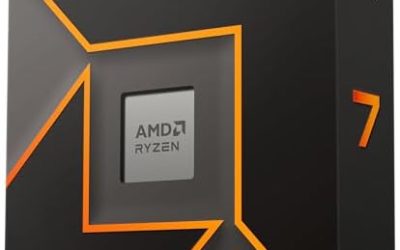
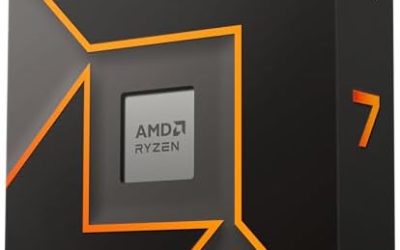
Yes. Eight cores is a strong target for a gaming PC, and current examples include the Ryzen 7 9700X (8 cores, 16 threads, up to 5.5 GHz boost, per its listed specifications) and the Ryzen 7 9800X3D, which adds 3D V-Cache for gaming. Eight cores also match the layout of current consoles, which is part of why many developers tune their engines around that count.
The gain from six cores to eight is described by reviewers as modest, mostly in minimum frame rate steadiness in complex open-world games and when other programs are running. If you play and stream on the same machine, eight or more cores give you room.
How Many CPU Cores for Gaming: 4, 6, 8, 12 and 16 Compared
| Core count | Example chips | Verdict | Best paired with |
|---|---|---|---|
| 4 cores | Ryzen 3 4100 (older) | Struggles in many recent games; stutter is common even with a good graphics card | Entry-level graphics, esports titles only |
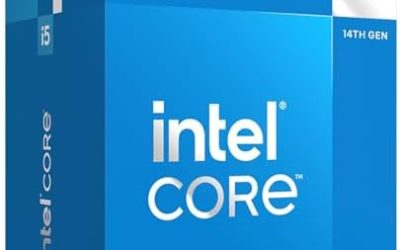
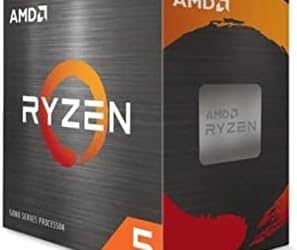
| 6 cores | Ryzen 5 9600X, Core i5-14600K (6 performance cores plus 8 efficiency cores) | Enough for the large majority of games | Mid-range graphics at 1080p and 1440p |
| 8 cores | Ryzen 7 9700X, Ryzen 7 9800X3D | The comfortable gaming target | Upper mid-range to high-end graphics |
| 12 cores | Higher-tier Intel and AMD parts | Useful for gaming plus streaming or editing | High-end graphics with creator workloads |
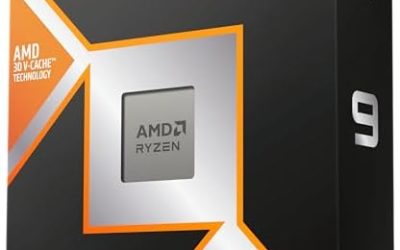
| 16 cores | Ryzen 9 9950X3D, Core i9-12900K (8 performance plus 8 efficiency) | Little extra for games alone | Flagship graphics plus heavy production work |
Is More Cores Better for Gaming?
Only up to a point. Most game engines still depend on a few busy threads, so adding cores beyond eight rarely lifts frame rates. Reviewers report sharply diminishing returns for gaming alone.
Why a 16-core CPU can lose to an 8-core CPU in games
Two reasons. First, the heavy game threads cannot use all those cores. Second, high core count chips sometimes split work across separate chiplets or mixed core types, which can add delay when a game thread moves between them. AMD’s Ryzen 9 9950X3D, for example, has two chiplets with only one carrying the extra V-Cache, so its gaming results depend partly on the system placing the game on the right chiplet. The single-chiplet Ryzen 7 9800X3D avoids that question, which is one reason it is a popular gaming pick.
Performance cores and efficiency cores on Intel
Recent Intel desktop chips mix performance cores and efficiency cores. Intel lists the Core i9-12900K as 16 cores (8 performance plus 8 efficiency) and the Core i9-14900K as 24 cores (8 performance plus 16 efficiency). Games mostly run on the performance cores, so the headline core count overstates what a game can use. When comparing Intel to AMD, look at the performance core count and the clocks.
Streaming, Background Tasks and Multitasking
This is where extra cores earn their keep. If you encode a stream on the graphics card, using NVENC on GeForce cards or AMF on Radeon cards, a modern six-core chip can be enough. If you encode on the processor, record gameplay while playing, run voice chat, a browser and overlay tools, eight to twelve cores give more room and keep the game smoother.
A sensible rule: build for the game first, then add cores only for the specific extra tasks you will actually run at the same time.
How to Optimize CPU for Gaming
You can often recover a little performance without buying anything. These steps are low risk and reversible.
- Close background apps. Open Task Manager with Ctrl + Shift + Esc, sort by CPU and shut down launchers, updaters and browser windows you do not need during play.
- Use the right Windows power mode. Choose the Balanced or High performance mode offered on your system rather than a battery saver mode.
- Keep Windows, chipset drivers and the BIOS current. Follow the motherboard maker’s instructions for BIOS updates, and do not interrupt one while it runs.
- Cap or tune the frame rate. An uncapped menu or a very high frame limit can push the CPU harder than necessary.
- Check cooling. A processor that overheats lowers its own clocks. Clean dust from the cooler and make sure the fan and pump spin.
- Enable the memory profile. DDR5 kits often run below their rated speed until the profile is enabled in the BIOS. BIOS changes can cause instability on some systems and, in some cases, affect warranty terms, so keep settings conservative and consult the board manual.
When Cache Beats Cores: X3D Chips
AMD’s X3D processors add a large block of L3 cache. The Ryzen 7 9850X3D, listed with 8 cores, 16 threads and 96 MB of L3 cache, and the 9800X3D both target gaming rather than core count. Reviewers report the cache advantage is biggest at 1080p and in CPU-heavy games, and smaller at 4K. If you play at a high refresh rate and your graphics card is strong, an eight-core X3D chip is often a better gaming buy than a higher-core-count chip without that cache.
Do Future Games Need More Cores?
Game engines have slowly spread work across more threads, and current consoles use eight-core processors, so new releases are generally tuned for about that many. That is the main reason eight cores is a better long-term target than six if you keep a processor for many years. It does not mean sixteen cores will become necessary: the heaviest thread in a game still limits the frame rate, so strong per-core speed will stay important. Treat core count as a safety margin rather than a performance multiplier.
A related point is upgrade path. On a platform with a stated roadmap, such as AMD’s AM5 socket, which AMD says it will support through 2029, you can start with a six-core chip and move to an eight-core X3D chip later if games demand it, instead of overbuying today.
Quick Buying Guide by Player Type
- Esports and budget: six fast cores with a strong boost clock.
- Mainstream AAA at 1440p: six to eight cores, with eight preferred if you keep apps open.
- High refresh rate and simulation games: eight cores with large cache.
- Gaming plus streaming or editing: twelve or more cores, or hardware encoding on the graphics card.
Frequently Asked Questions
How many CPU cores do I need for gaming in 2026?
Six modern cores is the practical minimum and eight is the comfortable target. Beyond eight, gaming gains are small unless you also stream or edit.
Is 8 cores CPU good for gaming?
Yes. Eight cores suit nearly every game and leave room for background tasks. Chips like the Ryzen 7 9700X and 9800X3D are examples of this class.
Is more cores better for gaming?
Not by itself. Many games rely on a few heavy threads, so clock speed, cache and per-core strength matter more once you have six to eight cores.
Can a 4-core CPU run modern games?
It can run older and esports titles, but reviewers report stutter in many recent games even with a capable graphics card. A six-core chip is a much safer starting point.
Do I need more cores for streaming?
Only if you encode the stream on the processor. Encoding on the graphics card with NVENC or AMF lets a six-core chip cope, while processor encoding benefits from eight to twelve cores.
Does the X3D cache count as more cores?
No. It is extra memory, not extra cores, but for gaming it can help more than adding cores because games reread the same data frequently.