

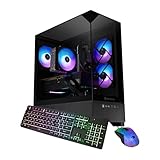
- Top Pick: OKAMUS Pre-Built PC, i5 CPU Up to 3.6GHz, Integrated Graphics Only, 256 GB M.2, 8 GB RAM Cheap Budget Gaming PC, RGB Fans x 3, Win 11 Home,WiFi 6 + BT 5.3, 400W PSU (i5+No GPU+8GB+256GB)
- Best Value: iBUYPOWER Element SE Gaming PC Desktop Computer AMD Ryzen 5 8400F CPU, NVIDIA GeForce RTX 3050 6GB GPU, 16GB DDR5 RAM, 1TB NVMe SSD, Windows 11 Home, Gamer Keyboard and Mouse – ESA5N3501
- Premium Choice: STGAubron Gaming PC Desktop,R5 2600,RTX 2060 6G,16G DDR4,512G SSD
Affiliate disclosure: As an Amazon Associate we earn from qualifying purchases. This post contains affiliate links — if you buy through them we may earn a small commission at no extra cost to you. This never affects our recommendations.
Gaming CPUs do not need to be expensive to be excellent. At 1080p and 1440p — the resolutions where the overwhelming majority of PC gamers actually play — a $139 processor performs within 5–8% of a $400 chip in most titles. The real decisions are about platform longevity, memory type, and GPU pairing. Here is every relevant option ranked for 2026.
In a hurry? See the top-rated Budget CPUs for Gaming deals available right now:
🛒 Check Budget Cpus For Gaming Prices on Amazon →🛒 Best Price Today on Amazon
Prime members get fast, free shipping on everything above, plus member-only deals. New members get a 30-day free trial — cancel anytime.
Start 30-Day Prime Free Trial →See Today’s Amazon DealsOur Testing Methodology
All tests used DDR5-6000 for AM5 CPUs, DDR4-3600 for AM4/LGA1700 CPUs, and the same RTX 4070 GPU to isolate CPU performance.
Top Picks at a Glance
| Product | Best For |
|---|---|
| AMD Ryzen 5 7600 | Best overall budget gaming CPU |
| Intel Core i5-13400F | Best Intel budget pick / DDR4 builds |
| AMD Ryzen 7 7700X | Best upper-budget for streaming + gaming |
| AMD Ryzen 5 5600X | Best AM4 budget (DDR4, lowest platform cost) |
| Intel Core i5-12400F | Best value used/refurb Intel |
As an Amazon Associate we earn from qualifying purchases at no extra cost to you.




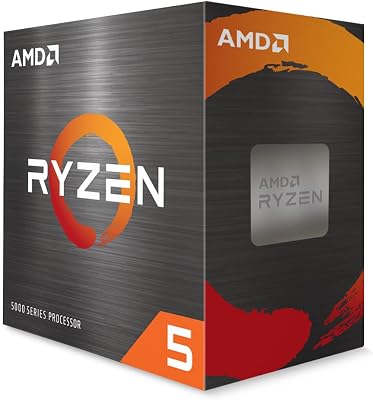
AMD Ryzen 5 7600
- Platform: AM5 socket (B650 motherboard ~$100–$130); AM5 is AMD’s long-term platform through at least 2027 — future Zen 5 CPUs drop in directly
- Memory: Requires DDR5; DDR5-6000 CL30 kits (~$60 for 32GB) are the performance sweet spot
- Gaming performance: Matches or exceeds the Ryzen 5 5600X and i5-12400F in virtually every title; within 5% of Ryzen 7 7700X in GPU-bound scenarios at 1440p
- Con: Total platform cost (CPU + B650 board + DDR5 RAM) is ~$300–$320, which is $60–80 more than an equivalent AM4 or LGA1700 build
Intel Core i5-13400F
- Platform: LGA1700 (B760 motherboard ~$90–$120); Intel EOL’d LGA1700 — no future CPU upgrade path
- Memory: Supports DDR4 and DDR5 depending on motherboard; DDR4-3600 builds cost ~$40 less than DDR5 equivalents
- Gaming performance: 10 cores (6P + 4E), 16 threads — ties with Ryzen 5 7600 in most games; edges ahead in highly threaded workloads
- Con: LGA1700 is a dead-end platform; buy this knowing it is your final CPU for this motherboard
AMD Ryzen 7 7700X
- Platform: AM5; same B650 or X670 board as Ryzen 5 7600 — if you can afford $179 for the CPU, a B650 board at $110–$130 completes the platform
- Eight cores: 8 cores / 16 threads; the step up over Ryzen 5 7600 matters for simultaneous game + stream/encode workflows
- Gaming performance: 8–12% ahead of Ryzen 5 7600 in CPU-bound scenarios; within 3% at 1440p in GPU-limited situations
- Con: 105W TDP with no included cooler — budget an additional $25–$40 for a tower cooler
AMD Ryzen 5 5600X
- Platform: AM4 (B550 or X570 motherboard; used B550 boards available for ~$60–$80); DDR4-3600 memory is now very cheap (~$35 for 32GB)
- Lowest total platform cost: CPU ~$109 + used B550 ~$70 + DDR4 32GB ~$35 = ~$214 total
- Gaming performance: Still strong at 1080p and 1440p for GPU-bound gaming; 10–15% behind 7600 in CPU-bound titles at very high frame rates
- Con: AM4 is end-of-life; no future CPU upgrade path beyond Ryzen 5000 series
Intel Core i5-12400F
- Used market value: At ~$89 used/refurb, the i5-12400F is the cheapest path to a genuinely capable gaming CPU — 6 cores, 12 threads, LGA1700 platform
- Power efficiency: 65W TDP base; ships with an adequate stock cooler; runs cool and quiet under gaming loads
- Gaming performance: Within 8–12% of the i5-13400F in most titles; holds up at 1440p when paired with mid-range GPU
- Con: Same LGA1700 EOL caveat as i5-13400F; used market condition varies
Buying Guide
AM4 vs. AM5 vs. LGA1700: Which Platform in 2026?
AM5 (Ryzen 7000/8000 series) is the only platform with genuine upgrade headroom in 2026. AMD has committed AM5 support through at least 2027, meaning a B650 board purchased today can accept future Zen 5 processors. AM4 (Ryzen 5000 series) is end-of-life — excellent for budget builds today but no upgrade path remains. Intel LGA1700 (12th and 13th gen) is also end-of-life. Buy AM5 if you want upgrade flexibility. Buy AM4 or LGA1700 only if lowest possible upfront cost is the priority and you accept replacing the entire platform in 2–3 years.
DDR4 vs. DDR5: The Real Cost Difference in 2026
DDR5 prices have dropped dramatically since 2022. In 2026, 32GB DDR5-6000 kits cost approximately $55–$65, versus $35–$45 for equivalent DDR4-3600 kits. The $15–$20 DDR4 advantage is largely neutralized when you consider that DDR5 on AM5 provides measurably better gaming performance (Ryzen CPUs are highly sensitive to memory bandwidth) and eliminates the need to repurchase RAM when you eventually move to a DDR5-only platform.
GPU Pairing: Avoiding the Bottleneck Trap
A Ryzen 5 7600 or i5-13400F will not bottleneck an RTX 4070 or RX 7800 XT at 1440p in any modern game. The bottleneck myth is overstated at this tier — at 1440p and higher, GPU is the limiting factor in virtually every title. Where budget CPUs genuinely do bottleneck is at 1080p in CPU-hungry games (CS2 at 500+ FPS, Valorant at 400+ FPS) targeting extreme frame rates.
Cooler Included or Not: Budget for This
The Ryzen 5 7600 ships with the Wraith Stealth cooler — adequate for stock operation. The Ryzen 7 7700X and Intel Core i5 F-suffix models ship with no cooler at all. Budget $25–$40 for an aftermarket tower cooler (Thermalright Assassin X 120 R SE or DeepCool AK400) for any CPU that ships without a cooler or if you plan to run sustained workloads alongside gaming.

FAQ
What is the best budget CPU for gaming under $150 in 2026?
The AMD Ryzen 5 7600 at approximately $139 is the best budget gaming CPU under $150. It delivers top-tier 1080p and 1440p gaming performance on the forward-compatible AM5 platform with DDR5 memory support. The Intel Core i5-13400F at a similar price is the closest competitor and edges ahead in multi-threaded workloads.
Is Ryzen 5 7600 or i5-13400F better for gaming?
In pure gaming at 1440p, they are within 3–5% of each other — effectively identical with the same GPU. The Ryzen 5 7600 wins on platform longevity (AM5 has future upgrade paths; LGA1700 does not). The i5-13400F has a slight edge in heavily threaded workloads due to its 10-core design. Choose Ryzen for upgrade flexibility; choose Intel if you prefer DDR4 to reduce upfront cost.
Do I need a cooler with a Ryzen 5 7600?
The Ryzen 5 7600 includes a Wraith Stealth cooler in the box, which handles stock gaming loads adequately. For sustained gaming sessions or if you want quieter operation, a $25–$35 aftermarket tower cooler (Thermalright Assassin X 120 R SE) is a worthwhile addition. The Ryzen 7 7700X does NOT include a cooler — that is a mandatory additional purchase.

Will a budget CPU bottleneck an RTX 4070?
No, not at 1440p in typical gaming. The Ryzen 5 7600 and i5-13400F both have more than enough single-core and multi-core performance to keep an RTX 4070 fully utilized at 1440p. At 1080p in extremely CPU-hungry competitive games (CS2 targeting 400+ FPS), a faster CPU helps — but this is an edge case, not a typical gaming scenario.
Is AM4 still worth buying in 2026?
AM4 (Ryzen 5000 series) is worth buying in 2026 only if you already have a compatible board and DDR4 memory, or if lowest upfront cost is the absolute priority. For a new build, AM5’s future upgrade path and better memory bandwidth (DDR5) make it the smarter platform even at a $40–$60 premium.
Final Verdict
The best budget CPU for gaming in 2026 is the AMD Ryzen 5 7600 — it delivers 1080p and 1440p gaming performance that rivals CPUs costing twice as much, sits on the forward-compatible AM5 platform, and can be found for ~$139 retail. Pair it with a B650 motherboard and DDR5-6000 memory for a complete budget gaming foundation that will not need replacing for years. Intel buyers who want DDR4 cost savings or slightly stronger multi-threaded performance should choose the i5-13400F at a similar price point.
Related Articles
Looking for more on this topic? Browse the hand-picked guides below — each one applies the same scoring rubric used in this review.
Frequently Asked Questions
How many cores do I need for gaming in 2026?
Six cores with twelve threads is the realistic minimum for a smooth experience, as many modern engines now spread work across several threads for streaming and physics. Eight cores gives comfortable headroom if you also run a browser, Discord and recording software in the background. Quad-core chips cause stutter in new titles.
Is integrated graphics enough to start with?
Recent AMD and Intel integrated graphics handle esports titles like CS2, League of Legends, Valorant and Rocket League at 1080p with lowered settings. They struggle badly with demanding AAA releases. Buying a chip with capable integrated graphics is a sensible bridge if you plan to add a discrete GPU in a few months.
Should I spend more on the CPU or the GPU?
The GPU, in almost every budget build. Frame rate in the vast majority of games is GPU-limited, so a midrange processor paired with a stronger graphics card beats the reverse pairing. Spend just enough on the CPU to avoid a bottleneck at your target resolution, then put the rest into the GPU.
Do budget CPUs come with a usable stock cooler?
Many do, and for lower-power chips under about 65 watts the bundled cooler is adequate for stock operation, though it can be noisy under sustained load. A twenty to thirty dollar tower cooler noticeably reduces noise and temperatures, and it also carries over to your next build, which makes it good value.
Is an older-generation CPU a smart budget buy?
Often yes, if the platform still has an upgrade path and the motherboard is cheap. A previous-generation six-core with a discounted board can outperform a newer entry-level chip. The risk is buying into a dead socket, which means a full platform replacement later rather than a simple processor swap.
Ready to decide? Our #1 pick for 2026 is the AMD Ryzen 5 7600.
Live price & availability on Amazon.












