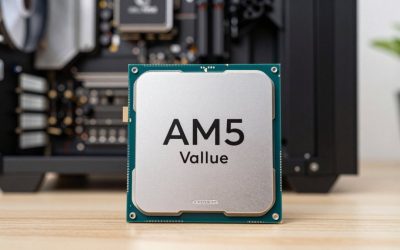
If you already own an AM4 motherboard and DDR4 memory, the right processor upgrade can extend the life of that system. Start with compatibility: Ryzen 7000 desktop processors such as the 7800X3D, 7900X3D, 7600X and 7700X use AM5. They cannot be installed in an AM4 board, regardless of a BIOS update.
- AM4 gaming CPU shortlist
- 1. Ryzen 7 5700X3D: consider it for a gaming-focused upgrade
- 2. Ryzen 7 5800X3D: compare the offer, not just the model number
- 3. Ryzen 5 5600: a straightforward six-core option
- 4. Ryzen 7 5700X: more threads for mixed workloads
- 5. Ryzen 5 5600G: choose it when you need integrated graphics
- Check compatibility before comparing prices
- AM4 upgrade or a new platform?
- Frequently asked questions
This guide compares five genuine AM4 options for different needs. The recommendations below are based on documented specifications and upgrade requirements, rather than a claimed in-house benchmark ranking. Current price, condition and motherboard support should determine which one you buy.
Affiliate disclosure: As an Amazon Associate we earn from qualifying purchases at no extra cost to you.
As an Amazon Associate we earn from qualifying purchases at no extra cost to you.


AM4 gaming CPU shortlist
Processor / Cores / threads / Platform / When to consider it
- Ryzen 7 5700X3D
Cores / threads: 8 / 16
Platform: AM4, DDR4
When to consider it: A gaming-focused upgrade for an existing supported board
- Ryzen 7 5800X3D
Cores / threads: 8 / 16
Platform: AM4, DDR4
When to consider it: An alternative X3D option when the actual offer is competitive
- Ryzen 5 5600
Cores / threads: 6 / 12
Platform: AM4, DDR4
When to consider it: A simpler upgrade for a system with a discrete graphics card
- Ryzen 7 5700X
Cores / threads: 8 / 16
Platform: AM4, DDR4
When to consider it: Gaming combined with work that benefits from more CPU threads
- Ryzen 5 5600G
Cores / threads: 6 / 12
Platform: AM4, DDR4
When to consider it: A build that needs integrated graphics
AMD’s AM4 compatibility overview is a starting point. The CPU-support list for your exact motherboard model and revision is the final check. A chipset name alone does not confirm every processor and BIOS combination.
1. Ryzen 7 5700X3D: consider it for a gaming-focused upgrade
The 5700X3D is an eight-core, sixteen-thread AM4 processor with AMD 3D V-Cache. AMD lists a boost clock up to 4.1 GHz, 100 MB of total cache and a 105 W default TDP. The extra cache is the feature that distinguishes this option from the ordinary 5700X; the similar model names do not mean the specifications are interchangeable.
It belongs on your shortlist when you plan to keep an existing AM4 system and already have a suitable graphics card. Compare the complete upgrade cost, including cooling and any BIOS work. A costly older-platform processor is not automatically a better purchase than saving toward a motherboard, memory and processor change.
Check the Ryzen 7 5700X3D listing on Amazon. AMD’s announcement and specification table identifies this model as part of the AM4 Ryzen 5000 family.
2. Ryzen 7 5800X3D: compare the offer, not just the model number
The 5800X3D is also an eight-core, sixteen-thread AM4 chip. AMD documents 96 MB of L3 cache, a boost clock up to 4.5 GHz and a 105 W default TDP. Its specifications require a discrete graphics card, and AMD lists no included boxed cooler. These are useful planning details before buying a bare processor.
Consider it alongside the 5700X3D rather than assuming that an older flagship must be worth a large premium. For a used offer, look closely at seller terms, physical condition, warranty coverage and the return window. The processor name does not tell you whether a particular offer is a good deal.
Check the Ryzen 7 5800X3D listing on Amazon. See the AMD 5800X3D specifications for socket, memory and cooling requirements.
3. Ryzen 5 5600: a straightforward six-core option
The Ryzen 5 5600 provides six cores and twelve threads with a 65 W default TDP. AMD lists PCIe 4.0 support and a Wraith Stealth cooler for the boxed version. Confirm what the seller includes: a tray or used listing may not contain the same accessories as a retail box.
This is a useful comparison point for anyone replacing an older processor while keeping a discrete graphics card. Work out what is limiting your current games before spending more. If the graphics card is already the limiting component, a more expensive CPU may not deliver the improvement you expect at your chosen resolution and settings.
Check the Ryzen 5 5600 listing on Amazon. Consult AMD’s 5600 specifications before ordering.
4. Ryzen 7 5700X: more threads for mixed workloads
The 5700X offers eight cores and sixteen threads with a 65 W default TDP. It is a different product from the 5700X3D: AMD lists 32 MB of L3 cache for the ordinary 5700X. A higher thread count can be relevant when choosing a machine for work as well as play, but it does not establish a universal gaming frame-rate ranking.
Compare this model when your actual applications benefit from additional CPU threads and the price makes sense next to the six-core 5600. Check your cooler and motherboard support as part of the same decision. Avoid assuming that a similar-sounding Ryzen name guarantees identical features.
Check the Ryzen 7 5700X listing on Amazon. The AMD product specifications distinguish it from the X3D version.
5. Ryzen 5 5600G: choose it when you need integrated graphics
The 5600G is a six-core, twelve-thread AM4 processor with built-in Radeon graphics. AMD specifies DDR4 memory, PCIe 3.0, 16 MB of L3 cache and a 65 W default TDP. The integrated graphics make it a different buying proposition from a processor that requires a separate graphics card.
It is worth considering for a GPU-free starter system or a machine that must display an image without a discrete GPU. Confirm the motherboard’s display outputs and CPU support first. Do not treat the 5600G as simply a 5600 with a free extra: the cache and PCIe specifications differ, so compare the complete configuration you intend to use.
Check the Ryzen 5 5600G listing on Amazon. See AMD’s 5600G specifications for the exact graphics and memory details.
Check compatibility before comparing prices
- Find the exact motherboard model and hardware revision.
- Open its manufacturer’s CPU-support list and find the exact processor name.
- Note the minimum BIOS version and read the board’s update instructions before removing your current CPU.
- Check cooler mounting, case clearance and whether the particular processor listing includes cooling hardware.
- Keep the total cost in view: CPU, cooling, shipping, seller terms and any platform changes.
A BIOS update cannot change an AM4 socket into AM5. B550 and X570 are AM4 platforms; Ryzen 7000 desktop CPUs require an AM5 motherboard and the appropriate memory. For example, AMD lists the 7800X3D as AM5 with DDR5. It is not an upgrade you can install in a B450, B550 or X570 board.
AM4 upgrade or a new platform?
Keeping AM4 can make sense when the existing motherboard, memory and other components still meet your needs. Price the complete upgrade against a complete replacement platform rather than comparing processors in isolation. If you would also need a new board, memory or substantial cooling work, the cost advantage of keeping the old platform may shrink.
For a new build, choose the platform after comparing the full parts list and the capabilities you need. This guide does not promise future CPU support dates or claim that any AM4 motherboard accepts every AM4 processor. Manufacturer support information for the exact hardware matters more than a broad platform label.
Frequently asked questions
Can a Ryzen 7000 processor work in an AM4 motherboard after a BIOS update?
No. The Ryzen 7000 desktop models discussed above use AM5. A firmware update cannot overcome the different socket and memory-platform requirements.
Which option should I compare first for an existing AM4 gaming PC?
Start by comparing the 5700X3D and 5800X3D if you want a cache-focused upgrade and your board supports them. Compare the 5600 when keeping the total spend down is more important. Check current offers and your own game’s bottleneck before choosing.
Do all five processors provide integrated graphics?
No. The 5600G is the integrated-graphics option in this shortlist. Plan on a discrete graphics card for the other four processors and verify the exact product specifications.
Can one FPS figure tell me which CPU to buy?
No. Results depend on the game, graphics card, memory, resolution, settings and test method. Use a benchmark only when those conditions are documented and reasonably match your system. This guide does not present unverified FPS averages or claim tests that were not documented.