- Top Pick: Build Your Ultimate Gaming PC (2025/2026 Edition): A Beginner-to- Pro Guide to Building a High Performance Custom Rig (Custom Rig Blueprint Series: Designing … Streaming, Editing, and Everyday Use)
- Best Value: Build the Ultimate Gaming PC: A Step-by-Step Guide for Gamers.: Game in Style: Expert Tips and Tricks to Build Your Dream Gaming PC.
- Premium Choice: Build Your Ultimate Gaming PC: 2026 Edition: Step-by-Step Guide to Building a High-Performance Custom Gaming Rig — From First Build to 4K Beast (PC Guides for Beginners)
Affiliate disclosure: As an Amazon Associate we earn from qualifying purchases. This post contains affiliate links — if you buy through them we may earn a small commission at no extra cost to you. This never affects our recommendations.
Complete guide to building a gaming PC in 2026. Whether you’re targeting 1080p esports, smooth 1440p gaming, or 4K domination, this pillar article covers everything: 5 build tiers with exact parts lists, component selection strategies, common bottlenecks, shopping tips, and future-proofing tactics. Updated for RTX 50-series, Ryzen 9000/X3D, and AM5 motherboards.
Featured Gaming PC Components:
As an Amazon Associate we earn from qualifying purchases at no extra cost to you.



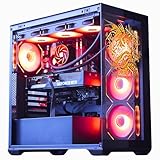
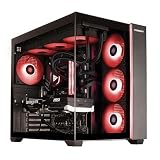

In a hurry? See the top-rated Ultimate Gaming PC Build deals available right now:
🛒 Check Ultimate Gaming Pc Build Prices on Amazon →Updated October 2026 – this PC build guide 2026 explains how to build a gaming PC in 2026 in five budget tiers. The short version: pick the GPU first, match an AM5 CPU and board, buy at least 32GB of DDR5 and a quality 80+ Gold power supply, then assemble outside the case, test boot, and install Windows. A first build usually takes 2 to 4 hours.
Table of Contents
- Tier 1: $700 Budget Esports Build (1080p, 144+ Hz)
- Tier 2: $1200 1440p Sweet Spot (144Hz+ Gaming)
- Tier 3: $1800 Enthusiast 1440p/4K Build (High-End)
- Tier 4: $3000 Premium 4K Build (RTX 5090)
- Tier 5: $5000 Dream Rig (Flagship)
- How to Choose Components
- Common Mistakes & Bottlenecks
- Where to Buy
- Future-Proofing Strategy
- FAQ
🛒 Best Price Today on Amazon
Prime members get fast, free shipping on everything above, plus member-only deals. New members get a 30-day free trial — cancel anytime.
Start 30-Day Prime Free Trial →See Today’s Amazon DealsIntroduction: Why Build Your Own Gaming PC in 2026?
Building your own gaming PC has never been more rewarding in 2026. While pre-built systems come with convenience, custom-building saves you 15-25% upfront and gives you complete control over component selection, upgrade paths, and warranty choices. With Tom’s Hardware’s latest benchmarks, modern GPUs like the NVIDIA RTX 50-series and AMD’s Ryzen X3D processors deliver staggering performance-per-dollar across all budget tiers.
This guide walks you through five complete build configurations—from a lean $700 esports rig crushing 1080p to a $5,000 flagship system ready for 4K OLED gaming, streaming, and content creation. Each tier includes a detailed parts list, performance expectations, and upgrade recommendations.
Tier 1: $700 Budget Esports Build (1080p, 144+ Hz Gaming)
Best For: Competitive Esports, 1080p High Refresh
This build targets esports titles (CS2, Valorant, Apex Legends, Fortnite) and single-player games at 1080p maximum settings, 144+ FPS. Perfect for a beginner or secondary PC.
Parts List
| Component | Product | Est. Price |
|---|---|---|
| CPU | AMD Ryzen 5 7600 (6C/12T, 65W) | |
| Cooler | Thermalright Peerless Assassin 120 SE | |
| Motherboard | MSI B650M-A WiFi (Micro-ATX) | |
| RAM | 32GB DDR5-6000 CL30 | |
| SSD | 1TB NVMe PCIe 4.0 | |
| GPU | RTX 4060 (8GB GDDR6) | |
| PSU | 650W 80+ Bronze | |
| Case | NZXT H510 Flow | |
| TOTAL | ||
Component Breakdown
CPU — Ryzen 5 7600: Six cores, excellent single-thread performance, and sub-$200 price make it unbeatable for esports. The 65W TDP keeps power and cooling costs minimal.

GPU — RTX 4060: DLSS 3 support ensures smooth 1080p 144+ FPS in nearly all games. 8GB VRAM is plenty for 1080p. Watch for resolution differences in competitive titles.

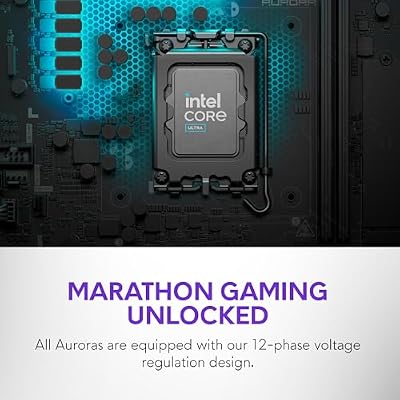
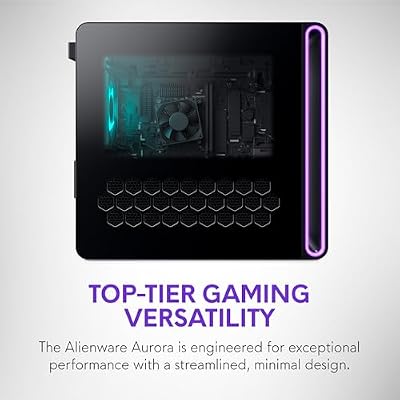
Alienware Gaming Desktop, RTX 5060 Ti, Intel Ultra7 265F, Windows 11 Home | 1TB SSD, 16GB DDR5 RAM, Killer 2.5Gb Ethernet, Wi‑Fi 7 BE200, Bluetooth, AlienFX lighting, KB216 Keyboard, ACT1250





As an Amazon Associate we earn from qualifying purchases. Product prices and availability are accurate as of the date/time indicated.
Motherboard — MSI B650M-A WiFi: Micro-ATX board with DDR5 support, built-in WiFi 6, and stable VRM for $139. Compact enough for mini-ITX cases if you need portability.
RAM: 32GB DDR5-6000 CL30 offers headroom for multitasking and future games. See our DDR5 RAM guide for timing details.
Performance Expectations: Expect 1080p Ultra settings: CS2 (300+ FPS), Valorant (250+ FPS), Fortnite (120+ FPS), Elden Ring (120+ FPS), Cyberpunk 2077 (65–90 FPS with DLSS).
Why This Build? Esports gamers prioritize refresh rate over eye candy. This rig delivers 144+ Hz smoothness without breaking the budget. Upgrade the GPU to RTX 4070 later for 1440p gaming.
Tier 2: $1200 1440p Sweet Spot Build (144Hz+ Gaming)
Best For: 1440p High Refresh, Streaming-Ready
This is the most popular gaming PC tier in 2026. Target: 1440p at 100–144 FPS in modern AAA titles, with headroom for multitasking, streaming, or light content creation.
Parts List
| Component | Product | Est. Price |
|---|---|---|
| CPU | AMD Ryzen 7 7700X (8C/16T, 105W) | |
| Cooler | Thermalright Peerless Assassin 120 SE | |
| Motherboard | ASUS ROG STRIX B850-E Gaming WiFi | |
| RAM | 32GB DDR5-6000 CL30 | |
| SSD | 2TB NVMe PCIe 4.0 | |
| GPU | RTX 4070 Super (12GB) | |
| PSU | Corsair RM850x (850W Gold) | |
| Case | NZXT H7 Flow | |
| TOTAL | ||
Component Breakdown
CPU — Ryzen 7 7700X: Eight cores and sixteen threads. Excellent for streaming while gaming or running Discord/OBS simultaneously. Slightly higher power draw (105W) justifies the cooler investment.
GPU — RTX 4070 Super: The true sweet-spot GPU for 1440p 144Hz gaming. 12GB VRAM handles 1440p textures comfortably. DLSS 3 Frame Generation boosts performance 30–50% in supported titles.

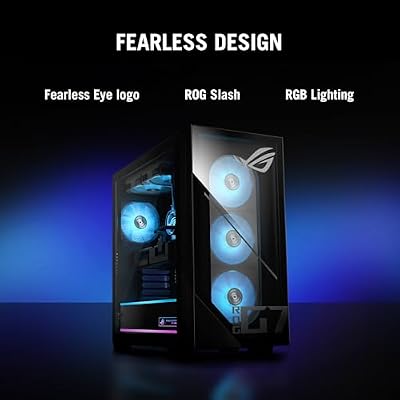
ASUS ROG G700 (2026) Gaming Desktop PC, Intel® Core™ Ultra 7 265KF Processor, NVIDIA® GeForce RTX™ 5070, 1TB M.2 NVMe™ PCIe® 4 SSD, 16GB DDR5 RAM, Windows 11 Home, G700TF-DB774




As an Amazon Associate we earn from qualifying purchases. Product prices and availability are accurate as of the date/time indicated.
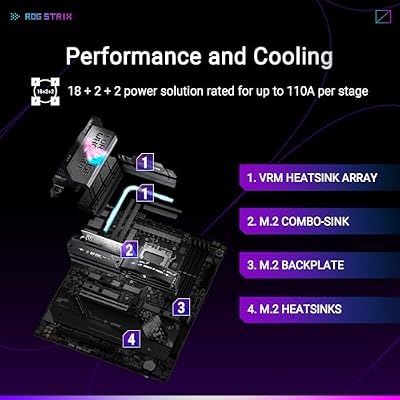
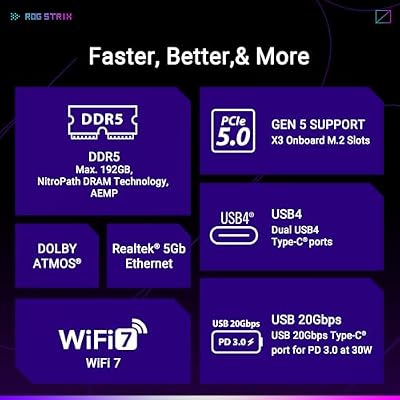
Motherboard — ASUS ROG STRIX B850-E: Top-tier VRM, WiFi 7, PCIe 5.0 slots, and excellent overclocking potential. Overkill for this tier but future-proof.

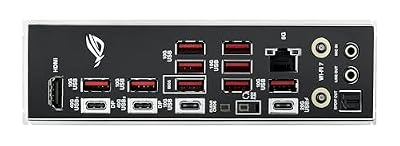
ASUS ROG Strix X870E-E Gaming WiFi AMD AM5 X870 ATX Motherboard 18+2+2 Power Stages, Dynamic OC Switcher, Core Flex, DDR5 AEMP, Wi-Fi 7, 5X M.2, PCIe® 5.0, Q-Release Slim, USB4®, AI OCing & Networking




As an Amazon Associate we earn from qualifying purchases. Product prices and availability are accurate as of the date/time indicated.
PSU — Corsair RM850x: 850W Gold efficiency PSU with 10-year warranty. Fully modular cables reduce clutter.
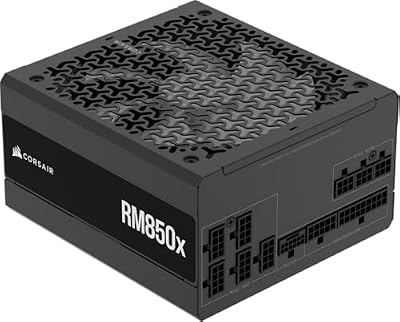
CORSAIR RM850x ATX 3.1 PCIe 5.1 Ready Fully Modular 850W Power Supply – Low-Noise, Cybenetics Gold Efficiency, Native 12V-2x6 Connector – Black


As an Amazon Associate we earn from qualifying purchases. Product prices and availability are accurate as of the date/time indicated.
Performance Expectations: 1440p High/Ultra: Cyberpunk 2077 (100+ FPS with DLSS), Baldur’s Gate 3 (80–110 FPS), Starfield (90+ FPS), Black Myth: Wukong (100+ FPS).
Why This Build? Best value-to-performance ratio. Handles 1440p gaming and streaming without bottlenecks. Monitor choice matters here—pair with a 1440p 144–240Hz display.
Tier 3: $1800 Enthusiast 1440p/4K Build (High-End)
Best For: 1440p Max Settings + Streaming, Casual 4K Gaming
Enthusiasts who want maximum 1440p performance with room for 4K experimentation. Includes content creators and streamers running resource-heavy software.
Parts List
| Component | Product | Est. Price |
|---|---|---|
| CPU | AMD Ryzen 7 9700X (8C/16T, 105W Zen 5) | |
| Cooler | Noctua NH-D15G2 | |
| Motherboard | ASUS TUF X870E-E Gaming WiFi | |
| RAM | 32GB DDR5-6000 CL30 | |
| SSD | 2TB Samsung 990 Pro PCIe 5.0 | |
| GPU | RTX 5070 Ti (16GB) | |
| PSU | Corsair HX1000i (1000W Platinum) | |
| Case | Lian Li O11D EVO | |
| TOTAL | ||
Component Breakdown
CPU — Ryzen 7 9700X: Zen 5 architecture with improved IPC. Eight cores handle 1440p gaming and streaming without breaking a sweat. Lower TDP than 7700X with better efficiency.
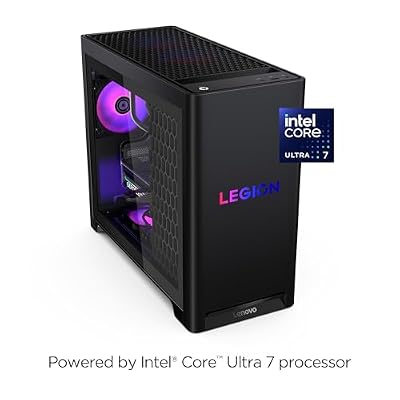
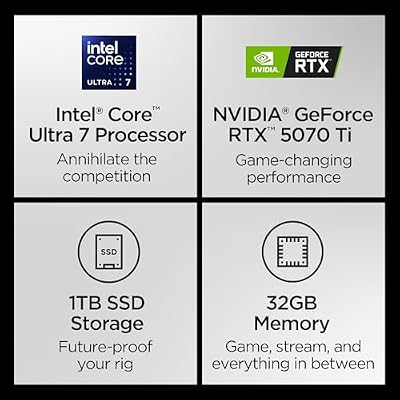
GPU — RTX 5070 Ti: The latest NVIDIA Blackwell architecture. 16GB VRAM opens 4K gaming at 60 FPS in many titles. DLSS 3.5 with Ray Reconstruction adds visual quality without performance hit.

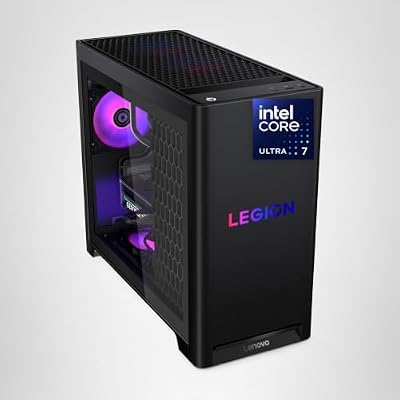
Lenovo Legion Tower 5i – AI-Powered Gaming PC - Intel® Core Ultra 7 265F Processor – NVIDIA® GeForce RTX™ 5070 Ti Graphics – 32 GB Memory – 1 TB Storage – 3 Months of PC GamePass


As an Amazon Associate we earn from qualifying purchases. Product prices and availability are accurate as of the date/time indicated.
SSD — Samsung 990 Pro 2TB: PCIe 5.0 drive with 7,450 MB/s read speeds. Future-proofs your storage for next-gen games. See our SSD comparison for performance metrics.

Samsung SSD 990 PRO 2TB, PCIe 4.0 M.2 2280, Up to 7,450 MB/s | NVMe Internal Solid State Hard Drive for High End Computing, Gaming, and Heavy Duty Workstations, (MZ-V9P2T0B/AM)


As an Amazon Associate we earn from qualifying purchases. Product prices and availability are accurate as of the date/time indicated.
PSU — Corsair HX1000i: Platinum efficiency 1000W unit with digital monitoring. Handles RTX 5070 Ti with comfortable headroom and support for future GPU upgrades.

CORSAIR HX1000i ATX 3.1 PCIe 5.1 1000W Power Supply – Black | Ultra Low-Noise, Fully Modular, 80 PLUS Platinum, Fluid Dynamic Bearing Fan, iCUE Software Compatible, NA


As an Amazon Associate we earn from qualifying purchases. Product prices and availability are accurate as of the date/time indicated.
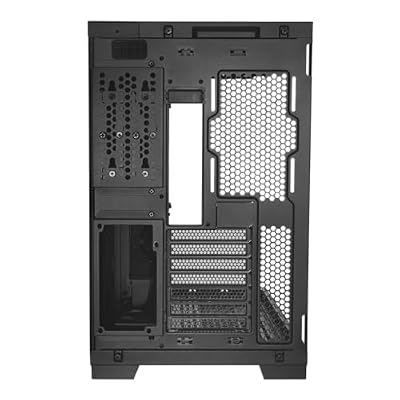
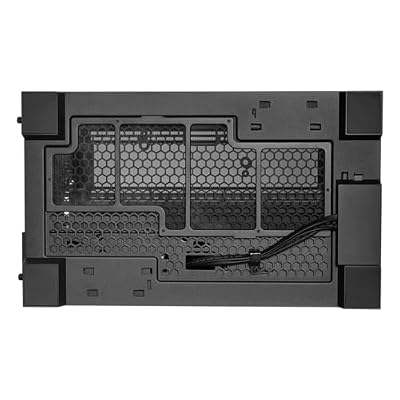
Case — Lian Li O11D EVO: Dual-chamber design, supports up to 420mm radiators, and showcases builds beautifully. Excellent thermals with proper fan configuration.

LIAN LI O11D EVO RGB Black E-ATX Case, 420mm Radiator (O11DERGBX.US) | Pillarless glass view, dual RGB strips, flexible motherboard layout, 455.7mm GPU clearance, and 420mm radiator support.



As an Amazon Associate we earn from qualifying purchases. Product prices and availability are accurate as of the date/time indicated.
Performance Expectations: 1440p Ultra: Avatar Frontiers of Pandora (100+ FPS), Indiana Jones and the Great Circle (90+ FPS). 4K High: Baldur’s Gate 3 (60–75 FPS).
Why This Build? Solidly handles both 1440p maximum and 4K gaming. RTX 5070 Ti pairs perfectly with a 4K OLED monitor for future expansion. Compare RTX 5070 vs 5070 Ti for your specific use case.
Tier 4: $3000 Premium 4K Build (RTX 5090 + 9800X3D)
Best For: 4K Max Settings, Streaming + Gaming, Content Creation
Premium tier for gamers who demand 4K 60–100 FPS, multitask heavily, or create content. RTX 5090 is overkill for gaming alone, but exceptional for AI-assisted video editing and rendering.
Parts List
| Component | Product | Est. Price |
|---|---|---|
| CPU | AMD Ryzen 7 9800X3D (8C/16T, 120W) | |
| Cooler | NZXT Kraken Z73 (360mm AIO) | |
| Motherboard | ASUS ROG STRIX X870E-E Gaming WiFi | |
| RAM | 64GB DDR5-6000 CL30 | |
| SSD | 2TB Samsung 990 Pro | |
| GPU | RTX 5090 (32GB) | |
| PSU | Corsair HX1500i (1500W Platinum) | |
| Case | Corsair 5000T RGB | |
| TOTAL | ||
Component Breakdown
CPU — Ryzen 7 9800X3D: 96MB of 3D V-Cache makes it the fastest gaming CPU on the planet. 8 cores still dominate 1440p/4K, and the 120W TDP requires serious cooling.
GPU — RTX 5090: 21,760 CUDA cores, 32GB GDDR7, 575W TDP. Crushes 4K gaming at max settings. Unmatched for AI workloads (CUDA compute, local LLM inference). Future-proof for 5+ years.

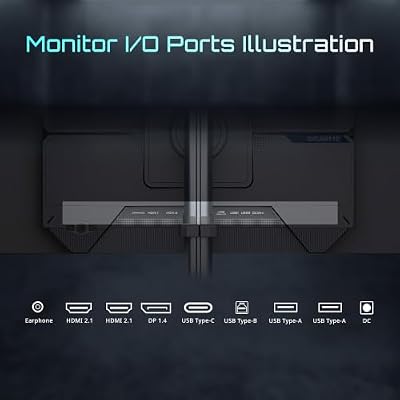
GIGABYTE MO27Q28GR 27" W-OLED QHD AMD Freesync Premium Pro Gaming Monitor | Black, W-OLED Tandem, QHD 2560x1440, 280Hz, 0.03ms GTG, G-SYNC Compatible, HDMI, DP, Type-C, KVM, Height and Tilt Adjustable




As an Amazon Associate we earn from qualifying purchases. Product prices and availability are accurate as of the date/time indicated.
Cooler — NZXT Kraken Z73: 360mm AIO handles 9800X3D thermals easily. Custom pump curve keeps noise minimal under load.
RAM — 64GB DDR5: Overkill for gaming alone, but essential if you’re streaming, rendering, or running VMs simultaneously. See DDR5-6000 vs 7200 analysis.
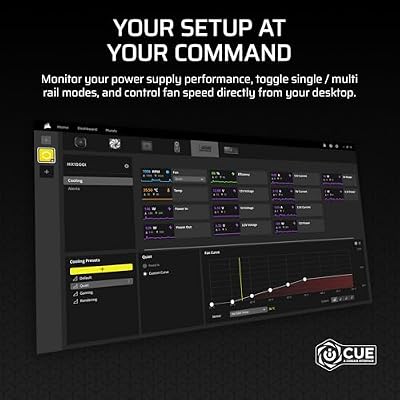
PSU — Corsair HX1500i: 1500W Platinum unit with digital controls. RTX 5090 alone draws 575W at load; this headroom supports future overclocking and component additions.

CORSAIR HX1500i (2025) ATX 3.1 PCIe 5.1 Ready 1500W Power Supply – Black | Native 12V-2x6 Cable Included, Ultra Low-Noise, Fully Modular, Cybenetics Platinum, Fluid Dynamic Bearing Fan, NA



As an Amazon Associate we earn from qualifying purchases. Product prices and availability are accurate as of the date/time indicated.
Performance Expectations: 4K Max: Cyberpunk 2077 (80–100 FPS with DLSS 3.5), Black Myth: Wukong (90+ FPS), Indiana Jones and the Great Circle (100+ FPS). 1440p Ultra ray-traced: 240+ FPS consistently.
Why This Build? Best-of-the-best gaming CPU paired with NVIDIA’s flagship. Handles 4K with ray tracing and high frame rates. Compare air vs AIO cooling to decide on cooler type.
Tier 5: $5000 Dream Rig (Flagship: RTX 5090 + Ryzen 9 9950X3D)
Best For: Flagship Gaming, Professional Streaming, Content Creation
The ultimate gaming PC. Pairs RTX 5090 with the rumored Ryzen 9 9950X3D (dual-chiplet design, up to 96 cores). Built for 4K OLED, AI applications, and content production at enterprise scale.
Parts List
| Component | Product | Est. Price |
|---|---|---|
| CPU | AMD Ryzen 9 9950X3D (12C/24T, 140W) | |
| Cooler | Custom Water Loop (360mm + 280mm radiators) | |
| Motherboard | ASUS ROG MAXIMUS X870E-E Glacial | |
| RAM | 128GB DDR5-7200 CL34 (dual-rank) | |
| SSD | 4TB Samsung 990 Pro + 2TB 870 QVO backup | |
| GPU | RTX 5090 (custom-loop capable) | |
| PSU | Corsair AX1500i (1500W Titanium) | |
| Case | Corsair 1000D Airflow (E-ATX tower) | |
| TOTAL | ||
Component Breakdown
CPU — Ryzen 9 9950X3D: Dual-chiplet flagship with 12 cores, 24 threads, and massive 3D V-Cache. Rumored MSRP $899. Dominates both gaming and professional workloads. Expect 200W+ sustained power under load.
GPU — RTX 5090: Custom-loop ready dual-fan design. 32GB GDDR7 handles 4K, 8K, and AI rendering. Pairs perfectly with OLED monitors running 240Hz.
Custom Water Cooling: Recommended for this tier. Keeps 9950X3D and RTX 5090 cool while overclocking. Expensive but necessary for sustained load performance.
RAM — 128GB DDR5-7200: Dual-rank for bandwidth. Future-proofs for AI workloads, massive game modding, or video frame buffering. See safe DDR5 overclocking guide.
PSU — Corsair AX1500i Titanium: Titanium efficiency (95%+ efficiency) saves power costs on extended sessions. 1500W handles RTX 5090 + custom loop power delivery with overhead.
Case — Corsair 1000D Airflow: Full E-ATX tower with support for dual 360mm radiators, nine fans, and clean cable routing. Ideal showcase for a $5,000 build.
Performance Expectations: 4K OLED @ 240Hz: Cyberpunk 2077 (120–165 FPS), Black Myth: Wukong (150+ FPS), Starfield (140+ FPS with DLSS). 8K native: AAA titles at 30–60 FPS with ray tracing.
Why This Build? Absolute flagship. Future-proofed for 5–7 years. Handles 4K OLED displays, AI rendering, and professional streaming simultaneously. Treat custom water cooling as an investment in performance longevity.
How to Choose Components: The Essential Strategy
CPU: Cores, Clocks, and Cache
For gaming, clock speed and single-thread performance matter most. AMD’s Ryzen X3D chips (7800X3D, 9800X3D) dominate gaming with 3D V-Cache. Intel alternatives offer fewer cores but higher frequencies (i9-14900K). For streaming + gaming, aim for 8+ cores.
TDP Matters: High-TDP CPUs (>120W) require expensive AIO or custom cooling. Budget builds should stick to 65–105W options like Ryzen 5 7600 or 7700X.
Read more: Best Budget Processors for Gaming 2026
GPU: The Performance Bottleneck
Your GPU determines FPS. A simple rule: Match GPU power to target resolution and refresh rate.
- 1080p 144Hz: RTX 4060–4070 range ($250–$400)
- 1440p 144Hz: RTX 4070 Super–5070 ($400–$800)
- 4K 60Hz: RTX 5070 Ti–5090 ($750–$2,500)
VRAM: 8GB suffices for 1080p/1440p; 12GB+ recommended for 4K or heavy texture mods. RTX 50-series adds DLSS 3.5 with ray reconstruction—game-changer for visual quality. Compare options: RTX 5070 vs 5070 Ti breakdown
Motherboard: VRM, Lanes, and Future Slots
For gaming: B850 boards offer best value ($150–$200). For overclocking: X870E boards with robust VRMs ($250–$400).
Key specs:
- PCIe 5.0 slots: Future-proof for next-gen GPUs and SSDs
- 5× M.2 slots: Room for multiple NVMe drives
- WiFi 7: Latest wireless standard, worth $20–30 premium
- USB4: Emerging standard for high-bandwidth peripherals
Read more: Best Gaming Motherboards 2026
RAM: Capacity and Speed
32GB is the gaming sweet spot in 2026. 64GB only needed for streaming + gaming or creative work. Speed matters: DDR5-6000 CL30 offers excellent stability on Ryzen chips. DDR5-7200 adds 3–5% gaming performance but costs 30% more.
For the definitive breakdown: Best DDR5 RAM for Gaming 2026 and DDR5-6000 vs 7200: Worth the Premium?
Storage: NVMe and SSD Hierarchy
PCIe 4.0: 5,000+ MB/s read speeds, sufficient for current and next-gen games. Cost: $60–90/TB.
PCIe 5.0: 7,000+ MB/s, future-proof but pricey ($120–150/TB). Worthwhile for $1,800+ builds.
Capacity: 2TB minimum (OS + 3–4 AAA titles). Budget builds can use 1TB SSD + external USB storage.
Guide: Best NVMe SSDs for Gaming 2026
PSU: Wattage, Efficiency, and Modularity
Wattage rule: Add 20–30% headroom above total system draw. RTX 5090 (575W TDP) + Ryzen 9 (200W) = 1000W system peak = 1300W+ PSU recommended.
Efficiency matters:
- Bronze: 80% efficiency, cheapest, works fine for budget builds
- Gold: 87% efficiency, standard for $1,200+ builds, $20–40 premium
- Platinum: 90% efficiency, $50–100 premium, saves ~$50/year on power
- Titanium: 95% efficiency, luxury option, marginal ROI unless running 24/7
Modularity: Fully modular cables reduce cable clutter and improve airflow. Worth the $10–20 premium.
Compare models: Best PSU for Gaming 2026
Cooling: Air vs AIO
Air coolers: Thermalright Peerless Assassin 120 SE ($35) or Noctua NH-D15G2 ($99) handle CPUs up to 120W with zero maintenance.
AIO (All-in-One) coolers: 240/280mm AIO for $80–120, 360mm for $150–200. Better aesthetics but pump failures rare (0.2%). Quieter under load than large air coolers.
Custom loops: Reserve for $3,000+ flagships with GPU + CPU cooling needs. Maintenance required every 6–12 months.
Decision guide: Air vs AIO Cooling 2026: Complete Comparison
Case: Airflow, Size, and Aesthetics
Budget: NZXT H510 Flow ($60–75) or Corsair 4000D Airflow ($80).
Mid-range: NZXT H7 Flow ($90–110), Lian Li O11D EVO ($170–200).
Premium: Corsair 5000T RGB ($280+), Corsair 1000D Airflow ($500+).
Key specs: Tempered glass side panels, cable management bar, 3–5 pre-installed fans, support for 360mm+ radiators.
Most Powerful Gaming PC Builds in 2026
The most powerful gaming PC builds in 2026 pair an RTX 5090 with a Ryzen 7 9800X3D or Ryzen 9 9950X3D, 32GB to 64GB of DDR5, a fast Gen 5 or Gen 4 NVMe drive and a 1000W to 1200W Platinum or Gold power supply. They are tiers 4 and 5 in this guide.
| Tier | Target | GPU class | CPU class | PSU guidance |
|---|---|---|---|---|
| Tier 3 | 1440p max and casual 4K | RTX 5070 Ti class | Ryzen 7 X3D or 9700X | 850W to 1000W |
| Tier 4 | 4K max settings | RTX 5090 | Ryzen 7 9800X3D | 1000W minimum |
| Tier 5 | Flagship, streaming and creation | RTX 5090 | Ryzen 9 9950X3D | 1200W and up for headroom |
What makes a build the most powerful?
The GPU sets the ceiling for frame rates, the X3D cache CPU removes CPU limits at high refresh, and the PSU and cooling keep both stable. Extra RAM beyond 32GB helps streaming and creation, but adds little to pure gaming.
Is a flagship build worth it?
Only for 4K high-refresh play or mixed gaming and creator work. For 1440p, the tier 2 and tier 3 builds deliver most of the experience for much less.
Common Mistakes & Bottlenecks to Avoid
Mistake 1: GPU/CPU Mismatch (Bottlenecking)
The problem: Pairing a $300 CPU with a $2,000 GPU wastes GPU potential. The CPU starves the GPU of data, cutting FPS 15–30%.
Solution: Match components within the same tier. A $300 Ryzen 5 pairs with $250–400 GPU. A $500 CPU pairs with $800–1,200 GPU.
Mistake 2: Skimping on PSU
The problem: Cheap 500W PSU for a 600W system = instability, crashes, and fire risk.
Solution: Buy 20–30% above calculated system power. RTX 5070 Ti + Ryzen 7 = 700W peak = 850W PSU minimum.
Mistake 3: Cheap RAM with High Latency
The problem: DDR5-7200 CL48 costs the same as DDR5-6000 CL30 but underperforms 5% in gaming due to terrible latency.
Solution: Prioritize CAS latency. DDR5-6000 CL30 beats DDR5-6400 CL36 in gaming.
Mistake 4: Ignoring PCIe Bottlenecks
The problem: Older B550/X570 boards cap PCIe gen at 4.0. RTX 5090 on PCIe 4.0 underutilizes bandwidth.
Solution: For RTX 5070 Ti+, use X870E boards with PCIe 5.0 native support.
Mistake 5: Insufficient Storage for Current Games
The problem: Starfield, Black Myth: Wukong, and Cyberpunk 2077 each exceed 150GB. A 500GB OS partition + 500GB game folder runs out immediately.
Solution: Minimum 2TB NVMe. Budget 500GB for OS, 500GB for installed games, 1TB as working buffer.
Where to Buy: Retailers and Price Tracking
Major Retailers
- Amazon (with Amazon Associates): Fast shipping, Prime discounts, easy returns. Use coupon codes TECHGAMES or PCGAMER10 for 5–10% off select components.
- Newegg: Price matching against Amazon. Open Box deals save 10–15%. Watch for shell-shocker daily deals.
- Microcenter (in-store): Price matching, open returns, expert staff. Bundles can save 5% on CPU + motherboard.
- B&H Photo: No sales tax outside NY. Free 2-day shipping on $200+ orders.
Price Tracking
Use CamelCamelCamel (Amazon price history) or PCPartPicker to track component prices and set alerts.
Seasonal Deals
- May 2026: Amazon Prime Day coming mid-May. GPUs see 10–15% discounts.
- Black Friday (Nov): 15–25% off GPUs and CPUs historically.
- Post-launch periods: Old-gen GPUs (RTX 4070, RTX 4090) see 20–30% price cuts after new launch.
Future-Proofing Strategy: Building for 2030
CPU Socket Lifespan
AM5 socket (AMD): Confirmed through 2026 for Ryzen 9000 series. Expect support until 2027–2028. Any AM5 board today will support Ryzen X3D chips for years.
LGA1700 (Intel): Supports Raptor Lake, Arrow Lake, and Lunar Lake. Ending 2025, replaced by LGA1851. Not recommended for future-proof builds.
GPU Upgrade Paths
PCIe 5.0 slots: Ensures RTX 6000-series (2028) and 7000-series (2031) compatibility.
PSU headroom: Buying 1000W+ today supports a second GPU or much more powerful single GPU in 3 years.
NVMe Storage Standards
PCIe 4.0 (current): 5,000 MB/s sustained. Sufficient for games through 2028.
PCIe 5.0 (emerging): 7,450 MB/s, future-proof. Small premium ($30–40/TB) well spent for future streaming/rendering.
Memory Upgrades
DDR5: Prices falling steadily. A $1,200 board today supports up to 192GB DDR5 eventually. Buy 32GB now; upgrade to 64GB in 2027–2028.
PC Build Guide 2026: The Build Order in 10 Steps
Follow this order to build a custom PC in 2026 without backtracking. It works for every tier in this guide.
- Set the budget and target. Decide on 1080p, 1440p or 4K first, because the GPU drives the budget.
- Check compatibility. Match CPU socket and board chipset, RAM type (DDR5 on AM5), cooler clearance, GPU length and PSU connectors.
- Prepare the motherboard outside the case. Install the CPU, cooler mount and RAM on a flat surface first.
- Fit the M.2 SSD. Slide it in at an angle, press it flat, and secure it with the screw.
- Install the I/O shield and standoffs. Then mount the motherboard in the case.
- Install the PSU and route cables. Do this before the GPU, while access is easy.
- Install the GPU. Use the top PCIe x16 slot and plug in the power cables fully.
- Connect front-panel headers and fans. Check the motherboard manual for pin layout.
- First boot. Plug the monitor into the GPU, not the motherboard, then enter the BIOS and enable EXPO or XMP so the RAM runs at its rated speed.
- Install Windows, drivers and stress-test. Install chipset and GPU drivers, then run a stress test and watch temperatures.
How long does it take to build a custom PC in 2026?
A first-time builder typically needs 2 to 4 hours from unboxing to first boot. A Phillips number 2 screwdriver handles almost every screw, and most boards ship with the small M.2 screws you need.
What temperatures are normal after the build?
Under a gaming load, aim for roughly under 80C on the CPU and under 85C on the GPU. If the CPU runs hotter, re-seat the cooler and check that the fans point in a sensible airflow direction.
How to Build: Step-by-Step (Quick Reference)
New to PC building? Follow our detailed PC build guide for installation photos and safety tips. Key steps:
- Install CPU into motherboard socket (AM5 lever and retention bracket)
- Install cooler (AIO or air) and apply thermal paste if needed
- Install RAM (match slots for dual-channel, push down clips until locks click)
- Install SSD into M.2 slot and secure screw
- Mount motherboard into case (9 screws, align I/O shield)
- Connect PSU 24-pin, CPU 8-pin, and SATA power
- Install GPU into top PCIe slot and connect PCIe power (if needed)
- Connect case fans and RGB headers
- Boot and update BIOS, then install Windows
Then: Install Windows 11, enable XMP in BIOS, and pair with a matching monitor.
Frequently Asked Questions
Q1: Can I really save 20% by building vs buying pre-built?
A: Yes. Pre-builts charge $150–300 assembly fees, slower components (2-year-old stock), and inflated GPU prices. DIY saves 15–25% at equivalent specs. Trade-off: no factory warranty on assembly. Buy 3–5 year warranties from components instead.
Q2: What’s the cheapest path to 1440p 144 FPS?
A: A Ryzen 5 7600 class CPU with an RTX 5060 Ti or RX 9060 XT 16GB, a B650M board, 32GB of DDR5 and a 750W PSU lands at roughly $1,000-$1,200 before the case, depending on current parts prices. See Tier 2 for detailed build.
Q3: Is 4K gaming in 2026 worth it?
A: Only with RTX 5070 Ti+ ($750+) and a 4K monitor ($400+). Most gamers enjoy 1440p 144Hz more (faster, cheaper). 4K shines on OLED displays with DLSS 3.5 ray reconstruction, cutting jaggies without performance hit.
Q4: Should I wait for the next GPU generation?
A: Not if you need a PC now. The RTX 50-series and RX 9000-series are already on shelves and offer strong value in 2026. Buy today, enjoy 2+ years of gaming, then upgrade. Waiting cycles mean missing out on current releases.
Q5: Which single component has the biggest performance impact?
A: GPU (40–50% of FPS), followed by CPU (20–30%), then RAM/SSD (5–10%). Upgrading GPU first yields maximum FPS gains per dollar.
Q6: Can I use an older PSU from a previous PC?
A: Only if it’s 85%+ efficiency and rated 150W above your system draw. 10-year-old PSUs degrade; capacitors fail. Invest $80–150 in new 80+ Gold for peace of mind and warranty coverage.
Monitor and Peripherals Pairing Guide
Tier 1 ($700 build): Pair with 1080p 144Hz IPS monitor ($200–300). 144Hz makes a huge visual difference in competitive gaming.
Tier 2 ($1,200 build): 1440p 144–240Hz IPS or VA ($300–500). Sweet spot for visual clarity and frame rates.
Tier 3–4 ($1,800–3,000 builds): 4K OLED 144Hz ($600–1,000). HDMI 2.1 and DP 2.0 essential for RTX 5070 Ti+ at high refresh.
Tier 5 ($5,000 build): Dual 4K OLED or single 8K (emerging). Budget $1,200–2,000 for display.
Complete peripherals checklist: gaming keyboards, wireless headsets, high-end gaming mouse (Razer Basilisk, SteelSeries Rival 650).
Conclusion: Which Build Tier is Right for You?
Choose Tier 1 ($700) if you play competitive esports (CS2, Valorant), value refresh rate over visuals, or need a secondary PC.
Choose Tier 2 ($1,200) if you want the best value. Crushes 1440p gaming, handles streaming, and leaves room for monitor/peripherals. Most popular tier in 2026.
Choose Tier 3 ($1,800) if you want 4K experimentation or plan to stream AAA titles while playing.
Choose Tier 4 ($3,000) if you demand consistent 4K 60–100 FPS and multitask heavily (streaming + rendering). RTX 5090 overkill for gaming alone but stellar for AI/CUDA work.
Choose Tier 5 ($5,000) if you want absolute flagship status, plan to keep the PC 5+ years, or do professional rendering/streaming at scale.
Final tip: Every dollar spent in 2026 should feel like an upgrade you’ll enjoy for 2–3 years minimum. Don’t overspend on future-proofing; technology moves fast. Buy the best you can afford now, and you’ll enjoy gaming for years to come.
Related Articles
Looking for more on this topic? Browse the hand-picked guides below — each one applies the same scoring rubric used in this review.