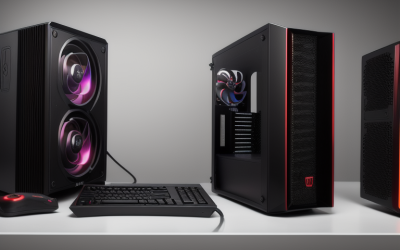
- Top Pick: Skytech Gaming PC Desktop, Ryzen 7 5700, RTX 5060, 32GB RAM, 1TB SSD | Windows 11, NVMe SSD, DDR4 3200, 650W GOLD PSU, Wi-Fi 5, Crystal Series
- Best Value: The Horizon Autherium Dragon RGB I9 RTX Gaming PC || 64GB RAM || 5TB Storage || Core I9 Upto 5.4Ghz || RTX 5070 OC || Windows 11 PRO || 360MM AIO || 2.4GB/s WiFi, VR, Gaming Ready Desktop Computer
- Premium Choice: Skytech Nebula Gaming PC Desktop, Ryzen 5 5500 3.6 GHz (4.2GHz Turbo Boost), NVIDIA RTX 4060 8GB GDDR6X, 1TB SSD, 16GB DDR4 RAM 3200, 650W Gold PSU, Wi-Fi, Win 11 Home
Shopping for a gaming PC under 1500 dollars means choosing where to put a fixed amount of money. A budget of that size can reach a current graphics card, a capable processor, and enough memory for modern games, but not every part at the top shelf. Prebuilt desktops are easiest to compare when you ignore the case lighting and read the four parts that decide frame rates: the graphics card, the processor, the memory, and the power supply.
This guide is for buyers who want a tower that arrives ready to play, with Windows installed and no parts list to source, assemble, or troubleshoot yourself. Every system below is a desktop with a recent-generation graphics card listed in the title. Totals shift from day to day, so treat the 1500 cap as the ceiling you check at checkout, and use the notes below to see what each spec sheet is really telling you in 2026.
Quick Picks
As an Amazon Associate we earn from qualifying purchases at no extra cost to you.

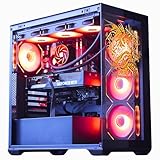


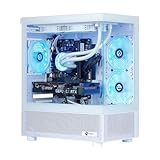


| Product | Best for | Key spec from the title |
|---|---|---|
| Skytech Crystal Series (Ryzen 7 5700) | All-round 1080p and 1440p play | RTX 5060, 32GB RAM, 650W Gold PSU |
| Horizon Autherium Dragon RGB | Maximum specs in one box | Core i9, RTX 5070 OC, 64GB RAM, 5TB storage |
| Skytech Nebula (Ryzen 5 5500) | Entry-level 1080p gaming | RTX 4060 8GB, 16GB DDR4 |
| Skytech Azure 3 (Ryzen 7 9700X) | Newest platform with upgrade room | 32GB DDR5 6000, 850W Gold ATX 3 PSU |
| Velztorm Mini Pilum | Smaller footprint | Ryzen 7 5700X, RTX 5060, 750W PSU |
| NINGMEI Prebuilt (white) | Light-colored desk setup | Gen4 NVMe SSD, 32GB DDR4 |
| Skytech Nebula 2 (Ryzen 7 5700) | Balanced AM4 build | RTX 5060, 650W Gold PSU |
| HELLOLAND (Ryzen 5 9600X) | Graphics memory headroom | RX 9060 XT 16GB, 240mm liquid cooler |
| CyberpowerPC Gamer Xtreme | Intel and DDR5 buyers | Core i5-14400F, RTX 5060 8GB GDDR7 |
How to Choose
Put the graphics card first
At this budget the graphics card drives most of the gaming result. An 8GB card handles 1080p well and many 1440p titles with reasonable settings, but newer games are pushing past 8GB at high texture settings. A 16GB card, such as the one on the HELLOLAND system, leaves more room for texture-heavy games. Do not choose a system that pairs a strong processor with an entry-level card, because the graphics card will still set the ceiling.
Look at the processor and platform
Ryzen 5000 desktops use the AM4 platform with DDR4 memory; Ryzen 9000 desktops use AM5 with DDR5, which has more upgrade runway. A six-core chip is a fine base for gaming, and an eight-core chip adds comfort when you stream or run background apps. Intel F-suffix chips, such as the i5-14400F, have no integrated graphics, so they depend entirely on the dedicated card.
Memory, storage, and the power supply
Sixteen gigabytes of RAM is the floor for current games; 32GB leaves room for browser tabs, voice chat, and game launchers running alongside. A 1TB NVMe drive fills quickly with modern installs, so check whether the case has a free M.2 slot for a second drive. For power, look for a 650W unit or higher with an 80 Plus Gold label; a larger wattage buys headroom for a later graphics-card upgrade.
Cooling, connectivity, and what to ignore
A liquid cooler on the processor helps with sustained boost behavior and keeps noise down, but it adds a pump to the system. Check that the case has front USB ports and that Wi-Fi is present if the PC is far from the router. Ignore total RGB fan count, and be cautious of boxes with huge storage or memory totals and a modest graphics card; spend should land on the parts that move frame rates.
The 9 Best Options
Skytech Gaming PC, Crystal Series (Ryzen 7 5700, RTX 5060)
This system pairs a Ryzen 7 5700 with an RTX 5060, 32GB of DDR4 3200, a 1TB NVMe SSD, and a 650W Gold power supply. It fits a buyer who wants a sensible mix without exotic extras, and the DDR4 platform keeps memory upgrades simple if you later add more capacity.
- Strength: 32GB of RAM and a Gold power supply.
- Strength: the NVMe drive gives fast installs and load times.
- Trade-off: Wi-Fi 5 is listed, which is older than current standards.
Skip it if you want DDR5 and a newer platform, or if built-in wireless needs to be current.
The Horizon Autherium Dragon RGB (Core i9, RTX 5070 OC)
The largest spec sheet here lists a Core i9 up to 5.4GHz, an RTX 5070 OC, 64GB of RAM, 5TB of storage, a 360mm AIO, and Windows 11 Pro. It suits someone who wants a VR-ready system and extra space for large libraries, editing projects, and several launchers installed side by side.
- Strength: the RTX 5070 OC is the strongest graphics card in this group.
- Strength: 64GB of RAM and 5TB of storage arrive in the box.
- Trade-off: the spec level may push the total toward the cap, so verify before ordering.
Skip it if you only play at 1080p, where a smaller system would do the job, or if the total lands above your cap.
Skytech Nebula (Ryzen 5 5500, RTX 4060)
The Nebula lists a Ryzen 5 5500 with a 4.2GHz turbo, an RTX 4060 8GB, 16GB of DDR4 3200, a 1TB SSD, and a 650W Gold power supply. It is the entry point into this guide for 1080p play, a reasonable first desktop for esports-style titles and older libraries.
- Strength: a Gold 650W power supply in an entry system.
- Strength: a 1TB SSD provides storage out of the box.
- Trade-off: 16GB of RAM and a previous-generation card age sooner.
Skip it if you plan to play at 1440p or want a card from the newest generation.
Skytech Azure 3 (Ryzen 7 9700X, RTX 5060)
This one pairs a Ryzen 7 9700X with an RTX 5060, 32GB of DDR5 6000, a 1TB NVMe drive, an 850W Gold ATX 3 power supply, and a 360 ARGB AIO. It is the platform-forward pick, built for upgrades, and the 360 radiator gives the processor generous cooling capacity on paper.
- Strength: DDR5 on the AM5 platform and a large 850W ATX 3 power supply.
- Strength: a 360 AIO listed for the processor.
- Trade-off: a stronger processor than the graphics card needs, so spend is tilted toward the CPU.
Skip it if you want as much of the budget as possible going to graphics performance rather than the processor and cooling.
Velztorm Mini Pilum (Ryzen 7 5700X, RTX 5060)
A custom-built system with a Ryzen 7 5700X, RTX 5060, 32GB of DDR4, a 1TB PCIe SSD, a 120mm AIO, a 750W power supply, and Windows 11 Pro. The Mini name hints at a compact chassis, though the title gives no dimensions, so check the case size against your desk space.
- Strength: a 750W power supply leaves headroom.
- Strength: Windows 11 Pro is included.
- Trade-off: WiFi 4 is listed, so a wired connection is advisable.
Skip it if you need modern wireless.
NINGMEI Prebuilt Gaming PC (Ryzen 7 5700X, RTX 5060 8GB)
This white-themed desktop lists a Ryzen 7 5700X, RTX 5060 8GB, 32GB DDR4, a 1TB Gen4 NVMe M.2 SSD, and a 650W power supply. It fits buyers building a light-colored setup who still want a current graphics card and a PCIe Gen4 interface on the SSD.
- Strength: a Gen4 NVMe SSD and 32GB of RAM.
- Strength: the white finish is uncommon.
- Trade-off: the title gives no power supply efficiency tier.
Skip it if you want a power supply with a stated efficiency tier.
Skytech Gaming Nebula 2 (Ryzen 7 5700, RTX 5060)
The Nebula 2 pairs a Ryzen 7 5700 at 3.7GHz with an RTX 5060, 32GB of DDR4 3200, a 1TB NVMe drive, and a 650W Gold power supply. It closely matches the Crystal Series specs, so choose between them on case style and cooling details shown in each listing.
- Strength: 32GB of RAM and a Gold power supply.
- Strength: NVMe storage.
- Trade-off: it sits on the older AM4 and DDR4 platform.
Skip it if you want a path to newer processors.
HELLOLAND Gaming Desktop (Ryzen 5 9600X, RX 9060 XT 16GB)
This build lists a Ryzen 5 9600X, an AMD RX 9060 XT with 16GB, 32GB of DDR5, a 1TB PCIe SSD, WiFi and Bluetooth, a 650W power supply, and a 240mm liquid cooler. It leads on graphics memory and also lists a liquid cooler and ARGB fans managed through software, which appeals to builders who like tuning lighting.
- Strength: the 16GB graphics card for texture-heavy games.
- Strength: DDR5 on a newer processor platform.
- Trade-off: the 650W supply leaves less room for a bigger card later.
Skip it if you want NVIDIA-specific features.
CyberpowerPC Gamer Xtreme (Core i5-14400F, RTX 5060)
Model GXi3200BSTV10 lists a Core i5-14400F, 16GB of DDR5, a 1TB PCIe SSD, an RTX 5060 8GB with GDDR7, RGB lighting, and Windows 11 Home. It is the Intel choice here, useful when you prefer that processor family or want a recognizable model number to look up.
- Strength: DDR5 memory and GDDR7 graphics memory.
- Strength: a specific model number (GXi3200BSTV10) makes the exact configuration easy to confirm.
- Trade-off: 16GB of RAM is the minimum for current games.
Skip it if you want 32GB out of the box.
Which One Fits Your Situation
You play competitive shooters at 1080p
The Skytech Nebula 2 or the Skytech Crystal Series gives a modern graphics card and plenty of RAM without extras you will not use.
You want to upgrade for years
The Skytech Azure 3 starts on AM5 with DDR5 and a big 850W power supply, so later graphics-card and processor swaps are easier.
You care about graphics memory for newer games
The HELLOLAND system with the RX 9060 XT 16GB gives the most video memory in the list.
You want the strongest all-in-one box
The Horizon Autherium Dragon RGB lists the highest tier, but check the current total against your cap before you commit.
Common Mistakes
- Choosing a system because of big storage or memory totals while the graphics card is modest.
- Ignoring the power supply; an unnamed or low-wattage unit limits upgrades.
- Assuming 16GB of RAM is enough for every game and background app.
- Forgetting that a wireless standard such as WiFi 4 is slow if the router is far away.
- Skipping the platform; AM4 and DDR4 systems have fewer upgrade options than AM5 and DDR5 builds.
Related guides
- Aio Liquid Coolers For High Performance Gaming
- How To Lower Input Delay In Competitive Shooters
- External Hard Drives For Music Production
Frequently Asked Questions
Is 8GB of graphics memory enough?
It runs 1080p games well today. Newer titles at high texture settings can exceed it, so a 16GB card is safer for long-term use.
Does DDR5 matter for gaming?
It matters less than the graphics card. DDR5 helps mainly through platform longevity, since newer processors and boards use it.
Should I upgrade the parts later?
Often yes. Check the case and power supply wattage so a larger graphics card fits and runs.
Why are laptops not on this list?
The keyword covers desktops, and laptops follow different rules for cooling and upgrades. One gaming laptop that matched the search term was left out of the write-up for the same reason.