Destiny 2 asks a mouse to do several jobs at once: track precisely in Crucible duels, hold steady during raid encounters, and keep abilities within reach when a fight turns chaotic. A mouse that suits one mode can feel wrong in another, so the choice comes down to weight, sensor quality, and how many controls sit under the thumb. Picking well means matching the hardware to the activities played most.


This guide is for Destiny 2 players on PC who want a mouse for raids, Crucible, Gambit, and seasonal content, and for Guardians who split time between PvE and PvP. Each pick below was chosen from the name and specifications shown on its Amazon product page, with attention to weight, sensor accuracy, wireless performance, and button layout for abilities and supers.
Quick Picks
As an Amazon Associate we earn from qualifying purchases
| Product | Best for | Key spec from title |
|---|---|---|
| Logitech G PRO X Superlight 2 | Feather-light wireless aim | HERO 2 sensor up to 44,000 DPI |
| Razer Viper V3 Pro | Fast flicks in the Crucible | Focus Pro 35K sensor, 8,000 Hz polling |
| Razer DeathAdder V3 Pro | Ergonomic comfort in long raids | Focus Pro 30K sensor, 90-hour battery |
| Logitech G502 X | Many buttons for ability builds | HERO 25K sensor, 13 programmable controls |
How to Choose
Weight and Long Sessions
Destiny 2 sessions run long, and a heavy mouse tires the wrist during raids that stretch past an hour. Light mice under 65 g suit players who flick constantly in the Crucible, while a mid-weight mouse near 90 g can feel steadier for PvE aiming. The right weight depends on sensitivity: low-sensitivity players move the mouse more and gain most from a light body, while high-sensitivity players move less and notice weight less. Hold the mouse in the usual grip before deciding, since a light mouse with a poor shape still causes strain. Judge weight and shape together, since a light mouse with an awkward shape still tires the hand.
Sensor Quality for Precision Aiming
Crucible duels punish a sensor that skips or accelerates, so tracking quality matters more than the maximum DPI number. A current optical sensor with a high polling rate keeps the cursor faithful to hand movement, and a low lift-off distance helps players who reposition often. Look for a sensor from the latest generation and wireless polling of 8,000 Hz when the budget allows, since faster polling shortens the delay between hand and screen. A sensor that tracks cleanly at the chosen sensitivity matters more than a large maximum DPI number. A wired connection removes the question entirely for players who dislike charging.
Buttons for Abilities and Supers
Destiny 2 maps abilities, grenades, melees, and supers to keys, and a mouse with extra buttons can hold several of them under the thumb. Two side buttons cover the basics, while a larger set suits players who bind class abilities and finishers to the mouse. Check that each button is easy to find by touch, because a button that needs a glance is useless in a firefight. A DPI-shift button helps when switching between close-range and long-range weapons, and on-board memory keeps bindings intact across machines. Keep the most-used ability on the easiest button, and move rarely used commands to harder-to-reach spots.
Wireless Performance and Battery Life
Wireless mice have closed the gap with wired models, but the details still matter. A 2.4 GHz receiver with high polling gives the lowest delay, and a long battery life means fewer interruptions during a raid week. Look for at least 90 hours of rated battery life when playing daily, and a USB-C charging cable that allows play while charging. Keep the receiver close to the mouse, since a receiver buried behind the PC can introduce stutter. Wired play remains the simplest answer when charging is a chore. Charge the mouse between sessions rather than during a raid, so the battery never becomes a worry mid-fight.
The 4 Best Options
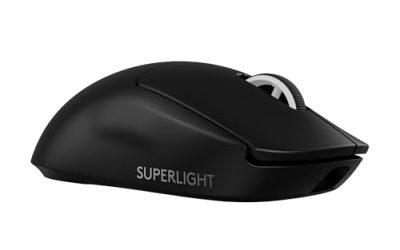
Logitech G PRO X Superlight 2
At 60 g, the Superlight 2 is the lightest mouse in this guide, and that weight shows in how quickly it changes direction during Crucible engagements. The HERO 2 sensor tracks cleanly up to 44,000 DPI, and the 8 kHz wireless polling keeps the connection feeling immediate. LIGHTFORCE switches give a crisp click without the mushiness of older designs, and the 95-hour battery covers a full week of evening play. The shape suits right-handed players with medium to large hands, and the plain shell keeps the focus on aiming rather than decoration.
Specs
- HERO 2 sensor with up to 44,000 DPI
- 60 g weight
- 8 kHz wireless polling rate
- LIGHTFORCE hybrid switches
- 95-hour battery life
- LIGHTSPEED wireless with USB receiver
Best for: Crucible players who want the lightest possible wireless mouse.
Watch out for: The plain shell has no RGB lighting and only two side buttons.
Razer Viper V3 Pro
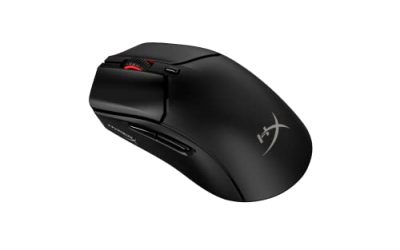
The Viper V3 Pro pairs a 54 g body with an 8,000 Hz polling rate, and the combination makes small corrections feel instant in close-range duels. Its Focus Pro 35K sensor holds tracking steady through fast flicks, and Gen-3 optical switches respond with a light, consistent click. The 95-hour battery lasts through long raid weeks, and the symmetrical shape suits claw and fingertip grips. Six programmable buttons cover the essentials without crowding the shell, and the textured side grips keep the mouse steady when hands get warm during a tense match.
Specs
- Focus Pro 35K optical sensor
- 54 g weight
- 8,000 Hz HyperPolling wireless
- Gen-3 optical mouse switches
- 95-hour battery life
- 6 programmable buttons
Best for: Players who want the fastest-feeling wireless mouse for PvP.
Watch out for: The symmetrical shape has no thumb rest, so palm-grip players may want more support.
https://www.amazon.com/dp/B0CW25XR5R
Razer DeathAdder V3 Pro
The DeathAdder V3 Pro brings the classic ergonomic DeathAdder shape into a 63 g wireless body, and that shape is the reason many players pick it for long PvE sessions. The right-handed curve fills the palm and supports the fingers through hours of strikes and dungeons, while the Focus Pro 30K sensor keeps tracking smooth at any sensitivity. A 90-hour battery covers several days of play, and five programmable buttons handle abilities without clutter. HyperSpeed wireless keeps delay low, and the mouse charges over USB-C when the battery finally runs down.
Specs
- Focus Pro 30K optical sensor
- 63 g weight
- HyperSpeed wireless connection
- Gen-3 optical mouse switches
- 90-hour battery life
- 5 programmable buttons
Best for: Raid and dungeon players who want ergonomic comfort for hours.
Watch out for: The right-handed shape does not suit left-handed players.
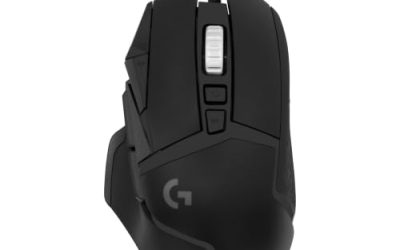
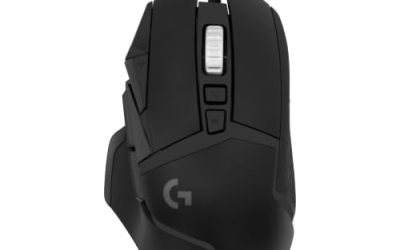
Logitech G502 X

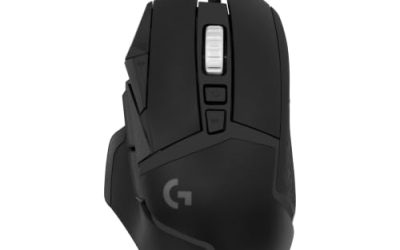
The G502 X is the pick for Guardians who bind everything to the mouse, because its 13 programmable controls hold abilities, finishers, and weapon swaps under the thumb and fingers. The HERO 25K sensor tracks up to 25,600 DPI, and LIGHTFORCE hybrid switches give a firm, responsive click. A redesigned DPI-shift button sits where the thumb can reach it without shifting grip, and the dual-mode scroll wheel switches between stepped and free spin. At 89 g it is heavier than the wireless picks here, but the wired connection means no battery and no charging at all.
Specs
- HERO 25K sensor with up to 25,600 DPI
- 13 programmable controls
- LIGHTFORCE hybrid optical-mechanical switches
- Dual-mode HyperFast scroll wheel
- Reversible, removable DPI-shift button
- 89 g weight
Best for: Players who want the most buttons for ability-heavy builds.
Watch out for: The wired cable and heavier body suit a desk setup more than a lap setup.
Which One Fits Your Situation
If You Mainly Play the Crucible
Crucible play rewards light weight and fast polling above all else. The Viper V3 Pro leads here, because its 54 g body and 8,000 Hz polling make flicks and corrections feel immediate. The Superlight 2 is a close second for players who prefer its shape, and both track cleanly through fast duels. Choose the one whose shell fits the hand better, since comfort decides more matches than a few grams.
If You Mainly Play Raids and Dungeons
Long PvE sessions reward comfort and battery life over raw speed. The DeathAdder V3 Pro fits best, with an ergonomic shape that supports the hand through hours of encounters and a 90-hour battery that covers a raid week. The Superlight 2 also works when a lighter mouse is preferred, though its plain shell gives less palm support. Either one stays comfortable when a raid runs past midnight.
If You Bind Abilities to the Mouse
Players who put grenades, melees, and class abilities on the mouse need buttons that are easy to find by touch. The G502 X leads here, with 13 controls that hold a full ability loadout without crowding the thumb. The Viper V3 Pro and DeathAdder V3 Pro cover the basics with fewer buttons, so they suit players who keep most binds on the keyboard. Map the most-used ability to the easiest button first.
If You Hate Charging
A dead battery mid-raid is a frustrating way to lose a run. The G502 X avoids the problem entirely, since its wired connection never needs charging. Among the wireless picks, the Superlight 2 and Viper V3 Pro both rate 95 hours, which covers roughly a week of evening play. Keep a USB-C cable on the desk so a wireless mouse can charge between sessions without drama.
Common Mistakes
- Buying the lightest mouse available without checking whether its shape fits the hand.
- Binding every ability to the mouse, then hitting the wrong button in a tense moment.
- Ignoring battery life, then losing a raid to a mouse that dies mid-encounter.
- Setting sensitivity too high for Crucible, which makes small aim corrections hard.
- Placing the wireless receiver behind the PC, where the signal has to fight through the case.
Frequently Asked Questions
Is a wireless mouse fast enough for Destiny 2 PvP?
Modern wireless mice with a 2.4 GHz receiver and high polling match wired models for delay in practice. The picks in this guide use 8,000 Hz or similarly fast polling, which keeps the connection feeling immediate. Keep the receiver close to the mouse and the battery charged, and the difference from a wired mouse becomes hard to notice.
How many buttons do I need for Destiny 2?
Two side buttons cover the basics, such as a grenade and a melee, while more buttons suit players who bind class abilities and finishers to the mouse. Most Guardians play well with five to seven controls. Add buttons only when each one has a clear job, since extra buttons that are never used add weight and clutter.
What DPI should I use in Destiny 2?
Start near 800 to 1,600 DPI with a moderate in-game sensitivity, then adjust in small steps after a few matches. Lower settings suit arm aiming and long-range weapons, while higher settings suit wrist aiming and close-range play. Change one setting at a time so the effect of each change stays clear.
Does mouse weight really matter in Destiny 2?
Weight matters most for players who flick often and play long sessions. A lighter mouse changes direction faster and tires the wrist less, which shows up in Crucible duels and long raids alike. The difference between 54 g and 90 g is noticeable, though shape and grip still decide comfort more than weight alone.