The Xbox Series X supports a mouse and keyboard in a growing list of games, yet the mouse that feels perfect on a PC desk can feel awkward on a couch or a small living-room table. Console players need a pointer that connects without fuss, tracks cleanly at low sensitivity, and stays comfortable through long sessions. Choosing well means checking compatibility first, then shape, sensor, and buttons, rather than buying the flashiest model on the shelf.


This guide is for Xbox Series X owners who play shooters, strategy games, and survival titles with a mouse, and for players who share one mouse between console and PC. Each pick below was selected from the name and specifications shown on its Amazon product page, with weight given to sensor accuracy, grip shape, button layout, and how the mouse connects to the console.
Quick Picks
As an Amazon Associate we earn from qualifying purchases
| Product | Best for | Key spec from title |
|---|---|---|
| Logitech G502 HERO | Tunable weight and extra buttons | HERO 25K sensor up to 25,600 DPI |
| Razer DeathAdder Essential (2021) | A simple ergonomic first mouse | 6,400 DPI optical sensor |
| Razer Basilisk V3 | Scroll-wheel control in shooters | Focus Pro 26K optical sensor |
| SteelSeries Rival 3 | Light wired play on a budget | TrueMove Core sensor up to 8,500 CPI |
How to Choose
Console Compatibility Comes First
Not every Xbox Series X game accepts mouse input, so the first check is the game library rather than the mouse. Wired USB mice connect directly to the console and work in supported titles without extra setup. Wireless models that ship with a USB receiver usually work the same way, since the console sees the receiver as a standard USB mouse. Bluetooth-only mice do not pair with the console, so a model that relies on Bluetooth alone is a poor choice here. On-board memory also matters, because settings stored on the mouse itself carry over from a PC without software running on the console.
Sensor Accuracy at Low Sensitivity
Console shooters often reward low sensitivity and large arm movements, which puts real demands on the sensor. A mouse with a high maximum DPI gives headroom to find a comfortable setting, but the more important quality is steady tracking without acceleration or angle snapping. Look for an optical sensor from a current generation and a polling rate of at least 1,000 Hz, which keeps cursor movement smooth on a television display. Lift-off distance matters too, since players who reposition the mouse often need the sensor to stop tracking quickly when the mouse leaves the pad.
Shape, Weight, and Grip Style
Hand size and grip style decide comfort more than any specification. Palm-grip players need a longer body with a raised hump that fills the hand, while claw-grip players want a shorter shell with a defined rear edge. Weight matters on a console setup where the mouse may rest on a lap desk or a small side table, so lighter models reduce fatigue during long matches. Try to match the mouse length to the hand: a mouse that is too long forces the fingers to stretch, and one that is too short leaves the palm unsupported. Side grips with texture help when hands get warm.
Buttons and On-Board Profiles
Extra buttons turn a mouse into a control panel for abilities, inventory, and communication. Shooters benefit from two or three well-placed thumb buttons, while strategy and survival games reward a larger set that can hold build commands and shortcuts. Check that the buttons sit where the thumb can reach them without shifting the grip, since a button that requires a hand adjustment is rarely used in a tense moment. On-board memory is the quiet feature that makes a mouse console-friendly, because profiles saved from a PC keep their button assignments and sensitivity steps when the mouse moves to the Xbox.
The 4 Best Options
Logitech G502 HERO
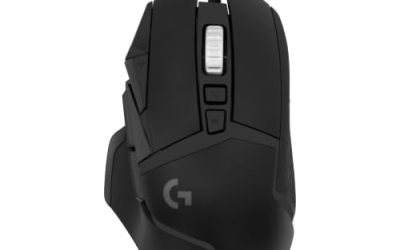
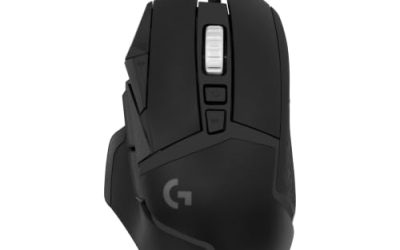
The G502 HERO brings a familiar shape and a deep set of controls to the Xbox, and its wired connection removes any question about pairing. The HERO 25K sensor tracks steadily at the low sensitivities console shooters often need, and the tunable weight system lets the mouse feel planted or quick depending on how many weights stay in the shell. Eleven programmable buttons give room for abilities and shortcuts, and the dual-mode scroll wheel switches between stepped clicks and free spin. Profiles saved to on-board memory carry button assignments from a PC straight to the console.
Specs
- HERO 25K sensor with up to 25,600 DPI
- 11 programmable buttons
- Tunable weight system with five 3.6 g weights
- Dual-mode HyperFast scroll wheel
- LIGHTSYNC RGB lighting
- On-board memory for profiles
Best for: Players who want many buttons and a heavier, planted feel.
Watch out for: Its 121 g starting weight feels heavy for players who prefer light mice.
Razer DeathAdder Essential (2021)
The DeathAdder Essential keeps things simple, and that simplicity is exactly why it works well on a console. Its right-handed ergonomic shell suits palm and claw grips, and the 6,400 DPI optical sensor covers the sensitivity range most Xbox shooters need without extra tuning. Five programmable buttons handle the essentials, and mechanical switches give a firm, consistent click. There is no software to run on the console, and the wired USB connection works as soon as it is plugged in. For players buying their first mouse for Xbox, this is the least complicated path to a comfortable setup.
Specs
- 6,400 DPI optical sensor
- 5 programmable buttons
- Mechanical switches
- Rubberized side grips
- Right-handed ergonomic shape
Best for: First-time mouse players who want a comfortable, simple wired mouse.
Watch out for: The sensor ceiling is lower than newer models, so very high sensitivity settings are limited.
Razer Basilisk V3

The Basilisk V3 is built for players who use the scroll wheel as a tool rather than an afterthought. Its HyperScroll tilt wheel switches between tactile stepping and free spin, which helps with weapon selection and fast menu navigation. The Focus Pro 26K sensor holds tracking steady during quick flicks, and eleven programmable buttons cover abilities without crowding the thumb. A thumb rest supports the hand during long sessions, and the wired connection keeps setup simple on the console. Chroma lighting can be set from a PC and stays on the mouse when it moves to the Xbox.
Specs
- Focus Pro 26K optical sensor
- 11 programmable buttons
- HyperScroll tilt wheel with free-spin mode
- Optical mouse switches Gen-2
- 11-zone Chroma RGB lighting
Best for: Shooter players who lean on the scroll wheel for weapon swaps.
Watch out for: The thumb rest makes the body wider, so very small hands may find it bulky.
SteelSeries Rival 3
The Rival 3 is the lightest mouse in this guide, and its simple wired design suits players who want a quick, low-fuss pointer for the console. The TrueMove Core sensor tracks cleanly up to 8,500 CPI, which covers the sensitivity range of most Xbox titles, and the 77 g body keeps arm movements easy during long matches. Six programmable buttons include split triggers that feel distinct under the fingers, and Prism RGB lighting adds a personal touch. The cable is light enough to stay out of the way on a desk or a lap setup.
Specs
- TrueMove Core optical sensor up to 8,500 CPI
- 6 programmable buttons
- Split trigger buttons
- Prism RGB lighting
- Mechanical switches rated for 60 million clicks
- 77 g weight
Best for: Players who want a light, simple wired mouse for long sessions.
Watch out for: The sensor ceiling and button count are lower than the other picks here.
Which One Fits Your Situation
If You Play Shooters on Xbox
Shooters reward steady tracking and quick weapon changes. The Basilisk V3 leads here, because its scroll wheel and sensor suit fast flicks and frequent swaps. The G502 HERO is a strong second choice when more buttons matter, and its weight tuning helps the mouse stay planted during aimed shots. Either one works well on a desk, and both keep their settings when moved between machines.
If You Switch Between Xbox and PC
Players who share one mouse between console and PC should favour models with on-board memory. The G502 HERO stores profiles on the mouse, so sensitivity steps and button assignments set on a PC stay active on the Xbox. The Basilisk V3 keeps its lighting and wheel settings the same way. A wired model also removes pairing steps when moving between machines, since the same USB cable works on both.
If You Want a Simple First Mouse
A first mouse should work the moment it is plugged in, without software or tuning. The DeathAdder Essential fits that role, with a comfortable ergonomic shape and a sensor that covers everyday play. The Rival 3 is the lighter alternative for players who want a quick pointer and do not need many buttons. Both are wired, both are simple to set up, and either one is easy to replace later if tastes change.
If Your Hands Are on the Smaller Side
Smaller hands need a shorter body and a shape that does not force the fingers to stretch. The Rival 3 is the best match here, because its compact shell and light weight suit a claw or fingertip grip. The DeathAdder Essential also works for medium hands, though its longer body favours a palm grip. Avoid the widest models with thumb rests unless the hand can reach the side buttons without shifting.
Common Mistakes
- Buying a Bluetooth-only mouse, which does not pair with the console.
- Choosing a mouse before checking whether the games you play support mouse input.
- Picking the heaviest mouse available when the setup is a lap desk or a small table.
- Ignoring on-board memory, then losing button assignments when moving from PC to console.
- Setting sensitivity far too high, then fighting the cursor instead of aiming.
Frequently Asked Questions
Does the Xbox Series X support any USB mouse?
Most wired USB mice work with the Xbox Series X in games that support mouse input, and wireless models with a USB receiver usually work the same way. Bluetooth-only mice do not connect to the console. Check the specific game first, since support varies by title, and use a wired model when a simple plug-and-play setup matters most.
Can I use the same mouse on Xbox and PC?
Yes, and wired models make the switch simple, since the same USB cable works on both machines. Models with on-board memory keep their sensitivity steps and button assignments when moved between systems. Set up profiles on a PC first, then plug the mouse into the console and play without extra steps.
What sensitivity should I start with on Xbox?
Start in the middle of the range and adjust in small steps after a few matches. A moderate setting keeps aiming steady without forcing large arm movements, and most players settle near the default after tuning. Change one setting at a time, since changing sensitivity and button layout together makes it hard to tell what helped.
Do I need a mouse pad for console play?
A mouse pad helps on most surfaces, because it gives the sensor a consistent texture and keeps the mouse gliding smoothly. A medium cloth pad suits a desk, while a firmer surface works better on a lap desk. Skip glossy or uneven surfaces, which can make tracking jumpy, and choose a pad that fits the space available.