- Top Pick: SIWIQU TV Dock Station for Nintendo Switch/Switch OLED | 4K@60Hz HDMI, 100W PD Fast Charging, 2 USB-A Ports, Charge While Playing, TV/Tabletop Mode Button
- Best Value: iPLYGAM Portable TV Switch Dock Station for Nintendo Switch1/OLED | 4K@60Hz HDMI, 100W PD Fasting Charging, 2 USB-A Port, Charge While Playing, One Key to TV/Tabletop Mode
- Premium Choice: Switch 2 Dock with Cooling Fan for Nintendo Switch 2/1/OLED, Docking Station for TV Supports 4K 60Hz HD, Charges Switch 2 Joypads, USB-C PD Fast Charging, Piranha Dock Gen 2 Plantdock Cute Gaming Gift
The best Nintendo Switch dock for most people is the official dock for your own console, while a compact third-party travel dock such as the Genki Covert Dock 3 suits Switch 2 owners who want a second, portable setup and accept that Nintendo does not cover damage from unlicensed gear. Docks look like simple pass-through boxes, but they negotiate power, push video, and in some cases run a fan, so the cheapest option is not always the best value. Here is how the main choices compare and who each one fits.
As an Amazon Associate we earn from qualifying purchases at no extra cost to you.


At a Glance: Dock Options Compared
| Dock | Best for | Key stated specs | Limits |
|---|---|---|---|
| Official Nintendo dock set (Switch 2) | Main TV setup | Includes dock, HDMI cable and AC adapter; built-in fan; LAN port | Premium cost; bulky for travel |
| Official dock (Switch / OLED) | Original Switch owners | Dock set with HDMI and adapter; the OLED dock adds a wired LAN port | Not designed for Switch 2 |
| Genki Covert Dock 3 | Travel and second-room Switch 2 use | Reviewers cite up to 65W output, 4K120, HDR and VRR support; maker lists safety certifications | Reported audio dropout on some LG C-series TVs with HDR on |
| JSAUX OmniCentro | Budget portable dock | Portable, supports 4K120 per reviewers | No 1080p240 support, limited certifications compared with the Genki |
| JSAUX 6-in-1 dock | Secondary dock for trips | Multi-port design | Nintendo Life calls it no replacement for the official dock |
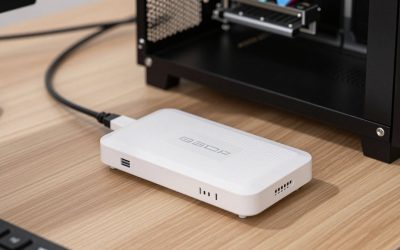
| Low-cost HDMI dongles and cable docks | Occasional tests, backups | Very small; some need extra power | Mixed reports, often no safety certifications, can run warm |
First, Know Which Console You Have
Docks are not interchangeable between generations. A Switch 2 needs a dock built for it, and an original Switch or OLED model uses its own dock. The Switch Lite has no video output and cannot use a dock at all. If you own an OLED model, note that its official dock has a wired LAN port built in, which is helpful for online play. Most recent third-party coverage is about the Switch 2, so older-console owners will mostly be choosing between official sets and generic replacements.
Why the Official Dock Is the Default
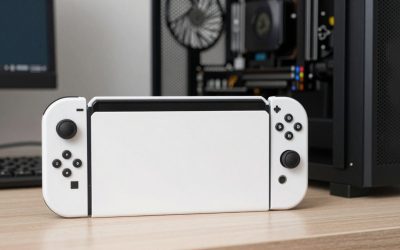
The official Switch 2 dock set includes the dock, an HDMI cable and an AC adapter, and reviewers point out it has a built-in fan, which many cheap alternatives lack. It is also the dock the console was designed around and the only one the maker supports. The drawback is cost: it is the premium choice, and buying a second one for a bedroom or a friend’s house gets expensive quickly. That price gap is why a market for alternatives has grown.
Third-Party Docks: What Reviewers Report
Genki Covert Dock 3
Deku Deals names it the best option for Switch 2 owners looking for a portable dock, and lists up to 65W output with 4K120, HDR and VRR support. Tom’s Guide describes it as costing nearly half as much as a second official dock, and Deku Deals reports it ran cooler than the official dock without a fan. The maker lists safety certifications, which matters for anything handling mains-derived power. Both Deku Deals and others note an audio dropout on some LG C-series TVs when HDR is on, and disabling HDR is the reported workaround while the makers work on firmware. It is also small enough to slip in a pocket, which is the main appeal.
JSAUX OmniCentro
Deku Deals calls this a budget pick that is similarly portable and cheaper than the Genki. It supports 4K120 per that guide, but not 1080p240, and its safety certifications were not as fully verified when reviewers looked at it. It shares the LG HDR audio issue. Treat it as an economy second dock rather than your only one.
JSAUX 6-in-1 Dock
Nintendo Life’s review describes it as attractive enough, but no replacement for the official dock, best used as a secondary option when traveling. It adds ports, which helps if you want to connect accessories, but it is not a drop-in main dock.
Cable-style and tiny docks
Pocket-lint reports that a cable-style dock called Jemdo seems to perform nearly as well as the official one, but that fixing HDR required a firmware download from a questionable source and that it runs warm. GamesRadar found a very low-cost SIWIQU model works as a secondary dock but is not a replacement, and one commenter reported input lag. Very cheap no-name dongles are described by Deku Deals as having mixed results and no safety certifications. These are the products most likely to cause trouble.
Risks Worth Understanding
- Warranty: Nintendo does not support unlicensed accessories, and Deku Deals notes it is unlikely to repair hardware damaged by one.
- History: In 2018 TechRadar reported that some third-party Switch docks were bricking consoles after a firmware update. Recent docks reportedly have the correct voltage, but future updates are never guaranteed.
- Heat: Docks without fans can run warm during long sessions. Keep vents clear and do not place a dock inside a closed cabinet.
- Power: Use the power supply the maker specifies. A weak adapter can lead to charging problems or crashes.
- Display quirks: HDR, VRR and high refresh settings can behave differently across TVs. Test settings with your own screen after setup, and update firmware when the maker releases it.
If a dock or adapter gets unusually hot, smells, or shows damage, stop using it and contact the maker. For mains wiring concerns, consult a qualified electrician.
Pick X If… Decision Table
| Pick this | If you |
|---|---|
| Official dock set | Want a single reliable TV setup and the maker’s support |
| Genki Covert Dock 3 | Own a Switch 2, travel often, and accept the warranty trade-off |
| JSAUX OmniCentro | Want a cheaper portable Switch 2 dock and can live with fewer certifications |
| JSAUX 6-in-1 dock | Need extra ports on trips as a secondary option |
| Official dock extender or second official dock | Want a permanent second setup with the lowest risk |
| Cheap dongle | Only need it for a quick test and understand the risk |
Budget Tiers
- Budget: Cable docks and dongles. Highest variance, least certification data.
- Mid-range: Genki Covert Dock 3 and JSAUX OmniCentro. Best fit for most second-dock buyers.
- Premium: The official dock set, the baseline for fan cooling, support and certainty.
Gamer Notes
If you play on a gaming monitor or a TV with a high refresh rate, check the stated resolution and refresh combinations. The Genki and OmniCentro list 4K120, but the OmniCentro lacks 1080p240 per Deku Deals, which matters for high-refresh monitors. A wired LAN option, found on the official Switch 2 and OLED docks, helps competitive play where Wi-Fi spikes cause lag, so confirm network ports on any third-party model before buying.
Setup Tips for Any Dock
Plug the dock into a wall outlet or a good surge-protected strip, connect HDMI to a port on the TV that supports the resolution you want, and only then seat the console. If the picture flickers or drops out, try a different HDMI cable or port before blaming the dock, since high-bandwidth modes such as 4K120 need a cable rated for them. Keep the dock on a stable, open surface with space around it, and avoid stacking it on top of other heat-producing gear like a game console or receiver.
When using a travel dock, carry its power brick and cable together so you never end up with a dock that cannot power the console. Check the hotel or office TV for HDMI input settings, and expect that HDR and VRR features depend on the display. If you hit a problem, test with the official dock first to see whether the issue lies with the dock, the console or the TV.
Alternatives to Consider
- Dock extender cable: Deku Deals mentions cables that let you use the official dock with other devices, a middle path between a full second dock and a clone.
- Handheld and tabletop play: If you rarely use a TV, skip the second dock and use the console’s kickstand and screen.
- Official second set: Costs more, but it is the least stressful choice.
Frequently Asked Questions
Can I use a Switch dock with the Switch Lite?
No. The Switch Lite does not support video output through a dock. To play on a TV you would need a different console model.
Are third-party Switch docks safe?
Some are made by established brands with listed certifications, and reviewers report they work. Others are cheap with no certification data. Nintendo does not support unlicensed docks, and unlicensed damage is unlikely to be repaired, so weigh that trade-off yourself.
Will a Switch 1 dock work with the Switch 2?
Do not assume it will. Each generation has its own dock design and power needs, so use the dock named for your console in the maker’s documentation.
Do I need the dock to charge my Switch?
No. You can charge the console over its USB-C port with a compatible adapter. The dock is needed for TV output, and some models add ports for accessories and wired networking.
Why does my TV audio cut out with a third-party dock?
Deku Deals reports audio dropout on some LG C-series TVs when HDR is on with both the Genki Covert Dock 3 and the JSAUX OmniCentro. Turning HDR off is the reported workaround, and makers are said to be working on firmware fixes.
Is a dock with a fan better?
A fan helps with heat during long docked sessions, which is one reason the official dock is praised. Fanless docks can still work, as Deku Deals found the Genki ran cooler than the official dock, but keep vents clear and watch for excess heat.