An RTX 5090 build needs a 1000 W minimum power supply (1200 W is the comfortable choice), a roomy well-ventilated case, a top-tier CPU such as the Ryzen 7 9800X3D or Ryzen 9 9950X3D, and a 4K high-refresh monitor to make the card worthwhile. This guide covers each part, the fit and cable pitfalls, and where the trade-offs sit.
What the Card Is
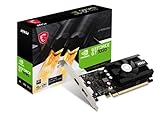
Nvidia lists the GeForce RTX 5090 with 21,760 CUDA cores, 32 GB of GDDR7 on a 512-bit interface, a boost clock of 2.41 GHz and a 575 W total graphics power, with a 1000 W minimum system power. The Founders Edition measures 304 mm by 137 mm and is a two-slot design, though Nvidia notes it needs three unused expansion slots. Display outputs are three DisplayPort 2.1b and one HDMI 2.1b. Partner cards from other brands vary in length, thickness and cooler design, so size checks are essential.
Parts at a Glance
| Part | Choice | Why | Limits |
|---|---|---|---|
| Power supply | 1000 to 1200 W, ATX 3.1, native 12V-2×6 cable (for example Corsair RM1000x or HX1200i class) | 575 W card plus CPU; transient spikes reported near or above 900 W system draw | Avoid third-party adapters |
| CPU | Ryzen 7 9800X3D, Ryzen 9 9950X3D, or Core Ultra 9 285K | Keeps the GPU fed at 1440p and 4K | Top-tier parts cost more than the GPU cost justifies at 4K ultra, where the GPU is the limit |
| Motherboard | X870E or X870 for AM5, PCIe 5.0 x16 | Full-speed slot, good power delivery | Large cards can cover M.2 slots |
| Memory | 32 GB DDR5 as a floor, 64 GB for creative work | Games and background tasks | Two modules for dual channel |
| Cooling | 360 mm AIO or dual-tower air | Heat from CPU and case | Radiator must not collide with the GPU |
| Case | Full tower or large airflow mid-tower (Fractal Torrent, Lian Li O11 Dynamic XL class) | Space for a long thick card and airflow | Compact cases can run hot |
| Storage | 2 TB PCIe 4.0 or 5.0 NVMe | Large game installs | Add a second drive later |
Power Supply and Cable: The Critical Part
Nvidia’s 1000 W figure is a minimum. Tom’s Hardware-style guidance echoed by other roundups treats 1000 W as the floor and 1200 W as the comfortable choice, especially with a high-end CPU or overclocking. One estimate budgets about 950 W overall: 575 W for the GPU, 200 W for the CPU, 100 W for the board, memory and storage, and 75 W for cooling and lighting.
The card uses the 12V-2×6 connector, which is rated at 600 W, so at stock power it runs near its limit. Guides advise choosing an ATX 3.1 power supply and using the native cable that ships with it. Seat the plug fully until it clicks, keep bends away from the connector, and avoid daisy-chained or third-party adapters. If a cable or connector looks discoloured or smells hot, stop and contact the card or power-supply maker. For home wiring concerns about sustained high loads, ask a qualified electrician.
Choosing the CPU
Ryzen 7 9800X3D: Gaming-First
The 9800X3D is the chip many reviewers name for gaming builds, and AMD lists a 120 W TDP. It pairs well with the 5090 at 1440p, where CPU limits show up.
Ryzen 9 9950X3D: Gaming Plus Workloads
With 16 cores, the 9950X3D suits those who also render video, compile code or stream. AMD lists a 170 W TDP, so it needs a stronger cooler.
Intel Core Ultra 9 285K: Alternative Platform
It is an option for buyers who prefer Intel’s platform or need its productivity strengths, with a different socket and motherboard choice.
Case, Cooling and Fit
- GPU length and thickness: compare the exact card model’s dimensions with the case’s listed maximum GPU length. One guide cites about 14 inches of horizontal clearance for large builds.
- Slot space: Nvidia states the Founders Edition needs three unused expansion slots; partner cards can be thicker.
- Airflow: guides suggest at least three intake and two exhaust fans in a mesh-front case.
- Radiator conflicts: a top-mounted 360 mm radiator can bump into tall memory or VRM heat sinks.
- Support brace: heavy cards benefit from a bracket; follow the card maker’s guidance.
- Vertical mounts: need a case and riser designed for the card, since thick coolers need room to breathe.
Monitor and Display Fit
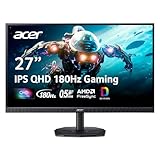
Nvidia lists support for 4K at up to 480 Hz or 8K at 165 Hz with DSC. In practice, pair the card with a 4K high-refresh or ultrawide monitor. A 1080p screen leaves most of the card’s capability unused.
Is It the Right Card for You?
The RTX 5090 is aimed at buyers who want maximum 4K performance, heavy ray tracing or AI and creative workloads that benefit from 32 GB of memory. Nvidia’s current feature set includes DLSS and Reflex 2. For 1440p play, reviewers often point to cheaper cards that deliver high frame rates without the power, size and cable demands.
Pick X If… Decision Table
| If you… | Choose |
|---|---|
| Play at 4K and want maximum settings | RTX 5090 with 9800X3D |
| Also render, stream or compile | RTX 5090 with 9950X3D and 64 GB RAM |
| Play at 1440p | A cheaper card; a 5090 is rarely needed |
| Have a compact case | Check dimensions first or choose another GPU |
| Want to stay on a smaller PSU | RTX 5080 or 5070 Ti class |
| Prefer quiet operation | Large case, big fans at low speed, quality PSU |
Budget Tiers
- Premium (the entry point for this build): the GPU, a 1000 W ATX 3.1 supply, a capable CPU and a large case.
- Enthusiast: 9950X3D or equivalent, 64 GB memory, 360 mm AIO and a high-refresh 4K monitor.
- Cost-saving moves: skip high-end RGB, choose air cooling and a 2 TB drive, but do not cut on the power supply.
Alternatives
- RTX 5080 (16 GB): lower power draw and cost, still capable at 4K with upscaling.
- RTX 5070 Ti (16 GB): a strong 1440p and entry 4K card with a smaller supply requirement.
- Radeon RX 9070 XT: a 16 GB AMD option for 1440p without the cable concerns of a 575 W card.
- Prebuilt RTX 5090 systems: useful if you do not want to manage compatibility yourself.
Build Order and Assembly Notes
A card this large rewards a careful build order. Install the CPU, memory and M.2 drive on the motherboard outside the case first, since heavy cards can cover M.2 slots and make later changes difficult. Mount the CPU cooler or radiator before the graphics card, and route the cables you need before the card goes in. Fit the power supply with its native cables, and plan the path of the 12V-2×6 cable so it does not bend sharply right behind the plug. Many guides advise leaving a straight section of cable before any bend.
Insert the card last, press it fully into the top PCIe slot until the latch clicks, and secure it to the case bracket with the screws provided. Support the end of the card if the maker suggests it, because a heavy cooler can sag over time. Connect the power cable and push it fully home; a plug that is slightly out of its socket is the common cause of overheating reports, so look at it again before closing the case. If you are unsure, the card maker’s manual and support line are the right reference.
After the first boot, install the latest graphics driver from Nvidia, update the BIOS if the board maker advises it for your CPU, enable the memory profile, and set fan curves so the case is quiet at idle. Watch temperatures during the first long gaming sessions, and if the card or cables run unexpectedly hot, power down and recheck the seating. For anything electrical beyond the PC itself, such as a tripping breaker, a qualified electrician is the right call.
Frequently Asked Questions
What power supply does an RTX 5090 need?
Nvidia lists a 1000 W minimum system power. Many guides suggest 1200 W for headroom with a high-end CPU, and an ATX 3.1 unit with a native 12V-2×6 cable is the preferred type.
Can I use an adapter for the power connector?
Guides advise using the native cable that comes with an ATX 3.1 power supply and avoiding third-party or daisy-chained adapters. Seat the connector fully and avoid sharp bends near it.
Will it fit my case?
Check the exact card model’s length and thickness against the case’s maximum GPU length and slot space. The Founders Edition is 304 mm long and, per Nvidia, needs three unused expansion slots.
Which CPU is best with an RTX 5090?
For gaming, many reviewers favour the Ryzen 7 9800X3D. If you also do heavy productivity work, the Ryzen 9 9950X3D or a Core Ultra 9 is a reasonable choice.
Is an RTX 5090 worth it for 1440p?
Usually not for gaming alone, because cheaper cards reach high frame rates at that resolution. The 5090 makes the most sense at 4K, in demanding ray-traced games, or in workloads that use its 32 GB of memory.
How much cooling does the build need?
Plan for a mesh-front case with several intake and exhaust fans, plus a quality CPU cooler. Keep the card’s intake free of cables, and follow the card and case makers’ guidance.