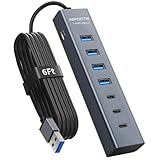
- Top Pick: ABFCRTTW 6FT 7-Port USB Hub 3.0 for Desktop, Aluminium USB Extender Hub | 5Gbps USB Multiport Adapter with 4 USB-A & 3 USB-C Ports , USB Splitter, USB Hub Long Cable for PC, Laptop, U Flash Drive,HDD
- Best Value: Aceele USB C/A Hub for Laptop, Ultra Slim USB Splitter 4 Port USB 3.0 Data Hub, Multi USB Port Expander with 4Ft Long Extension Cable for Desktop Mini PC,MacBook Air/Pro, iMac, PS5, Flash Drive
- Premium: UGREEN USB C Hub 5-in-1 Revodok, Slim Portable USB-C Adapter | 100W PD Charging, 4K@60Hz HDMI, 10Gbps USB 3.2 Data Ports, Lock-Screen Button & Cable Clip for MacBook Air/Pro, iPad, Laptops
For a gaming laptop or handheld PC, the best USB-C setup is a certified cable that matches the job (charging, data or video) plus a hub with the port mix you actually use, with Anker and UGREEN the names reviewers cite most for hubs that serve both a laptop and a Steam Deck or ROG Ally, and Satechi a frequent pick for slim laptop hubs. The key is to read the specs, because two cables that look identical can differ hugely in power, data speed and video support.
As an Amazon Associate we earn from qualifying purchases at no extra cost to you.


At a Glance: Hub and Dock Options
| Option | Best for | Key stated specs (as listed by makers or reviewers) | Limits |
|---|---|---|---|
| UGREEN 9-in-1 handheld dock | Steam Deck, ROG Ally, Legion Go, MSI Claw | 10 Gbps USB 3.2 ports, gigabit Ethernet, HDMI output, power pass-through | Bulkier than a pocket hub |
| UGREEN 6-in-1 dock | Windows handhelds wanting high refresh output | Listed with HDMI 2.1 at 4K 120Hz and 100W power delivery | Fewer ports |
| Anker 6-in-1 handheld dock | Steam Deck | 4K 60Hz HDMI, 100W power pass-through, gigabit Ethernet | A listing warns of no ROG Ally X support |
| UGREEN Revodok Pro 109 | Laptops needing many ports | Nine ports in total | Needs a good host port for full speed |
| Anker 555 8-in-1 or 11-in-1 | Desk laptop setups | HDMI, USB-A, USB-C, SD and Ethernet mixes depending on model | Model lines change, so read the exact version |
| Satechi Slim 7-in-1 | MacBook-style slim laptops | Compact aluminum design, multi-port layout | Not tuned for handheld docking |
| Satechi Thunderbolt 4 Slim Hub Pro | Thunderbolt 4 or USB4 laptops | Thunderbolt 4 hub | Needs a Thunderbolt 4 or USB4 host to show its benefit |
PCGamesN lists a JSAUX 5-in-1 dock as its overall pick for Steam Deck, and several roundups call UGREEN’s 9-in-1 the best value. Many of those roundups are affiliate-style lists, so cross-check against the maker page.
USB-C Cable Types: Charging, Data and Video
The connector is the same, but capability is not. A USB-C cable can be one of several things.
- Charging-only or USB 2.0 cable: carries power and USB 2.0 data at 480 Mbps. Often bundled with phones. Poor for external SSDs or video.
- USB 3.2 Gen 2 cable: lists 10 Gbps data, good for fast storage and docks.
- USB4 and Thunderbolt 4 or 5 cables: list 40 Gbps or more (Thunderbolt 5 raises that), carry video and data, and support docks and external GPUs.
- Video-capable cables: need DisplayPort Alt Mode on the host port. The cable must be wired for it, and many full-featured cables are.
Look for the maker’s printed speed and wattage ratings. The USB Implementers Forum certification logos on packaging also state speed and power levels.
Power Delivery Wattage
USB Power Delivery negotiates the voltage between charger, cable and device. Cables without a special chip handle up to 60W (3A). A cable with an e-marker chip is needed for 100W (5A). USB PD 3.1 Extended Power Range goes up to 240W with matching cables and chargers. Gaming laptops often need more than a hub can pass, so check what the laptop maker lists for charging.
| Device | Typical charging approach |
|---|---|
| Steam Deck, ROG Ally, Legion Go | The maker lists a USB-C charger; a 45W or higher PD source is common, and a hub with PD pass-through lets one cable do charging plus video |
| Thin laptops (14 inch) | Often 65W to 100W over USB-C |
| Gaming laptops | Many use a barrel charger for full performance; USB-C may only run the system at reduced power |
Hub power pass-through usually keeps some watts for the hub itself, so a 100W input may deliver slightly less to the laptop. Check the listing.
Thunderbolt, USB4 and What the Host Port Allows
A hub is limited by the port it plugs into. A laptop USB-C port that supports only USB 3.2 will not give Thunderbolt speeds even with a Thunderbolt hub. Thunderbolt 4 hubs need a Thunderbolt 4 or USB4 laptop to show their benefit, as reviewers of the Satechi hub note. Check the little lightning icon or the specification sheet of the laptop to see what each port does. Not every port on a laptop has the same features.
Hub Port Mix: What to Look For
- HDMI: look at the version and refresh listing. A 4K 60Hz output is fine for most monitors and TVs. For 4K 120Hz or VRR, the hub must state HDMI 2.1 support, like the UGREEN 6-in-1 that lists 4K 120Hz.
- USB-A and USB-C data ports: 10 Gbps ports suit external SSDs. A hub that shares a single link between all ports slows each as more devices run.
- Gigabit Ethernet: useful for steady online play. Handheld docks from Anker and UGREEN list it.
- SD and microSD: handy for handheld storage swaps and cameras.
- Power delivery input: lets one charger power the hub and device. Match the wattage to the device.
- Stand or cradle: handheld docks that hold the device upright are better for gaming on a TV than a hanging hub.
A pocket hub on a cable can overheat or tug on the port if it hangs from a short cable, so a firm desk position is better.
Right-Angle Cables and Fit
Right-angle USB-C connectors help in cramped spots, such as a handheld that sits in a dock or a laptop with a port near a wall. Look for 90-degree designs with the same rating as straight cables. A bent connector does not reduce speed if it is built to the same specification. For handheld play, a short angled cable that keeps strain off the port is a common idea.
Handheld PC Compatibility Notes
A handheld needs DisplayPort Alt Mode for video through USB-C and USB Power Delivery for charging while docked. Roundups note that an Anker 6-in-1 dock lists proven Steam Deck compatibility but one listing warns it does not work with the ROG Ally X. The UGREEN 9-in-1 is listed as working with ROG Ally, ROG Ally X, Legion Go and MSI Claw. Firmware and BIOS updates change behavior, so read the dock maker’s compatibility list for your exact model.
Picks by Budget Tier
| Tier | Examples | Notes |
|---|---|---|
| Budget | Anker or UGREEN small hubs and cables | HDMI plus a few USB ports, but may not hold a handheld up |
| Mid-range | UGREEN 9-in-1 and 6-in-1 docks, Anker 6-in-1 dock, Revodok Pro 109 | Ethernet, higher-speed USB, PD pass-through |
| Premium | Satechi Thunderbolt 4 Slim Hub Pro, other Thunderbolt 4 docks | Best for Thunderbolt laptops with multiple displays |
Pick X If…
| Pick | If… |
|---|---|
| Handheld dock with HDMI 2.1 | You want 4K 120Hz or VRR from a Windows handheld. |
| Steam Deck 6-in-1 | You need a simple, proven dock for a Steam Deck. |
| Multi-port hub like Revodok Pro 109 | You connect lots of peripherals to a laptop at a desk. |
| Thunderbolt 4 hub | Your laptop has Thunderbolt 4 and you run fast storage plus displays. |
| Slim Satechi hub | You travel with a thin laptop and want a compact look. |
| USB4 or Thunderbolt cable | You connect a dock or fast SSD where the cable length is short. |
Alternatives
- Dedicated USB-C to HDMI cable: for one-job video output without extra ports.
- Brand docking stations from the laptop maker: often tuned for that laptop’s power and ports.
- Thunderbolt docks: for multi-monitor and high-speed storage.
- Separate chargers and card readers: sometimes more reliable than an all-in-one hub.
Safety and Care
Use cables and chargers from reputable makers that state their power ratings, since poorly built cables can overheat when carrying high wattage. Stop using a cable that feels hot, smells burnt or has a damaged plug, and replace it. Follow the laptop maker’s charging guidance and unplug hubs before cleaning ports.
Frequently Asked Questions
Are all USB-C cables the same?
No. The connector is the same but the wiring is not. Some carry only power and slow data, while others carry 10 Gbps or 40 Gbps data, video and higher wattage. Read the maker’s stated speed, wattage and video support.
Do I need a Thunderbolt hub for a gaming laptop?
Only if your laptop has a Thunderbolt or USB4 port and you want its extra speed. For basic use such as keyboard, Ethernet and a display, a regular USB-C hub is enough. A Thunderbolt hub plugged into a slower port does not run faster.
Can a hub charge my laptop while I game?
Many hubs list power delivery pass-through, but the wattage must match what the laptop needs. Gaming laptops often need more than a hub passes, so use the laptop’s own charger where the maker advises.
Will a hub work with a Steam Deck or ROG Ally?
Many do, but compatibility differs by model. Anker’s 6-in-1 is marketed for Steam Deck and a listing warns against use with the ROG Ally X, while UGREEN lists broader handheld support. Read the compatibility list before buying.
Why does my hub get hot?
Hubs convert power and move data in a small body, so they warm up under load. If it becomes too hot to touch or acts erratically, unplug it and contact the maker. Do not cover it.
Is a right-angle USB-C cable worth it?
It helps where space is tight or where a straight plug would stress the port. Choose one with the same rated speed and wattage as a straight cable.