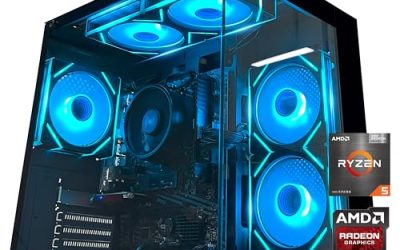
Under 2000, the strongest prebuilt choices are RTX 5070 Ti or Radeon RX 9070 XT systems with 16GB of video memory, paired with a Ryzen 7 9800X3D or similar CPU, 32GB of DDR5 and a 2TB NVMe drive. Skytech Gaming’s Azure 3 and King 45, CyberPowerPC’s GXL 99667 and Master 9300, and Skytech’s Harpy and Prism 5 are listed by their makers with those parts. Which one suits you depends on whether you value the X3D gaming CPU, the AMD graphics card, or the lower end of the range.
Quick Verdict
This tier is built for high-refresh 1440p and entry 4K play. Both the RTX 5070 Ti and the RX 9070 XT carry 16GB of video memory as the makers list, which gives them headroom that 12GB cards lack in the most demanding titles. The key decision is the platform: AMD’s X3D processors target gaming, while Intel options such as the Core i7-14700KF cover broader multi-threaded work.
Systems That Fit the Class
| System (maker listing) | CPU | GPU | RAM / storage | Best for | Limit |
|---|---|---|---|---|---|
| Skytech King 45 | Ryzen 7 9800X3D | RTX 5070 Ti 16GB | 32GB DDR5 / 2TB Gen4 NVMe | High-refresh gaming, strong CPU for games | Placed at the upper edge of the class |
| Skytech Azure 3 | Ryzen 7 9800X3D | RTX 5070 Ti 16GB | 32GB DDR5 / 2TB Gen4 NVMe | Same core specs with a different chassis | Specs essentially match the King 45 |
| Skytech Prism 5 | Ryzen 7 9850X3D | RTX 5070 Ti 16GB | 32GB DDR5-6000 / 2TB Gen4 NVMe | Newest X3D chip in the class | May sit above the budget cap |
| Skytech Harpy | Ryzen 7 9850X3D or Core Ultra 7 270K Plus | RTX 5070 Ti or Radeon 9070 XT 16GB | 32GB DDR5 / 2TB NVMe | Choice of CPU and GPU brand | Configuration affects the final cost |
| CyberPowerPC GXL 99667 | Core i7-14700KF | RTX 5070 Ti 16GB | 32GB DDR5 / 2TB Gen4 NVMe | Multi-threaded work plus gaming | Previous-generation Intel platform |
| CyberPowerPC Master 9300 | Ryzen 7 7800X3D | Radeon RX 9070 XT | 32GB DDR5-6000 / 1TB | X3D gaming with AMD graphics | Only 1TB of storage as listed |
RTX 5070 Ti or Radeon RX 9070 XT
The two cards compete directly in this tier. Both are listed with 16GB of memory. NVIDIA’s card brings its ecosystem of upscaling and ray-tracing features, which reviewers often cite as the reason to pick it. The Radeon RX 9070 XT, from AMD’s RX 9000 series, is typically discussed as the value-oriented alternative that performs strongly in conventional rasterised games. Because relative performance varies by title, read independent reviews for the games you care about rather than relying on a single figure.
Why the X3D CPUs Appear So Often
AMD’s X3D processors add a large stacked cache aimed at games. The Ryzen 7 7800X3D, 9800X3D and 9850X3D all appear in the listings above. Reviewers commonly describe the X3D line as among the best gaming CPUs available, especially at high refresh rates where the processor becomes the limit. At 4K the graphics card dominates and the CPU matters less. If you also do heavy video editing or rendering, an Intel or higher-core-count AMD chip may suit better, though that is a secondary use for most buyers in this tier.
Fit and Compatibility Notes
- Power supply: 16GB cards in this class draw serious power; follow the GPU maker’s stated minimum wattage and connector guidance. If you see any heat damage on a power connector, stop using the system and contact the maker.
- Cooling: X3D chips run efficiently, but case airflow still affects GPU temperatures; look for a stated cooler type and fan count.
- Case size: long 16GB graphics cards may need a roomy case; check the card length stated on the maker’s page.
- Storage: 2TB is the sensible baseline for modern game sizes; the Master 9300’s 1TB is on the tight side.
- Platform: AM5 is the current AMD socket; Intel’s Core Ultra 200S uses a newer socket than the 14th-generation chips.
Pick X If… Decision Table
| If you want… | Pick |
|---|---|
| The latest AMD gaming CPU | Skytech Prism 5 or Harpy |
| A strong all-round gaming setup at the low end of the tier | Skytech King 45 or Azure 3 |
| AMD graphics and X3D CPU together | CyberPowerPC Master 9300 or Skytech Harpy |
| Strong multi-threaded work and gaming | CyberPowerPC GXL 99667 |
| Choice of CPU and GPU vendor | Skytech Harpy configurations |
Common Mistakes
- Treating a 12GB card as equal to a 16GB card. At 4K and with heavy textures, the extra memory can matter.
- Overspending on CPU for 4K. At higher resolutions the GPU is the main limit.
- Skipping the cooler and PSU details. A high-end GPU needs a quality supply and good airflow.
- Buying 1TB of storage. Large games fill it quickly.
- Not reading the warranty. Confirm who services parts and what is covered.
Alternatives
- RTX 5070 systems: a lower-cost choice that still handles 1440p, as covered in the tier below.
- RTX 5080 systems: listed by CyberPowerPC with Ryzen 7 9800X3D or Ryzen 9 9950X3D2; these generally sit in the next tier.
- Self-built: lets you choose the case, power supply and cooler directly.
What Resolution and Refresh Rate to Aim For
RTX 5070 Ti and RX 9070 XT systems are positioned for 1440p at high refresh rates and for 4K with upscaling or adjusted settings. A 1440p monitor at 165Hz or above uses the CPU and GPU well. A 4K panel works but may need frame generation or lower presets in the most demanding games. Choosing the monitor first helps, since it sets what the graphics card needs to deliver.
Upscaling and Frame Generation
NVIDIA lists DLSS as a feature of its RTX cards, and AMD lists FSR for its Radeon cards. Both rebuild higher-resolution images from lower render resolutions to raise frame rates. Support varies by game, and image quality depends on the version used. Reviewers often compare these features when choosing between the two brands, so check which technologies your favourite games support before deciding.
Platform Longevity
Skytech and CyberPowerPC list a mix of platforms. AM5 CPUs such as the 9800X3D and 9850X3D sit on the current AMD socket, which AMD has said it intends to support for multiple generations. The Core i7-14700KF in the GXL 99667 belongs to an older Intel generation, so upgrade options on that board are more limited. If you plan to keep the machine for many years and upgrade the CPU in the middle of its life, the platform matters as much as the current performance.
Memory and Storage Details
All of the listings above ship with 32GB of DDR5, which is a comfortable amount for gaming plus background applications. Skytech lists DDR5-6000 on some models, a common speed for AMD platforms. Storage at 2TB is the norm, with the Master 9300 as the exception at 1TB. If you choose that model, plan for a second drive early.
Frequently Asked Questions
Is an RTX 5070 Ti good enough for 4K?
Reviewers generally position it for high-refresh 1440p and capable 4K with sensible settings. Demanding games at maximum settings may need upscaling.
Is the Radeon RX 9070 XT a good alternative?
Yes, it is AMD’s high-end option in the RX 9000 series with 16GB of memory. Compare reviews for your favourite games, especially for ray tracing.
Do I need an X3D CPU?
No, but it helps for high refresh rates in CPU-bound games. At 4K the difference shrinks.
How much storage should I have?
2TB is a sensible starting point. Check that the motherboard has an extra M.2 slot.
Are these systems quiet?
Noise depends on the cooler and case. Look for a stated cooler model and fan configuration.
Should I wait for newer models?
New releases are always coming, but the systems above use current-generation parts. Waiting makes sense only if a specific launch matters to you.