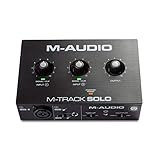
- Top Pick: M-AUDIO M-Track Solo USB Audio Interface | XLR, Line and DI Inputs, Professional Software Suite for Recording, Streaming, and Podcasting
- Best Value: Cubilux CB5 USB Audio Interface for Recording, Streaming, Podcasting, USB to 3.5mm Sound Card with Stereo Microphone Input, Line-In, Line-Out & Headphone Jack for Monitors, Support Windows & Mac OS
- Premium Choice: M-AUDIO M-Track Duo USB Audio Interface | Dual XLR, Line and DI Inputs, Professional Software Suite for Recording, Streaming, and Podcasting
For a streamer with one XLR microphone, the Focusrite Scarlett Solo (4th generation) is the interface that reviewers name most often in 2026; step up to a two-input unit such as the Scarlett 2i2 or the M-Audio M-Track Duo if you need two mics or a mic plus an instrument. A USB microphone is simpler, but an XLR mic with an interface gives a better upgrade path. This guide explains what to look for and how the common models compare.
As an Amazon Associate we earn from qualifying purchases at no extra cost to you.


Interface vs USB Mic
| Option | Best for | Pros | Limits |
|---|---|---|---|
| USB microphone | Plug and play, one voice | One device; no extra cables | Cannot swap the mic part; usually one input |
| XLR mic plus USB interface | Streamers who may upgrade and want better preamps | Choose any XLR mic; add an arm and cable; headphone monitoring | Needs more parts and setup |
| Interface with loopback | Streaming and podcasts | Mixes computer audio with the mic inside the interface | Driver and app setup needed |
Models at a Glance
| Model | Best for | Reported specs | Limits |
|---|---|---|---|
| Focusrite Scarlett Solo (4th Gen) | One mic plus one instrument | Reviewers report USB-C bus power, recording up to 24-bit/192 kHz, 120 dB dynamic range converters, Hi-Z instrument input and loopback inputs for streaming software; one outlet scored it 8.3 | Reviewers note no output meter, no Auto Gain or Clip Safe, Air mode over XLR only and no stereo line input; a minority report dropouts |
| Focusrite Scarlett 2i2 | Two inputs for a mic and a guest or an instrument | Named by MusicRadar at the top of its main guide | Slightly larger |
| M-Audio M-Track Solo | Basic recording and streaming | One roundup lists a 48 kHz sample rate | Fewer streaming features reported |
| M-Audio M-Track Duo / Duo HD Producer Pack | Two inputs and a tighter budget | SoundGuys suggests the Duo HD Producer Pack for a bundle with the items needed to start | Check the maker’s list of included parts |
| M-Audio M-Track 2 | Two inputs | MusicRadar’s table lists 24-bit/192 kHz | Compare features and drivers |
Specs come from reviewers and retailer-style summaries. Confirm the exact specs on the maker’s page for the specific model before buying.
What to Look For
Number of inputs
A solo streamer needs one mic input. If a co-host, a second mic or a guitar is likely, a two-input model prevents a second purchase. The Scarlett Solo has a mic input and an instrument input, but not two mic inputs, so a two-mic setup needs a 2i2-class unit or larger.
Phantom power
Condenser microphones need 48V phantom power, which most interfaces supply through a button on the front. Dynamic microphones, which are popular for noisy rooms, do not need it, but many dynamic mics have low output and need gain. Check the mic’s maker data on required gain, and check the interface’s maximum gain. Turn phantom power off before connecting or disconnecting a microphone, and do not enable it with ribbon mics unless the maker allows it.
Preamp gain and noise
Low-output dynamic mics such as those used for broadcast can need high gain. Interfaces that list high gain and low noise, as the Scarlett 4th generation range does, give cleaner results. Do not rely on the number alone. Reviews comment on real-world noise at high gain.
Latency and monitoring
Latency is the delay between speaking and hearing yourself in headphones. Direct monitoring, which sends the mic signal to headphones inside the interface, avoids the delay. Most modern interfaces include it. Round-trip latency through software depends on the driver and buffer size, so use the maker’s driver where it exists.
Drivers and operating system support
On Windows, many interfaces use the maker’s driver or ASIO driver for low latency. Class-compliant devices can work without one on some systems. Read the maker’s support page for the supported operating system version and any required driver or software before buying, especially after a major Windows or macOS update.
Loopback for streaming
Loopback sends computer audio, such as game sound and chat, back into the interface as an input so that streaming software can record it with the mic. Reviewers highlight the Scarlett Solo 4th generation for this, listing loopback channels 3 and 4. It reduces the need for virtual audio cable software, though most streamers still use mixing in their streaming app.
Power
Many solo interfaces are USB bus-powered. The Scarlett Solo 4th generation is reported as powered by USB-C. Use a good cable and a direct port, since hubs can cause dropouts.
XLR Mic Pairings
A dynamic XLR microphone reduces room noise and keyboard sounds, a common choice for gamers. Condenser microphones capture more detail in a quiet, treated room but need phantom power and pick up more background sound. Whichever you choose, add a pop filter and a boom arm, use an XLR cable, and place the mic close to the mouth. The interface’s gain should be set so peaks stay out of the red.
Setup Steps
- Install the maker’s software or driver if the maker lists one.
- Connect the interface to a direct USB port with the supplied cable.
- Connect the microphone with an XLR cable; enable phantom power only for a condenser mic.
- Set the input in your streaming app to the interface.
- Set the gain so that normal speech sits well below clipping.
- Use direct monitoring for headphones and mute the mic in the software monitor to avoid echo.
Pick X If You Want Y
| Pick | If you | Tier |
|---|---|---|
| Scarlett Solo (4th Gen) | stream with one mic and want loopback | Mid-range |
| Scarlett 2i2 | need two inputs | Mid-range |
| M-Audio M-Track Solo | want a basic, lower-priced start | Budget |
| M-Audio M-Track Duo HD Producer Pack | want a bundle and two inputs on a tight budget | Budget to mid-range |
| USB mic | want the simplest setup | Budget to mid-range |
Alternatives
- Streaming mixers and audio consoles. Hardware mixers with several channels can handle game, chat and mic mixing, at a higher tier.
- USB-XLR hybrid mics. Some microphones have both USB and XLR outputs and bridge the two worlds.
- Software mixers. Virtual audio tools can mix sources on the PC for a USB mic user.
Fit and Compatibility Notes
Check the connector first. The Scarlett Solo 4th generation is reported to use USB-C, so a PC with only older USB-A ports needs the right cable or an adapter that the maker supports. Interfaces use XLR, quarter-inch or combination inputs, and the headphone jack is usually quarter-inch, so a gaming headset with a 3.5 mm plug needs an adapter, and a headset with a built-in mic will not use the interface’s mic input at all. Streamers who use a console as well as a PC should read the maker’s notes on console support, since many interfaces are built for computers and mobile devices only.
Desk space matters too. Solo-class units are small and sit beside a keyboard, while two-input units are somewhat larger. Mic arms, shock mounts and pop filters add to the setup, and a decent XLR cable is part of the cost. Plan for these extras when comparing a USB microphone with an interface and microphone pair.
Budget Tiers
At the budget tier, the M-Audio M-Track Solo and Duo models cover a mic and basic monitoring. The mid-range tier is where the Scarlett Solo and 2i2 sit, with stronger preamps and streaming features such as loopback. The premium tier adds more inputs, better converters and larger mixing controls, which a single-voice streamer rarely needs. Spend the difference on a good dynamic microphone, an arm and a quiet room first, since those change the sound more than an interface upgrade does.
Common Mistakes to Avoid
- Turning gain up to the maximum on a quiet mic instead of moving the mic closer.
- Leaving software monitoring and direct monitoring both on, which causes an echo in the headset.
- Plugging the interface into a front-panel or hub port that cannot supply stable power.
- Skipping the driver or firmware page on the maker’s support site.
- Expecting an interface to remove room noise. A dynamic mic and a quiet room do more than any gear upgrade.
Frequently Asked Questions
Is an audio interface better than a USB microphone for streaming?
It offers more flexibility, since the mic can be upgraded and preamps are generally better. A USB mic is simpler and may be enough for casual streams.
Do I need phantom power?
Only for condenser microphones. Dynamic mics generally do not need it. Turn it off before plugging or unplugging a mic.
Will the Scarlett Solo run a dynamic mic?
Reviewers describe it as a quality mic preamp with enough gain for typical use, but a very low-output dynamic mic may need more gain. Check both makers’ specs.
What is loopback?
Loopback sends computer audio into the interface as an input so streaming software can record it with your mic. Reviewers list it on the Scarlett Solo 4th generation.
Why do I hear a delay in my headphones?
The delay comes from software monitoring. Use the interface’s direct monitoring and the maker’s driver to reduce it.
Why does my interface disconnect?
A minority of owners report dropouts. A common cause is a poor cable or hub. Use a direct port and the maker’s cable, and contact the maker if it persists.