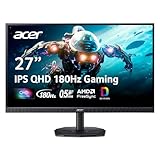
- Top Pick: Acer Nitro 27in QHD 2560×1440 IPS 180Hz Gaming Monitor KG271U N3bmiipx | 0.5ms, AMD FreeSync, DCI-P3 95%, 2xHDMI, DisplayPort, Speaker, VESA Mountable, Bluelight Filter, Flickerless Technology
- Best Value: ASUS TUF Gaming VG27AQ3A 27 Inch 1440p 180Hz G-SYNC Gaming Monitor | Fast IPS, ELMB Sync, 1ms, 130% sRGB, Built-In Speakers, FreeSync Premium, HDR10, for PS5 and Xbox, 3yr warranty
- Premium Choice: Samsung 27" Odyssey G5 (G51F) Series QHD (1440P) Gaming Monitor | 180Hz, 1ms, AMD FreeSync, HDR10, Height Adj Stand, Black Equalizer, Virtual Aim Point, Auto Source Switch+ (LS27FG512ENXZA)
For most PC gamers, a 27-inch 1440p monitor with a 144 to 180 Hz refresh rate and adaptive sync is the sensible budget target, and the AOC Q27G3XMN is the model reviewers name most often when the goal is the best picture for the least outlay; shoppers who want the lowest entry point should look at the KTC H27T22C-3 class of panels, and those who want OLED contrast on a tight budget should look at the limited-brightness Alienware and Gigabyte OLED models. The right choice depends on room lighting, graphics card power and whether you value contrast or motion clarity more.
As an Amazon Associate we earn from qualifying purchases at no extra cost to you.


At a Glance: Budget 1440p Monitors Reviewers Keep Naming
| Monitor | Best for | Key stated specs | Limits |
|---|---|---|---|
| AOC Q27G3XMN | Best overall picture at a budget tier | The maker lists a 27-inch VA panel, 2560×1440, 180 Hz, 1 ms GtG, DisplayHDR 1000 with mini-LED and 336 local dimming zones | Only one DisplayPort 1.4 and one HDMI 2.0 port; VA panels can smear in dark scenes |
| KTC H27T22C-3 | Lowest-cost entry | PC Gamer names it its budget 1440p pick for doing the fundamentals well | Fewer extras; check the maker sheet for the exact refresh rate of your unit |
| KTC M27T6S | Step-up mini-LED | PC Gamer calls it its best 1440p monitor overall, using a mini-LED backlight | Costs more than the entry KTC; backlight blooming is a general mini-LED trade-off |
| Samsung Odyssey G5 (G51F) | Simple, widely stocked all-rounder | Roundups list 1440p, 180 Hz and 1 ms | Mid-tier panel quality; contrast is typical of its class |
| Alienware AW2726DM | Entry OLED | PC Gamer lists it as a budget OLED pick; TechSpot calls it limited-brightness | Lower full-screen brightness than premium OLEDs; burn-in care needed |
| Alienware AW2725D | Best-balanced budget QD-OLED | TechSpot says it strikes the best balance of the models it assessed | Costs more than any LCD here; glossy-style coating reflects lamps |
| Gigabyte GO27Q24A | OLED on a tighter limit | TechSpot describes it as limited-brightness | Same OLED brightness caveat |
Why 1440p Is the Budget Sweet Spot
A 27-inch screen at 2560×1440 has a pixel density that looks noticeably sharper than 1080p at the same size, while asking far less of the graphics card than 4K. That matters at the budget tier, because the monitor and the GPU have to be matched. A mid-range card from the current generation can push high frame rates at 1440p in most esports titles and reasonable settings in demanding single-player games, while 4K would force lower settings or heavy upscaling.
The refresh rate is the second lever. Budget 1440p panels commonly top out at 144, 165 or 180 Hz. Going from 60 Hz to 144 Hz is a large visible change in motion; going from 144 Hz to 180 Hz is smaller. If your graphics card cannot hold more than 100 frames per second in the games you play, a 240 Hz panel is largely wasted money.
Panel Types Explained
VA with mini-LED
The AOC Q27G3XMN is the clearest example. A VA panel has high native contrast, and AOC lists a mini-LED backlight with 336 local dimming zones and VESA DisplayHDR 1000 certification. Reviewers such as RTINGS name it the best budget gaming monitor it has assessed, mainly because of picture quality beyond what other cheap displays offer. The trade-off is the usual one for VA: dark-colour transitions can be slower than on IPS, and local dimming can produce halos around bright objects on dark backgrounds.
Fast IPS
IPS panels give wider viewing angles and generally cleaner motion in dark scenes than VA, with lower native contrast. Many of the lowest-cost 27-inch 180 Hz screens from brands such as KTC, Gigabyte and MSI use this or similar technology. Retail roundups point to flat and curved 180 Hz models in this class as the cheapest way into 1440p high refresh.
Limited-brightness OLED
TechSpot has focused on budget 1440p OLED monitors and separates full-brightness from limited-brightness designs. Limited-brightness models such as the Alienware AW2726DM and Gigabyte GO27Q24A keep the pixel response and per-pixel black levels that make OLED attractive, but they cannot hold peak brightness across large bright areas. They suit dim rooms and mixed use. Anyone planning to leave static desktop windows on screen for hours should read the maker warranty terms about burn-in.
Specs That Matter at This Tier
- Refresh and response: Look for the maker-stated refresh rate and whether the quoted response time is a grey-to-grey figure. Reviewers measure real response separately and often find overdrive settings matter more than the headline number.
- Adaptive sync: Most monitors in this class support FreeSync or generic Adaptive Sync, which also works with Nvidia cards over DisplayPort. Confirm the supported range.
- Ports: The AOC lists only DisplayPort 1.4 and HDMI 2.0. That is enough for 1440p at 180 Hz on DisplayPort, but a console connected over HDMI 2.0 is limited in what refresh rates it can use. If you plan to connect both a PC and a console, check the port list.
- Stand: AOC lists height, tilt, swivel and pivot on the Q27G3XMN. Many cheaper monitors offer tilt only, which can be fixed with a VESA arm if the monitor supports the mount.
- HDR claims: A DisplayHDR 1000 certification on a mini-LED screen is meaningful. An HDR label on an edge-lit budget IPS panel usually only means it accepts the signal.
Budget Tiers Without Prices
| Tier | What you get | Typical choices |
|---|---|---|
| Entry | 27-inch 1440p, 144 to 180 Hz, basic stand, no real HDR | Gigabyte and MSI 180 Hz models, KTC H27T22C-3 |
| Value mid-range | Mini-LED VA or better IPS, stronger HDR, better stand | AOC Q27G3XMN, KTC M27T6S, Samsung Odyssey G5 |
| Premium budget | Entry OLED or QD-OLED with fast response and deep blacks | Alienware AW2726DM, AW2725D, Gigabyte GO27Q24A |
Pick X If…
| If you… | Pick | Why |
|---|---|---|
| Play in a lit room and want strong contrast | AOC Q27G3XMN | VA contrast plus mini-LED dimming and a high peak-brightness HDR rating |
| Want the lowest spend that still gets high refresh | KTC H27T22C-3 or an entry 180 Hz Gigabyte or MSI | Reviewers describe the basics as handled |
| Play fast shooters and want crisp motion | An OLED such as the Alienware AW2725D | OLED pixels switch very quickly |
| Play in a dim room | Limited-brightness OLED | The brightness limit matters less in low light |
| Want one screen for work and play | Mini-LED VA or IPS | Static windows are no burn-in concern |
Compatibility and Fit Notes
A 27-inch monitor typically needs a desk depth of about 60 cm so the screen sits at a comfortable distance. For a graphics card, check that it has a DisplayPort output, because that is the dependable route to a high refresh rate on a budget monitor. Cheap HDMI cables can limit refresh rates; use the cable in the box when it is provided. If you plan to mount the monitor on an arm, confirm VESA 100×100 support in the maker specs before buying.
Alternatives Worth Knowing
- Gigabyte GS32QC: TechRadar named this 32-inch curved 1440p model its budget pick in an older roundup. It suits those who want a bigger screen, though pixel density is lower than at 27 inches.
- Flat 27-inch 180 Hz MSI models: Retail roundups list these as good-value flat panels with FreeSync.
- A premium 1440p OLED: If your budget stretches, full-brightness OLED panels avoid the brightness limits noted above.
What the Trade-offs Mean in Practice
The main decision is contrast versus motion versus brightness. VA mini-LED delivers the most dramatic HDR at the lowest cost, but its local dimming is a compromise. IPS is the neutral option and the safest for mixed use. OLED has the best response and blacks, with brightness and long-term care as the costs. No budget monitor does all three well, so decide which matters most to you and accept limits on the others.
Frequently Asked Questions
Is 1440p worth it over 1080p at a budget?
For a 27-inch screen, yes. The extra sharpness is easy to see, and today’s mid-range graphics cards handle 1440p well. The cost gap between 1080p and 1440p high-refresh models has narrowed to a modest step.
What refresh rate should I choose?
Choose 144 to 180 Hz unless your graphics card regularly exceeds 200 frames per second in your games. Past that point the visible benefit is small and the panel quality often matters more than the extra hertz.
Is a budget OLED safe to buy?
It can be a good choice, with the caveats TechSpot raises about limited brightness. Read the maker warranty for burn-in coverage, use dark mode and let the monitor run its pixel-refresh routines.
Do I need HDR on a budget monitor?
Only if the monitor has a real HDR implementation, such as the DisplayHDR 1000 mini-LED backlight AOC lists on the Q27G3XMN. Basic HDR labels on edge-lit panels add little.
Does the monitor work with both AMD and Nvidia cards?
Monitors that list Adaptive Sync generally work with both makers over DisplayPort. Check the maker page for any tested-compatibility note if variable refresh is important to you.
Should I buy flat or curved?
Flat is easier to place and better for mixed work. A gentle curve can feel more immersive on larger screens, which is why curved designs appear more often at 32 inches.