- Top Pick: YAWYORE Gaming PC Desktop Computer AMD R5 5600GT 16GB 1TB NVMe Towers WiFi | 16GB DDR4 3200MHz, 1TB M.2 NVMe PCIe, 550W 80PLUS PSU, WiFi BT, Game Design Office Console
- Best Value: iBUYPOWER Element Gaming Desktop PC – AMD Ryzen 9 9900X, AMD RX 9070 GRE | 16GB DDR5 RAM Memory, 1TB NVMe SSD Storage, Liquid Cooled, Windows 11 Home, RGB Keyboard Mouse with Aesthetic Gaming PC Case
- Premium Choice: Skytech Gaming PC Desktop, Intel i5 14400F, RTX 5060, 16GB RAM, 1TB SSD | Windows 11, NVMe SSD, DDR5 6000, 750W GOLD PSU, Wi-Fi 5, Archangel 5 Series
A mid-range gaming desktop in 2026 should pair an RTX 5060 Ti or RTX 5070-class graphics card with a six-to-eight-core processor, 32 GB of DDR5 memory and a 1 TB NVMe drive; among systems reviewers name, the CyberPowerPC Gamer Xtreme and GXi3800BSTV2, the NZXT Player Two and the Lenovo Legion Tower 5 are the models worth comparing first.
As an Amazon Associate we earn from qualifying purchases at no extra cost to you.


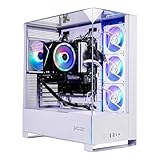

What Mid-Range Means Now
Mid-range here is defined by hardware class rather than price. It means a desktop that plays current games at 1080p on high settings and at 1440p on medium to high settings, without needing the very top GPU. In the current generation that translates to Nvidia RTX 5060 Ti or RTX 5070 graphics, or an AMD Radeon RX 9060 XT or RX 9070 class card, paired with a processor from the Ryzen 5 to Ryzen 7 range or a Core i5 to Core Ultra 7 range.
Systems Reviewers Mention
| System | Reported configuration | Suits | Watch for |
|---|---|---|---|
| CyberPowerPC Gamer Xtreme | pcgamecheck lists an RTX 5060 Ti with an i7-14700F | Lowest-spend 1440p play | The CPU is an earlier generation, with less upgrade runway |
| CyberPowerPC GXi3800BSTV2 | Asumetech lists a Core Ultra 7 270K Plus and an RTX 5070 with 12 GB | 1440p high-refresh | 12 GB of graphics memory |
| NZXT Player Two | pcgamecheck lists an RTX 5070 configuration | Clean design and standard parts | Costs more than the CyberPowerPC options |
| Lenovo Legion Tower 5 | pcbuildhelper names it best value among Ryzen 7 9800X3D systems with an RTX 5070 Ti | Stretching to the upper mid-range | Proprietary components can limit upgrades |
| Skytech King 95 | pcbuildhelper lists a 9800X3D configuration | Strong CPU performance for the money | Component quality varies |
The Four Parts That Decide Everything
1. Graphics card
The GPU sets your frame rate. An RTX 5060 Ti suits 1080p and basic 1440p. An RTX 5070 handles 1440p comfortably at high settings. pcbuildhelper reports the RTX 5070 Ti about 22 percent faster than the base RTX 5070, which is why many reviewers treat the 5070 Ti as a step into the upper mid-range rather than the middle of the pack.
2. Processor
For gaming, the processor matters most at high frame rates and low resolutions. The Ryzen 7 9800X3D is widely praised but sits in the upper-mid tier of cost. A Core Ultra 7 270K Plus or a Core i7-14700F is capable, though an older platform has fewer upgrade options.
3. Memory and storage
16 GB of memory is now the floor; 32 GB of DDR5 is the better choice. A 1 TB NVMe SSD is the practical minimum because modern games commonly exceed 100 GB each.
4. Power supply and case airflow
Budget prebuilts often cut corners here. Look for a named-brand power supply and a case with a mesh front panel. Check the maker’s spec sheet; if it does not name the power supply, ask the seller.
Budget Tiers
| Tier | Hardware class | Expected play |
|---|---|---|
| Lower mid-range | RTX 5060 Ti or RX 9060 XT, six to eight-core CPU | 1080p high, 1440p medium to high |
| Core mid-range | RTX 5070 or RX 9070, Ryzen 7 or Core Ultra 7 | 1440p high at 100+ frames in many titles |
| Upper mid-range | RTX 5070 Ti, Ryzen 7 9800X3D | 1440p high with headroom, light 4K |
Pick X If…
| If you… | Choose |
|---|---|
| Play esports titles at 1080p or 1440p | CyberPowerPC Gamer Xtreme |
| Want a balanced 1440p system with a current CPU | CyberPowerPC GXi3800BSTV2 |
| Care about a tidy, upgrade-friendly case | NZXT Player Two |
| Want the strongest CPU in the class | Lenovo Legion Tower 5 or Skytech King 95 |
Buying Checklist
- Ask for the full parts list: motherboard model, power supply wattage and brand, RAM speed and number of sticks.
- Confirm that memory runs as two sticks for dual-channel operation.
- Check for a free M.2 slot and an open PCIe slot.
- Read the warranty period and whether upgrades void it.
- Check the monitor ports so your display connects without an adapter.
Alternatives
- Self-build: Often provides better value and a better power supply for the same spend.
- Corsair Vengeance a7500: A step up to the 5070 Ti class, named by Tom’s Hardware as its best overall gaming PC.
- Gaming laptop: Useful if portability matters, at lower performance per unit of spend.
Resolution Planning
Choose your target resolution before choosing a system. At 1080p, an RTX 5060 Ti-class card leaves plenty of headroom and a modest processor is enough. At 1440p, the RTX 5070 class is the more comfortable fit and processor choice starts to matter in fast shooters. At 4K, a mid-range system relies on upscaling and reduced settings, and buyers who know they want 4K should look at the upper mid-range or beyond instead. A monitor around 27 inches at 1440p and 144 Hz is the usual companion to this hardware class.
Upgrade Headroom
A mid-range desktop earns its value if it can be improved later. The motherboard socket decides how far the processor can go: an older-generation Intel platform such as the i7-14700F system offers little forward path, while a current AMD or Intel platform offers more. Memory is cheap to expand if the board has free slots. Storage is the easiest step, as most boards have more than one M.2 slot. The graphics card is the biggest upgrade lever, and the power supply wattage and connector count set the ceiling, so ask for these details before buying.
Warranty, Support and Returns
Large integrators generally cover the whole system under a single warranty, which can be easier than claiming on individual parts. Terms and length differ by maker, so compare them. Check whether opening the case to add storage or memory affects coverage. If a system arrives with a fault, a return window under the seller’s policy is the fastest remedy; keep the original packaging for the first weeks.
Common Mistakes to Avoid
- Choosing a strong processor with an entry-level graphics card. For gaming, the GPU usually deserves the larger share of the spend.
- Buying a system with a single memory module, which runs slower than two matched modules.
- Ignoring the power supply name and wattage.
- Forgetting the monitor: a mid-range desktop connected to a 60 Hz screen cannot show what it can do.
- Assuming all RTX 5070 systems carry the same memory. Read the exact graphics card listing for the memory size.
Why Mid-Range Hardware Still Makes Sense
The step from a mid-range card to the top of the stack is large in cost and smaller in what you see on screen at 1080p or 1440p. Spending the difference on a better monitor, a larger SSD or a comfortable chair often improves day-to-day enjoyment more than a few extra frames per second. Mid-range systems also draw less power, run cooler and tend to be quieter, which matters in a bedroom or shared space. They are not future-proof, but with sensible settings they stay capable across several game releases.
Reading a Spec Sheet
When two systems look alike, the details separate them. Compare the graphics card by its full name and memory size, not just the series number. Compare the processor by model, since a Core i5 and a Core i7 in the same family can differ in core count. Check the memory speed and whether it is DDR5, the storage interface (PCIe 4.0 or 5.0) and the size of the drive. Look at the motherboard chipset, because it limits upgrades, and at the case, since a mesh front panel generally helps cooling. A seller who lists these clearly is easier to trust than one who shows only a headline graphics card.
Software and Settings Tips
Mid-range systems benefit from upscaling. Nvidia’s DLSS and AMD’s FSR let a card hit higher frame rates at the same resolution with some image-quality trade-off. Turning down a few costly settings, such as shadows or volumetric effects, often yields a large frame-rate gain with small visual loss. Keep graphics drivers up to date, and use a frame-rate cap near your monitor’s refresh rate to cut heat and noise.
Frequently Asked Questions
Is 12 GB of graphics memory enough for a mid-range PC?
For most games at 1080p and 1440p, yes. A few recent titles use more at very high texture settings, in which case dropping one texture level resolves it.
Is a 9800X3D worth it in a mid-range desktop?
It is excellent for gaming but moves a system toward the upper mid-range. If you play mostly at 1440p with a mid-range GPU, a cheaper processor shows little difference.
Should I choose AMD or Nvidia graphics?
Both are viable. Nvidia is favoured for ray tracing and software features; AMD’s RX 9000 series offers strong rasterisation and FSR 4 upscaling.
How much storage do I need?
Start with 1 TB and add a second drive later. Several modern games take 100 GB or more each.
Can I upgrade a prebuilt later?
Often yes, particularly with standard ATX parts. Check for proprietary power supplies or motherboards that limit changes.
Will a mid-range desktop last?
Generally for several years at the settings it targets today, with graphics settings lowered over time. A platform with a current socket gives the longest path for a processor swap.