- Top Pick: JBL Quantum 650X – Wireless multiplatform over-ear gaming headset (Black) | 50mm carbon dynamic drivers, Spatial Sound, Cardioid Noise Cancelling boom mic, Playtime up to 45Hrs dongle or 60Hrs BT ONLY
- Best Value: XBOX Wireless Gaming Headset | Carbon Black | Over Ear Headphones, Spatial Audio with Dolby Atmos, Play on Consoles & PCs & TVs and more
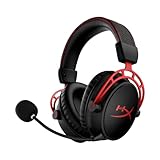
- Premium Choice: HyperX Cloud Alpha Wireless – Gaming Headset for PC, 300-hour battery life, DTS Headphone:X Spatial Audio, Memory foam, Dual Chamber Drivers, Noise-canceling mic, Durable aluminum frame,Red
For gamers who want strong positional audio, the Razer BlackShark V3 Pro is the headset reviewers most often name for most buyers, the SteelSeries Arctis Nova Pro Wireless suits those who want every feature and several platforms, and the HyperX Cloud III family suits shoppers who want good sound for less; all of them rely on software spatial processing that works with ordinary stereo drivers.
As an Amazon Associate we earn from qualifying purchases at no extra cost to you.



What Spatial Audio Does
Spatial audio, also called virtual surround, places sound in a three-dimensional field using software on top of two drivers. It can help with direction cues such as footsteps in a shooter, but it also changes tone, and some players prefer plain stereo for music. Each ecosystem uses its own tool: THX Spatial Audio on Razer, Sonar and Tempest 3D on SteelSeries, and DTS Headphone:X on HyperX wired models. Windows also includes Windows Sonic and Dolby Atmos for Headphones options.
At a Glance
| Headset | Best for | Stated or reported specs | Limits |
|---|---|---|---|
| Razer BlackShark V3 Pro | Competitive play | The maker lists 50 mm TriForce drivers, up to 70 hours of battery, 2.4 GHz with about 10 ms latency, Bluetooth, THX Spatial Audio 7.1.4 on Windows 11 23H2 or later, hybrid ANC with four levels and a detachable mic | SoundGuys reports treble distortion and fit issues; V-shaped tuning |
| SteelSeries Arctis Nova Pro Wireless | Multi-platform and long sessions | Reported hybrid ANC, 40 mm drivers, two swappable batteries with a base station dock, simultaneous 2.4 GHz and Bluetooth, up to 12 m range | Premium spend; ear pads can warm up in long use |
| HyperX Cloud III Wireless | Value | A comparison site lists 53 mm drivers and 120 hours of battery | No ANC reported; non-removable battery |
| HyperX Cloud III (wired) | Best wired value | SoundGuys cites neutral midrange and DTS Headphone:X | Wired only |
| HyperX Cloud Alpha 2 Wireless | Battery life | Reports of up to 250 hours | Fewer premium features |
| Audeze Maxwell 2 | Positional precision | One roundup cites the most precise positional detail | Premium tier |
Reading the Differences
Razer BlackShark V3 Pro
Crit and Craft calls it the nearest thing to a consensus pick in mid-2026, and Forbes Vetted scored it 4 out of 5. Razer lists a 15-minute quick charge giving about 6 hours of playtime and a hybrid ANC system. The weak points reviewers mention are a V-shaped sound signature and inconsistent microphone impressions. The spatial mode requires a recent Windows 11 build.
SteelSeries Arctis Nova Pro Wireless
The headset’s selling point is flexibility: a base station that swaps batteries, simultaneous Bluetooth and 2.4 GHz, and a spatial stack that changes per platform, with Sonar on PC, Tempest 3D on PS5 and Microsoft Spatial Sound on Xbox. TechPowerUp measured roughly 20 hours per battery, and notes the hot-swap claim is only partly true because of a short swap window. Forbes Vetted placed it runner-up.
HyperX Cloud III family
These headsets are positioned below the Razer and SteelSeries models, typically retailing 30 to 40 percent lower according to one roundup. The wired Cloud III is praised as a value choice with a neutral midrange.
Features That Matter
- Latency: 2.4 GHz wireless is the choice for gaming; Bluetooth adds delay.
- Battery: Look at real hours, not quick-charge claims. Battery life varies between maker rating and measured results.
- Microphone: Detachable booms are easier to hide when you are not on a call.
- Fit: Clamping force and ear pad depth vary. If you wear glasses, soft pads matter.
- Software: Spatial modes require a companion app or a recent Windows version.
Budget Tiers
| Tier | Models | Trade-off |
|---|---|---|
| Value | HyperX Cloud III (wired), Cloud III Wireless | Fewer features, simpler build |
| Mid-range | HyperX Cloud Alpha 2 Wireless, Razer BlackShark V3 Pro (lower end of the premium band) | Some compromises in ANC or comfort |
| Premium | SteelSeries Arctis Nova Pro Wireless, Audeze Maxwell 2 | Highest cost, most features |
Pick X If…
| If you… | Choose |
|---|---|
| Mostly play competitive shooters on PC | Razer BlackShark V3 Pro |
| Switch between PC and console | SteelSeries Arctis Nova Pro Wireless |
| Want a lower spend with good sound | HyperX Cloud III |
| Want multi-day battery | HyperX Cloud Alpha 2 Wireless |
| Prefer a more analytical sound | Audeze Maxwell 2 |
Compatibility Notes
Check that the wireless dongle is USB-A or USB-C to match your ports. Razer’s THX 7.1.4 mode requires Windows 11 version 23H2 or later according to the maker. SteelSeries’ Sonar suite is a PC download. Console use varies: PlayStation generally works with 2.4 GHz dongles while Xbox support depends on the model, so confirm with the maker’s compatibility chart.
Alternatives
- Stereo open-back headphones with a clip-on mic: Often better for imaging without virtual surround.
- Windows Sonic or Dolby Atmos for Headphones: System-level spatial options that work with many headphones.
- Cloud III S Wireless: A related HyperX variant in comparison listings.
Comfort and Fit
For long sessions, comfort often outweighs small sound differences. Reviewers note that the Nova Pro’s pads can warm up over many hours, and SoundGuys reports persistent fit issues on the BlackShark V3 Pro. Razer lists dual-layered FlowKnit memory foam cushions and adaptive 15-degree swivel joints. Glasses wearers should look for soft, deep pads and low clamping force. Headband design matters for larger heads, so check the maker’s size notes and read reviews from people with similar head sizes.
Microphone Quality
A headset’s microphone is judged separately from its drivers. Razer lists a detachable 12 mm HyperClear mic with background noise suppression on the BlackShark V3 Pro, though reviewers describe mixed impressions. SteelSeries pairs its boom with software noise control in Sonar. If you stream or lead a squad, consider a separate desk microphone, which usually outperforms any headset boom.
Tuning and Equalisation
Gaming headsets are commonly tuned with extra bass and treble, called V-shaped. This adds punch to explosions and crisp footstep sounds but can make music less natural. Most makers include equaliser presets in their apps; SteelSeries Sonar offers a parametric equaliser, and Razer lists pro-tuned game profiles. If you listen to music on the same headset, look for a neutral mode, or consider a wired option like the Cloud III with its neutral midrange.
Using Spatial Audio Well
- Set the game output to stereo before enabling virtual surround, to avoid applying surround processing twice.
- Compare modes in a practice map and choose the one where direction cues feel clearest.
- Keep one system-wide spatial tool active at a time; stacking Windows Sonic with a headset’s own tool can blur positioning.
- Reset equaliser changes when switching games, since profiles that suit one title can colour another.
Wireless Setup Details
Most of the headsets here use a USB dongle for 2.4 GHz and also offer Bluetooth. Razer lists simultaneous dual wireless audio on the BlackShark V3 Pro, so a phone can connect over Bluetooth while a PC uses the dongle. SteelSeries lists a similar simultaneous mode on the Nova Pro. Keep the dongle close to the headset, ideally on a front port or an extension cable rather than behind a metal case, to reduce dropouts. Update the firmware through the maker’s app when updates are offered.
Wired Versus Wireless for Positioning
Positional accuracy comes mostly from the headphones’ tuning and the processing software, not from the wireless link. A wired headset avoids battery management and gives the lowest delay, while a modern 2.4 GHz link is close enough that most players do not notice a difference. Bluetooth is best kept for phones and casual use.
Where Reviewers Disagree
Outlets split on the winner. Crit and Craft and Gavler lean toward the BlackShark V3 Pro for most people, while Forbes Vetted named the SteelSeries Arctis Nova Pro Omni Wireless best overall, with the Nova Pro Wireless runner-up and the BlackShark scoring lower. SoundGuys values the Razer’s latency and positional audio while criticising treble and fit. The practical reading is that the decision rests on your platforms, head shape and budget rather than on a single objective ranking. Sources also disagree on the Nova Pro’s per-battery runtime, so treat battery figures as approximate.
Frequently Asked Questions
Does spatial audio really improve competitive play?
It can help with directional cues, but results vary by game and person. Some players find stereo clearer, so try both modes.
Do I need a wireless headset?
No, wired headsets avoid battery concerns and latency. Wireless gives freedom and cleaner desks, with 2.4 GHz connections giving low delay.
Is active noise cancellation useful in a gaming headset?
It helps in noisy rooms but can slightly colour the sound. The BlackShark V3 Pro and Nova Pro both list hybrid ANC.
Which headset has the longest battery life?
HyperX reports are the highest, with the Cloud Alpha 2 Wireless cited at up to 250 hours and the Cloud III Wireless at 120 hours by a comparison site. Check the maker’s own listing for each.
Will the spatial mode work in every game?
Virtual surround is applied at the system level so it works with most games, but results are best with titles that output multichannel audio.
Can I use these on console?
Many can, with limits. SteelSeries lists platform-specific spatial audio, while Razer lists console support. Confirm the dongle type for your console on the maker page.