

- Top Pick: Acer Nitro V 16S AI Gaming Laptop | AMD Ryzen 7 260 Processor | NVIDIA GeForce RTX 5060 Laptop GPU (572 AI Tops) | 16" WUXGA IPS 180Hz Display | 32GB DDR5 | 1TB Gen 4 SSD | Wi-Fi 6 | ANV16S-41-R2AJ
- Best Value: ASUS ROG Strix G16 (2025) Gaming Laptop, 16” FHD+ 16:10 165Hz/3ms, NVIDIA® GeForce RTX™ 5060, Intel® Core™ i7 Processor 14650HX, 16GB DDR5, 1TB Gen 4 SSD, Wi-Fi 7, Windows 11 Home, G615JMR-AS74
- Premium Choice: HP Victus 15.6" Full HD 144Hz Gaming Laptop, Intel Core i5-12450H, NVIDIA GeForce RTX 3050,16GB RAM, 512GB PCIe SSD, Wi-Fi 6, Backlit Keyboard,Windows 11 Pro, Performance Blue
An RTX 3070 gaming laptop is a good fit for a 1080p or lightly tuned 1440p player who can buy used, refurbished or clearance stock at a clear discount; if you want a new machine with a full warranty, an RTX 5060 or RTX 5070 laptop is the better choice, because the newer chips bring current features and, in the 5060 case, similar or better performance. The RTX 3070 Laptop GPU belongs to Nvidia’s RTX 30 generation, so every laptop carrying it is a previous-generation design. This guide explains what the chip delivers, what to look for in the older chassis that used it, and which current laptops replace it.
- What the RTX 3070 Laptop GPU Offers
- RTX 3070 Laptops at a Glance
- Current Alternatives to Consider
- What to Look For When Buying an RTX 3070 Laptop
- Budget Tiers
- Pick X If… Decision Table
- RTX 3070 Laptop Versus Its Neighbours
- Care and Longevity Tips
- Settings That Suit an RTX 3070 Laptop
- Who Should Skip an RTX 3070 Laptop
- Warning Signs on Older Gaming Laptops
- Frequently Asked Questions
As an Amazon Associate we earn from qualifying purchases at no extra cost to you.


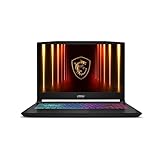
What the RTX 3070 Laptop GPU Offers
The RTX 3070 Laptop GPU has 8 GB of GDDR6 memory, according to Nvidia’s specifications and comparison sites. PassMark’s averages put it near 15,000 points, which is about 15 percent above the RTX 3060 Laptop (roughly 13,000) and about 10 percent below the RTX 5060 Laptop (roughly 16,800). Those scores are averages across many laptops, and the actual result depends on the wattage the maker allows, so cooling and power matter as much as the chip name.
Its 8 GB of memory is its main practical advantage over the 3060, whose 6 GB can limit newer games. Reviewers quoting Tom’s Hardware call 8 GB the bare minimum at 1080p, so the 3070 sits at the threshold: comfortable at 1080p, workable at 1440p with tuned settings and upscaling. It supports ray tracing and DLSS upscaling, but not DLSS 4 Multi Frame Generation, which is tied to the RTX 50 series.
RTX 3070 Laptops at a Glance
The lines below commonly offered RTX 3070 options when they were new. Today they are mostly seen used or refurbished, so confirm the GPU and wattage of the specific unit.
| Line | Type | Strengths reported | Limits |
|---|---|---|---|
| Asus ROG Zephyrus G15 / G14 (earlier) | Portable gaming | Compact and light for the generation | Lower power limits; fans audible |
| Lenovo Legion 5 Pro / 7 | Balanced performance | Strong cooling and keyboard | Weight; older ports |
| Asus ROG Strix G15 / G17 | Performance | Higher power limits and cooling | Larger and heavier |
| Acer Predator Helios 300 / 500 | Performance value | Common in used listings | Weight; battery wear |
| MSI GE / GS series | Premium Windows | High-refresh display options | Thermals vary by model |
| Dell Alienware m15 / x15 (earlier) | Premium | Build quality | Upgrade options limited on some |
Current Alternatives to Consider
| Option | Stated points | Best for |
|---|---|---|
| RTX 5060 laptop | 8 GB of GDDR7, 448 GB/s bandwidth per Versus; supports DLSS 4 Multi Frame Generation | New budget-to-mid 1080p gaming |
| Acer Nitro V 16 AI | PCWorld’s best budget gaming laptop | Entry current-generation machine |
| Acer Predator Helios Neo 16 AI | Described as strong for 1440p with RTX 5070 Ti | Value 1440p |
| Asus ROG Zephyrus G14 (2026) | RTX 5070 or 5070 Ti options reported | Portable gaming |
| Alienware 16X Aurora | PCWorld’s best gaming pick | Mainstream larger machine |
What to Look For When Buying an RTX 3070 Laptop
GPU wattage and cooling
Laptop makers set the power limit. An RTX 3070 in a thick chassis with a high limit can outperform the same chip in a slim body. Look for specifications or reviews that state the wattage and avoid versions labelled Max-Q if you want the best frame rates.
Display
A 1080p panel at 144 Hz or more suits this GPU. A 1440p panel at 165 Hz is a good fit for lighter titles or reduced settings. Check brightness and colour coverage, because budget panels on some older models are dim.
Processor
Most RTX 3070 laptops pair with Intel 11th or 12th generation or AMD Ryzen 5000 or 6000 series processors. They remain adequate for gaming, though newer platforms are more efficient.
Memory and storage
Seek 16 GB of RAM at minimum. Many of these laptops let you add memory and storage later, which extends their life. Confirm the model has accessible slots.
Condition of used units
Inspect battery health, fan noise, temperatures under load, the hinge, keyboard and screen. Dust and dried thermal paste in older machines can cause throttling. Prefer a seller offering a return window, and a unit with the original charger.
Size and portability
15 and 16 inch models are the most carryable; 17 inch units offer larger screens and often better cooling but weigh more. Add the charger to your weight estimate.
Budget Tiers
- Budget: used RTX 3060 or 3070 laptops, or a new Acer Nitro V 16 AI.
- Mid-range: a new RTX 5060 laptop, or a premium-condition refurbished 3070 machine with warranty.
- Premium: RTX 5070 or 5070 Ti laptops such as the Zephyrus G14 or Predator Helios Neo 16 AI.
Pick X If… Decision Table
| Pick this | If you… |
|---|---|
| Used RTX 3070 laptop | want 8 GB of video memory at a low cost and can inspect the unit |
| Refurbished RTX 3070 with warranty | want older hardware but need peace of mind |
| Used RTX 3060 laptop | play esports and older titles and want the lowest cost |
| New RTX 5060 laptop | want a full warranty and current features |
| RTX 5070 or 5070 Ti laptop | want smooth 1440p or creative work |
RTX 3070 Laptop Versus Its Neighbours
Versus RTX 3060 Laptop
The 3070 offers 8 GB instead of 6 GB and a performance lead of roughly 15 percent in PassMark averages. If the used price gap is small, the extra memory is worth it.
Versus RTX 3080 Laptop
The RTX 3080 Laptop is faster, with up to 16 GB on some versions according to Nvidia, but typically sits in heavier, hotter chassis. For most buyers a good 3070 laptop with strong cooling is a better balance.
Versus RTX 5060 Laptop
PassMark shows the RTX 5060 Laptop about 10 percent ahead of the 3070 Laptop, with the same 8 GB but faster GDDR7 memory and DLSS 4 Multi Frame Generation. A new 5060 laptop also comes with a warranty, so unless the used 3070 is much cheaper, the 5060 is the safer purchase.
Care and Longevity Tips
- Use the laptop on a hard, flat surface and keep vents clear.
- Clean dust from fans periodically, following the maker’s manual.
- Consider replacing thermal paste if temperatures are high, but note that opening the laptop can affect warranty.
- Use the maker’s battery-care setting when plugged in for long periods.
Settings That Suit an RTX 3070 Laptop
With 8 GB of video memory, the RTX 3070 Laptop handles high texture settings at 1080p in most games. A practical approach is high or very high textures, medium to high shadows and DLSS in Quality or Balanced mode when a game supports it. At 1440p, lowering shadows and volumetric effects and using DLSS usually keeps frame rates smooth. Ray tracing is available but is demanding, so enable it selectively where the visual gain is clear.
A frame-rate cap a few frames below the refresh rate of the screen reduces heat and fan noise, which helps an older cooling system stay quiet. If temperatures remain high, a laptop stand that improves airflow and a clean set of fans can make a noticeable difference.
Who Should Skip an RTX 3070 Laptop
Buyers who want a long warranty, the latest wireless standards, or DLSS 4 Multi Frame Generation should look at a new laptop instead. The same goes for anyone who needs reliable battery life away from a socket, since older gaming batteries lose capacity with age and replacement packs can be hard to source. If you are unsure about the history of a used unit, a refurbished laptop sold with a stated warranty is usually the safer route.
Warning Signs on Older Gaming Laptops
- Fans that run loudly at idle can point to dust or worn bearings.
- Temperatures that spike quickly under load may indicate dried thermal paste.
- A swollen battery or a lid that does not sit flat should be treated seriously; stop using the laptop and seek qualified repair if you see this.
- Missing keys, flickering screens or loose charging ports are costly to repair on gaming models.
Frequently Asked Questions
Is an RTX 3070 laptop still good for gaming?
Yes for 1080p and tuned 1440p play, especially in a well-cooled chassis. Its 8 GB of video memory is adequate, but it lacks DLSS 4 Multi Frame Generation.
How does an RTX 3070 laptop compare with an RTX 5060 laptop?
PassMark averages put the RTX 5060 Laptop about 10 percent ahead. The 5060 also uses newer GDDR7 memory and supports DLSS 4 Multi Frame Generation, and it comes in new laptops with warranty.
How much VRAM does an RTX 3070 laptop have?
It has 8 GB of GDDR6 memory. That is two gigabytes more than the RTX 3060 Laptop.
Can an RTX 3070 laptop handle 1440p?
It can in many games with tuned settings or upscaling. The most demanding recent releases may need lower textures or resolution to stay smooth.
What should I check on a used gaming laptop?
Check battery health, fan noise, temperatures under load, hinge and keyboard condition and the screen. Ask about a return window and whether the original charger is included.
Should I upgrade the RAM and storage?
If the model allows it, going to 16 GB or 32 GB of RAM and a larger SSD is a practical way to extend its life. Follow the maker’s manual when opening the laptop.







