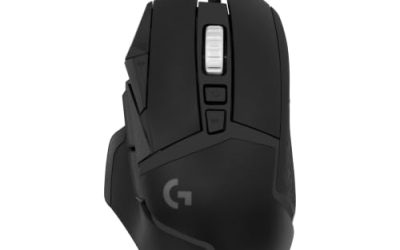
The Razer DeathAdder has set the standard for the ergonomic gaming mouse for years. Its tall, right-handed shell, flared thumb rest, and gentle hump suit palm and claw grips, and it has become the shape many gamers measure every other mouse against. Yet plenty of gamers want that same comfort with a different sensor, a different button layout, a different weight, or simply a different brand.


This guide covers four gaming mice that match the DeathAdder on shape and comfort while bringing their own strengths. Every pick below is a right-handed, ergonomic gaming mouse with a similar feel in the hand, and every one is listed on Amazon US. All four picks in this guide are wired, which keeps the comparison focused on shape, sensor, and buttons rather than battery and wireless range.
As an Amazon Associate, we earn from qualifying purchases.
Key Takeaways
- The DeathAdder shape is defined by a tall right-handed shell, a thumb rest, and a hump that fills the palm. All four picks below share that ergonomic layout.
- The Logitech G502 HERO is the closest all-round match, with 11 programmable buttons and an adjustable weight system.
- The SteelSeries Rival 5 is the lightest pick here at 85 g, and the best match for gamers who want DeathAdder comfort in a lighter body.
- The Corsair M65 RGB Ultra is the pick for FPS players who want a sniper button and a tunable weight system in a metal frame.
- The Razer Basilisk V3 is the same-brand alternative, with a similar ergonomic shell, 11 programmable buttons, and a HyperScroll tilt wheel.
- Hand size matters more than any single specification. A mouse that fits a large palm can feel bulky in a small hand, so check the shape notes for each pick before choosing.
Quick Picks
| Mouse | Sensor | Programmable Buttons | Weight | Best For |
|---|---|---|---|---|
| Logitech G502 HERO | HERO 25K, up to 25,600 DPI | 11 | Adjustable weight system | All-round alternative |
| SteelSeries Rival 5 | TrueMove Air, 18,000 CPI | 9 | 85 g | Lightweight comfort |
| Corsair M65 RGB Ultra | Marksman, 26,000 DPI | 8 | 97 g | FPS and tunable weight |
| Razer Basilisk V3 | 26K DPI optical | 11 | Ergonomic wired | Same-brand alternative |
How to Choose
Shape and Size
Shape is the main reason to look for a DeathAdder alternative, so it should be the main factor in your choice. The DeathAdder is a large, right-handed mouse with a high hump and a thumb rest on the left side. If your palm rests fully on the mouse and your fingers lie flat along the buttons, you are a palm grip user and you will want a tall shell with a similar hump. If your palm stays raised and only your fingertips touch the buttons, you are a claw grip user and a slightly lower shell can work.
Sensor Sensitivity
Every modern gaming sensor in this guide tracks cleanly at the sensitivities most gamers use. The headline DPI and CPI numbers matter less than how the sensor behaves at your own setting, but they still tell you the range on tap. The G502 HERO reaches 25,600 DPI, the M65 RGB Ultra reaches 26,000 DPI, the Basilisk V3 uses a 26K DPI optical sensor, and the Rival 5 reaches 18,000 CPI. For most gamers, any of these is more than enough, and the choice comes down to shape and buttons instead.
Weight and Balance
The Rival 5 is the lightest pick at 85 g, and it suits gamers who lift the mouse often or play fast-paced shooters. The M65 RGB Ultra weighs 97 g and adds a tunable weight system, so you can shift its balance toward the front or rear. The G502 HERO also has an adjustable weight system with removable weights, which lets you tune the heft to your grip.
Buttons
Button count is where these alternatives diverge most. The G502 HERO and the Basilisk V3 each have 11 programmable buttons, which suits MMO players and anyone who binds abilities, macros, or push-to-talk to the mouse. The Rival 5 has 9 programmable buttons, a solid middle ground for FPS and MOBA players who want a few extra controls without a crowded layout. The M65 RGB Ultra has 8 programmable buttons, including a dedicated sniper button that drops sensitivity while held, a feature FPS players will recognize from the DeathAdder family itself.
Wired or Wireless
All four picks in this guide are wired. A wired mouse has no battery to charge, no wireless latency to think about, and a consistent weight, since there is no battery inside the shell. If you want a wireless DeathAdder alternative, the same brands make wireless versions of several of these designs, but this guide keeps the comparison to wired models so the shape and sensor notes stay directly comparable.
Software and On-Board Memory
Each of these mice pairs with its brand software for button remapping, lighting, and sensitivity steps. The G502 HERO has on-board memory, so your settings travel with the mouse to another computer.
The 4 Best Options
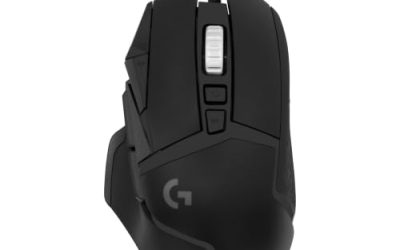
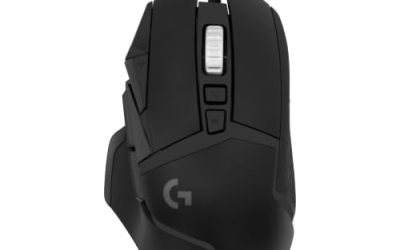
1. Logitech G502 HERO — Best All-Round Alternative
Logitech G502 HERO is the most complete DeathAdder alternative in this guide. It is a right-handed ergonomic mouse with a thumb rest, a broad palm area, and a button layout that gives you control without crowding your grip. The HERO 25K sensor tracks up to 25,600 DPI with 1:1 tracking, and the 11 programmable buttons cover everything from ability binds to DPI shifting.
The adjustable weight system is the feature that sets the G502 HERO apart. Five removable weights let you tune the heft and balance until the mouse feels right in your hand. The dual-mode scroll wheel switches between a notched mode for weapon selection and a free-spinning mode for long documents.
The G502 HERO suits gamers who want one mouse for every genre. It has the buttons for MMOs, the sensor for competitive shooters, and the comfort for long sessions. The trade-off is size and weight: it is a full-size mouse that feels more substantial than the lightest mice in this guide, so small hands may prefer the Rival 5.
Key specs:
- HERO 25K sensor, up to 25,600 DPI
- 11 programmable buttons
- Adjustable weight system with five removable weights
- LIGHTSYNC RGB lighting
- On-board memory for saved profiles
- Wired, right-handed ergonomic shape with thumb rest
2. SteelSeries Rival 5 — Best Lightweight Alternative
SteelSeries Rival 5 is the lightest DeathAdder alternative in this guide at 85 g, and the best match for gamers who like the DeathAdder shape but want a lighter mouse. It keeps the ergonomic right-handed shell and adds a slightly narrower body, so it suits medium hands and claw grips as well as palm grips. The TrueMove Air optical sensor reaches 18,000 CPI, and the 9 programmable buttons give you room for ability binds without a crowded side panel.
The Rival 5 was designed as a multi-genre mouse, with a layout that works across FPS, MOBA, MMO, and battle royale games. The 85 g weight is the headline here: if you lift the mouse often to recenter, or you play fast shooters where quick flicks matter, the Rival 5 feels noticeably more agile than the heavier picks in this guide.
The trade-off is a lower headline sensor range than the other picks, at 18,000 CPI, though that is still far above the sensitivity most gamers use. The Rival 5 also has fewer buttons than the G502 HERO and Basilisk V3, so MMO players who bind a full action bar to the mouse may want the extra controls of those models.
Key specs:
- TrueMove Air optical sensor, 18,000 CPI
- 9 programmable buttons
- 85 g weight
- PrismSync RGB lighting
- Ergonomic right-handed shape
- Wired, built for FPS, MOBA, MMO, and battle royale play
3. Corsair M65 RGB Ultra — Best for FPS and Tunable Weight

Corsair M65 RGB Ultra is the pick for FPS players who want DeathAdder comfort with a metal frame and a dedicated sniper button. The M65 has been a fixture of the FPS mouse scene for years, and the RGB Ultra version pairs the familiar ergonomic right-handed shape with the Corsair Marksman 26,000 DPI optical sensor, optical switches, and AXON hyper-processing for fast input handling.
The tunable weight system is the core of the M65. Removable weights let you adjust the heft and shift the center of balance, so you can set the mouse up for steady tracking or for quick flicks. The sniper button sits under your thumb and drops sensitivity while held, which helps when you scope in and need fine control.
At 97 g, the M65 RGB Ultra sits between the light Rival 5 and the heavier G502 HERO, and the weight tuning lets you move it in either direction. The 8 programmable buttons are fewer than the G502 HERO and Basilisk V3, so it is less suited to MMO players who need a full row of binds. For FPS players, though, the combination of sniper button, tunable weight, and a firm metal frame makes the M65 RGB Ultra a strong DeathAdder alternative with a character of its own.
Key specs:
- Corsair Marksman 26,000 DPI optical sensor
- Optical switches
- AXON hyper-processing technology
- Tunable weight system
- 8 programmable buttons, including a sniper button
- 97 g weight, aluminum frame
- 8,000 Hz hyper-polling
- Wired, right-handed ergonomic shape
4. Razer Basilisk V3 — Best Same-Brand Alternative

Razer Basilisk V3 is the alternative for gamers who like the DeathAdder shape and the Razer ecosystem but want a different mouse from the same brand. The Basilisk V3 is an ergonomic right-handed wired mouse with a thumb rest, a shape that will feel familiar the moment you pick it up, and a button layout that goes further than the DeathAdder with 11 programmable buttons and a HyperScroll tilt wheel.
The HyperScroll tilt wheel is the standout feature. It spins freely for fast scrolling through long pages and inventories, clicks into a notched mode for precise weapon switching, and tilts left and right for extra binds. The 26K DPI optical sensor matches the range of the other picks in this guide, and the optical mouse switches use light actuation for fast clicks.
The Basilisk V3 suits gamers who already use Razer software and want their mouse settings in the same place as the rest of their setup. It is a full-size ergonomic mouse, so it fits medium to large hands best, and it carries more buttons than the Rival 5 or M65 RGB Ultra, which suits MMO and MOBA players.
Key specs:
- 26K DPI optical sensor
- 11 programmable buttons
- HyperScroll tilt wheel with free-spin and notched modes
- Chroma RGB lighting
- Optical mouse switches Gen-2
- Ergonomic right-handed wired shape with thumb rest
Which One Fits Your Situation
- You want the closest all-round match: Choose the Logitech G502 HERO. It has the buttons, the sensor range, and the weight tuning to cover every genre, and its ergonomic shape is the nearest parallel to the DeathAdder in this guide.
- You want the lightest mouse: Choose the SteelSeries Rival 5. At 85 g it is the easiest mouse to flick and lift, and its narrower shell suits medium hands and claw grips.
- You play FPS games and want a sniper button: Choose the Corsair M65 RGB Ultra. The thumb sniper button, tunable weight, and metal frame are built around steady aiming and controlled flicks.
- You want to stay with Razer: Choose the Razer Basilisk V3. It keeps the ergonomic feel and the Razer software, and adds the HyperScroll tilt wheel and extra buttons.
- You have large hands and a palm grip: The G502 HERO and Basilisk V3 are the best fit, since both are full-size mice with a tall shell and a broad palm area.
- You have smaller hands or a claw grip: The Rival 5 is the best fit, since its narrower body and lighter weight suit a raised palm and fingertip control.
- You play MMOs and need many binds: The G502 HERO and Basilisk V3 tie at 11 programmable buttons each, so pick between them on shape and software.
Common Mistakes
- Choosing on DPI alone. A higher headline DPI number does not make a mouse more accurate at the sensitivity you actually use. Shape, weight, and button layout affect your aim far more than the gap between 18,000 CPI and 26,000 DPI.
- Ignoring hand size. A mouse that fits a large palm can feel bulky and tiring in a small hand. Match the shell to your hand before you match the sensor to your games.
- Assuming every ergonomic mouse feels the same. Right-handed ergonomic mice differ in hump height, thumb rest angle, and side grip texture. The DeathAdder, G502 HERO, Rival 5, M65 RGB Ultra, and Basilisk V3 all share the same idea, but each one sits differently in the hand.
- Forgetting the software. Button remapping, sensitivity steps, and lighting all run through the brand software. Check that it runs on your system and that the mouse stores profiles on the device if you move between computers.
- Buying a symmetrical mouse by accident. If you want DeathAdder comfort, you want a right-handed ergonomic shell. Symmetrical mice suit a different grip and will not give you the thumb rest and palm hump you are used to.
- Skipping the weight question. A heavy mouse can feel steady for tracking but tiring during fast flicks, while a light mouse can feel agile but harder to control. Use the tunable weight systems on the G502 HERO and M65 RGB Ultra to find your own balance.
- Expecting one mouse to do everything. A mouse with 11 buttons suits MMOs, while a light 85 g mouse suits fast shooters. Pick the mouse that fits the games you play most, not the one with the longest specification list.
FAQ
Is the Razer DeathAdder itself a bad mouse?
No. The DeathAdder is a proven ergonomic mouse, and it is the benchmark this guide measures against. The mice here are alternatives for gamers who want a different sensor, more buttons, a different weight, or a different brand, not replacements for a mouse that has failed.
Which DeathAdder alternative is best for small hands?
The SteelSeries Rival 5 is the best fit for smaller hands in this guide. Its narrower shell and 85 g weight suit a claw grip and a raised palm, while the G502 HERO and Basilisk V3 are full-size mice that fit medium to large hands better.
Do I need software to use these mice?
All four mice work as plug-and-play pointing devices, but button remapping, sensitivity steps, and lighting need the brand software. The G502 HERO stores profiles in on-board memory, so your settings travel with the mouse once saved.
Are wired mice still a good choice in 2026?
Yes. A wired mouse has no battery to charge and a consistent weight, and modern wired sensors match wireless models on tracking. The picks in this guide are all wired, which keeps the comparison focused on shape and feel.
Can I use these mice for work as well as gaming?
Yes. The ergonomic shape that suits long gaming sessions also suits long work days, and the extra buttons can be bound to copy, paste, browser navigation, or app shortcuts.
What is the main difference between the G502 HERO and the Basilisk V3?
Both have 11 programmable buttons and a 26K-class sensor, so the choice comes down to shape and extras. The G502 HERO has an adjustable weight system and a dual-mode scroll wheel, while the Basilisk V3 has a HyperScroll tilt wheel and sits inside the Razer software ecosystem.
Final Thoughts
The best DeathAdder alternative is the one that keeps the comfort you already like and fixes the one thing you wanted to change. If you want the most complete package, the Logitech G502 HERO covers every genre with 11 buttons and a tunable weight system. If you want the lightest mouse, the SteelSeries Rival 5 gives you the same ergonomic idea at 85 g. If you play FPS games, the Corsair M65 RGB Ultra pairs a sniper button with a tunable weight system and a metal frame. And if you want to stay with Razer, the Basilisk V3 keeps the familiar shape and adds a HyperScroll tilt wheel.
Shape comes first. Pick the shell that fits your hand and grip, then let the sensor, buttons, and weight decide between the models that fit. Any of the four mice in this guide will feel familiar within a few days of switching from a DeathAdder, and each one brings a strength the DeathAdder does not.